
MAXDONE PH820W
MAXDONE Trail Camera WiFi Game Camera User Manual
Model: PH820W | Brand: MAXDONE
1. Giriş
Thank you for choosing the MAXDONE PH820W WiFi Trail Camera. This camera is designed for capturing high-quality photos and videos of wildlife or for security monitoring. Featuring 32MP photo resolution, 1440P video, no-glow night vision, and a rapid 0.2s trigger speed, it ensures you capture every important moment. With WiFi and Bluetooth connectivity, you can easily manage and view your media via a mobile application. This manual provides detailed instructions to help you set up, operate, and maintain your trail camera for optimal performance.
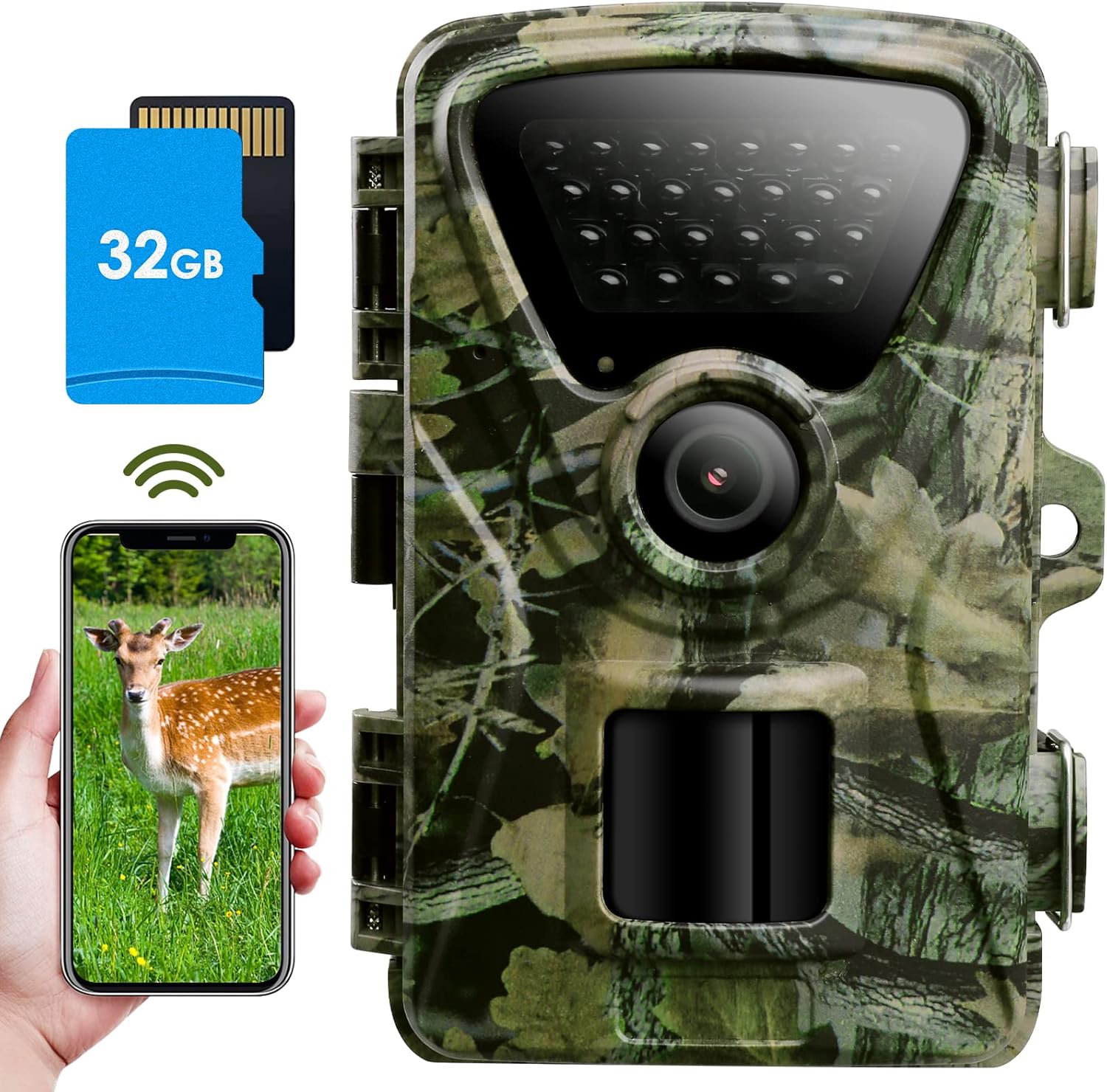
The MAXDONE PH820W WiFi Trail Camera, showcasing its compact design, included 32GB SD card, and smartphone connectivity for remote viewIng.
2. Temel Özellikler
- 32MP HD Photo Resolution: Provides clearer and more realistic images of your subjects.

Comparison of 32MP photo resolution versus 20MP, demonstrating enhanced clarity.
- 1440P Sharper Video Resolution: Delivers crisp image clarity and video with audio.
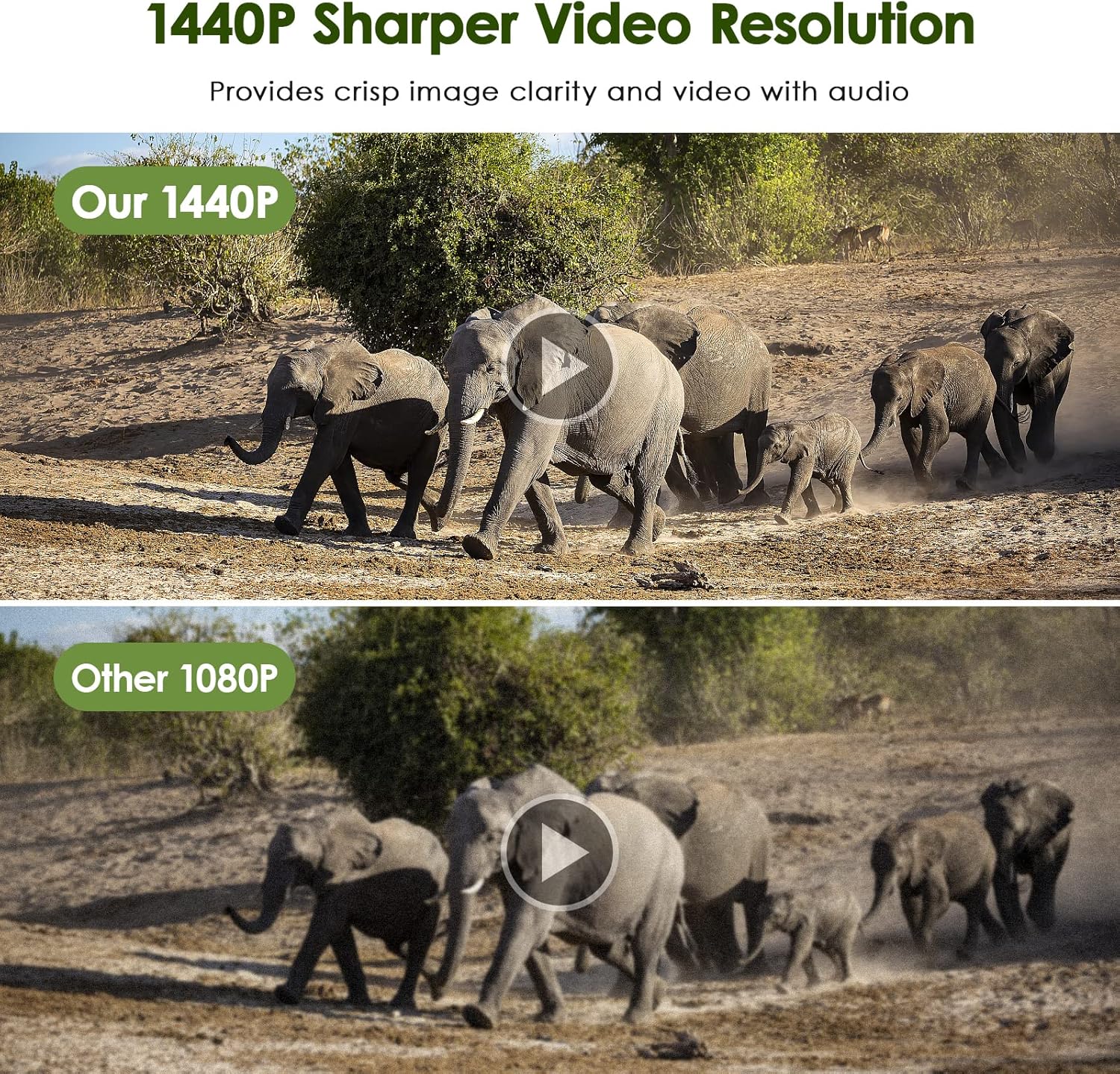
Comparison of 1440P video resolution versus 1080P, highlighting improved detail.
- Ultra-Fast 0.2s Trigger Speed: Ensures you don't miss any exciting moments with a 100° wide-angle detection area.

The camera's 0.2-second trigger speed captures fast-moving subjects within its 100-degree detection zone.
- Excellent Night Shooting Capabilities: Equipped with 26pcs 940nm infrared LEDs for ultra-clear no-glow night vision up to 65ft (20M).

Demonstration of the camera's night vision, showing a clear image of a ram in low light conditions.
- IP66 Waterproof Performance: The one-piece design ensures better water and dust resistance, suitable for various weather conditions.

The camera's IP66 rating ensures durability against rain, snow, and dust.
- WiFi ve Bluetooth Bağlantısı: Connect through the dedicated app to view Gerçek zamanlı fotoğraflar ve videolar.

Seamless connectivity via WiFi and Bluetooth allows for remote monitoring and media access.
- Smart Motion Filter Function: Helps reduce false triggering, optimizing battery life and storage.

The smart motion filter function minimizes unwanted recordings.
- Time Lapse Function: Capture changes over extended periods.

Utilize the time-lapse feature to observe gradual changes in the environment.
3. Paket İçeriği
Lütfen paketi açtıktan sonra içindekileri kontrol ederek tüm ürünlerin eksiksiz olduğundan emin olun:

All components included in the MAXDONE PH820W Trail Camera package.
- 1 x MAXDONE PH820W WiFi Trail Camera
- 1 x Kullanım Kılavuzu
- 1 x Built-in 32GB SD Card
- 1 x Metal Mount & Stand Support
- 1 x Installation Belt
- 3 x Kauçuk Tıpa
- 3 x Vida
4. Kurulum Kılavuzu
4.1 Güç Kaynağı
Kamera gerektiriyor 8 x 1.5V AA Alkaline or Lithium batteries (not included). For extended battery life, it is recommended to use all 8 battery slots. The camera can also be powered by an external 6V, 1.5-2A DC power adapter with a 3.5 x 1.35mm coax DC power plug, or a 6V, 1.5-2A solar charging panel (neither are included). Please note that using an external DC power plug or solar charging board will affect the IP66 waterproof performance if the port is not properly sealed.

Various power supply options for the MAXDONE PH820W Trail Camera.
4.2 SD Kart Kurulumu
A 32GB Micro SD card is included with your camera. The camera supports Micro SD memory cards up to 256GB. Insert the Micro SD card into the designated slot with the gold contacts facing down until it clicks into place.
4.3 Kamerayı Monte Etme
Use the provided installation belt or the metal mount and stand support with screws and rubber stoppers to secure the camera to a tree, pole, or other stable surface. Ensure the camera is positioned to capture the desired area without obstruction.
4.4 Uygulama İndirme
To utilize the WiFi and Bluetooth features, download the dedicated mobile application. Scan the QR codes below or visit the respective app stores:

QR codes for downloading the companion mobile application.
5. Kullanım Talimatları
5.1 Temel İşlemler
Refer to the included user manual for detailed instructions on powering on/off the camera and selecting different operating modes (e.g., Photo, Video, Photo+Video, Time Lapse).
5.2 Connecting via WiFi & Bluetooth
Once the camera is powered on, activate its WiFi and Bluetooth. Open the installed mobile app on your smartphone. The app will guide you through connecting to the camera via Bluetooth first, then establishing a WiFi connection for faster data transfer. The WiFi connection range is approximately 45 feet (14 meters) and can be affected by obstructions like walls and glass doors.
5.3 ViewMedya Yönetimi ve Yönetimi
You have several options to view and manage the captured photos and videos:
- On-Camera Screen: Use the built-in 2.0-inch TFT LCD color monitor to review media directly on the camera.
- Through Mobile App: Connect via the app to view and download pictures and videos directly to your smartphone.
- Bilgisayara Bağlan: Use the provided Type-C USB cable to connect the camera directly to a computer to access files.
- Kart Okuyucu Kullanımı: Remove the Micro SD card from the camera and insert it into a card reader connected to your computer for direct file erişim.

Multiple methods for viewing and accessing media from your trail camera.
5.4 Advanced Settings (via App)
The mobile app allows for detailed configuration of camera settings, including motion detection sensitivity, recording duration, time-lapse intervals, and scheduling specific operating hours. The app also features a 'MAP' function to help you find the camera's position and manage multiple cameras.

The app's map feature assists in locating and managing your cameras.
6. Bakım
- Temizlik: Regularly clean the camera lens and PIR sensors with a soft, dry cloth to ensure clear images and proper motion detection.
- Su Geçirmez Contalar: Periodically inspect the rubber seals around the camera casing and battery compartment to ensure they are free from dirt or damage, maintaining the IP66 waterproof rating.
- Pil Değişimi: Replace all batteries simultaneously when the low battery indicator appears to ensure consistent power.
- Depolamak: Uzun süre kullanılmadığı zamanlarda pilleri çıkarın ve kamerayı serin ve kuru bir yerde saklayın.
7. Sorun Giderme
- Kamera açılmıyor:
- Ensure batteries are inserted correctly with the correct polarity. Check if batteries are fully charged. If using external power, verify the adapter is connected and functional.
- Kötü görüntü/video kalitesi:
- Clean the camera lens. Ensure the camera is stable and not subject to excessive vibration. Check lighting conditions; adjust camera placement if necessary. Verify that the camera settings (resolution) are set to your desired quality.
- WiFi/Bluetooth connection issues:
- Ensure the camera's WiFi/Bluetooth is enabled. Make sure your smartphone is within the 45-foot (14-meter) connection range and there are no significant obstructions. Restart both the camera and your smartphone's app. Re-pair the devices if necessary.
- Camera not detecting motion or false triggers:
- Adjust the PIR sensor sensitivity settings in the app. Ensure there are no heat sources or moving objects (like swaying branches) directly in front of the sensor that could cause false triggers. Clear any obstructions from the sensor's view.
- SD kart hataları:
- Ensure the SD card is properly inserted. Try formatting the SD card using the camera's menu or a computer (this will erase all data). If errors persist, try a different compatible SD card.
8. Özellikler
| Model Numarası | PH820W |
| Fotoğraf Çözünürlüğü | 32MP (interpolated), 24MP, 20MP, 16MP, 12MP, 8MP, 5MP, 3MP, 2MP |
| Video Çözünürlüğü | 1440P, 1080P, 720P (H.264 format) |
| Tetik Hızı | 0.2 saniye |
| Algılama alanı | 100° Geniş Açı |
| Gece Görüşü | 26pcs 940nm No-Emitting IR LEDs, 65ft (20M) IR Flash Range |
| Su Geçirmezlik Derecesi | IP66 |
| Görüntülemek | 2.0-inch TFT LCD Color Monitor |
| Depolamak | Mikro SD Kart (256 GB'a kadar, 32 GB dahildir) |
| Güç Kaynağı | 8 x 1.5V AA Alkaline or Lithium batteries (not included); Optional 6V, 1.5-2A DC external power or solar panel (not included) |
| Bağlantı | Wi-Fi, Bluetooth |
| Boyutlar | Yaklaşık. 1 x 1 x 1 inç (2.54 x 2.54 x 2.54 cm) |
| Ağırlık | 1.24 pound (0.56 kg) |
9. Garanti ve Destek
The MAXDONE PH820W WiFi Trail Camera comes with a 1 yıllık garanti Satın alma tarihinden itibaren geçerlidir. Bu garanti, üretim hatalarını kapsar ve ürünün normal kullanımda amaçlandığı gibi çalışmasını sağlar.
For technical support, warranty claims, or any inquiries regarding your product, please contact our customer support team:
- E-posta: support@viptrailcam.com
Please provide your product model number (PH820W) and a detailed description of the issue when contacting support to ensure a prompt resolution.

Manufacturer contact details and product certifications.
Ask a question about this manual
Ask about setup, troubleshooting, compatibility, parts, safety, or missing instructions. Manuals+ will review the question and use this page’s manual context to help answer it.