1. Giriş ve Üzeriview
The MSI MPG 321URX QD-OLED is a high-performance gaming monitor designed to deliver an immersive visual experience. Featuring a 31.5-inch UHD (3840 x 2160) Quantum Dot OLED panel, it boasts a rapid 240Hz refresh rate and an ultra-low 0.03ms Gray-to-Gray (GtG) response time, ensuring smooth and responsive gameplay.
Temel özellikler şunlardır:
- 31.5" UHD (3840 x 2160) QD-OLED panel
- High 240Hz refresh rate, ultra-low 0.03ms GtG response time
- 1.07 billion colours (10-bit) with incredible gamut (DCI-P3 99%) & accuracy (ΔE ≤2)
- VESA DisplayHDR True Black 400 certified
- OLED Care 2.0 & MSI Gaming Intelligence AI
- KVM supported with PiP/PbP & Console Mode
- 4-Way adjustable stand & Mystic Light
- HDMI 2.1, DP 1.4a & USB Type-C display ports

Şekil 1: Ön view of the MSI MPG 321URX QD-OLED Gaming Monitor, highlighting its key features and display quality.
2. Kurulum
2.1 Paket İçeriği
Before setting up your monitor, ensure all components are present in the package:
- MSI MPG 321URX QD-OLED Monitor
- Monitör Standı (Taban ve Boyun)
- HDMI Kablosu
- USB Upstream Cable (USB-A to USB-B)
- Güç kablosu
2.2 Fiziksel Kurulum
Follow these steps to assemble the monitor and connect it to your devices:
- Monitör ve stand bileşenlerini ambalajından dikkatlice çıkarın.
- Standın boyun kısmını monitör paneline takın.
- Secure the stand base to the neck.
- Montajı tamamlanmış monitörü sağlam, düz bir yüzeye yerleştirin.
- Güç kablosunu monitöre ve bir elektrik prizine bağlayın.
- Connect your PC or console to the monitor using the appropriate display cable (HDMI or DisplayPort).
- For KVM functionality and USB hub access, connect the USB Upstream Cable from the monitor to your PC.

Şekil 2: Arka view of the monitor showing the stand attachment and various connectivity ports.

Şekil 3: Ayrıntılı view monitörün giriş ve çıkış portlarının.
3. Çalıştırma
3.1 Temel İşlemler
To power on the monitor, press the power button located on the rear of the display. Use the joystick on the back of the monitor to navigate the On-Screen Display (OSD) menu and adjust settings.
3.2 Ekran Ayarları
Access the OSD menu to customize your display settings:
- Parlaklık ve Kontrast: Bu ayarları kendinize uygun şekilde düzenleyin. viewÇevre.
- Renk Modları: Select from various preset color modes (e.g., sRGB, Adobe RGB, DCI-P3) for optimal color accuracy based on your content.
- HDR Modları: Enable VESA DisplayHDR True Black 400 for enhanced contrast and brightness in HDR content.

Figure 4: Screenshot of the MSI Gaming Intelligence OSD menu, showing various display and gaming settings.
3.3 Oyun Özellikleri
Optimize your gaming experience with these features:
- High Refresh Rate (240Hz): Provides incredibly smooth motion for fast-paced games.
- Ultra-low Response Time (0.03ms GtG): Minimizes motion blur and ghosting for crisp visuals.
- Adaptive Sync (AMD FreeSync Premium Pro): Ekran yırtılmasını ve takılmasını ortadan kaldırarak akıcı bir oyun deneyimi sağlar.
- Konsol Modu: Supports various console resolutions and refresh rates, including 4K at 120Hz.

Figure 5: Comparison of UHD (3840x2160) and FHD (1920x1080) resolutions on the monitor.

Figure 6: Visual representation of the difference between 240Hz and 60Hz refresh rates.

Figure 7: The monitor's VESA DisplayHDR True Black 400 certification ensures deep blacks and high contrast.
4. Bağlantı
The MSI MPG 321URX QD-OLED offers a comprehensive set of connectivity options:
- HDMI 2.1 Bağlantı Noktaları (2 adet): Supports 4K resolution at 240Hz with 48Gbps bandwidth, ideal for high-end PCs and next-gen consoles.
- DisplayPort 1.4a (x1): Supports 4K resolution at 240Hz with Display Stream Compression (DSC).
- USB Tip-C (x1): Functions as a display input (DP Alt Mode) and provides up to 90W Power Delivery for charging compatible devices like laptops.
- USB 2.0 Tip-A Bağlantı Noktaları (x2): For connecting peripherals such as keyboards, mice, or external drives.
- USB 2.0 Type-B Upstream Port (x1): Connects to your PC to enable the USB Type-A ports and KVM functionality.
- 3.5mm Headphone Jack (x1): Kulaklıklara veya harici hoparlörlere ses çıkışı için.
4.1 KVM İşlevselliği
The integrated KVM (Keyboard, Video, Mouse) switch allows you to control multiple devices (e.g., a desktop PC and a laptop) connected to the monitor using a single set of keyboard and mouse. Simply switch the input source on the monitor to seamlessly transition control between devices.
4.2 Console Mode
The monitor's Console Mode is optimized for gaming consoles, supporting various resolutions and refresh rates, including 4K at 120Hz, ensuring a smooth and high-fidelity experience for PlayStation 5 and Xbox Series X/S users.
5. Bakım
5.1 OLED Care 2.0
The MSI MPG 321URX QD-OLED features OLED Care 2.0, a suite of technologies designed to prevent OLED burn-in and prolong the lifespan of your panel. These features include:
- Piksel Kayması: Periodically shifts the pixels slightly to prevent static image retention.
- Panel Protect: A pixel refresh cycle that runs automatically after a certain period of accumulated use (e.g., 4 hours).
- Static Screen Detection: Automatically detects static elements on the screen and reduces their brightness to prevent burn-in.
- Multi Logo Detection: Specifically targets and dims static logos in content.
- Görev Çubuğu Algılama: Reduces the brightness of the Windows taskbar to prevent burn-in.
- Boundary Detection: Adjusts the brightness of window borders to prevent static image retention.

Figure 8: The OLED Care 2.0 logo, indicating advanced burn-in prevention features.
5.2 Temizleme Talimatları
To clean your monitor, gently wipe the screen with a soft, lint-free cloth. For stubborn smudges, lightly dampen the cloth with water or a specialized screen cleaner. Avoid using harsh chemicals or abrasive materials that could damage the screen coating.
6. Sorun Giderme
Monitörünüzle ilgili sorunlarla karşılaşırsanız, aşağıdaki sorun giderme adımlarını deneyin:
- Sinyal yok: Ensure all display cables (HDMI, DisplayPort, USB-C) are securely connected to both the monitor and your device. Verify the correct input source is selected in the OSD menu.
- Display Artifacts/Flickering: Check your display cable for damage. Ensure your graphics drivers are up to date. If using Adaptive Sync, try disabling and re-enabling it in both your graphics card control panel and the monitor's OSD.
- Parlaklık/Renk Sorunları: Reset display settings to factory defaults in the OSD menu. Ensure you are using an appropriate color mode for your content.
- Donanım Yazılımı Güncellemeleri: MSI periodically releases firmware updates to improve performance and address known issues. These updates typically require a Windows PC with a DisplayPort 1.4a port and a USB-A port for connection. Refer to the MSI support webEn son yazılım ve güncelleme talimatları için siteyi ziyaret edin.
- Yanma Endişeleri: While OLED Care 2.0 significantly reduces the risk, prolonged display of static images at high brightness can still contribute to burn-in. Utilize the OLED Care features and vary your screen content regularly.
7. Özellikler
| Özellik | Şartname |
|---|---|
| Ekran Boyutu | 31.5 inç |
| Çözünürlük | 3840 x 2160 (UHD) |
| Panel Tipi | QD-OLED |
| Yenileme Hızı | 240Hz |
| Tepki Süresi (GtG) | 0.03ms |
| HDR Sertifikası | VESA DisplayHDR Gerçek Siyah 400 |
| Renk Gamı | %99 DCI-P3 |
| Parlaklık (Tipik) | 250 nit |
| Bağlantı | 2x HDMI 2.1, 1x DisplayPort 1.4a, 1x USB Type-C (DP Alt Mode/90W PD), 2x USB 2.0 Type-A, 1x USB 2.0 Type-B Upstream, 1x 3.5mm Headphone Jack |
| Stand Ayarlanabilirliği | Yükseklik, Eğim, Döndürme, Pivot |
| Ağırlık | 27.2 pound |
| Boyutlar (UxGxY) | 28 x 9.5 x 19 inç |
8. Garanti ve Destek
MSI provides a comprehensive warranty for the MPG 321URX QD-OLED monitor:
- 3-Year OLED Coverage: MSI offers a 3-year warranty specifically for OLED panels, exceeding standard coverage and including safeguards against OLED burn-in issues.
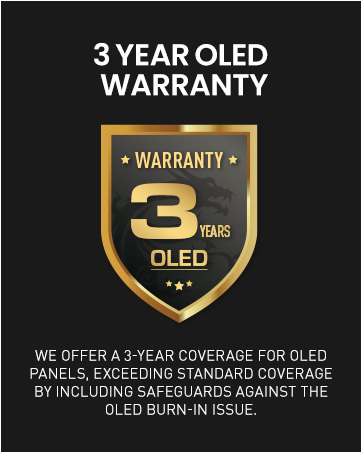
Figure 9: MSI's 3-year OLED warranty badge, highlighting extended coverage.
For technical support, driver downloads, firmware updates, and further assistance, please visit the official MSI website or contact MSI customer service.