
1. Giriş
Thank you for choosing the Zeblaze Crystal 3 Smartwatch. This manual provides essential information for setting up, operating, maintaining, and troubleshooting your device. Please read it carefully to ensure proper use and optimal performance.
2. Ürün Bittiview
The Zeblaze Crystal 3 is a versatile smartwatch designed for fitness tracking and daily use. It features a vibrant HD color display and high-precision sensors to monitor various health metrics.
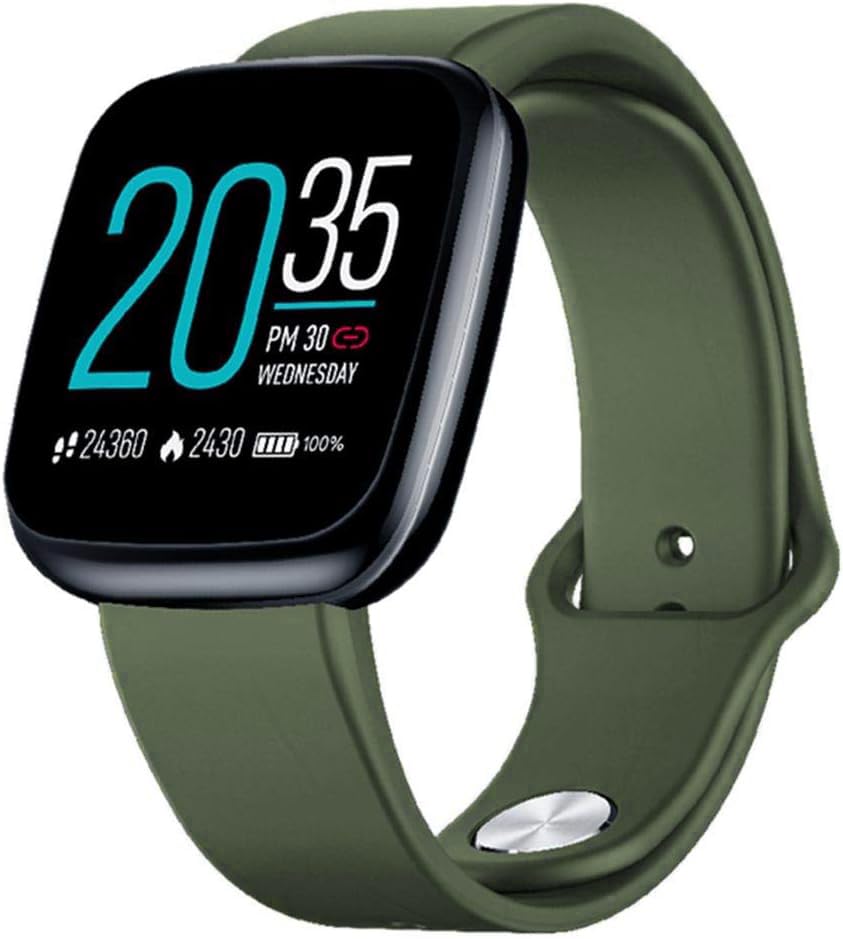
Image: Zeblaze Crystal 3 Smartwatch, showing the main display and green strap.
Temel Özellikler:
- 1.3 inç HD Renkli Ekran: A vibrant IPS display with 240x240 pixel resolution for clear visuals.
- Yüksek Hassasiyetli Sensörler: Equipped with a heart rate sensor, proximity sensor, and accelerometer for accurate data collection.
- IP67 Suya Dayanıklılık: Designed to withstand daily water exposure, such as splashes and rain.
- Uzun Pil Ömrü: Up to 7 days of use on a single 2-hour charge, thanks to its 200 mAh battery.
- Etkinlik Takibi: Monitors steps, distance, calories burned, and supports various sports modes.
- Sağlık Takibi: Includes heart rate and sleep tracking.
- Akıllı Telefon Uyumluluğu: Works with Android 4.4 or newer and iOS 8.0 or newer devices.
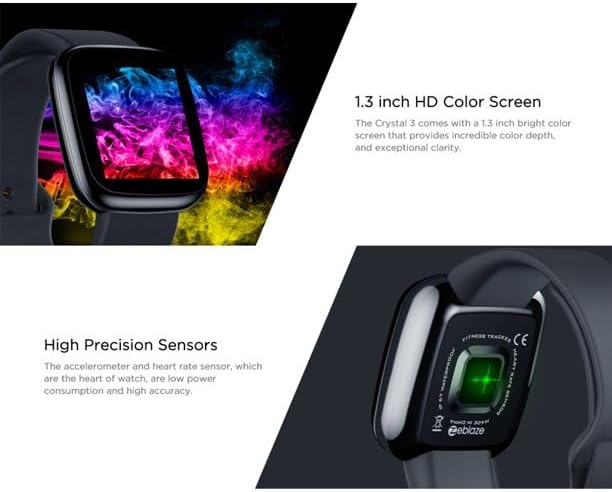
Image: Close-up of the 1.3-inch HD color screen and the high-precision heart rate sensor on the back of the watch.
3. Kurulum
3.1 Akıllı Saati Şarj Etme
Before first use, fully charge your Zeblaze Crystal 3. Connect the charging cable to the watch's charging port and a USB power source (e.g., computer USB port or a 5V/1A USB adapter). A full charge typically takes about 2 hours.
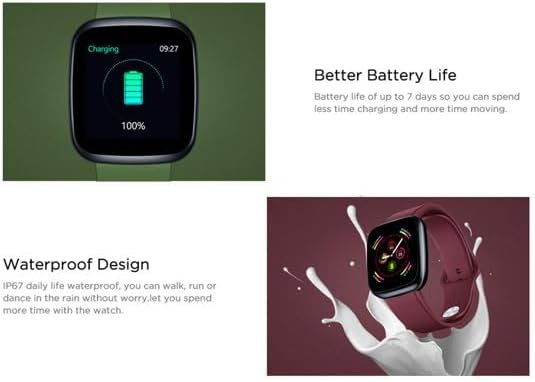
Image: Illustration showing how to connect the smartwatch to a USB port for charging.
3.2 Uygulama Kurulumu ve Eşleştirme
- Uygulamayı indirin: Arama the official Zeblaze companion app on your smartphone's app store (Google Play Store for Android or Apple App Store for iOS).
- Hesap oluşturmak: Uygulamayı açın ve hesap oluşturmak veya giriş yapmak için ekrandaki talimatları izleyin.
- Eşleştirme Cihazı: Ensure Bluetooth is enabled on your smartphone. In the app, navigate to the device pairing section and select "Zeblaze Crystal 3" from the list of available devices. Confirm the pairing request on both your phone and the smartwatch.
- Profesyonelfile Kurmak: Kişisel profesyonel profilinizi tamamlayın.file within the app to ensure accurate tracking of health and fitness data.
4. Kullanım Talimatları
4.1 Temel Gezinme
- Uyandırma Ekranı: Ekranı uyandırmak için bileğinizi kaldırın veya yan düğmeye basın.
- Yukarı/Aşağı Kaydırma: Bildirimlere veya hızlı ayarlara erişin.
- Sola/Sağa Kaydır: Navigate through different functions and widgets (e.g., heart rate, activity data, weather).
- Musluk: Bir öğeyi seçin veya bir eylemi onaylayın.
- Uzun basma: On the main watch face, long press to change watch faces.
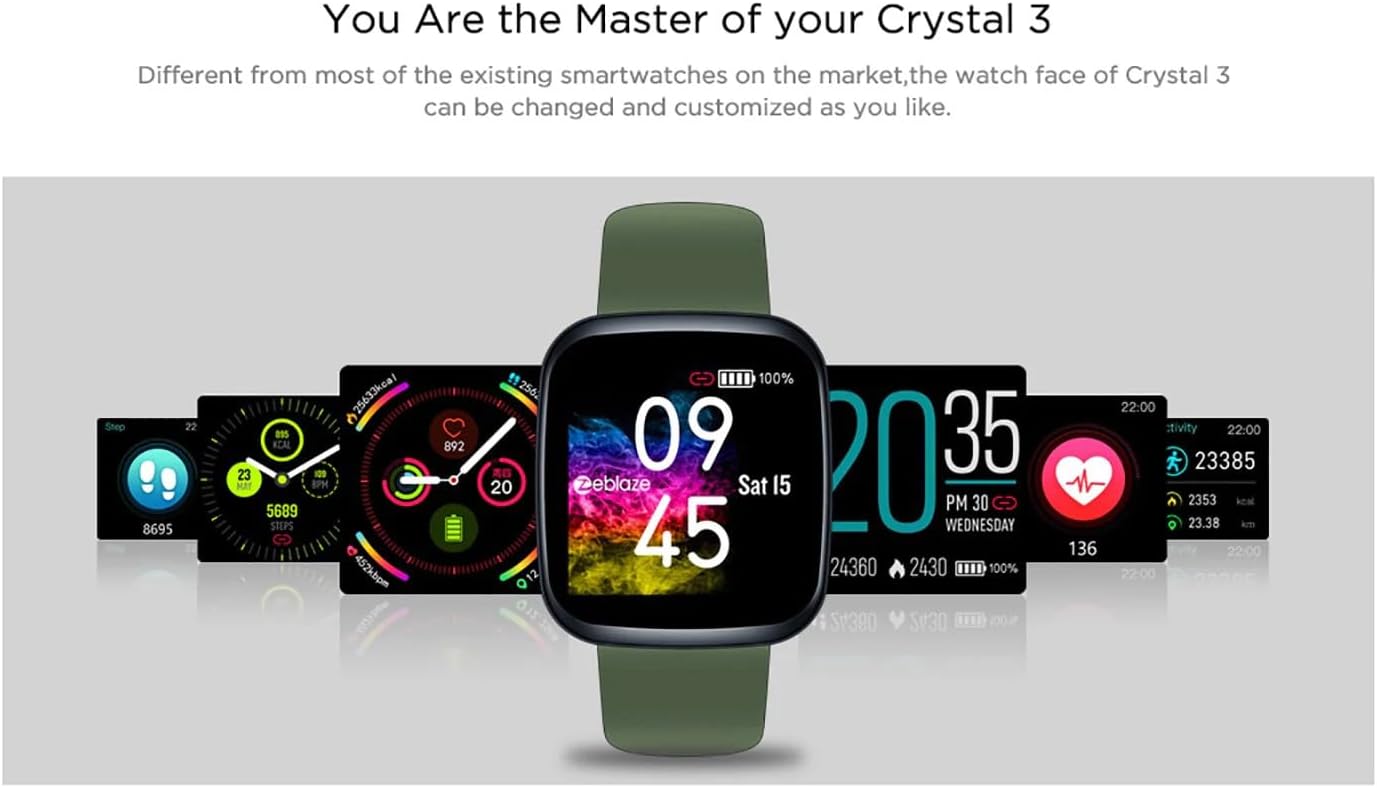
Image: The Zeblaze Crystal 3 displaying different customizable watch faces and data screens.
4.2 Etkinlik Takibi
The smartwatch automatically tracks your daily steps, distance, and calories burned. You can view this data directly on the watch or in more detail within the companion app.
4.3 Kalp Atış Hızı İzleme
The built-in heart rate sensor continuously monitors your heart rate. Ensure the watch is worn snugly on your wrist for accurate readings. View your current and historical heart rate data in the app.
4.4 Uyku İzleme
Wear the smartwatch to bed to track your sleep patterns. The device records sleep duration and quality, which can be reviewed in the app to help you understand and improve your sleep habits.
5. Bakım
5.1 Cihazın Temizlenmesi
Regularly clean your smartwatch and strap to prevent skin irritation and maintain functionality. Use a soft, damp Ekranı ve kayışı silmek için bir bez kullanın. Sert kimyasallar veya aşındırıcı malzemeler kullanmaktan kaçının.
5.2 Suya Dayanıklılık (IP67)
The Zeblaze Crystal 3 is IP67 water-resistant, meaning it is protected against dust and can withstand immersion in water up to 1 meter for up to 30 minutes. It is suitable for daily use, such as washing hands, rain, or light splashes. It is not recommended for swimming, showering with hot water, or diving.

Image: Illustration highlighting the waterproof design of the Zeblaze Crystal 3 Smartwatch.
5.3 Pil Bakımı
- Pil ömrünü azaltabilecek aşırı sıcaklıklardan kaçının.
- Cihazı uzun süre tamamen boşalmış halde bırakmayın.
- Yalnızca verilen şarj kablosunu veya sertifikalı bir eşdeğerini kullanın.
6. Sorun Giderme
6.1 Cihaz Açılmıyor
- Cihazın tam şarjlı olduğundan emin olun. En az 30 dakika şarja takın.
- Try pressing and holding the side button for 10-15 seconds to force a restart.
6.2 Akıllı Telefonla Eşleştirme Yapılamıyor
- Make sure Bluetooth is enabled on your phone and the smartwatch is within range.
- Hem akıllı telefonunuzu hem de akıllı saatinizi yeniden başlatın.
- Uygulamanın en son sürüme güncellenip güncellenmediğini kontrol edin.
- Forget the device from your phone's Bluetooth settings and try pairing again through the app.
6.3 Inaccurate Heart Rate/Activity Data
- Saatin bileğinize tam oturduğundan, çok sıkı veya çok gevşek olmadığından emin olun.
- Saatin arkasındaki sensörü temizleyin.
- Update the smartwatch firmware via the companion app if an update is available.
7. Özellikler
| Özellik | Detay |
|---|---|
| Marka | Zeblaze |
| Model Adı | kristal 3 |
| Görüntülemek | 1.3 inç IPS Renkli Ekran |
| Çözünürlük | 240*240 piksel |
| Sensörler | Heart Rate Sensor, Proximity Sensor, Accelerometer |
| Suya Dayanıklılık | IP67 |
| Pil Kapasitesi | 200 mAh |
| Şarj Süresi | Yaklaşık 2 saat |
| Pil Ömrü | 7 güne kadar |
| Uyumluluk | Android 4.4+ / iOS 8.0+ |
| Boyutlar | 4.05 x 3.55 x 1.2 cm (1.59 x 1.39 x 0.47 inç) |
| Ağırlık | 27 gram (0.95 ons) |
| Bağlantı | Bluetooth (for app pairing), USB (for charging) |
| Özel Özellikler | Activity Tracker, Heart Rate Monitor, Sleep Monitor |
8. Garanti ve Destek
For warranty information and customer support, please refer to the documentation included with your purchase or visit the official Zeblaze website. If you encounter any issues not covered in this manual, please contact Zeblaze customer service for assistance.