
QCY HT05 MeloBuds + HT07 ArcBuds
QCY HT05 MeloBuds & HT07 ArcBuds User Manual
Model: HT05 MeloBuds + HT07 ArcBuds
giriiş
Welcome to the user manual for your new QCY HT05 MeloBuds and HT07 ArcBuds. This guide provides detailed instructions to help you get the most out of your wireless earbuds, covering everything from initial setup to advanced features and troubleshooting. Please read this manual carefully before using the product.
Kutuda Neler Var?
- QCY HT05 MeloBuds Earbuds (Left and Right)
- QCY HT07 ArcBuds Earbuds (Left and Right)
- Charging Case for HT05 MeloBuds
- Charging Case for HT07 ArcBuds
- USB-C Şarj Kablosu
- Kullanım Kılavuzu (bu belge)
- Koruyucu Kılıf
- En iyi uyum için birden fazla boyutta kulak ucu
Ürün Bittiview
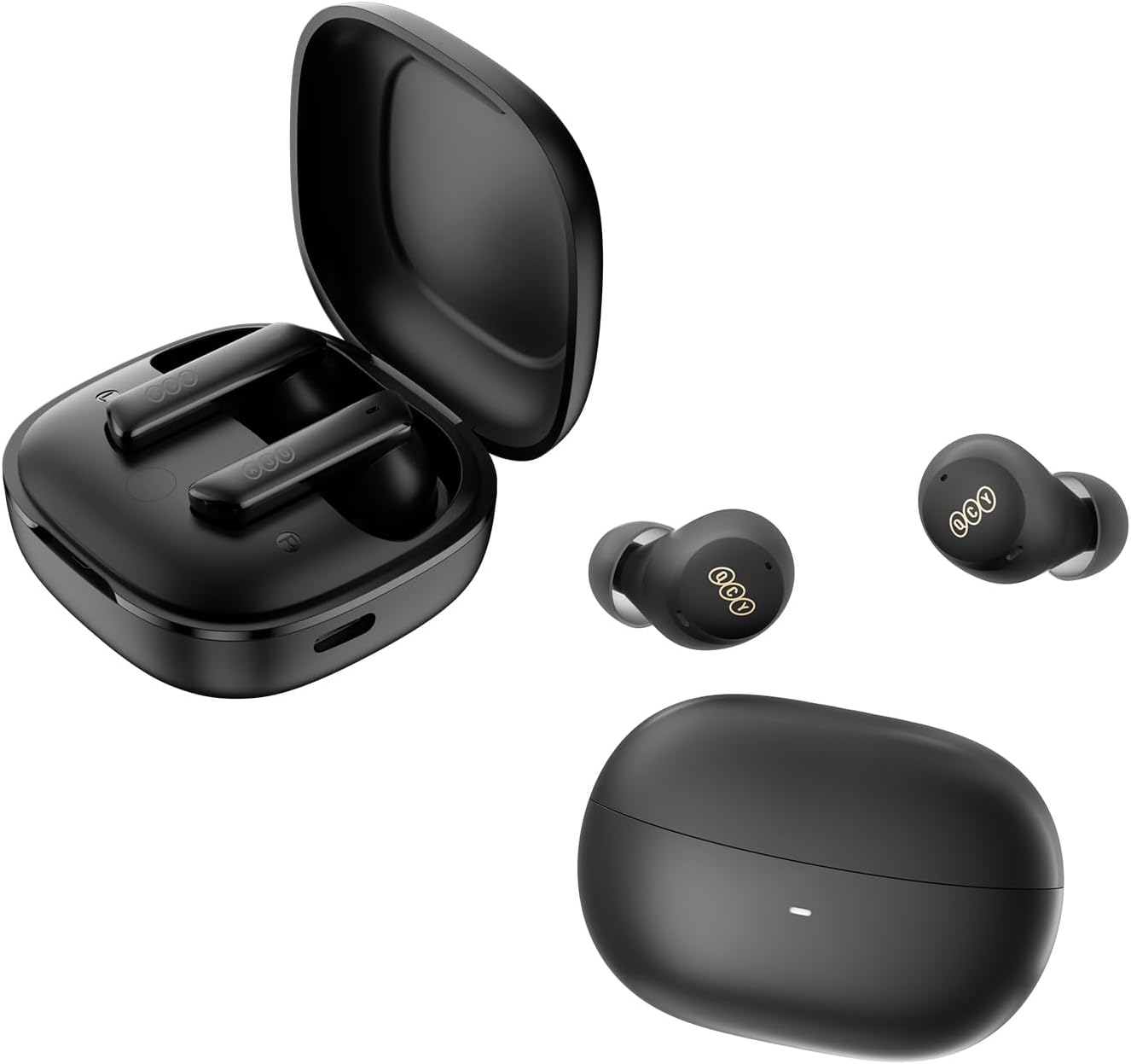
Şekil 1: The QCY HT05 MeloBuds and HT07 ArcBuds, showcasing both sets of earbuds and their respective charging cases. The HT05 MeloBuds are in a square-shaped case, while the HT07 ArcBuds are in an oval-shaped case. Both earbuds and cases are black.
Temel Özellikler
- Çok Modlu Gürültü Engelleme: Offers Transport, Outdoor, and Indoor modes for optimized noise reduction in various environments.
- Sürükleyici Ses: Equipped with 10mm LCP graphene dynamic drivers and DAIKOKU CCAW coil for powerful bass and clear audio.
- AI-Enhanced Call Performance: Features 6 microphones with an AI algorithm for precise voice pickup and background noise cancellation during calls.
- Innovative Wind Noise Reduction: Proprietary algorithm automatically activates to minimize wind interference during outdoor activities.
- Uzun Pil Ömrü: Up to 7.5 hours on a single charge, extending to 30 hours with the charging case. Supports wireless and USB-C quick charging.
- Dokunmatik Kontrol: Intuitive touch controls for managing music, calls, and other functions.
- QCY Uygulama Desteği: Personalize sound settings, control modes, and customize touch functions via the QCY application.
Kurmak
1. Kulaklıkları ve Kutuyu Şarj Etme
Before first use, fully charge both the earbuds and their respective charging cases.
- Place the earbuds into their charging cases, ensuring they are correctly seated.
- USB-C şarj kablosunu kılıfın üzerindeki şarj portuna, diğer ucunu ise bir güç kaynağına (örneğin, USB duvar adaptörü, bilgisayar USB portu) bağlayın.
- The indicator light on the case will show charging status. A full charge typically takes approximately 1.5-2 hours for the case.
- The earbuds themselves can gain up to 2 hours of playtime with just 10 minutes of charging in the case.
- Both cases support wireless charging for added convenience.
2. Cihazınızla Eşleştirme
Kulaklıklar, şarj kutusundan ilk kez çıkarıldığında otomatik olarak eşleştirme moduna girecektir.
- Kulaklıkların şarj edildiğinden emin olun.
- Open the charging case lid (or remove earbuds from case). The earbuds will automatically power on and enter pairing mode.
- Akıllı telefonunuzda veya Bluetooth özellikli cihazınızda Bluetooth ayarlarına gidin.
- Arama new devices. You should see "QCY HT05" or "QCY HT07" (or similar names) in the list of available devices.
- Select the appropriate earbud model to connect. Once connected, a voice prompt will confirm the successful pairing.
- If pairing fails, place the earbuds back into the case, close the lid, wait a few seconds, and then repeat the process.
Kullanım Talimatları
Dokunmatik Kontroller
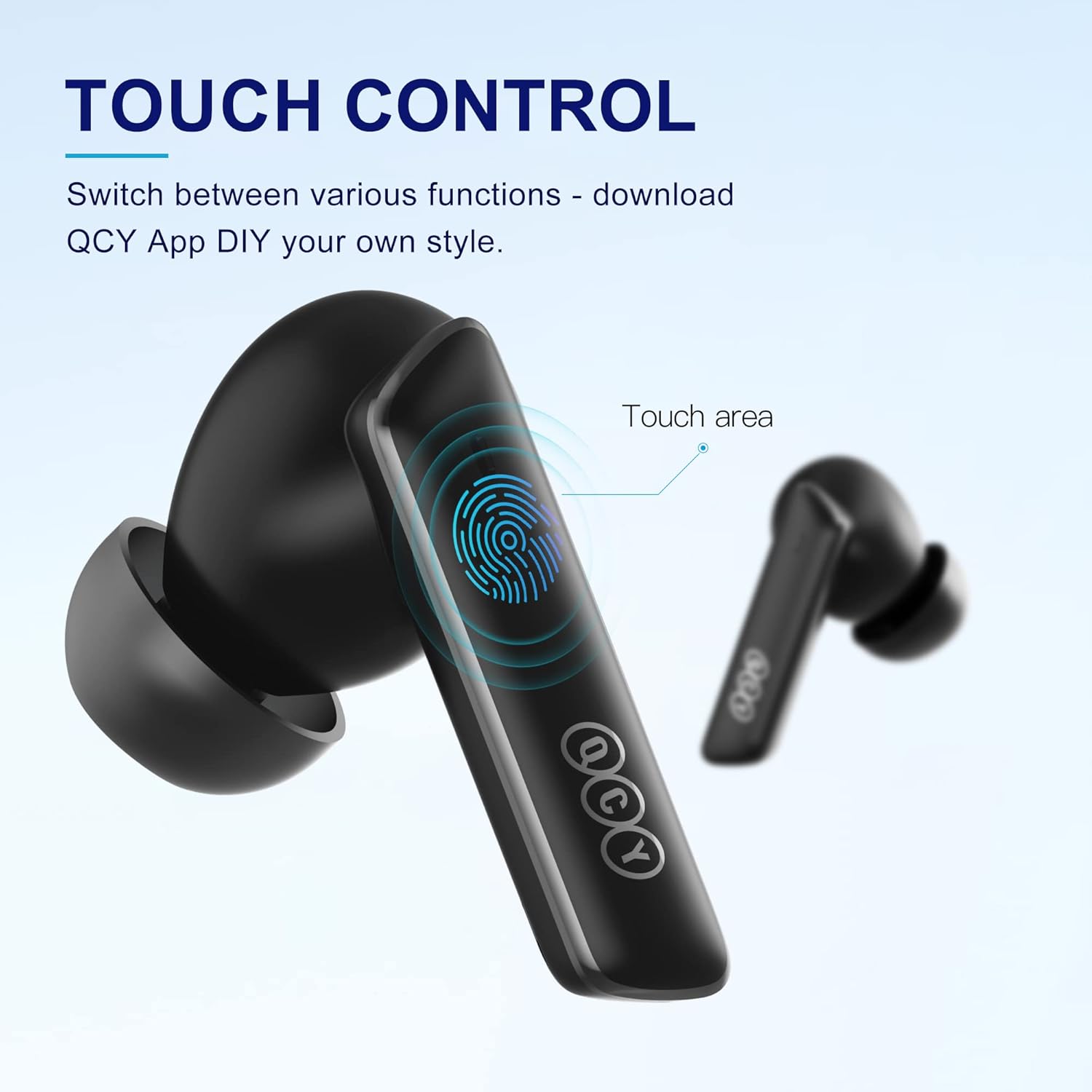
Şekil 2: Illustration of the touch-sensitive area on the earbud stem, indicating where to tap for control.
Both the HT05 and HT07 earbuds feature intuitive touch controls. The specific functions can often be customized via the QCY App. Below are common default controls:
| Aksiyon | İşlev |
|---|---|
| Tek Dokunuş | Müziği çal/duraklat, Çağrıyı cevapla/bitir |
| Çift Dokunma (Sol Kulaklık) | Parçayı geriye atla |
| Çift Dokunma (Sağ Kulaklık) | Parçayı ileri atla |
| Üçlü Musluk | Activate Voice Assistant / Switch Gaming Mode |
| Uzun Basış (Sol Kulaklık) | Gürültü Önleme Modlarını Değiştir |
| Uzun Basış (Sağ Kulaklık) | Gürültü Önleme Modlarını Değiştir |
Not: Specific touch control functions may vary slightly between HT05 and HT07 models or be customizable through the QCY App. Refer to the app for the most up-to-date control scheme.
Gürültü Önleme Modları

Şekil 3: Visual representation of the three distinct noise cancellation modes: Transport, Outdoor, and Indoor, designed for optimized performance in different environments.
The QCY HT05 and HT07 earbuds offer a multi-mode active noise cancellation (ANC) system to adapt to your surroundings.
- Taşıma modu: Ideal for reducing low-frequency noises like those found on airplanes, trains, or buses.
- Açık Hava Modu: Designed to minimize ambient noise while still allowing you to be aware of your surroundings, suitable for walking or cycling.
- İç Mekan Modu: Best for reducing common indoor noises such as office chatter or air conditioning hum.
To switch between these modes, use the designated touch control (typically a long press on one of the earbuds, as indicated in the touch control table or customizable via the QCY App).
Ses Kalitesi ve Sürücü Teknolojisi
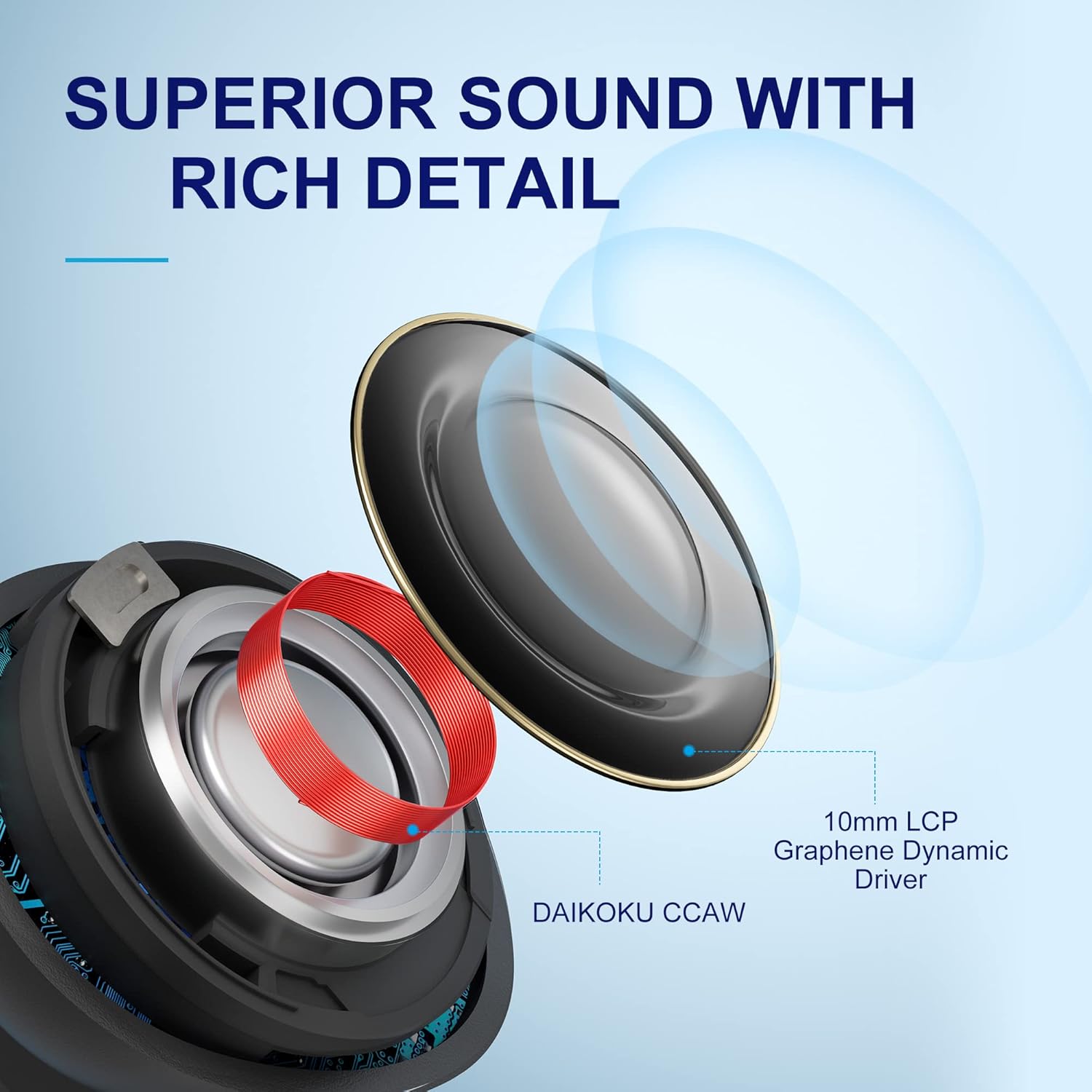
Şekil 4: bir patladı view illustrating the 10mm LCP Graphene Dynamic Driver and the DAIKOKU CCAW coil, key components for superior sound reproduction.
Both the HT05 and HT07 earbuds are engineered to deliver immersive sound with rich detail and powerful, punchy bass. This is achieved through the integration of a 10mm LCP (Liquid Crystal Polymer) graphene dynamic driver, complemented by a DAIKOKU CCAW (Copper-Clad Aluminum Wire) coil. This combination ensures a wide frequency response and high-fidelity audio reproduction.
AI-Enhanced Call Performance & Wind Noise Reduction
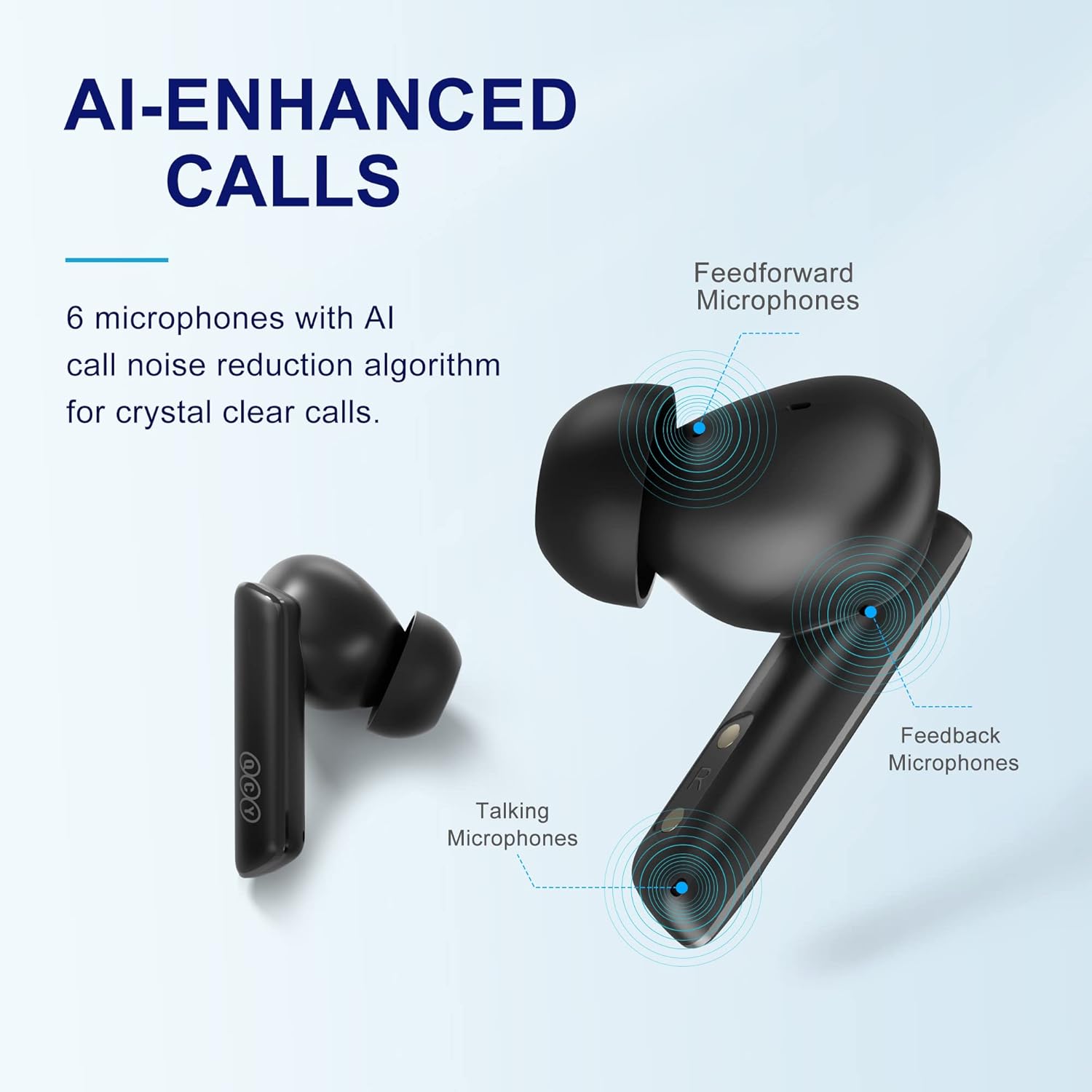
Şekil 5: Diagram highlighting the placement of six microphones (Feedforward, Feedback, and Talking Microphones) on the earbud for AI-enhanced call clarity.
For crystal-clear calls, the earbuds are equipped with 6 microphones and an advanced AI algorithm. This system precisely picks up your voice while effectively blocking out background noise, making them ideal for calls, video chats, and live streams.
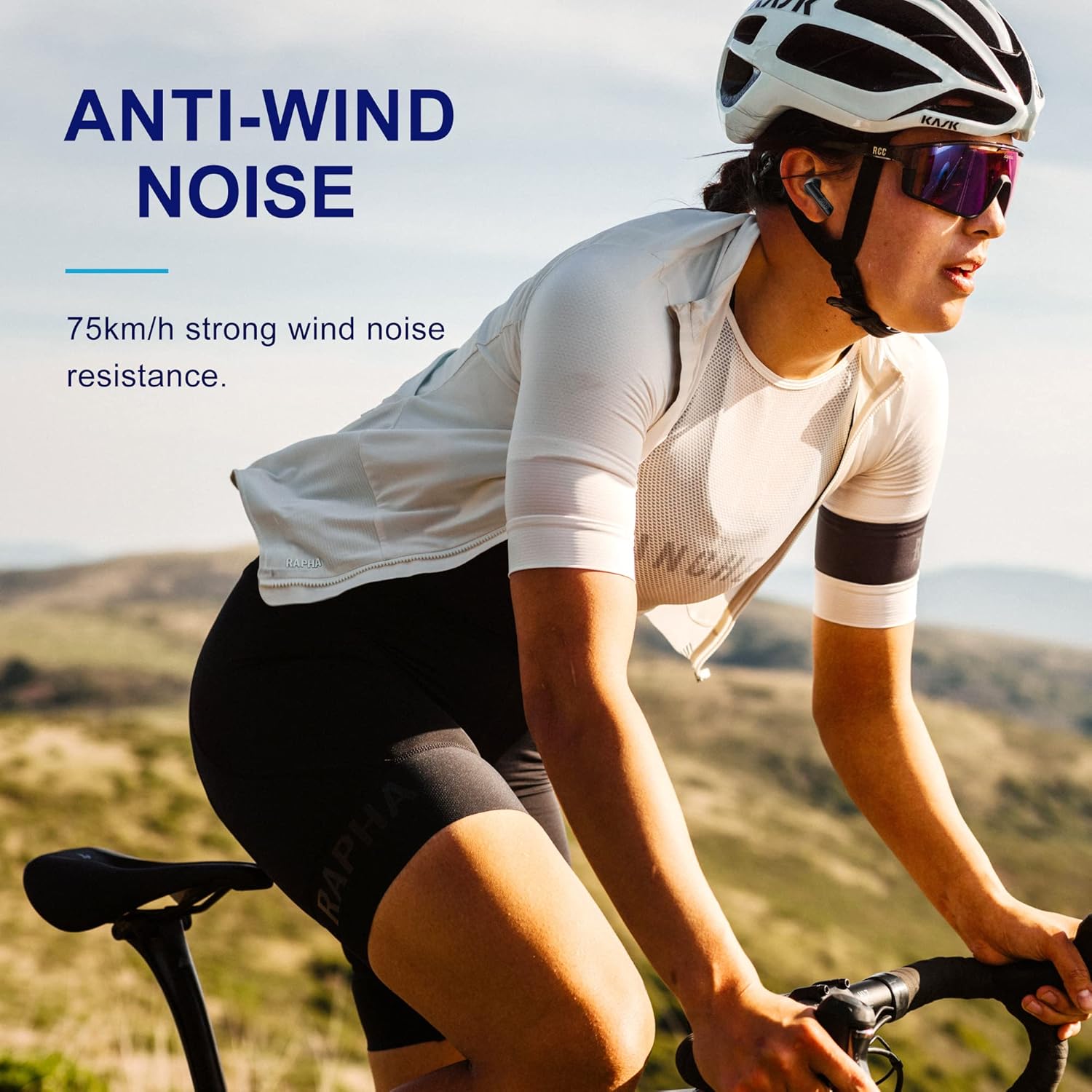
Şekil 6: A cyclist wearing the earbuds, illustrating the effectiveness of the anti-wind noise feature, which provides resistance against strong wind up to 75km/h.
Additionally, a proprietary wind noise reduction algorithm automatically activates when wind speed reaches a certain threshold, ensuring uninterrupted audio and call quality during outdoor activities like cycling or running.
Pil Ömrü ve Şarj
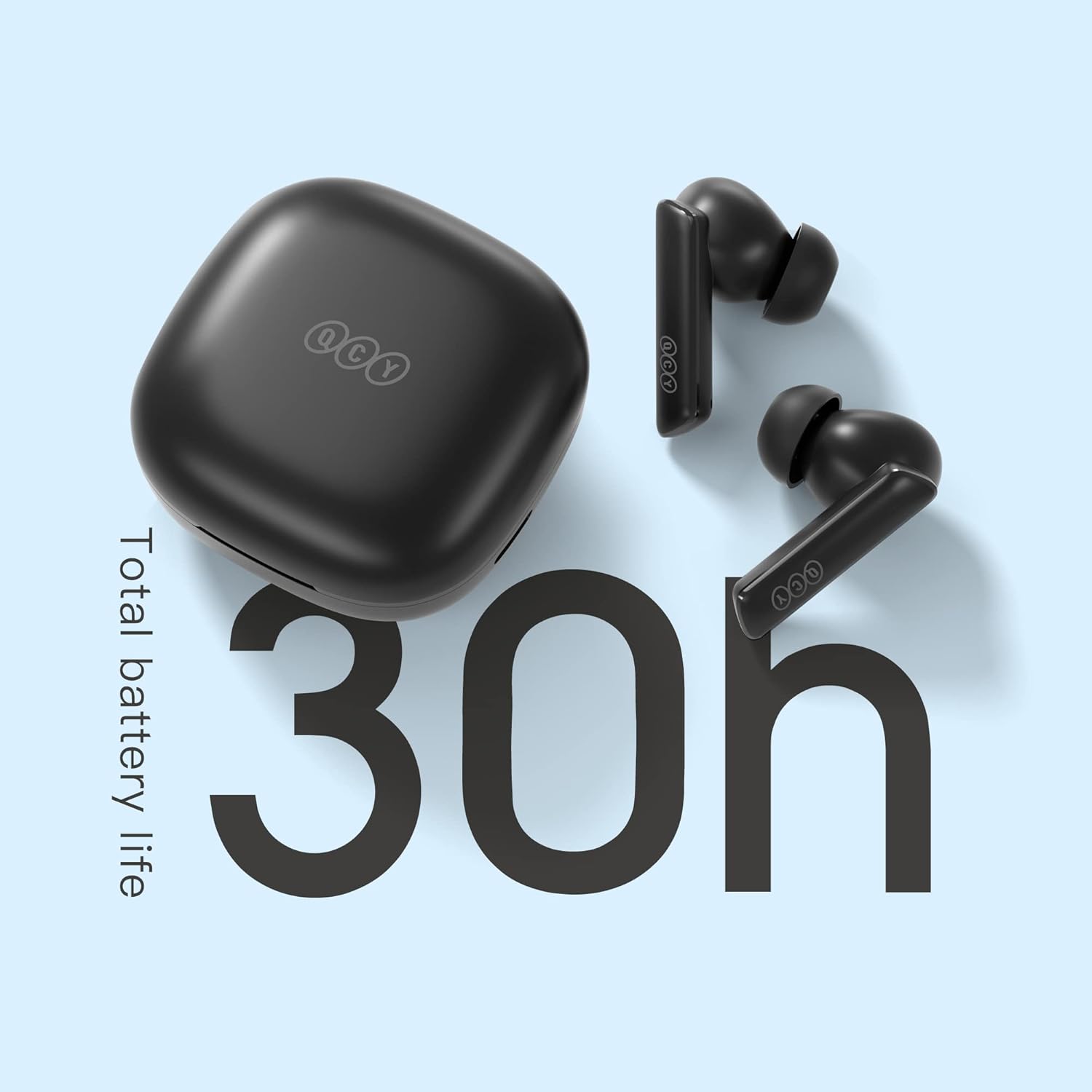
Şekil 7: A visual representation highlighting the impressive total battery life of 30 hours when combining the earbuds' charge with the charging case.
Enjoy extended listening with up to 7.5 hours of music playback on a single charge. When used with the charging case, the total battery life extends to an impressive 30 hours. The earbuds and cases support both wireless charging and USB-C quick charging. A quick 10-minute charge can provide up to 2 hours of playtime.
QCY App for Personalized Sound
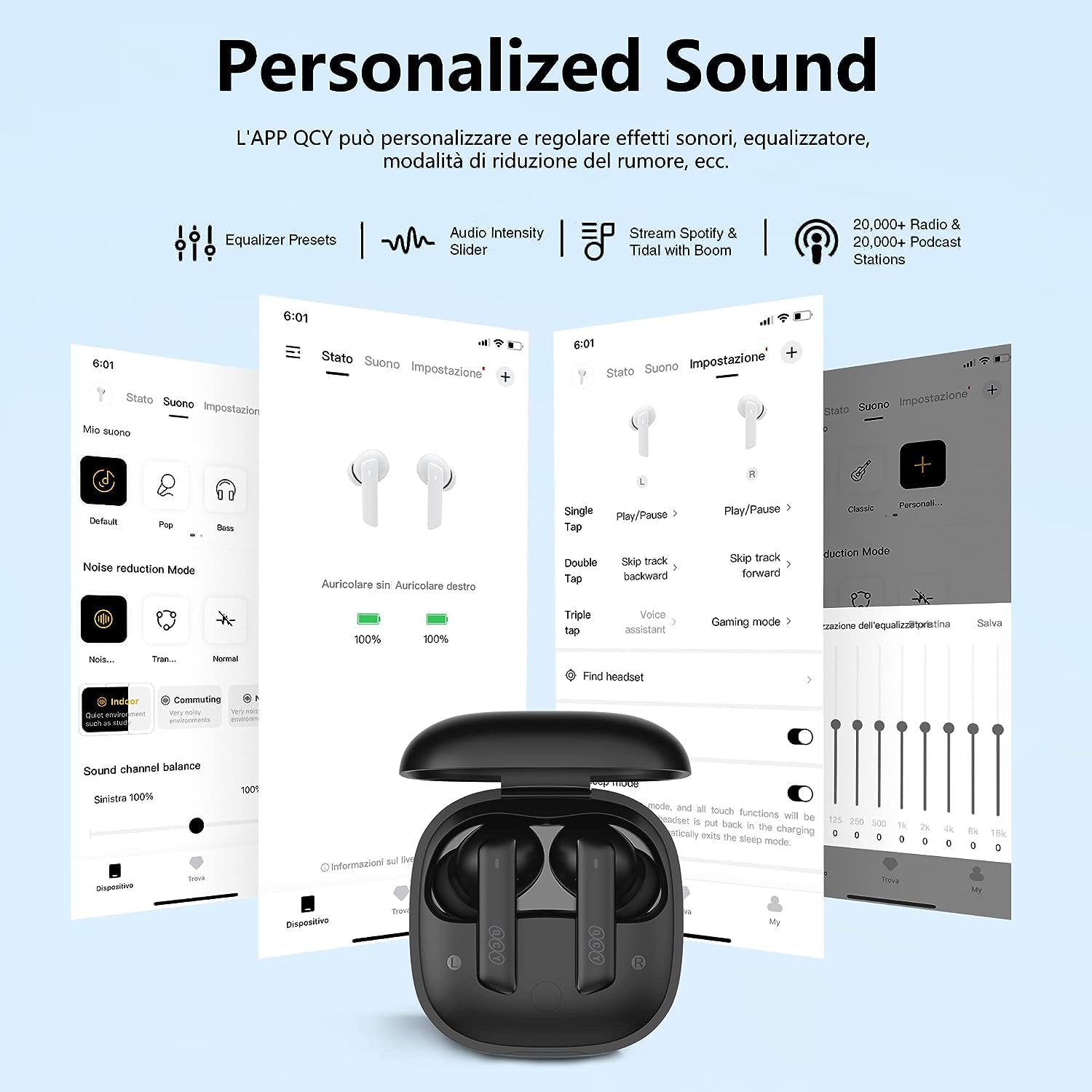
Şekil 8: Screenshots of the QCY mobile application, demonstrating features like equalizer presets, audio intensity slider, noise reduction mode selection, and customizable touch controls for a personalized listening experience.
Download the official QCY App to unlock the full potential of your earbuds. The app allows you to:
- Customize equalizer settings and choose from various presets.
- Adjust audio intensity.
- Select and fine-tune noise reduction modes.
- Dokunmatik kontrol fonksiyonlarını kişiselleştirin.
- Access firmware updates and other settings.
The QCY App is available for download on both iOS and Android app stores.
Bakım
Proper maintenance ensures the longevity and optimal performance of your QCY earbuds.
- Temizlik: Kulaklıklarınızı, özellikle de kulak uçlarını ve şarj kontaklarını düzenli olarak yumuşak, kuru ve tiftiksiz bir bezle temizleyin. Sert kimyasallar veya aşındırıcı malzemeler kullanmayın.
- Kulak İpuçları: Kulak uçlarını düzenli olarak çıkarın ve yumuşak sabun ve suyla temizleyin. Tekrar takmadan önce tamamen kuruduğundan emin olun.
- Şarj Kutusu: Keep the charging case clean and free of dust. Use a cotton swab to gently clean the charging pins inside the case if necessary.
- Depolamak: Kullanılmadığı zamanlarda kulaklıkları korumak ve şarjlarının dolu kalmasını sağlamak için şarj kutusunda saklayın. Aşırı sıcaklıklara, neme veya doğrudan güneş ışığına maruz bırakmaktan kaçının.
- Suya Dayanıklılık: Note that these earbuds are Suya dayanıklı değil. Avoid exposure to water, sweat, or rain to prevent damage.
Sorun giderme
If you encounter issues with your earbuds, try the following troubleshooting steps:
- Kulaklıklar eşleşmiyor/bağlanmıyor:
- Her iki kulaklığın da şarjlı olduğundan emin olun.
- Place earbuds back into the case, close the lid, wait 5 seconds, then open the lid again.
- Cihazınızın Bluetooth özelliğini kapatıp açın.
- Forget/delete the earbuds from your device's Bluetooth list and try pairing again.
- Cihaza özgü sorunları elemek için farklı bir cihazla eşleştirmeyi deneyin.
- Sadece bir kulaklık çalışıyor:
- Her iki kulaklığın da şarjlı olduğundan emin olun.
- Her iki kulaklığı da şarj kutusuna geri yerleştirin, kapağı kapatın ve ardından tekrar açın.
- Check if the earbuds are properly seated in the charging case and their charging contacts are clean.
- Perform a factory reset (refer to QCY App or online resources for specific reset instructions for your model).
- Düşük ses seviyesi veya zayıf ses kalitesi:
- Hem cihazınızın hem de kulaklığınızın sesini ayarlayın.
- Ensure ear tips are clean and properly sealed in your ear canal. Try different sized ear tips for a better fit.
- Check if there's any debris blocking the earbud speaker mesh.
- Disable any equalizer settings on your device or in the QCY App to see if it improves sound.
- Şarj sorunları:
- Şarj kablosunun hem kasaya hem de güç kaynağına güvenli bir şekilde bağlandığından emin olun.
- Farklı bir USB-C kablosu ve güç adaptörü deneyin.
- Her iki kulaklığın ve kutunun içindeki şarj kontaklarını temizleyin.
- Kablosuz şarj kullanıyorsanız, kılıfın şarj pedine doğru şekilde yerleştirildiğinden emin olun.
If the issue persists after trying these steps, please contact QCY customer support.
Özellikler
| Özellik | Detay |
|---|---|
| Model Adı | QCY HT05 MeloBuds + HT07 ArcBuds |
| Bağlantı Teknolojisi | Kablosuz (Bluetooth) |
| Kablosuz İletişim Teknolojisi | Bluetooth |
| Kulak Yerleşimi | Kulakta |
| Form Faktörü | Kulakta |
| Gürültü Kontrolü | Aktif Gürültü Engelleme (Çok Modlu) |
| Ses Sürücüsü Türü | 10mm LCP Graphene Dynamic Driver |
| Pil Ömrü (Kulaklıklar) | 7.5 Saate Kadar |
| Toplam Pil Ömrü (Kılıf Dahil) | 30 Saate Kadar |
| Şarj Süresi (Hızlı Şarj) | 10 saatlik oynatma süresi için 2 dakika |
| Özel Özellik | Wireless Charging, AI-Enhanced Calls, Wind Noise Reduction |
| Kontrol Türü | Media Control, Earbud Touch/Button Controls |
| Bluetooth Menzili | 10 Metre |
| Su Direnç Seviyesi | Suya dayanıklı değil |
| Dahil Bileşenler | Protective Case, USB-C Charging Cable, Ear Tips |
| Renk | Siyah |
| Üretici | QCY |
Garanti ve Destek
QCY products typically come with a limited warranty. Please refer to the warranty card included with your product or visit the official QCY webAyrıntılı garanti şartları ve koşulları için siteyi ziyaret edin.
For technical support, troubleshooting assistance, or warranty claims, please contact QCY customer service through their official website veya ürün ambalajınızda yer alan iletişim bilgileri.
QCY Yetkilisi Webalan: www.qcy.com (Lütfen dikkat: Bu bir yer tutucudur URLKesin resmi destek için ürün ambalajınıza bakın webbir site.)
Ask a question about this manual
Ask about setup, troubleshooting, compatibility, parts, safety, or missing instructions. Manuals+ will review the question and use this page’s manual context to help answer it.