
1. Ürün Bittiview
The Andoer A12 Portable Camera Teleprompter is a versatile tool designed to assist with video recording, live streaming, interviews, and presentations. It allows you to display scripts from smartphones or tablets while recording with DSLR or mirrorless cameras, ensuring direct eye contact with the audience.
Temel Özellikler:
- Çok Fonksiyonlu Tasarım: Compatible with DSLR/mirrorless cameras for shooting and smartphones/tablets for prompting.
- Yüksek Çözünürlüklü Ekran: Features a single-sided high reflective mirror (26.3 x 21.1 cm) with high light transmittance for clear prompting and minimal impact on video quality.
- Geniş Uyumluluk: Supports shooting with wide-angle lenses and includes a lens fix pocket, eliminating the need for additional adapter rings.
- Professional Accessories Extension: Equipped with dual cold shoe mounts for attaching external microphones, LED fill lights, and other accessories.
- Kablosuz Uzaktan Kumanda: Includes a Bluetooth-enabled remote for convenient control of script playback (play/pause, speed adjustment) on your smartphone or tablet.
2. Paket İçeriği
Lütfen aşağıda listelenen tüm öğelerin paketinizde yer aldığından emin olun:
- 1 x Teleprompter System
- 1 x Uzaktan Kumanda
- 1 x Temizleme Bezi
- 1 x Taşıma Çantası

Image: The Andoer A12 teleprompter system, including the main unit, remote control, cleaning cloth, and carry case, laid out next to its packaging.
3. Kurulum Talimatları
Follow these steps to assemble and set up your Andoer A12 teleprompter:
- Mount the Teleprompter: Attach the teleprompter system to a tripod using the standard 1/4-inch screw mount at its base. Ensure it is securely fastened.
- Kameranızı Kurun: Slide your DSLR or mirrorless camera onto the camera platform behind the teleprompter. Adjust its position so the lens is centered with the teleprompter's reflective glass. Secure the camera using the provided screw.
- Insert Smartphone/Tablet: Place your smartphone or tablet into the adjustable tray below the reflective glass. Ensure it is positioned correctly to reflect the script onto the glass.
- Attach Lens Hood: Secure the fabric lens hood around your camera lens and the teleprompter opening to prevent light leakage and reflections.
- Bağlantı Aksesuarları (Opsiyonel): Utilize the dual cold shoe mounts on top of the teleprompter to attach external microphones or LED fill lights as needed for your recording setup.

Image: Diagrams illustrating various ways to set up the teleprompter, including configurations for smartphones/tablets, DSLR shooting, and video cameras.

Image: The Andoer A12 teleprompter assembled with a DSLR camera mounted, ready for use, showcasinKompakt tasarımıyla dikkat çekiyor.
4. Kullanım Talimatları
4.1 Using the Teleprompter App
Download a compatible teleprompter application on your smartphone or tablet. Most apps allow you to import scripts, adjust font size, text color, background color, and scrolling speed. Ensure the app supports 'mirror mode' or 'horizontal flip' for correct text display on the teleprompter glass.

Resim: Yakın çekim view of the teleprompter's reflective glass displaying a clear, readable script, demonstrating the high definition display.
4.2 Uzaktan Kumanda İşlemi
The included remote control connects via Bluetooth to your smartphone or tablet, allowing you to manage your script without touching the device.
- Eşleştirme: Turn on the remote control. On your smartphone/tablet, go to Bluetooth settings and pair with the remote (usually named 'BT Remote' or similar).
- İşlevsellik:
- Oynat/Duraklat: Start or stop the script scrolling.
- Hızlandırma/Azaltma: Adjust the scrolling speed of the text.
- Sayfa Yukarı/Aşağı: Navigate through the script page by page.
- Return (Home): iOS cihazlarda bu düğme ana ekran düğmesi olarak işlev görebilir.

Image: A detailed diagram of the remote control, labeling buttons for play/pause, speed adjustment, page navigation, and return function.
Not: Due to variations in smartphone operating systems and teleprompter applications, some remote control functions may differ slightly. Test all buttons with your chosen app before recording.

Image: A person sitting in front of the Andoer A12 teleprompter, which is mounted on a tripod with a camera, demonstrating its use for recording.
5. Bakım
Doğru bakım, teleprompter'ınızın uzun ömürlü olmasını ve en iyi performansı göstermesini sağlar.
- Camın Temizlenmesi: Use the provided cleaning cloth or a soft, lint-free microfiber cloth to gently wipe the reflective glass. For stubborn smudges, a small amount of lens cleaning solution can be applied to the cloth (not directly to the glass). Avoid abrasive materials.
- Genel Temizlik: Wipe down the teleprompter body with a dry or slightly damp kumaş. Sert kimyasallar kullanmayın.
- Depolamak: When not in use, disassemble the teleprompter and store it in the provided carry case to protect it from dust, scratches, and impacts.
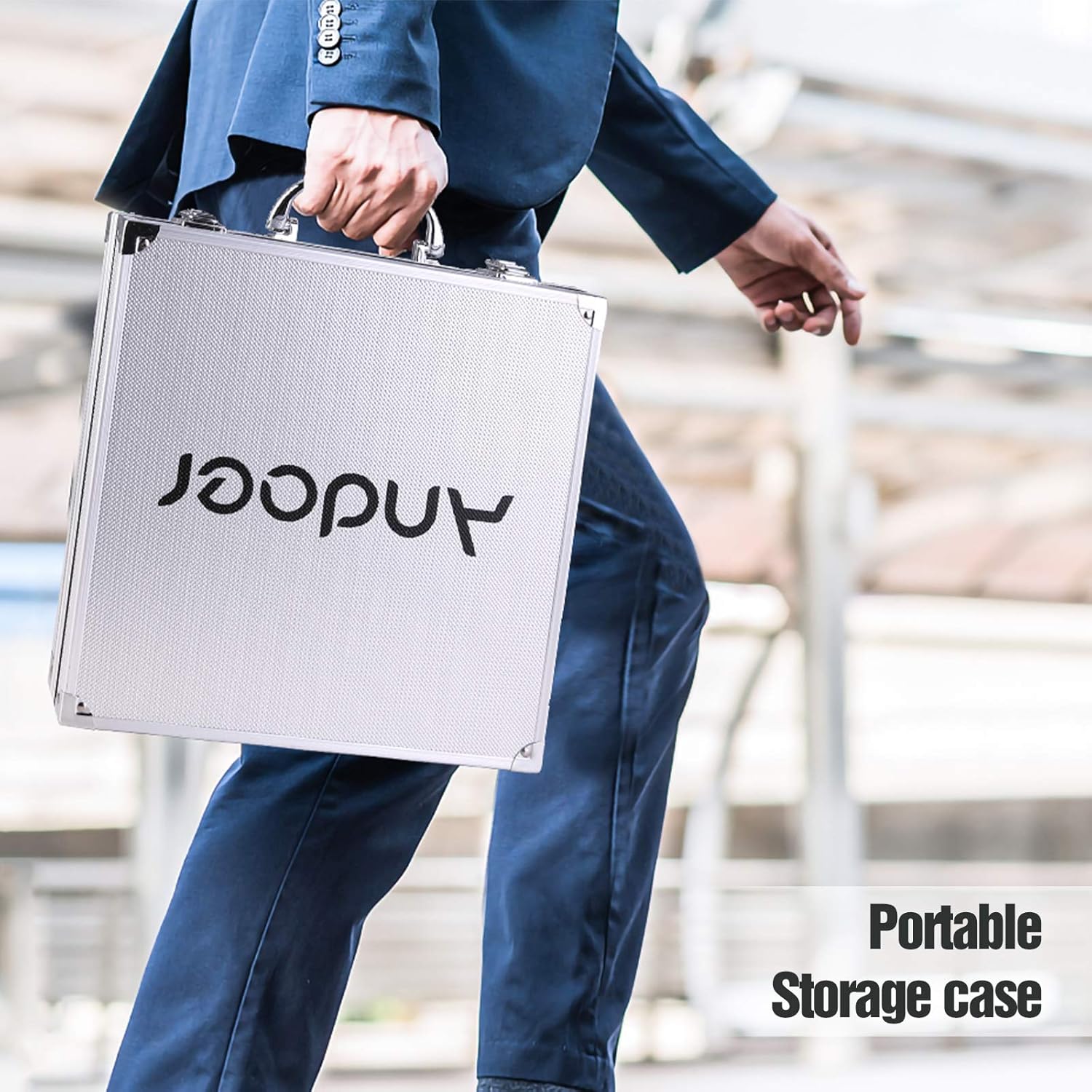
Image: A person walking while carrying the portable storage case for the Andoer A12 teleprompter, highlighting its portability and protection.
6. Sorun Giderme
If you encounter issues with your Andoer A12 teleprompter, refer to the following common problems and solutions:
- Text is blurry or unclear:
- Ensure the reflective glass is clean.
- Adjust the brightness of your smartphone/tablet screen.
- Check if the smartphone/tablet is positioned correctly in the tray.
- Verify that the camera lens is properly aligned with the teleprompter glass.
- Remote control not connecting or functioning:
- Uzaktan kumandanın pillerinin yeni olduğundan emin olun.
- Re-pair the remote control with your smartphone/tablet via Bluetooth.
- Check your teleprompter app settings to ensure it supports external Bluetooth controls.
- Note that some functions may vary between different phone brands and operating systems.
- Reflections or glare on the recording:
- Ensure the lens hood is properly installed to block stray light.
- Adjust lighting in your recording environment to minimize reflections on the teleprompter glass.
- Check for any external light sources directly hitting the teleprompter.
7. Özellikler
| Özellik | Şartname |
|---|---|
| Marka | Andoer |
| Örnek | A12 |
| Reflective Mirror Size | 26.3x21.1 cm |
| Ürün Ağırlığı | 6.44 pound (yaklaşık 2.92 kg) |
| Paket Boyutları | 14.9 x 13.9 x 4.25 inç (37.8 x 35.3 x 10.8 cm) |
8. Garanti ve Destek
For warranty information, please refer to the documentation provided with your purchase or visit the official Andoer webSite. Garanti şartları ve koşulları bölgeye ve perakendeciye göre değişiklik gösterebilir.
For technical support, product inquiries, or further assistance, please contact Andoer customer service or visit their official webalan:
Andoer Resmi Mağazası: https://www.amazon.com/stores/Andoer/page/080F79BB-D5B8-4281-8969-5313BC4DDC64