
1. Giriş
The XTAR SC1 Plus is a versatile single-slot battery charger designed for various rechargeable Li-ion and Ni-MH batteries. It features a 3A fast charging capability and can also function as a portable power bank, allowing you to charge other devices using an inserted battery. Its compact design and Type-C input make it suitable for travel and everyday use.
2. Güvenlik Bilgileri
- Use this charger only for specified battery types (3.6/3.7V Li-ion, 1.2V Ni-MH D batteries). Charging other battery types may cause explosion, battery rupture, or leakage, leading to property damage and personal injury.
- Şarj cihazını sökmeyin veya üzerinde değişiklik yapmayın.
- Keep the charger away from water, high humidity, and high temperatures.
- Çalışma sırasında şarj cihazını gözetimsiz bırakmayın.
- Çocukların erişemeyeceği yerde saklayınız.
- Ensure proper polarity when inserting batteries. Incorrect insertion can cause damage to the charger and battery.
- Use a compatible power adapter (QC/PD adapter >15W recommended for 3A fast charging).
3. Paket İçeriği
The XTAR SC1 Plus package includes:
- 1x XTAR SC1 Plus Charger
- 1x USB-C Kablosu
- 1x Adjustable Strap
- 1x Kullanım Kılavuzu

Image: XTAR SC1 Plus package contents.
4. Ürün Özellikleri
- Evrensel Uyumluluk: Supports 3.6/3.7V Li-ion batteries (18650, 18700, 20700, 21700, 22650, 25500, 26650, 26800) and 1.2V Ni-MH D batteries. Optimized for protected 26800 Li-ion batteries.
- 3A Hızlı Şarj: Achieves maximum 3A charging current, capable of charging a 5000mAh battery to 90% in approximately 90 minutes.
- Güç Bankası İşlevi: Converts into a portable power bank when a charged battery is inserted, providing 5V/2A USB output to charge other devices.
- Tip-C Girişi: Convenient USB-C input port for power supply.
- Ayarlanabilir Kayış: Features a stretchable and durable silicone belt to securely fasten batteries of various sizes.
- Akıllı LED Göstergeler: Four LED lights indicate charging status and battery power level (25%, 50%, 75%, 100%).
- Pil Ömrü Optimizasyonu: Accurate cut-off voltage and efficient charging prevent overcharge, extending battery lifespan.
- 0V Aktivasyonu: Capable of activating over-discharged batteries.
- Güvenlik Sertifikaları: Complies with CE and FCC standards.

Image: XTAR SC1 Plus demonstrating compatibility with various battery sizes.

Image: Adjustable silicone strap for secure battery fit.
5. Kurulum ve Çalıştırma
5.1 Pillerin Şarj Edilmesi
- Connect the XTAR SC1 Plus charger to a power source using the provided USB-C cable. A QC/PD adapter (>15W) is recommended for optimal 3A fast charging.
- Insert a compatible rechargeable battery into the charging slot, ensuring correct polarity (+ and - ends).
- Adjust the blue silicone strap to securely hold the battery in place.
- The LED indicators will illuminate to show the charging progress.
- Once charging is complete, all four LED indicators will be solid. Remove the battery from the charger.

Image: XTAR SC1 Plus connected to a QC3.0 adapter for fast charging.

Image: Visual representation of the battery charging process.
5.2 Power Bank Fonksiyonu
- Ensure a charged compatible battery is inserted into the XTAR SC1 Plus charger.
- Connect your external device (e.g., smartphone, flashlight) to the USB-A output port of the SC1 Plus using a suitable USB cable.
- The SC1 Plus will begin to discharge the internal battery to charge your external device. The LED indicators will show the remaining power level of the inserted battery.
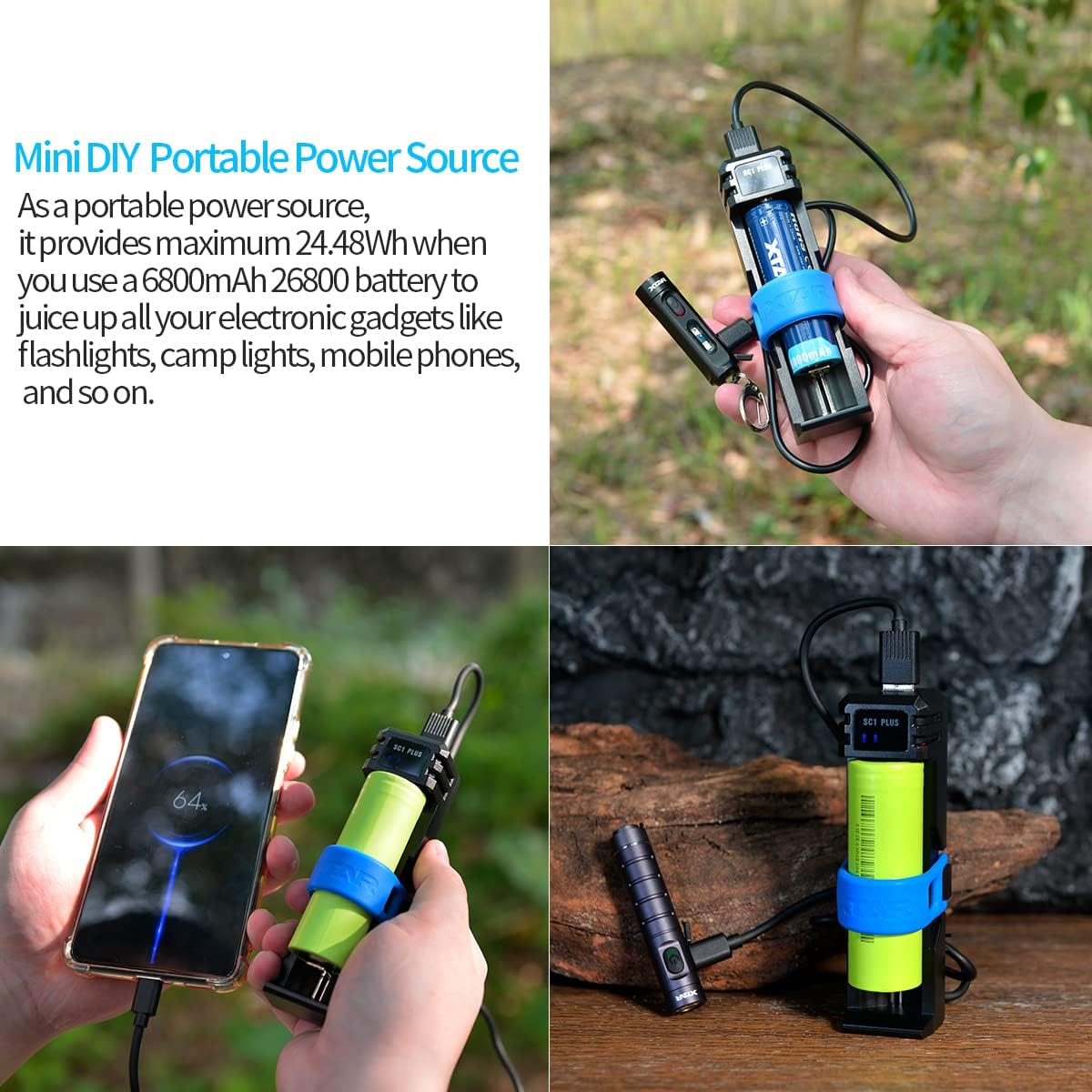
Image: XTAR SC1 Plus functioning as a power bank to charge a smartphone.

Image: XTAR SC1 Plus charging a small device.
6. Pil Uyumluluğu
The XTAR SC1 Plus is compatible with the following battery types:
- 3.6V/3.7V Li-ion Batteries: 18650, 18700, 20700, 21700, 22650, 25500, 26650, 26800 (including protected 26800 Li-ion batteries).
- 1.2V Ni-MH Batteries: D size.

Image: Visual guide to compatible battery types and sizes.
7. LED Göstergeleri
The XTAR SC1 Plus features four LED indicators to display charging status and battery power level:
- Bir LED: 0-25% charged / remaining power.
- İki LED: 25-50% charged / remaining power.
- Üç LED: 50-75% charged / remaining power.
- Dört LED: 75-100% charged / remaining power.
During charging, the LEDs will flash to indicate progress. Once fully charged, all four LEDs will remain solid.

Image: Explanation of LED indicator states for charge level.
8. Bakım
- Şarj cihazını düzenli olarak yumuşak, kuru bir bezle temizleyin. Aşındırıcı temizleyiciler veya çözücüler kullanmayın.
- Şarj cihazını kullanmadığınız zamanlarda serin ve kuru bir yerde saklayın.
- Şarj cihazınızı düşürmekten veya sert darbelere maruz bırakmaktan kaçının.
- Ensure the USB-C port and USB-A port are free from dust and debris.
9. Sorun Giderme
- Şarj cihazı açılmıyor: Ensure the USB-C cable is securely connected to both the charger and a working power source. Try a different USB-C cable or power adapter.
- Pil şarj olmuyor: Check if the battery is inserted with correct polarity. Ensure the battery is compatible with the charger. If the battery is deeply discharged (0V), the charger's activation function should attempt to revive it.
- Yavaş şarj oluyor: Verify that your power adapter is capable of delivering sufficient power (QC/PD adapter >15W for 3A charging). The charger automatically adjusts current based on battery IR, so a very low or nearly full battery might charge slower.
- Powerbank işlevi çalışmıyor: Ensure the inserted battery is sufficiently charged. Check the connection between the charger's USB-A output and your external device.
10. Özellikler
| Özellik | Detay |
|---|---|
| Örnek | SC1 Artı |
| Tip-C Girişi | 5V ≈ 3A Max |
| Constant Current (Ni-MH) | 1.45V ≈ 2Ax1 Max |
| USB Çıkışı | 5V ≈ 2A |
| Kesme Hacmitage | 4.20 ± 0.05V (Li-ion) / 1.45 ± 0.1V (Ni-MH) |
| Kesme Akımı | ≤ 150mA |
| Çalışma Sıcaklığı | 0-40 °C |

Image: Detailed specifications for the XTAR SC1 Plus charger.
11. Ürün Videosu
Video: Bittiview of the XTAR SC1 Plus 18650 26800 Battery Charger with Power Bank Function, demonstrating its features and usage.
12. Garanti ve Destek
XTAR has a long history of manufacturing quality chargers. For any questions or support during use, please contact the XTAR official team via Amazon. Customer inquiries are typically responded to within 8 hours.