
1. Giriş
The Rettru XDWIFI Mini Wireless WiFi Camera is a compact surveillance device designed for discreet monitoring. It offers HD1080P video resolution, night vision capabilities, motion detection, and remote viewing via a mobile application. This manual provides detailed instructions for setting up, operating, and maintaining your camera.
Video: Bittiview of the Rettru XDWIFI Mini Wireless WiFi Camera, highlighting its compact size and features.
2. Paket İçeriği
Lütfen paketinizde aşağıdaki tüm öğelerin bulunduğundan emin olun:
- 1 x Rettru XDWIFI Camera
- 1 x Kullanım Kılavuzu
- 1 x USB Kablosu
- 1 x Micro SD Kart Okuyucu
- 1 x Manyetik Taban

Image: All components included in the Rettru XDWIFI Mini Wireless WiFi Camera package.
3. Ürün Özellikleri
- Ultra Kompakt Tasarım: The camera measures approximately 1.57 x 1.18 x 0.5 inches, making it highly discreet and easy to conceal.
- HD1080P Video: Records high-definition video for clear surveillance.
- Gelişmiş Gece Görüşü: Equipped with two 940nm infrared lights, providing clear visibility up to 26 feet in low light or total darkness without visible glow.
- Akıllı Hareket Algılama: Features customizable motion detection zones and times. Sends alarm notifications with images to your phone upon detection.
- Döngü Kaydı: Supports continuous recording, overwriting the oldest filehafıza kartı dolduğunda.
- Bulut Depolama: Offers cloud service for video storage (subscription may be required).
- Uzak ViewTürkçe: Access live video remotely via the mobile application on iOS/Android devices.
- Esnek Kurulum: Includes a magnetic base and mounting options for versatile placement.

Image: The camera's compact size, held between two fingers.
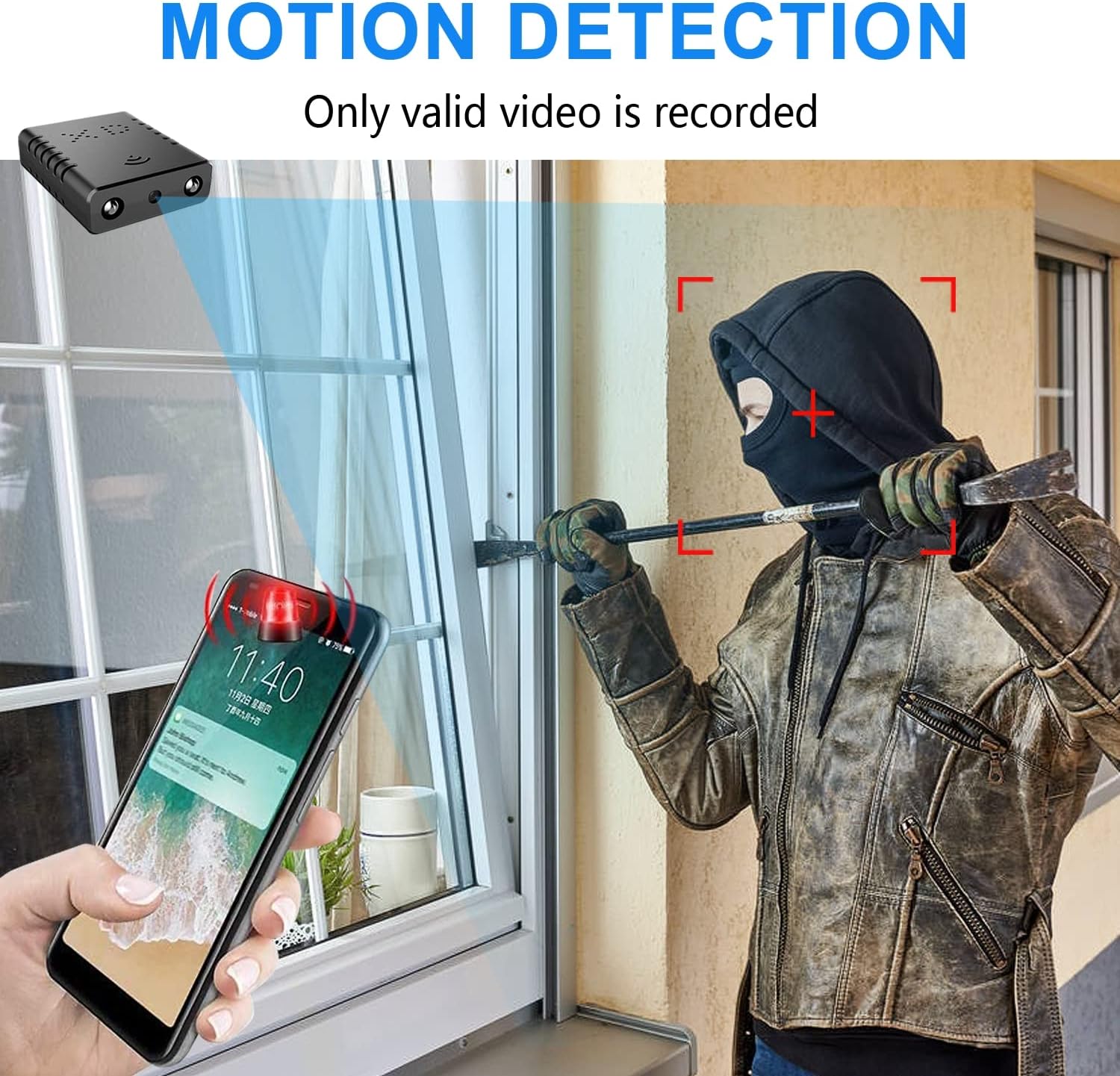
Image: Illustration of the motion detection feature, showing an alert on a smartphone.

Image: Day and night vision comparison, showing clear infrared night vision.
4. Kurulum Kılavuzu
4.1. İlk Şarj
Before first use, fully charge the camera for approximately 6 hours. During charging, a yellow light will illuminate. The camera charges via a USB-C port.
4.2. No-WiFi Recording Mode
To record without a WiFi connection, insert a compatible Micro SD card (16GB to 128GB, formatted in FAT32) into the TF card slot. Press the power button. When the blue light flashes, continuous recording will begin automatically in 5-minute clips. No app registration or device binding is needed for this mode. (Micro SD card not included, purchased separately).

Resim: Yan view of the camera highlighting the TF card slot and charging port.
4.3. WiFi Recording Mode (App Connection)
uzaktan kumanda için viewing and advanced features, connect the camera to your home WiFi network via the mobile application. The recommended app is V380 Pro.
- Uygulamayı indirin: Arama "V380 Pro" in your device's app store (iOS/Android) and install it.
- Hesap Oluşturun: Uygulamayı açın ve yeni bir hesap kaydetmek için ekrandaki talimatları izleyin.
- Kamerayı Açın: Kamerayı aç.
- Hotspot Connection (Method 1):
- Hold the "Reset" button until both red and blue lights flash simultaneously.
- When the blue light flashes again, the camera will send out a hotspot signal.
- On your phone's WLAN settings, connect to the camera's hotspot (e.g., "@MC-********" or "@IPC-********"). No password is required.
- The device should be added automatically in the app. Go to "Device Settings" > "Wi-Fi Network" and choose your available home WiFi network. Enter the password and confirm.
- Bluetooth Connection (Method 2):
- Telefonunuzun Bluetooth özelliğini açın.
- Log into the O-KAM Pro app (or V380 Pro), go to the "Mine" page, tap "System Permissions," and enable Bluetooth.
- In the app, click the "+" button in the upper right corner. The app will automatically detect the camera's UID. Click "Connect."
- Enter your correct WiFi password and complete the connection steps. Finally, click "Get Start" to begin using your camera.

Image: Step-by-step guide for easy app installation and WiFi connection.
Video: Detailed tutorial on camera setup and app connection for the Rettru XDWIFI camera.
5. Kullanım Talimatları
5.1. Uzaktan Viewinmek
Uygulamaya bağlandıktan sonra şunları yapabilirsiniz: view live video from anywhere in the world. The app allows multiple users to view kamerayı aynı anda.
5.2. Hareket Algılama
Configure intelligent motion detection settings within the app. You can manually set monitoring areas and schedules. Upon detection, the camera sends alarm notifications with images to your phone.
5.3. Gece Görüşü
The camera automatically switches to night vision in low light conditions, providing clear black and white video up to 26 feet.
5.4. Sürekli Kayıt
With an inserted Micro SD card, the camera supports loop recording. When the card is full, new footage will automatically overwrite the oldest files, ensuring continuous surveillance.
5.5. Bulut Depolama
Utilize the powerful cloud service for secure storage of your video data. This ensures your recordings are safe even if the camera is tampile birlikte ya da kayboldu.
6. Bakım
To ensure optimal performance and longevity of your Rettru XDWIFI camera, follow these maintenance guidelines:
- Temizlik: Kamera lensini ve gövdesini yumuşak ve kuru bir bezle nazikçe silin. Sert kimyasallar veya aşındırıcı malzemeler kullanmaktan kaçının.
- Pil Ömrü: For prolonged use, ensure the camera is regularly charged. While battery-powered, continuous live viewing or frequent motion alerts can drain the battery faster.
- SD Kart Yönetimi: Regularly check the status of your Micro SD card. If using loop recording, ensure the card is functioning correctly. Periodically back up important footage.
- Donanım Yazılımı Güncellemeleri: Check the V380 Pro app for any available firmware updates to ensure your camera has the latest features and security enhancements.
7. Sorun Giderme
Kameranızla ilgili sorunlarla karşılaşırsanız, lütfen aşağıdaki yaygın çözümlere bakın:
- Bağlantı Hatası: If the camera fails to connect to the app or WiFi, try resetting the camera and attempting to reconnect.
- Cihazı Sıfırlama: To restore factory settings, power on the camera and hold the "Reset" button until both red and blue lights flash simultaneously. This will clear previous settings and allow for a fresh connection attempt.
- No QR Code for Setup: Some users have reported issues with missing or non-functional QR codes. Follow the manual connection methods (hotspot or Bluetooth) as detailed in Section 4.3.
- Kayıt Sorunları: Ensure a compatible Micro SD card (16GB-128GB, FAT32) is properly inserted. Check app settings for recording mode (continuous, motion-activated) and storage preferences.
- Çevrimdışı Durum: Verify your WiFi network is stable and within range. Ensure the camera is powered on and fully charged.
8. Özellikler
| Özellik | Detay |
|---|---|
| Örnek | XDWIFI |
| Video Yakalama Çözünürlüğü | 1080p |
| Bağlantı Teknolojisi | Kablosuz (Wi-Fi) |
| Uyumlu Cihazlar | iOS/Android Phone/Window/Mac PC |
| Güç Kaynağı | Pil ile çalışır |
| Denetleyici Türü | V380 Pro Uygulaması |
| Montaj Tipi | Surface Mount (Magnetic Base) |
| Gece Görüş Aralığı | 26-28 Ayak |
| Ürün Boyutları (U x G x Y) | 1.6 x 1.2 x 0.5 inç |
| Ürün Ağırlığı | 0.8 ons |
| Özel Özellikler | HD1080P, Local Recording, Motion Sensor, Night Vision, Portable |
| İç/Dış Mekan Kullanımı | Indoor/Outdoor (IP65 Rated) |
| Sesli ve Görüntülü Kayıt Yetenekleri | Video |
| IR LED'leri sayısı | 2 |
9. Garanti ve Destek
For any issues or inquiries regarding your Rettru XDWIFI Mini Wireless WiFi Camera, please contact our after-sales service. The contact email is typically provided in the user manual included in your package. We are committed to providing support and assistance.