
1. Ürün Bittiview
The MAXDONE Laminator Machine is a versatile and efficient device designed to protect your documents, photos, and other materials with a durable laminated finish. It supports various sizes up to A3 (13 inches wide) and offers both hot and cold lamination modes. With its rapid warm-up time and anti-jam features, it provides a seamless laminating experience for home, office, and school environments.

Figure 1: MAXDONE Laminator Machine
2. Temel Özellikler
- Faster Preheating and High-Speed Laminating: Achieves a 90-second warm-up time and laminates at 13.98 inches/min (355 mm/min), offering 25% faster speed than standard models.
- Quiet Operation and Intelligent Safety: Operates at less than 55dB for a quiet environment. Features an advanced NTC intelligent temperature control system for safe and efficient operation, including overheating, overcurrent, and short-circuit protection.
- Dual Modes for Cold and Thermal Lamination: Supports both thermal lamination for standard documents and cold lamination for heat-sensitive materials (requires self-adhesive pouches, sold separately).
- ABS Sıkışma Önleyici Düğme: Easily clear jammed paper by pressing the ABS button.
- Versatile Size Compatibility: Accommodates pouches up to 13 inches wide (A3) and handles 2.5-4 mil (60-100 mic) thick laminating sheets, suitable for A3, A4, A5, and A6 sizes.

Figure 2: NTC Intelligent Temperature Control for optimal performance.
3. Kurulum
Before first use, ensure the laminator is placed on a stable, flat surface with adequate ventilation. Plug the power cord into a suitable electrical outlet. The device will begin its warm-up cycle.
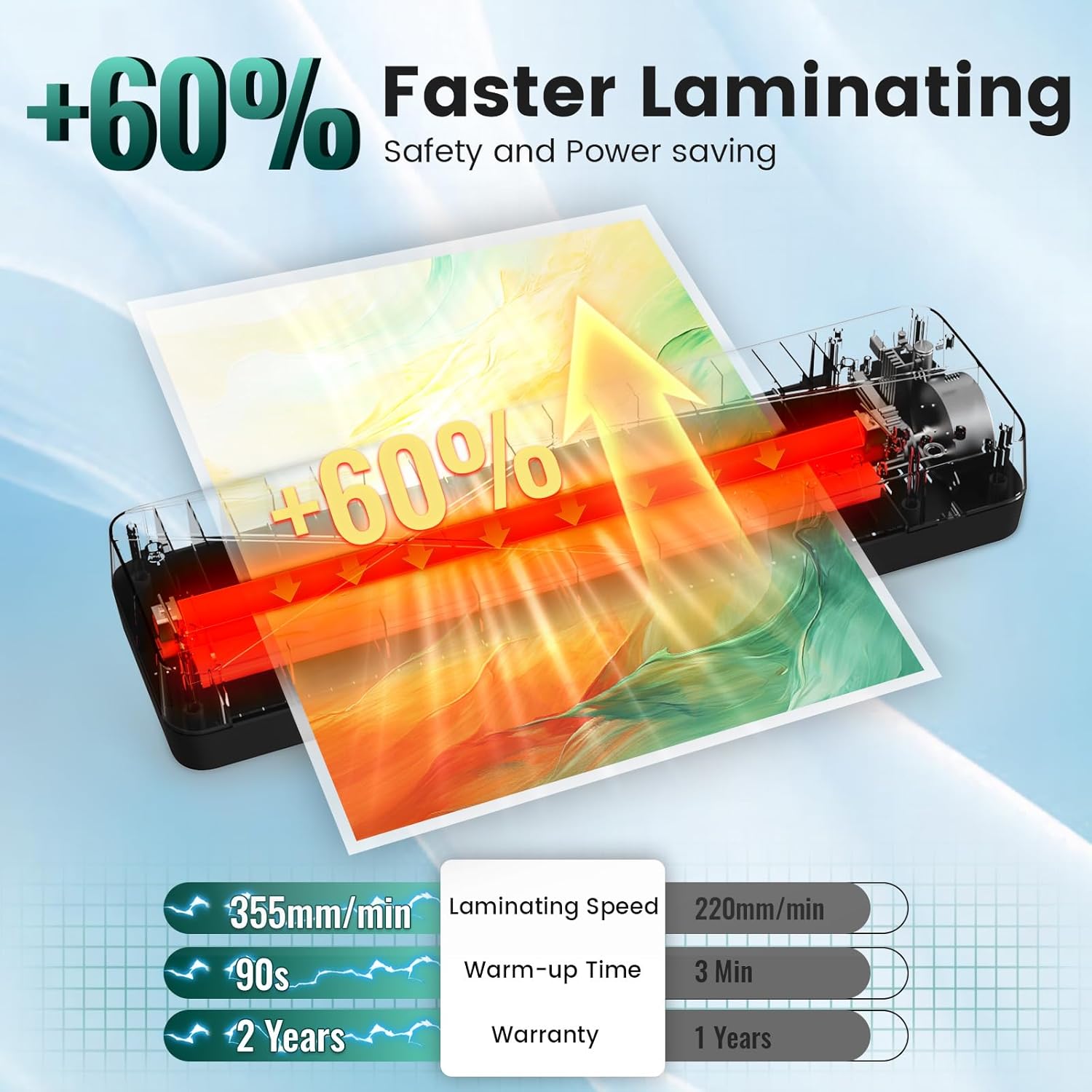
Figure 3: Visual guide for basic setup and operation.
Kutudan Çıkarma ve İlk Kurulum Videosu
Video 1: This video provides a detailed unboxing and initial setup guide for the MAXDONE A3 Laminator Machine, highlighting its features and accessories.
4. Kullanım Talimatları
Warm-up and Mode Selection
- Plug in the laminator and turn on the power switch.
- Select either 'COLD' or 'HOT' mode using the switch. The indicator light will turn red during warm-up.
- Wait for the indicator light to turn green, signaling that the laminator is ready for use (approx. 90 seconds for hot mode).
Lamination Process
- Place your document or photo inside a laminating pouch, ensuring it is centered and aligned with the sealed edge.
- Insert the sealed end of the pouch into the laminator's entry slot. The machine will automatically feed the pouch through.
- Support the pouch as it exits the machine to prevent bending or creasing.
- Allow the laminated item to cool completely on a flat surface before handling.
Using the ABS Anti-Jam Button
In case of a paper jam, immediately turn off the laminator. Press and hold the 'ABS' release button while gently pulling the jammed pouch out of the entry slot. This disengages the rollers, allowing for easy removal.

Figure 4: Location of the ABS Anti-Jam Button.
Operasyon Gösterim Videosu
Video 2: This video demonstrates the ease of use of the laminator, including warm-up, lamination, and using the corner rounder.
5. Bakım
To ensure optimal performance and longevity of your MAXDONE Laminator, follow these maintenance guidelines:
- Temizlik: After every 2 hours of continuous use, allow the machine to cool for 15 minutes. Run a cleaning cycle by inserting a blank paper through the laminator to remove any adhesive residue or dust from the rollers.
- Depolamak: Store the laminator in a cool, dry place away from direct sunlight and excessive humidity.
- İşleme: Avoid dropping or subjecting the laminator to strong impacts.
6. Sorun Giderme
| Sorun | Olası Neden | Çözüm |
|---|---|---|
| Laminatör çalışmıyor. | Güç kaynağı yok. | Güç kablosu bağlantısını ve duvar prizini kontrol edin. |
| Kağıt sıkışması. | Incorrect pouch insertion or material. | Press ABS button to release. Ensure document is aligned with sealed end of pouch. |
| Laminasyon işleminden sonra oluşan kabarcıklar veya kırışıklıklar. | Incorrect temperature setting or dirty rollers. | Ensure correct temperature for pouch thickness. Run a cleaning sheet. |
| Laminator is too noisy. | Normal operation or internal issue. | The device operates below 55dB. If noise is excessive, contact support. |
7. Özellikler
| Şartname | Detay |
|---|---|
| Marka | MAXDONE |
| Model Numarası | BLM00132 |
| Ürün Ağırlığı | 3.5 pound |
| Ürün Boyutları | 17.72 x 5.91 x 4.72 inç |
| Sayfa Boyutu Uyumluluğu | A3, A4, A5, A6 (up to 13 inches wide) |
| Kese Kalınlığı | 2.5-4 mil (60-100 mic) |
| Isınma Süresi | 90 saniye |
| Laminasyon Hızı | 13.98 inches/min (355 mm/min) |
| Maksimum Çalışma Sıcaklığı | 293°F |
8. Garanti ve Destek
MAXDONE offers a 2-Year Hassle-Free Service for this laminator machine. For any inquiries, troubleshooting assistance, or warranty claims, please visit the official MAXDONE Store on Amazon or contact customer support directly.