
1. Giriş
The Yealink SIP-T43U IP Phone is a professional communication device designed for business environments, offering advanced features and high-definition audio quality. This manual provides comprehensive instructions for setting up, operating, maintaining, and troubleshooting your SIP-T43U phone.
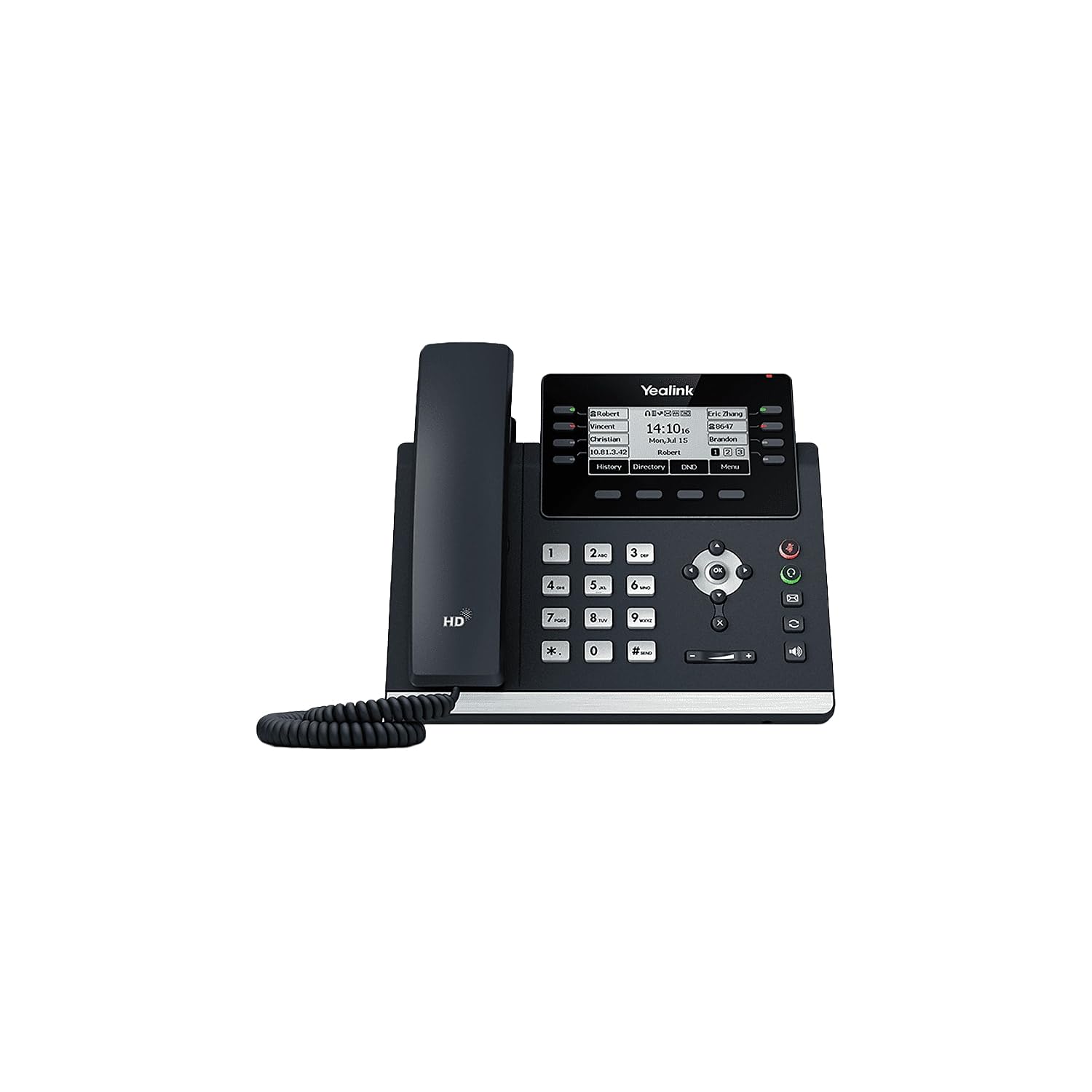
Şekil 1: Ön view of the Yealink SIP-T43U IP Phone, showcasinEkranı, tuş takımı ve ahizesiyle birlikte.
2. Kutuda Neler Var?
Paketinizde tüm öğelerin mevcut olduğundan emin olun:
- SIP-T43U IP Phone Unit
- Ahize ve Ahize Kablosu
- Ethernet Kablosu (2m CAT5E UTP Kablosu)
- Telefon Standı
- Hızlı Başlangıç Kılavuzu
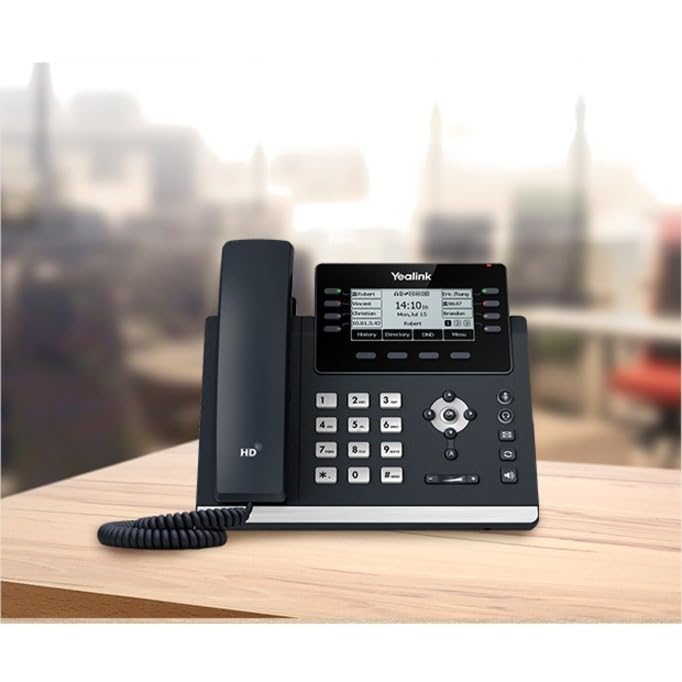
Figure 2: The Yealink SIP-T43U IP Phone positioned on a desk, illustrating its compact design suitable for office environments.
3. Kurulum
3.1 Telefonun Montajı
- Attach the stand to the main phone unit. The stand can be adjusted for different viewaçıları.
- Connect the coiled handset cord to the handset port on the phone unit.
- Sarmal ahize kablosunun diğer ucunu ahizeye bağlayın.
3.2 Şebeke ve Güç Bağlantısı
The SIP-T43U supports Power over Ethernet (PoE), simplifying installation by delivering power and data over a single Ethernet cable.
- Connect one end of the Ethernet cable to the Internet port on the phone.
- Connect the other end of the Ethernet cable to a PoE-enabled switch or router.
- If PoE is not available, connect a compatible power adapter (sold separately) to the DC 5V port on the phone and then to a power outlet.
Once connected, the phone will power on and begin the boot-up process. The display will show the Yealink logo and then proceed to load the operating system. Network configuration will typically occur automatically via DHCP.
4. Telefonun Kullanımı
4.1 Temel Çağrı Fonksiyonları
- Arama yapmak:
- Ahizeyi kaldırın veya Hoparlör düğme.
- Tuş takımını kullanarak istediğiniz numarayı çevirin.
- Basın Aramak yumuşak tuş veya # anahtar.
- Bir Aramayı Cevaplama:
- Ahizeyi kaldırın.
- Basın Hoparlör düğme.
- Basın Cevap yazılım tuşu.
- Aramayı Bitirme:
- Ahizeyi kapatın.
- Basın Çağrı Sonu yazılım tuşu.
4.2 Using the Keypad and Display
The phone features a standard numeric keypad for dialing and a set of function keys for various operations. The 3.7-inch graphical LCD provides call information, menu options, and status indicators.
- Gezinme Tuşları: Yön tuşlarını (yukarı, aşağı, sola, sağa) ve OK button to navigate through menus and confirm selections on the display.
- Yazılım Tuşları: The buttons directly below the display (soft keys) change their function based on the current context shown on the screen.
- Hoparlör: Basın Hoparlör button to toggle speakerphone mode on or off.
- Ses Kontrolü: Kullanın Hacim buttons (located below the keypad) to adjust the handset, headset, or speaker volume during a call, or the ringer volume when idle.
- Sesini kapatmak: Basın Sesini kapatmak button to mute or unmute your microphone during a call.
5. Bakım
Proper maintenance ensures the longevity and optimal performance of your Yealink SIP-T43U IP Phone.
- Temizlik: Telefonun yüzeyini temizlemek için yumuşak, kuru bir bez kullanın. İnatçı lekeler için, biraz daha kuru bir bez yeterli olacaktır.amp Hafif, aşındırıcı olmayan bir temizleyici ile ıslatılmış bir bez kullanılabilir. Aşırı nemden ve sert kimyasallardan kaçının.
- Çevre: Keep the phone in a dry environment, away from direct sunlight, heat sources, and excessive dust.
- İşleme: Handle the handset and cords with care to prevent damage. Avoid dropping the phone or subjecting it to strong impacts.
6. Sorun Giderme
This section addresses common issues you might encounter with your SIP-T43U IP Phone.
| Sorun | Olası Neden | Çözüm |
|---|---|---|
| Telefon açılmıyor. | Güç kaynağı yok veya kablo arızalı. | Check Ethernet cable connection to PoE switch or ensure power adapter is securely plugged in. |
| Çevir sesi yok. | Network issue or phone not registered. | Verify network cable connection. Check phone's display for registration status. Contact your IT administrator if necessary. |
| Kötü ses kalitesi. | Ağ yoğunluğu veya arızalı telefon/kulaklık. | Check network connection stability. Try adjusting volume. Test with a different handset or headset if available. |
| Düğmeler yanıt vermiyor. | Geçici yazılım hatası. | Unplug the phone from power, wait 10 seconds, then plug it back in to restart. |
7. Özellikler
Key technical specifications for the Yealink SIP-T43U IP Phone:
- Görüntülemek: 3.7" 360x160-pixel graphical LCD with backlight
- SIP Hesapları: 12'e kadar
- USB Bağlantı Noktaları: Çift USB portu
- Ses Özellikleri: Yealink Optima HD Voice, Opus codec support
- Güç: Ethernet Üzerinden Güç (PoE) desteği
- Bağlantı: Dual firmware images, Wi-Fi via WF40/WF50 (accessories sold separately)
- Boyutlar: 10 x 9.1 x 4.6 inç
- Ağırlık: 2.62 Pound
- Montaj: Wall Mountable, Desktop
- Renk: Klasik Gri
8. Garanti ve Destek
Garanti bilgileri ve teknik destek için lütfen resmi Yealink web sitesine başvurun. webWeb sitesini ziyaret edin veya yetkili satıcınızla iletişime geçin. Garanti talepleri için satın alma fişinizi satın alma belgesi olarak saklayın.
Ek kaynaklar ve sık sorulan sorular için şu adresi ziyaret edin: Yealink Mağazası Amazon'da.