
1. Giriş
The Wyze Cam Pan v2 is an indoor smart home camera designed to provide comprehensive surveillance with its pan, tilt, and zoom capabilities. This device features 1080p HD video, Color Night Vision, two-way audio, and automatic motion tracking, making it suitable for monitoring various indoor environments. This manual provides instructions for setting up, operating, and maintaining your Wyze Cam Pan v2.
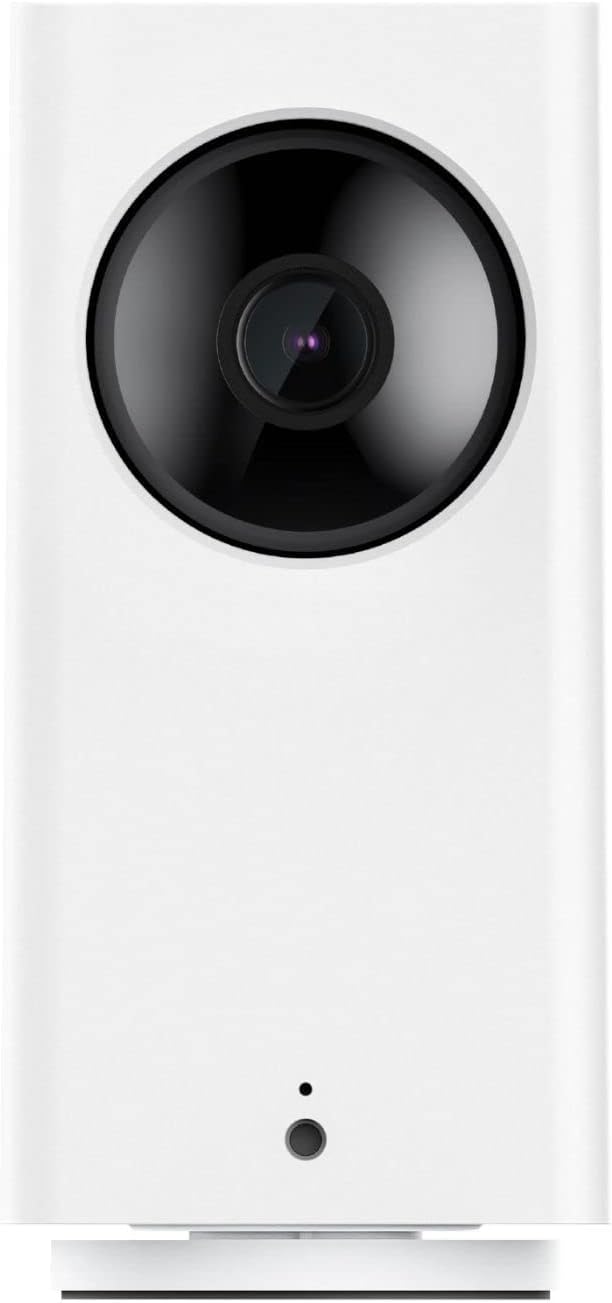
Ön view of the Wyze Cam Pan v2 camera, showcasinKompakt tasarımı ve lensiyle dikkat çekiyor.
Temel Özellikler:
- 360° Kapsama: Pan, tilt, and zoom functionality allows for a full view of any room.
- 1080pHDVideo: Clear live streaming and recording.
- Renkli Gece Görüşü: Enhanced visibility in low-light conditions using a Starlight Sensor.
- İki Yönlü Ses: Communicate through the camera using the built-in microphone and speaker.
- Otomatik Hareket Takibi: The camera automatically follows and records detected movement.
- Akıllı Asistan Uyumluluğu: Ses kontrolü için Amazon Alexa ve Google Assistant ile çalışır.
2. Kutuda Neler Var?
Paketin tüm bileşenlerinin mevcut olduğunu doğrulayın:
- Wyze Cam Pan v2 Camera
- USB Güç Kablosu
- Güç Adaptörü
- Hızlı Başlangıç Kılavuzu (bu kılavuzda yer almamaktadır)

Arka view of the Wyze Cam Pan v2, highlighting the speaker grille and power input port.
3. Kurulum Kılavuzu
Follow these steps to set up your Wyze Cam Pan v2:
- Wyze Uygulamasını İndirin: Arama "Wyze" in your smartphone's app store (iOS or Android) and download the official application.
- Hesabınızı Oluşturun veya Giriş Yapın: Open the Wyze app and follow the prompts to create a new account or log in if you already have one.
- Kamerayı Açma: Connect the USB power cable to the camera's power port and plug the power adapter into a standard electrical outlet. The camera will begin its startup sequence.
- Uygulamaya Cihaz Ekle: In the Wyze app, tap the "+" icon in the top left corner, then select "Add Device." Choose "Cameras" and then "Wyze Cam Pan v2."
- Eşleştirme: Follow the on-screen instructions in the app to pair your camera. This typically involves scanning a QR code displayed on your phone with the camera's lens and connecting to your Wi-Fi network.
- İlk Kalibrasyon: The camera will perform an initial calibration, rotating to its full range of motion. Once complete, your camera is ready for use.

The Wyze Cam Pan v2 positioned on a shelf, demonstrating a typical indoor placement.
4. Kullanım Talimatları
4.1 Pan, Tilt ve Zoom (PTZ)
Kameranın kontrolünü sağlayın viewing angle directly from the Wyze app. Use the directional controls to pan horizontally up to 360 degrees and tilt vertically up to 93 degrees. The camera can rotate at a speed of 110 degrees per second, allowing for quick adjustments to monitor different areas of a room.

The Wyze Cam Pan v2 illustrating its 360-degree rotational capability to cover an entire room.
4.2 Renkli Gece Görüşü
The Wyze Cam Pan v2 features Color Night Vision, enabled by a Starlight Sensor, which provides full-color video in low-light conditions. This enhances visibility compared to traditional black-and-white infrared night vision.

A visual comparison demonstrating the improved clarity and color provided by the Starlight Sensor in low-light conditions.
4.3 İki Yönlü Ses
Utilize the camera's built-in microphone and speaker to engage in two-way conversations. This feature allows you to speak to individuals near the camera or listen to sounds in the camera's environment directly through the Wyze app.

The Wyze Cam Pan v2 enabling two-way communication, illustrated by a user speaking to a pet.
4.4 Automatic Motion Tracking and Alerts
When enabled, the camera will automatically detect, track, and record movement within its field of view. You will receive instant notifications on your smartphone when motion is detected. Notification settings can be customized within the Wyze app.

The camera's motion tracking feature actively following a moving subject, indicated by a green tracking box.

A smartphone displaying an instant notification from the Wyze app, indicating motion detection.
4.5 Akıllı Asistan Entegrasyonu
The Wyze Cam Pan v2 is compatible with Amazon Alexa and Google Assistant. You can use voice commands to view your camera's live feed on compatible smart displays or devices.

A smart display showing the live feed from the Wyze Cam Pan v2, demonstrating compatibility with voice assistants.
5. Bakım
- Temizlik: Fotoğraf makinesinin objektifini ve gövdesini temizlemek için yumuşak, kuru bir bez kullanın. Aşındırıcı temizleyicilerden veya çözücülerden kaçının.
- Donanım Yazılımı Güncellemeleri: Regularly check the Wyze app for available firmware updates. Keeping your camera's firmware up-to-date ensures optimal performance and security.
- Atama: Kazara düşmeleri önlemek için kameranın sabit bir yüzeye yerleştirildiğinden veya güvenli bir şekilde monte edildiğinden emin olun.
6. Sorun Giderme
If you encounter issues with your Wyze Cam Pan v2, consider the following:
- Güç Yok: Ensure the power cable is securely connected to both the camera and the power adapter, and the adapter is plugged into a working outlet.
- Çevrimdışı Durum: Check your Wi-Fi connection. Restart your router and the camera. If the issue persists, try re-pairing the camera through the Wyze app.
- Kötü Video Kalitesi: Ensure your Wi-Fi signal is strong where the camera is placed. Move the camera closer to your router or consider a Wi-Fi extender.
- Hareket Algılama Sorunları: Verify that motion detection is enabled in the Wyze app settings. Adjust sensitivity levels if necessary.
- Pan/Tilt işlevi yanıt vermiyor: Ensure the camera has completed its initial calibration. If it's stuck, try power cycling the device.
For further assistance, refer to the official Wyze support resources.
7. Özellikler

Boyutsal olarakview of the Wyze Cam Pan v2 camera.
| Özellik | Detay |
|---|---|
| Model Adı | Kam Tavası v2 |
| Ürün Model Numarası | WYZECP2 |
| Video Yakalama Çözünürlüğü | 1080p |
| Alanı View | 360 Derece (Tava) |
| Düşük Işık Teknolojisi | Color Night Vision (Starlight Sensor) |
| Bağlantı Teknolojisi | Wi-Fi (2.4 GHz) |
| Denetleyici Türü | Amazon Alexa, Google Asistan |
| Güç Kaynağı | Corded Electric (110 Volts AC, 5 Watts) |
| İç/Dış Mekan Kullanımı | Kapalı |
| Boyutlar (U x G x Y) | 5.5 x 3.5 x 3 inç |
| Ürün Ağırlığı | 16 Ons (1 pound) |
| Malzeme | Glass (Lens) |
| Renk | Beyaz |
8. Garanti Bilgileri
The Wyze Cam Pan v2 comes with a 1 yıllık üretici garantisi. Please retain your proof of purchase for warranty claims. For detailed terms and conditions, visit the official Wyze webalan.
9. Destek
For additional support, frequently asked questions, or to contact customer service, please visit the official Wyze support page: