
1. Giriş
This manual provides essential information for the safe and efficient use of your HP Envy x360 13.3-inch 2-in-1 laptop. Please read this manual thoroughly before operating your device to ensure optimal performance and longevity. This device combines the functionality of a traditional laptop with the versatility of a tablet, featuring a responsive touchscreen and a 360-degree hinge.
2. Ürün Özellikleri
- 13.3-inch Full HD IPS Touch-Screen Display: Experience vibrant visuals and intuitive interaction with the responsive touch display.
- 11th Generation Intel Core i5-1135G7 Processor: Delivers efficient performance for multitasking, productivity, and entertainment.
- 8 GB DDR4 RAM: Provides substantial memory for smooth operation of multiple applications.
- 256GB PCIe NVMe SSD: Offers fast boot-up times and quick data access with solid-state storage.
- Arkadan Aydınlatmalı Klavye: Enables comfortable typing in various lighting conditions.
- Parmak izi okuyucu: Enhances security and provides quick, convenient login.
- Windows 10 Home Operating System: Pre-installed for a familiar and productive user experience.
- 360 derece menteşe: Allows the device to transform between laptop, tent, stand, and tablet modes.
- Intel Iris Xe Graphics: Integrated graphics for clear visuals and light creative tasks.
- Bang & Olufsen Audio with Three Speakers: Delivers rich and immersive sound.
- HP Wide Vision HD Camera with Camera Shutter: For video calls and privacy.
3. Fiziksel Aşırıview
Familiarize yourself with the various components and ports of your HP Envy x360 laptop.

Şekil 3.1: Açısal view of the HP Envy x360 laptop in traditional laptop mode, displaying the keyboard and screen.
Bağlantı Noktaları ve Konektörler:
- USB 3.0 Tip-A Bağlantı Noktaları (x2): For connecting external devices such as USB drives, mice, or keyboards.
- HDMI Bağlantı Noktası (x1): Harici ekranlara veya projektörlere bağlanmak için.
- Micro SD Card Reader (x1): For reading and writing data to Micro SD cards.
- Kulaklık/Mikrofon Birleşik Girişi (x1): For connecting headphones or an external microphone.
- USB-C Bağlantı Noktası (x1): For data transfer, charging, and display output (Thunderbolt compatible).
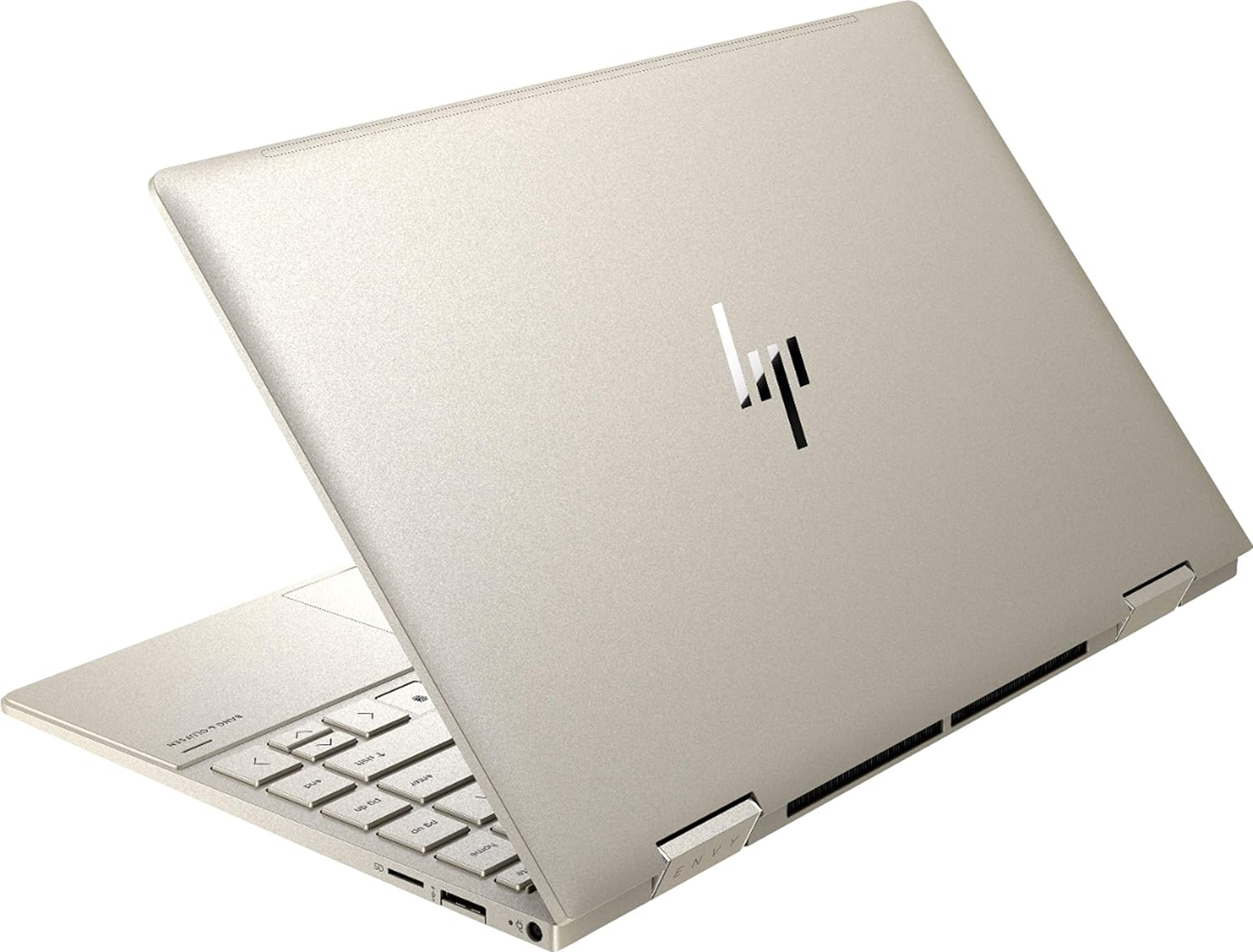
Şekil 3.2: Arka view of the HP Envy x360 laptop, highlighting the sleek design and port placement on the sides.
4. Kurulum
4.1 İlk Güç Açma
- Unpack your HP Envy x360 laptop and included accessories.
- Güç adaptörünü dizüstü bilgisayarın şarj portuna ve ardından bir elektrik prizine bağlayın.
- Press the power button, typically located on the side or keyboard deck, to turn on the laptop.
- Dil seçimi, ağ bağlantısı ve kullanıcı hesabı oluşturma dahil olmak üzere Windows 10 Home kurulumunu tamamlamak için ekrandaki talimatları izleyin.
4.2 Çevre Birimlerini Bağlama
Connect your mouse, external display, or other USB devices to the available ports as described in Section 3. For wireless devices, enable Bluetooth in Windows settings and pair your devices.
5. Kullanım Talimatları
5.1 Using the 2-in-1 Modes
Your HP Envy x360 features a versatile 360-degree hinge, allowing for multiple usage modes:
- Dizüstü Bilgisayar Modu: Traditional laptop orientation for typing and productivity.
- Çadır Modu: Ekranı geriye doğru katlayarak ters 'V' şekli oluşturun; bu, dar alanlarda video veya sunum izlemek için idealdir.
- Stand Modu: Fold the screen back further, resting the keyboard face down, to use the display for media consumption or touch-based applications.
- Tablet Modu: Fold the screen completely back against the base, transforming the device into a tablet for touch interaction.

Figure 5.1: The HP Envy x360 laptop configured in tent mode, suitable for media viewIng.

Figure 5.2: The HP Envy x360 laptop fully folded into tablet mode, ready for touch input.
5.2 Dokunmatik Ekran ve Klavye Kullanımı
- Dokunmatik ekran: Use gestures similar to a smartphone or tablet for navigation, zooming, and interaction with applications.
- Arkadan Aydınlatmalı Klavye: Press the function key (Fn) and the appropriate F-key (usually F5 or F4, check keyboard icons) to toggle the keyboard backlight on/off or adjust brightness.
- Parmak izi okuyucu: Enroll your fingerprint through Windows Hello settings for secure and fast login.
6. Bakım
Regular maintenance helps prolong the life of your laptop.
- Temizlik: Use a soft, lint-free cloth to clean the screen and chassis. For stubborn smudges, dampBezi su veya ekran temizleyicisiyle silin. Sert kimyasallardan kaçının.
- Yazılım Güncellemeleri: Regularly update Windows and HP drivers to ensure optimal performance and security.
- Pil Bakım: Pili sık sık tamamen boşaltmaktan kaçının. Uzun süreli saklama için pili yaklaşık %50-70 oranında şarj edin.
- Havalandırma: Ensure the laptop's vents are not obstructed to prevent overheating. Use on a hard, flat surface when possible.
7. Sorun Giderme
Bu bölümde karşılaşabileceğiniz yaygın sorunlar ele alınmaktadır.
7.1 Güç Sorunları
- Dizüstü bilgisayar açılmıyor: Ensure the power adapter is securely connected and the outlet is functional. Try a different outlet or power adapter if available.
- Pil şarj olmuyor: Verify the power adapter connection. Check for any damage to the cable or port.
7.2 Ekran Sorunları
- Ekran boş: Sorunun dizüstü bilgisayarın ekranından kaynaklanıp kaynaklanmadığını kontrol etmek için harici bir monitör bağlayın. Dizüstü bilgisayarı yeniden başlatmayı deneyin.
- Dokunmatik ekran tepki vermiyor: Restart the laptop. Ensure all drivers are up to date via Windows Update or HP Support Assistant.
7.3 Performans Sorunları
- Yavaş performans: Gereksiz uygulamaları kapatın. Görev Yöneticisi'nde kaynak yoğun işlemleri kontrol edin. SSD'de yeterli boş alan olduğundan emin olun.
- Aşırı Isınma: Clean vents. Ensure proper airflow. Reduce workload if consistently hot.
8. Özellikler
| Özellik | Detay |
|---|---|
| Marka | HP |
| Model Adı | HP Envy x360 |
| Ekran Boyutu | 13.3 inç |
| Ekran Çözünürlüğü | 1920x1080 (Tam HD) |
| Görüntü Türü | LED IPS Touch Screen |
| İşlemci | 11th Generation Intel Core i5-1135G7 (2.4 GHz, up to 4.2 GHz with Turbo Boost) |
| RAM Bellek | 8 GB DDR4 |
| Depolamak | 256 GB SSD |
| İşletim Sistemi | Windows 10 Ev |
| Grafikler | Intel Iris Xe Grafikleri (Tümleşik) |
| Özel Özellikler | Arkadan Aydınlatmalı Klavye, Parmak İzi Okuyucu |
| Ses | Bang & Olufsen Audio with Three speakers |
| Bağlantı | Wireless-AX, Bluetooth, USB, HDMI |
| Limanlar | 2x USB 3.0 Type-A, 1x HDMI, 1x Micro SD Card Reader, 1x Headphone/Microphone Combo, 1x USB-C |
| Boyutlar (U x G x Y) | 12.07" x 7.66" x 0.65" |
| Ağırlık | 2.92 pound |
| Renk | Soluk Altın |
9. Kutuda Neler Var?
The following items are included with your HP Envy x360 laptop:
- HP Envy x360 13.3-inch 2-in-1 Laptop
- Güç Adaptörü
- Fare Altlığı

Figure 9.1: The HP Envy x360 laptop shown alongside the included mouse pad.
10. Garanti ve Destek
Your HP Envy x360 laptop comes with a standard manufacturer's warranty. For detailed warranty information, please refer to the warranty card included in your product packaging or visit the official HP support website. For technical assistance, driver downloads, or service requests, please contact HP Customer Support.
HP Desteği Webalan: destek.hp.com