
Yunus LX60
Dolphin LX60 Portable Bluetooth Speaker User Manual
Model: LX60
giriiş
Satın aldığınız için teşekkür ederizasing the Dolphin LX60 Portable Bluetooth Speaker. This manual provides essential information for setting up, operating, and maintaining your speaker to ensure optimal performance and longevity. The LX60 is a robust, waterproof portable speaker designed for various environments, offering high-quality audio and versatile connectivity options.
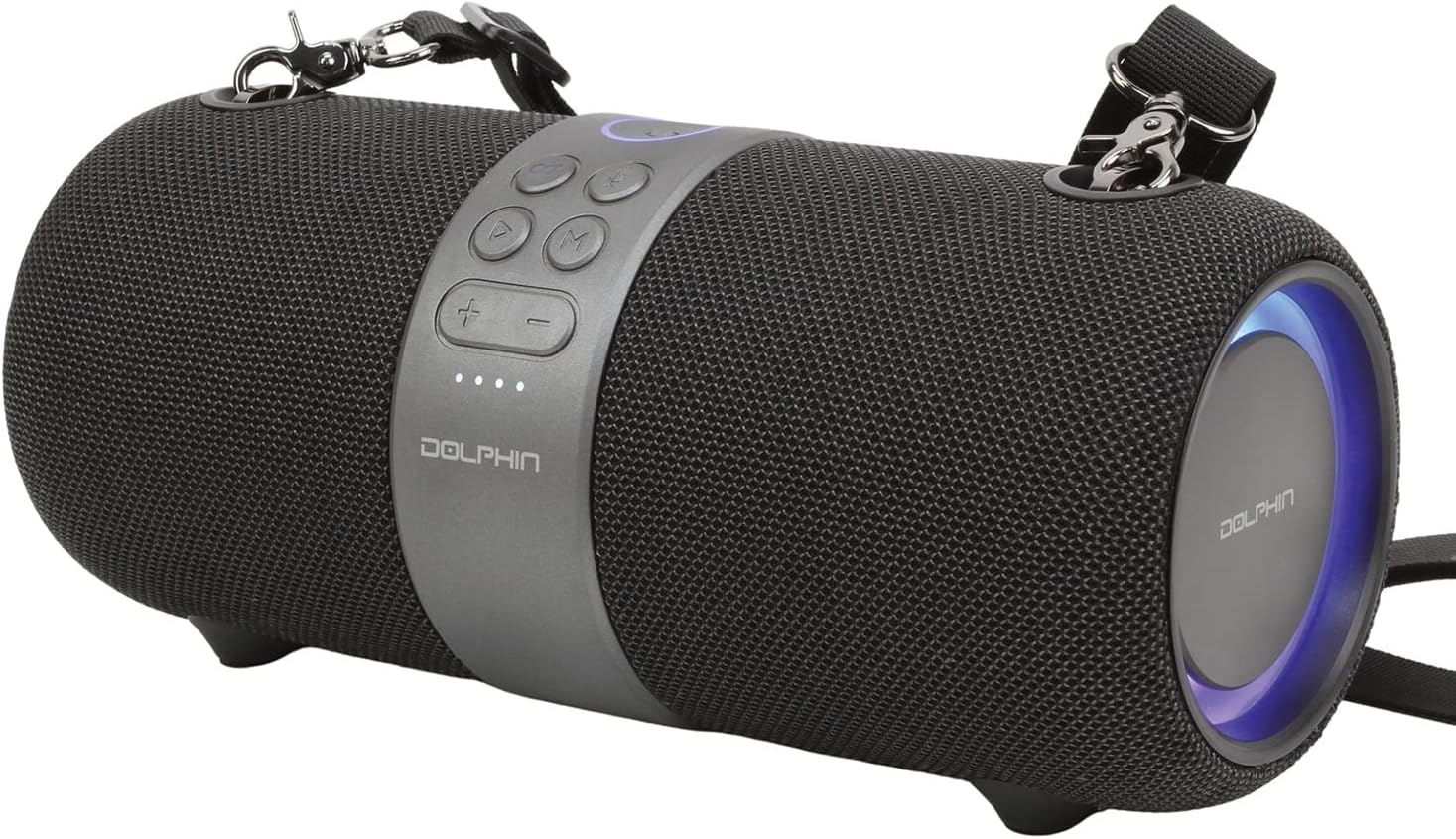
Figure 1: Dolphin LX60 Portable Bluetooth Speaker Overview
This image displays the Dolphin LX60 speaker in black, featuring its cylindrical design, central control panel with buttons, and illuminated end rings. A detachable strap is visible, indicating its portability.
Kurmak
1. Hoparlörü Şarj Etme
Before first use, fully charge the Dolphin LX60 speaker. Use the provided charge cable to connect the speaker to a USB power adapter (not included) or a computer's USB port.
- The charging indicator lights will illuminate during charging.
- Şarj süresi güç kaynağına bağlı olarak değişebilir.
- Tam şarj yaklaşık 10 saatlik oynatma süresi sağlar.
2. Açma/Kapama
- Açmak için, düğmesine basın ve basılı tutun. Güç düğmesi (usually marked with a power symbol) for a few seconds until you hear an audible prompt and the indicator lights activate.
- Kapatmak için tuşunu basılı tutun. Güç düğmesi Hoparlör kapanana kadar tekrar tekrar.
3. Bluetooth Eşleştirme
The LX60 speaker will automatically enter Bluetooth pairing mode when powered on for the first time or if no device is connected.
- Hoparlörün açık olduğundan ve eşleştirme modunda olduğundan emin olun (gösterge ışığı yanıp sönecektir).
- Mobil cihazınızda (akıllı telefon, tablet vb.) Bluetooth’u etkinleştirin.
- Arama mevcut Bluetooth cihazları.
- Seçme "Yunus LX60"Cihazlar listesinden."
- Bağlantı kurulduktan sonra, hoparlör sesli bir onay verecek ve gösterge ışığı sürekli yanacaktır.
- The speaker will automatically reconnect to the last paired device when powered on, if available.

Figure 2: Control Panel of Dolphin LX60
This image highlights the central control panel of the Dolphin LX60 speaker, detailing the layout of the power, play/pause, volume up/down, and mode selection buttons, which are essential for operation.
Kullanım Talimatları
Düğme Fonksiyonları
- Güç Düğmesi: Press and hold to power on/off. Short press to change light modes (if applicable).
- Oynat/Duraklat Düğmesi: Sesi oynatmak veya duraklatmak için kısa basın.
- Sesi Aç (+): Kısa basışla sesi açın. Uzun basışla sonraki parçaya geçin.
- Sesi kıs (-): Kısa basıldığında ses kısılır. Uzun basıldığında önceki parça çalınır.
- Mod (M) Düğmesi: Short press to switch between input modes (Bluetooth, AUX, USB, FM Radio).
Bağlantı Modları
Bluetooth Modu
After successful pairing, audio from your connected device will play through the speaker. Use your device or the speaker's volume controls to adjust playback.
AUX Giriş Modu
Connect an external audio device using a 3.5mm AUX cable (not included) to the speaker's AUX port. Press the Mod (M) düğmesi to switch to AUX mode. Audio will play directly from the connected device.
USB Oynatma Modu
MP3 ses dosyası içeren bir USB flash sürücü takın files into the speaker's USB port. Press the Mod (M) düğmesi to switch to USB mode. The speaker will automatically begin playing audio from the drive.
FM Radyo Modu
Basın Mod (M) düğmesi to switch to FM Radio mode. The speaker will automatically scan and save available FM stations. Use the Volume Up/Down buttons (long press) to navigate between saved stations.
Gerçek Kablosuz Stereo (TWS) İşlevi
The Dolphin LX60 supports TWS, allowing you to pair two LX60 speakers together for a stereo sound experience.
- Ensure both LX60 speakers are powered on and not connected to any Bluetooth device.
- Hoparlörlerden birinde (bu ana hoparlör olacaktır), iki kez basın. Mod (M) düğmesi. You will hear a prompt indicating it's searching for another speaker.
- İki hoparlör otomatik olarak birbirine bağlanacaktır. Bağlantı kurulduktan sonra bir onay sesi duyacaksınız.
- Şimdi, "Bluetooth Eşleştirme" bölümünde açıklandığı gibi mobil cihazınızı Bluetooth aracılığıyla ana hoparlöre bağlayın.
- Ses artık her iki hoparlörden de stereo olarak çalacak.
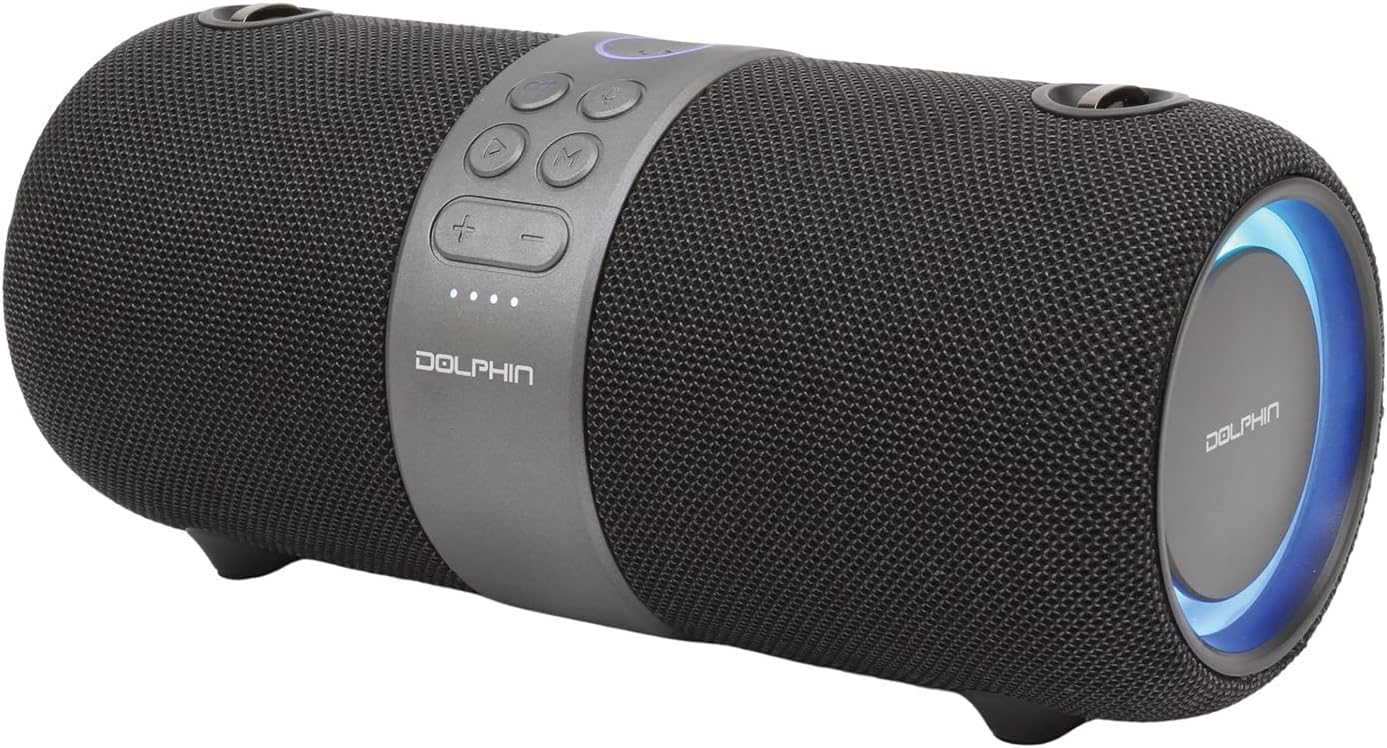
Figure 3: Dolphin LX60 with Carrying Strap
This image illustrates the Dolphin LX60 speaker with its included carrying strap attached, emphasizing its design for easy portability and outdoor use.
Bakım
Temizlik
- Hoparlörü yumuşak bir bezle silin.amp Kumaş.
- Aşındırıcı temizleyiciler, alkol veya kimyasal çözücüler kullanmayın, bunlar yüzeye zarar verebilir.
- Ensure all ports are dry before charging or connecting cables, especially after exposure to water.
Depolamak
- Hoparlörü serin, kuru ve doğrudan güneş ışığından ve aşırı sıcaklıklardan uzak bir yerde saklayın.
- Uzun süre saklayacaksanız, pil ömrünü korumak için birkaç ayda bir pili yaklaşık %50'ye kadar şarj edin.
Su Geçirmezlik Bilgileri
The Dolphin LX60 is designed to be waterproof. However, it is important to ensure that the charging port and any other open ports are securely sealed with their protective covers before exposing the speaker to water. Do not submerge the speaker for extended periods or expose it to high-pressure water jets.

Figure 4: Illuminated End Ring of Dolphin LX60
Bu görüntü ayrıntılı bir bilgi sağlar view of one end of the Dolphin LX60 speaker, showcasing its distinctive illuminated blue light ring, which adds to its aesthetic appeal during operation.
Sorun giderme
| Sorun | Olası Neden | Çözüm |
|---|---|---|
| Hoparlör açılmıyor. | Pil zayıf; Güç düğmesine yeterince uzun süre basılmamış. | Hoparlörü şarj edin; Güç düğmesine 3-5 saniye basılı tutun. |
| Ses yok. | Ses seviyesi çok düşük; Yanlış giriş modu; Cihaz bağlı değil. | Increase speaker and device volume; Press Mode button to select correct input; Re-pair Bluetooth device. |
| Bluetooth eşleştirme başarısız. | Hoparlör eşleştirme modunda değil; Cihaz çok uzakta; Girişim. | Hoparlörün eşleştirme modunda olduğundan emin olun; Cihazı yaklaştırın; Diğer Bluetooth cihazlarını kapatın. |
| Kötü ses kalitesi. | Low battery; Device too far; Obstructions. | Charge the speaker; Move device closer to speaker; Remove obstructions between device and speaker. |
| TWS eşleştirmesi başarısız. | Speakers already connected to a device; Incorrect pairing procedure. | Disconnect both speakers from any Bluetooth devices; Follow TWS pairing steps carefully. |
Özellikler
| Özellik | Detay |
|---|---|
| Model Adı | LX60 |
| Marka | Yunus |
| Bağlantı Teknolojisi | Bluetooth |
| Hoparlör Tipi | Dış mekan |
| Özel Özellik | Su geçirmez |
| Ses Çıkışı Modu | Stereo |
| Hoparlör Maksimum Çıkış Gücü | 60 Watt |
| Pil Ömrü | 10 Saat |
| Pil Kapasitesi | 3000 mAh (3E+3 Milliamp Saatler) |
| Maksimum Menzil | 300 Ayak |
| Ürün Boyutları | 15.2D x 30.5W x 15.2H Centimetres (approx. 12.7 x 25.4 x 15.24 cm) |
| Malzeme | ABS, Akrilonitril Bütadien Stiren |
| Dahil Bileşenler | Strap, Charge Cable |
| Uyumlu Cihazlar | iPhone, Android, Bluetooth, AUX, iPod, Zune |
Garanti ve Destek
For warranty information and customer support, please refer to the documentation included with your product packaging or visit the official Dolphin webSite. Satın alma belgenizi herhangi bir garanti talebi için saklayın.
This manual is intended to provide general guidance. For specific issues or advanced troubleshooting, please contact Dolphin customer support.
Ask a question about this manual
Ask about setup, troubleshooting, compatibility, parts, safety, or missing instructions. Manuals+ will review the question and use this page’s manual context to help answer it.