
1. Giriş
Satın aldığınız için teşekkür ederizasing the Heayzoki K605 Portable Digital Tuning Radio Receiver. This device combines a multi-band radio with an MP3 player, offering versatility and portability. Please read this manual carefully to ensure proper use and to maximize your enjoyment of the product.

Image: The Heayzoki K605 portable radio, highlighting its compact and lightweight design.
Temel Özellikler:
- Kolay taşınabilmesi için kompakt ve taşınabilir tasarım.
- MP3 playback mode supporting WAV and MP3 formats.
- Memory card support for audio playback.
- FM stereo reception for improved sound clarity.
- High sensitivity and good selectivity for clear reception.
- Simple and intuitive operation, suitable for all ages.
2. Güvenlik Bilgileri
To prevent damage and ensure safe operation, please observe the following precautions:
- Cihazı aşırı sıcaklıklara, doğrudan güneş ışığına veya yüksek neme maruz bırakmayın.
- Cihazı düşürmekten veya güçlü darbelere maruz bırakmaktan kaçının.
- Cihazı kendiniz sökmeyin veya tamir etmeye çalışmayın. Tüm servis işlemlerini yetkili personele yaptırın.
- Cihazınızı su ve diğer sıvılardan uzak tutunuz.
- Yalnızca belirtilen pili ve şarj aksesuarlarını kullanın.
- When using earphones, keep the volume at a moderate level to prevent hearing damage.
3. Paket İçeriği
Paketin içinde tüm öğelerin mevcut olduğundan emin olun:
- Heayzoki K605 Portable Radio Receiver
- Şarj Edilebilir Pil (önceden takılmış veya ayrı)
- USB Şarj Kablosu
- Kulaklıklar
- Kullanım Kılavuzu (bu belge)
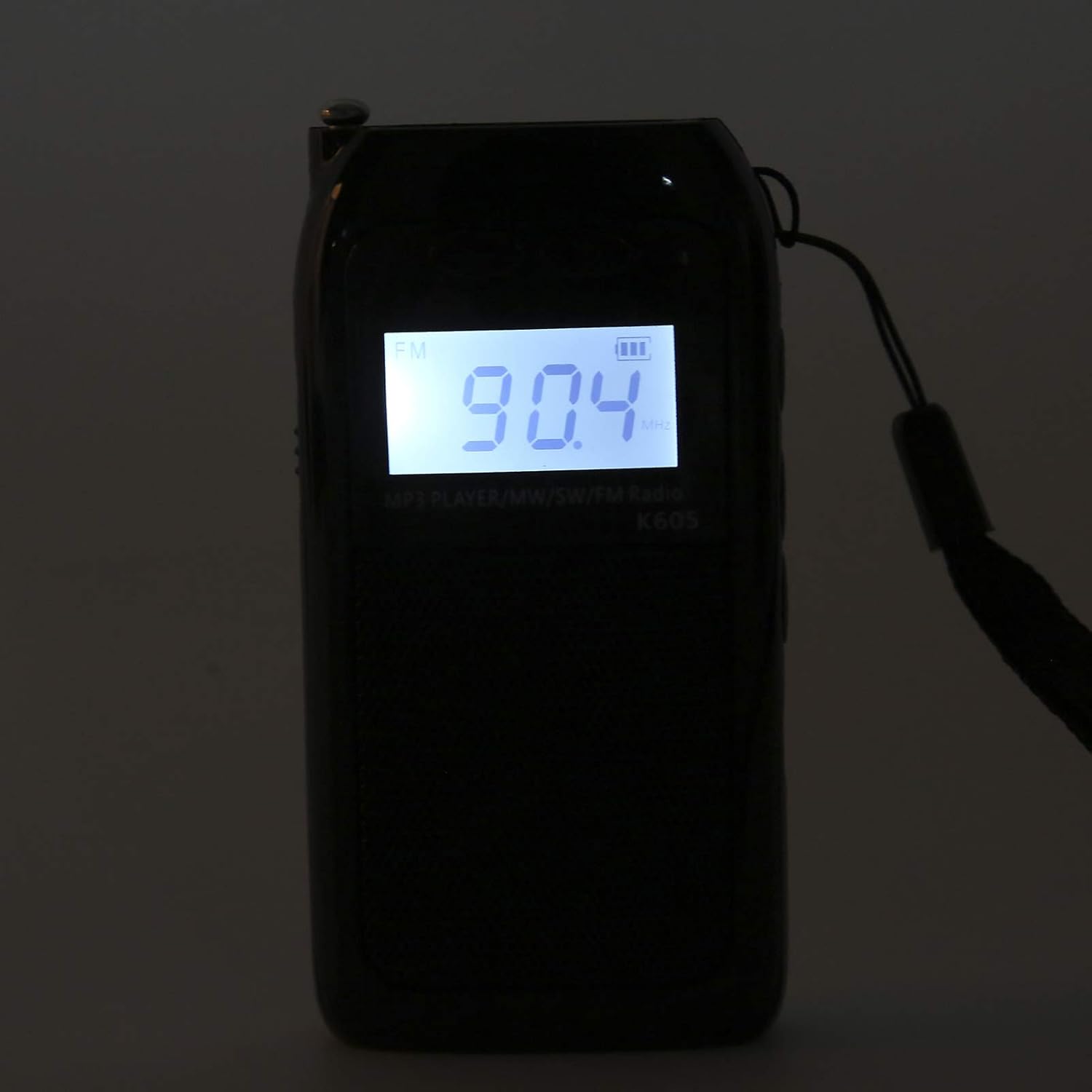
Image: The Heayzoki K605 radio displayed with its accessories, including earphones and a charging cable.
4. Ürün Bittiview
Familiarize yourself with the buttons and ports of your K605 radio.

Resim: Ön view of the K605 radio, highlighting the LCD screen and speaker.

Resim: Yan view of the K605 radio, illustrating the control buttons for tuning and volume.

Resim: Arka view of the K605 radio, showing the battery compartment and additional ports.
Kontroller ve Bağlantı Noktaları:
- LCD Ekran: Shows frequency, time, battery status, and MP3 track information.
- Güç Düğmesi: Cihazı açar/kapatır.
- Mod Düğmesi: Switches between FM, SW, MW radio, and MP3 player modes.
- Ses +/- Düğmeleri: Ses seviyesini ayarlar.
- Tuning +/- Buttons: Scans or manually tunes radio frequencies; navigates MP3 tracks.
- Oynat/Duraklat Düğmesi: Controls MP3 playback.
- Anten: Daha iyi radyo alımı için uzatılabilir anten.
- Kulaklık Girişi (3.5 mm): Özel dinleme için.
- Mikro USB Bağlantı Noktası: Cihazı şarj etmek için.
- Hafıza kardı bölümü: For inserting a microSD card with MP3/WAV files.
5. Kurulum
5.1. Pilin Şarj Edilmesi
- Connect the small end of the USB charging cable to the Micro USB port on the radio.
- USB şarj kablosunun büyük ucunu bir USB güç adaptörüne (dahil değildir) veya bir bilgisayarın USB portuna takın.
- LCD ekrandaki pil göstergesi şarj durumunu gösterecektir.
- Tamamen şarj olduktan sonra şarj kablosunu çıkarın.
5.2. Inserting a Memory Card (for MP3 Playback)
- Locate the memory card slot on the side or back of the radio.
- Gently insert a microSD card (up to 32GB, not included) with the metal contacts facing down until it clicks into place.
- To remove, push the card in slightly until it clicks out.
6. Kullanım Talimatları
6.1. Güç Açma/Kapatma
Basılı tutun Güç Radyoyu açıp kapatmak için kullanılan düğme.
6.2. Modların Seçilmesi
Basın Mod button repeatedly to cycle through the available modes: FM Radio, SW Radio, MW Radio, and MP3 Player.
6.3. Radio Operation (FM/SW/MW)
- Anteni Uzatın: En iyi sinyal alımı için teleskopik anteni tamamen açın.
- Bant Seçin: Basın Mod button until the desired band (FM, SW, or MW) is displayed.
- Otomatik Ayarlama: Basılı tutun Ayar +/- Bir sonraki müsait istasyonu otomatik olarak taramak için düğmeler.
- Manuel Ayarlama: Kısaca basın Ayar +/- Frekansı adım adım hassas bir şekilde ayarlamak için düğmeler.
- Ses Ayarı: Kullanın Ses +/- Ses seviyesini ayarlamak için düğmeler.

Image: The K605 radio with its antenna extended, ready for radio reception.
6.4. MP3 Çalar Kullanımı
Ensure a memory card with MP3 or WAV files eklenmiştir.
- MP3 Modunu Seçin: Basın Mod button until "MP3" or similar is displayed.
- Oynat/Duraklat: Basın Oynat/Duraklat Oynatmayı başlatmak veya duraklatmak için düğmeye basın.
- Sonraki / Önceki Parça: Kullanın Ayar +/- sonraki veya önceki parçaya atlamak için düğmeleri kullanın.
- Ses Ayarı: Kullanın Ses +/- Ses seviyesini ayarlamak için düğmeler.

Image: The K605 radio in MP3 playback mode, showing the MP3 indicator on the display.
6.5. Using Earphones
Plug your 3.5mm earphones into the earphone jack for private listening. The internal speaker will automatically mute.
7. Bakım
7.1. Temizlik
- Cihazı yumuşak, kuru bir bezle silin.
- Aşındırıcı temizleyiciler, çözücüler veya güçlü kimyasallar kullanmayın.
7.2. Depolama
- Radyo cihazınızı serin, kuru ve doğrudan güneş ışığından ve aşırı sıcaklıklardan uzak bir yerde saklayın.
- If storing for an extended period, ensure the battery is partially charged and recharge it periodically to maintain battery health.
8. Sorun Giderme
| Sorun | Olası Neden | Çözüm |
|---|---|---|
| Güç yok | Pil bitmiş. | Sağlanan USB kablosunu kullanarak pili şarj edin. |
| Zayıf radyo alımı | Anten uzatılmamış; zayıf sinyal; parazit. | Fully extend the antenna. Try repositioning the radio. Move away from electronic devices causing interference. |
| MP3 fileoynamıyor | Memory card not inserted correctly; unsupported file biçim; bozuk files. | Ensure the memory card is properly inserted. Verify files are in WAV or MP3 format. Try another memory card or re-format the current one. |
| No sound from speaker/earphones | Volume is too low; earphones not fully plugged in; faulty earphones. | Increase the volume. Ensure earphones are fully inserted. Test with another pair of earphones. |
9. Özellikler
| Özellik | Detay |
|---|---|
| Örnek | K605 |
| Marka | Heyzoki |
| Desteklenen Radyo Bantları | FM, SW, MW (3-Band) |
| FM Frekans Aralığı | 76-108 MHz |
| MW Frequency Range | 522-1620 KHz (9 KHz) / 520-1710 KHz (10 KHz) |
| SW Frekans Aralığı | 4.75-21.85 MHz |
| Desteklenen Ses Formatları | WAV, MP3 |
| Bağlantı Teknolojisi | 3.5 mm ses |
| Görüntü Türü | LCD |
| Güç Kaynağı | Battery Powered (500mA 3.7V Lithium battery) |
| Hoparlör Maksimum Çıkış Gücü | 2 Watt |
| Malzeme | Akrilonitril Bütadien Stiren (ABS) |
| Ürün Boyutları | 1x1x1 cm |
| Ürün Ağırlığı | 156 Gram |
10. Garanti Bilgileri
Heayzoki products are designed and manufactured to the highest quality standards. This product is covered by a limited warranty against defects in materials and workmanship for a period specified by your retailer or local laws from the original date of purchase. Please retain your proof of purchase for warranty claims. The warranty does not cover damage caused by misuse, accident, unauthorized modification, or normal wear and tear.
11. Müşteri Desteği
If you encounter any issues or have questions regarding your Heayzoki K605 Portable Digital Tuning Radio Receiver that are not addressed in this manual, please contact your retailer or the Heayzoki customer support team for assistance. Please have your model number and purchase details ready when contacting support.
Daha fazla bilgi için şu adresi ziyaret edebilirsiniz: Heayzoki Store on Amazon.