
giriiş
Satın aldığınız için teşekkür ederizasing the Helix True Wireless Earbuds. This manual provides essential information for setting up, operating, and maintaining your earbuds. Please read it carefully before use and retain it for future reference.

Image: Helix True Wireless Earbuds, black and white, resting inside their open black charging case. One earbud is also shown outside the case, indicating its design.
Kutuda Neler Var?
- Gerçek Kablosuz Kulaklıklar (Sol ve Sağ)
- Şarj Kutusu
- USB Şarj Kablosu
- Kullanıcı Kılavuzu
Kurmak
1. İlk Şarj
Before first use, fully charge the earbuds and the charging case. Connect the USB charging cable to the charging case and a power source. The LED indicators on the case will show charging status.

Image: An open charging case with two earbuds inside. Three blue LED lights are visible on the case, indicating power status. Text overlays highlight "Superior HD Audio", "Hands-Free Calling", and "Power LED Indicators".
2. Power On/Off and Auto-Pairing
The earbuds feature auto on/off and pairing. Simply remove the earbuds from the charging case to power them on. They will automatically enter pairing mode or reconnect to the last paired device. Place them back into the case to power off and begin charging.
3. Bluetooth Eşleştirme
- Kulaklıkların şarjının dolu olduğundan ve şarj kutusundan çıkarıldığından emin olun.
- Cihazınızda (akıllı telefon, tablet vb.) Bluetooth ayarlarına gidin.
- Arama new devices and select "Helix TW" from the list.
- Bağlantı kurulduktan sonra cihazınız başarılı eşleştirmeyi gösterecektir.
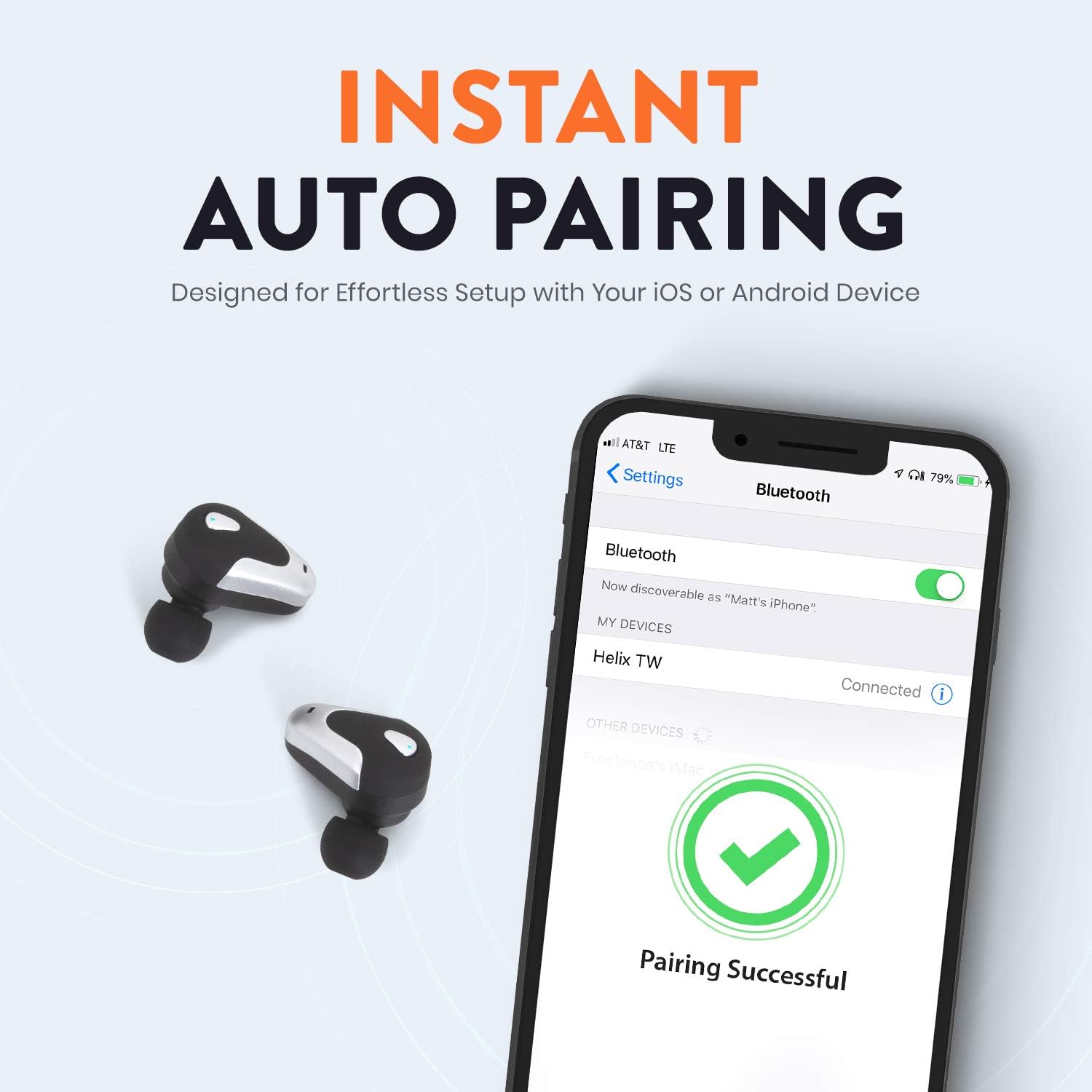
Image: A smartphone screen displaying Bluetooth settings, showing "Helix TW" as a connected device and a "Pairing Successful" message with a green checkmark. Two Helix earbuds are shown next to the phone.
4. SecureLock Fit
The Helix True Wireless Earbuds are designed with an ergonomic SecureLock Fit for comfort and stability during various activities. Gently insert the earbuds into your ears and twist slightly to secure them.

Image: A diagram illustrating the ergonomic SecureLock Fit of the earbuds, showing how they twist into the ear for a secure hold. In the background, people are exercising, suggesting the earbuds' suitability for active use.
Kullanım Talimatları
Ses Oynatma
- Oynat/Duraklat: Tap the control area on either earbud once.
- Sonraki Parça: Double-tap the control area on the right earbud.
- Önceki parça: Double-tap the control area on the left earbud.
Eller Serbest Arama
- Çağrıyı Cevapla/Sonlandır: Tap the control area on either earbud once.
- Çağrıyı Reddet: Press and hold the control area on either earbud for 2 seconds.
Sesli Asistan Kontrolü
Triple-tap the control area on either earbud to activate your device's voice assistant (e.g., Siri, Google Assistant).
Pil Ömrü
The earbuds provide up to 4 hours of run time on a single charge. The charging case extends total listening time to approximately 16 hours.

Image: A graphic illustrating the battery life of the Helix earbuds. It shows "4 HOURS" for a single charge of the earbuds and "16 HOURS" when combined with the charging case.
HD Ses
Experience HD audio with unrivaled bass, midtones, and treble frequencies for a rich listening experience.

Image: A graphic titled "NEXT-LEVEL HD AUDIO" with sound wave patterns in blue, representing high-definition audio quality. Two Helix earbuds are depicted in the foreground.
Bakım
- Temizlik: Use a soft, dry cloth to clean the earbuds and charging case. Do not use abrasive cleaners or immerse in water.
- Depolamak: Kullanmadığınız zamanlarda kulaklıklarınızı şarj kutusunda saklayarak hem koruyun hem de şarjlı kalmasını sağlayın.
- Suya Dayanıklılık: The earbuds are water resistant, but not waterproof. Avoid prolonged exposure to water or submersion.
Sorun giderme
| Sorun | Çözüm |
|---|---|
| Kulaklıklar cihazla eşleşmiyor. |
|
| Tek kulaklıktan ses gelmiyor. |
|
| Kulaklıklar şarj olmuyor. |
|
| Kötü ses kalitesi. |
|
Özellikler
| Özellik | Detay |
|---|---|
| Model Adı | Sarmal |
| Model Numarası | ETHTWB |
| Bağlantı Teknolojisi | Bluetooth |
| Bluetooth Sürümü | 5.0 |
| Bluetooth Menzili | 10 Metre |
| Pil Ömrü (Kulaklıklar) | 4 saate kadar |
| Toplam Pil Ömrü (Kılıf Dahil) | 16 saate kadar |
| Ses Sürücüsü Türü | Dengeli Armatür Sürücüsü |
| Frekans Aralığı | 20 Hz ila 20,000 Hz |
| Kontrol Türü | Media Control, Voice Assistant |
| Mikrofon | Included for Hands-Free Calling |
| Su Direnç Seviyesi | Su geçirmez |
| Kulaklık Şekli | Kulak içi |
| Malzeme | Plastik |
| Renk | Siyah |
| Ürün Ağırlığı | 3.2 ons |
| Üretici | Sarmal |
| UPC | 816983019126 |
Garanti Bilgileri
Specific warranty details are typically provided with your product packaging or available on the manufacturer's official webSite. Kapsamlı garanti şartları ve koşulları için lütfen satın alma işleminizle birlikte verilen belgelere bakın.
Destek
For further assistance, technical support, or customer service inquiries, please visit the official Helix website or contact their customer support channels as listed in your product documentation.
Ayrıca ziyaret edebilirsiniz Helix Mağazası Amazon'da Daha fazla ürün bilgisi için.