
giriiş
This manual provides detailed instructions for the operation and maintenance of your Wendry RXTX10 Bluetooth Audio Receiver Transmitter. This versatile device allows you to wirelessly transmit audio from non-Bluetooth sources to Bluetooth headphones/speakers, or receive audio from Bluetooth-enabled devices on traditional wired audio systems. Please read this manual thoroughly before use to ensure proper functionality and to maximize your experience.
Ürün Bittiview

Image: The Wendry RXTX10 Bluetooth Audio Receiver Transmitter, showing its compact black design with control buttons and ports.
Temel Özellikler
- Easy operation for both audio transmission and reception.
- Bluetooth emission mode: Transmit audio from devices like TVs, CD players, or MP3 players to Bluetooth speakers or headsets.
- Bluetooth receiving mode: Stream music from mobile phones to traditional home audio systems.
- Supports volume control and track switching (last/next song).
- Integrated receiver and transmitter functionality in one device.
- Low-latency technology for real-time audio synchronization, suitable for online games, TV, and movies.
- Built-in rechargeable battery for extended working time.
Paket İçeriği

Image: The RXTX10 device shown alongside its USB charging cable and 3.5mm audio cable.
- 1 x Wendry RXTX10 Audio Receiver and Transmitter
- 1 x 3.5 mm Ses Kablosu
- 1 x USB Şarj Kablosu
- 1 x Kullanım Kılavuzu (bu belge)
Özellikler
| Özellik | Detay |
|---|---|
| Bluetooth Sürümü | 4.2 |
| Protokol Desteği | A2DP, AVRCP |
| Kod Çözme Desteği | MP3, WAV, WMA, APE |
| İletim Mesafesi | Approx. 10 meters (32.8 ft) in open space |
| Çalışma Zamanı | 8 saate kadar |
| Sinyal-Gürültü Oranı | 95dB |
| Dahili Pil | 300mAh |
| Bağlantı Teknolojisi | Bluetooth |
| Uyumlu Cihazlar | Smartphones, Speakers, TVs, MP3 Players, CD Players |
| Bağlayıcı Türü | 3.5mm Jack, RCA (via adapter, not included) |
| Ses Çıkışı Modu | Stereo |
| Ürün Ağırlığı | 0.05 Kilogram (1.76 ons) |
Kurmak
Cihazın Şarj Edilmesi

Image: The RXTX10 device highlighting its built-in battery and charging capability.
- Connect the supplied USB charging cable to the micro USB port on the RXTX10.
- Connect the other end of the USB cable to a standard USB power adapter (5V) or a computer's USB port.
- Gösterge ışığı şarj durumunu gösterecektir (varsa, ayrıntılar için LED gösterge bölümüne bakın).
- A full charge typically takes approximately 2 hours and provides up to 8 hours of working time.
Açma/Kapatma
- Açmak İçin: Güç düğmesini basılı tutun (ⓘGösterge ışığı yanana kadar yaklaşık 3 saniye basılı tutun.
- Kapatmak İçin: Güç düğmesini basılı tutun (ⓘGösterge ışığı sönene kadar yaklaşık 3 saniye basılı tutun.
Kullanım Talimatları
Switching Modes (Receiver/Transmitter)
The RXTX10 supports both Receiver (RX) and Transmitter (TX) modes. The mode is typically indicated by a switch or button on the device. Ensure the device is in the correct mode for your intended use.
- RX Modu (Alıcı): Used to receive Bluetooth audio from a smartphone, tablet, or computer and output it to a wired speaker, car stereo, or home audio system.
- TX Modu (Verici): Used to transmit audio from a non-Bluetooth device (e.g., TV, CD player, MP3 player) to Bluetooth headphones or speakers.
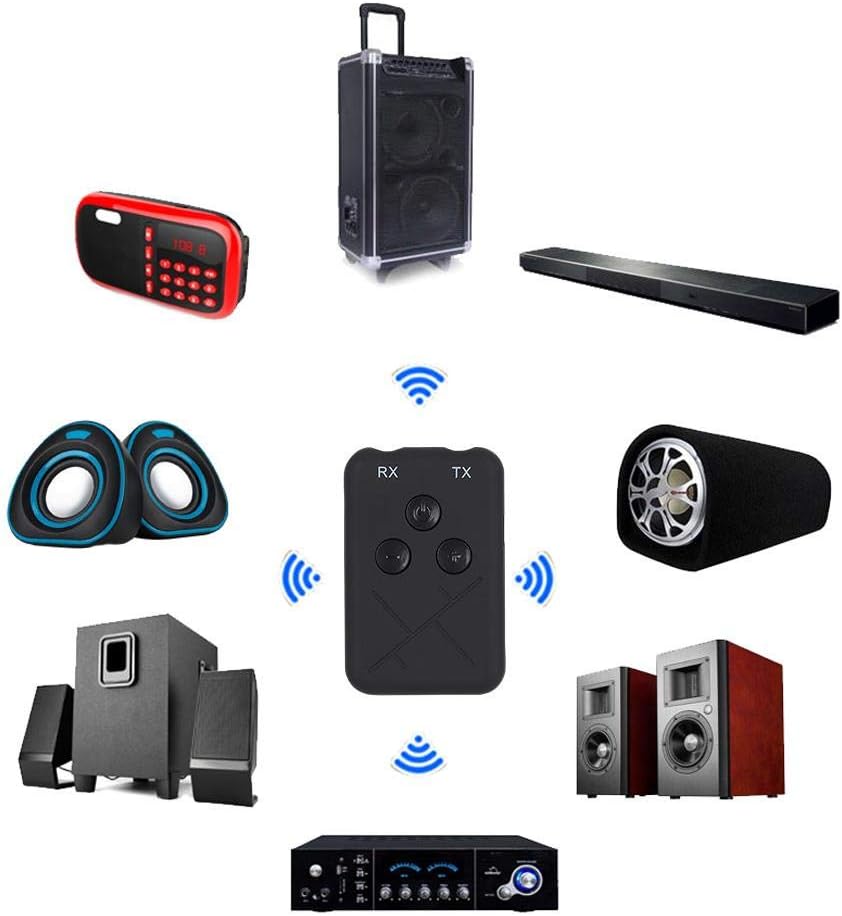
Image: The RXTX10 device centrally positioned, illustrating its connectivity to a range of audio equipment like speakers, soundbars, and amplifiers, indicating its dual receiver and transmitter capabilities.
Alıcı Modu (RX)
- Ensure the RXTX10 is in RX mode.
- Connect the RXTX10 to your non-Bluetooth audio device (e.g., wired speakers, car stereo) using the 3.5mm audio cable.
- Power on the RXTX10. It will automatically enter pairing mode (indicator light will flash).
- On your Bluetooth-enabled device (smartphone, tablet), search for Bluetooth devices and select "RXTX10" to pair.
- Once paired, the indicator light will become solid. You can now stream audio from your Bluetooth device to your connected audio system.

Image: The RXTX10 device connected via a 3.5mm cable to a speaker, with a smartphone wirelessly streaming music to it, demonstrating receiver mode functionality.
Verici Modu (TX)
- Ensure the RXTX10 is in TX mode.
- Connect the RXTX10 to your non-Bluetooth audio source (e.g., TV, CD player) using the 3.5mm audio cable.
- Power on the RXTX10. It will automatically enter pairing mode (indicator light will flash).
- Bluetooth kulaklığınızı veya hoparlörünüzü eşleştirme moduna alın.
- The RXTX10 will automatically search for and connect to nearby Bluetooth receiving devices. Once connected, the indicator light will become solid.
- Kaynak cihazınızdan gelen ses artık kablosuz olarak Bluetooth kulaklıklarınıza veya hoparlörünüze iletilecektir.

Image: The RXTX10 device connected to a television, transmitting audio wirelessly to two speakers, highlighting its low-latency capability for synchronized sound with video.
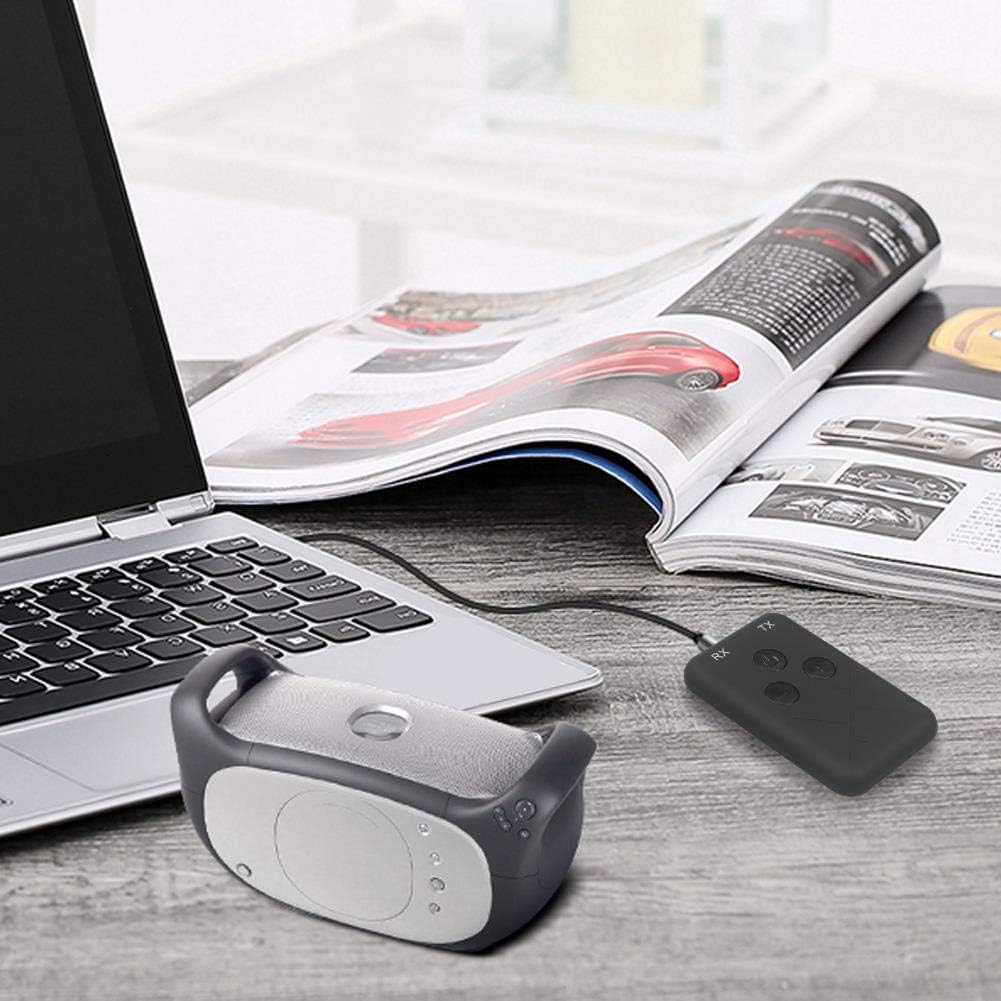
Image: The RXTX10 device connected to a laptop via a 3.5mm cable, transmitting audio to a nearby Bluetooth speaker, demonstrating its use with computers.
Volume Control and Song Switching
The RXTX10 features dedicated buttons for audio control:
- Sesi aç: Basın + düğme.
- Sesi kıs: Basın - düğme.
- Sonraki Parça: Uzun basın + button (functionality may vary based on connected device).
- Önceki parça: Uzun basın - button (functionality may vary based on connected device).
Bakım
- Cihazınızı kuru tutun. Nem, iç devrelere zarar verebilir.
- Cihazı aşırı sıcaklıklara maruz bırakmayın.
- Cihazı yumuşak, kuru bir bezle temizleyin. Sert kimyasallar veya aşındırıcı temizleyiciler kullanmaktan kaçının.
- Uzun süre kullanılmayacaksa cihazı serin ve kuru bir yerde saklayın.
- Cihazı düşürmekten veya güçlü darbelere maruz bırakmaktan kaçının.
Sorun giderme
| Sorun | Olası Neden | Çözüm |
|---|---|---|
| Cihaz açılmıyor. | Pil zayıf. | Sağlanan USB kablosunu kullanarak cihazı tamamen şarj edin. |
| Cannot pair with another device. | Cihaz eşleştirme modunda değil; çok uzaktalar; parazit oluşuyor. | Ensure the RXTX10 is in the correct RX/TX mode and pairing mode (flashing indicator). Place devices closer. Turn off other Bluetooth devices. |
| Ses çıkışı/girişi yok. | Incorrect cable connection; wrong mode; volume too low. | Check 3.5mm audio cable connections. Verify RXTX10 is in the correct RX/TX mode. Adjust volume on both the RXTX10 and the connected audio device. |
| Ses kalitesi düşük veya kesintili. | Distance too great; obstacles; low battery. | Reduce distance between devices. Remove obstacles. Ensure the RXTX10 is fully charged. |
Garanti ve Destek
For warranty information or technical support, please refer to the contact details provided with your purchase documentation or visit the official Wendry webSite. Satın alma belgenizi herhangi bir garanti talebi için saklayın.
For further assistance, you may contact Wendry customer service via their official channels. Please have your model number (RXTX10) and purchase date ready.