
AUDIOTEK AT-578T
AUDIOTEK AT-578T 6.2-inch 2DIN Touchscreen Car Stereo User Manual
Model: AT-578T
giriiş
This manual provides comprehensive instructions for the installation, operation, and maintenance of your AUDIOTEK AT-578T 6.2-inch 2DIN Touchscreen Car Stereo. Please read this manual thoroughly before using the product to ensure proper function and to prevent damage. Keep this manual for future reference.
Güvenlik Bilgileri
- Üniteyi sürüş sırasında dikkatinizi dağıtacak şekilde kullanmayın. Yol güvenliğini her zaman ön planda tutun.
- Kısa devreleri veya aracın elektrik sistemine zarar gelmesini önlemek için tüm kabloların doğru şekilde bağlandığından emin olun.
- Kablolama işlemleri konusunda emin değilseniz, kurulum için bir uzmana danışın.
- Üniteyi aşırı sıcaklıklara, uzun süre doğrudan güneş ışığına veya aşırı neme maruz bırakmaktan kaçının.
- Üniteyi sökmeye veya değiştirmeye çalışmayın. Bu, garantiyi geçersiz kılabilir ve hasara neden olabilir.
Paket İçeriği
Paketin içinde tüm öğelerin mevcut olduğundan emin olun:
- AUDIOTEK AT-578T Car Stereo Unit
- Uzaktan kumanda
- Güç/Hoparlör Kablolama Demeti
- Montaj Braketleri (2)
- Çerçeveyi Kırp
- Arka View Camera with Cables (if included in your package)
- Kullanım Kılavuzu (bu belge)

Figure 1: Included accessories for the car stereo unit.

Figure 2: Optional rear view camera and its connection cables.
Ürün Bittiview
Ön Panel
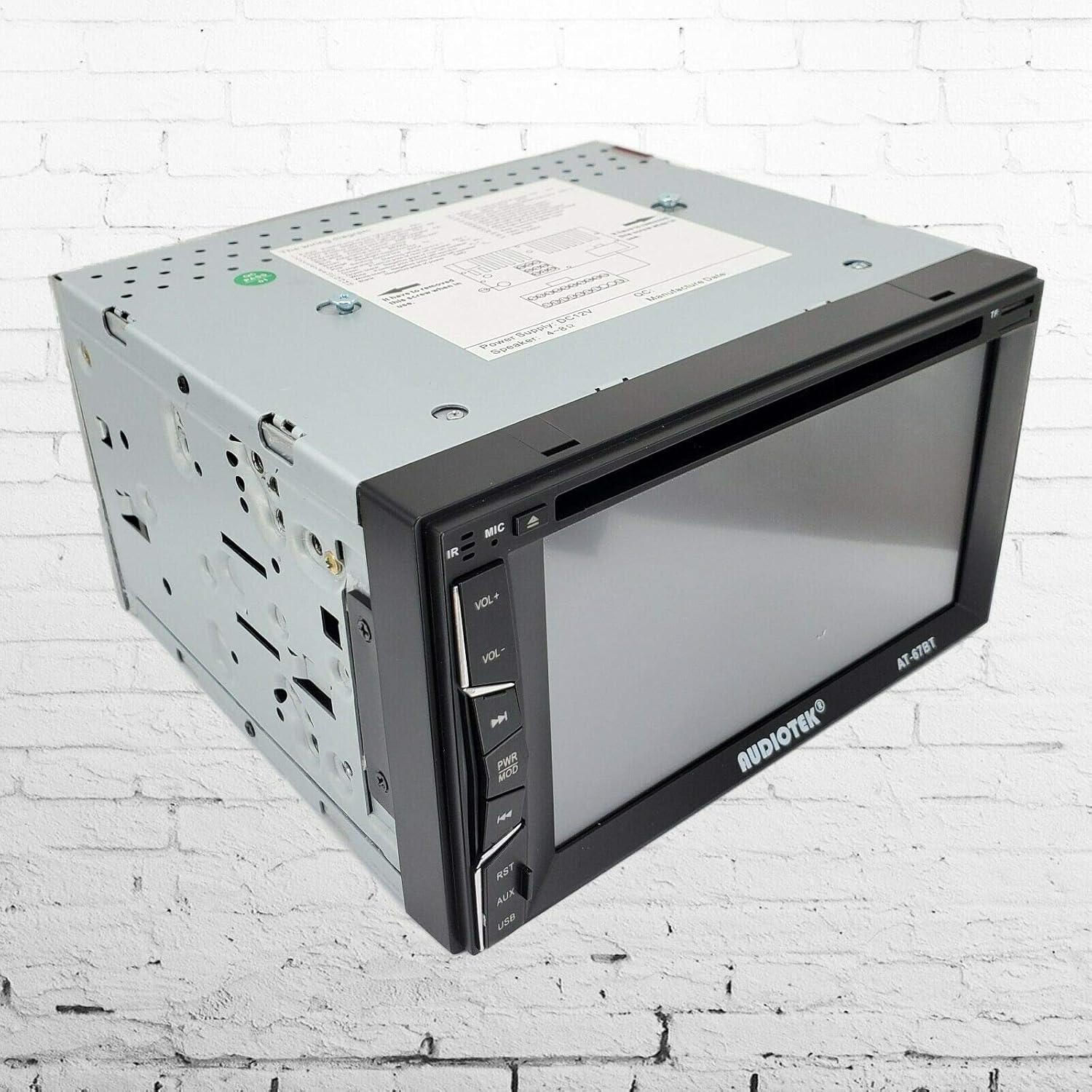
Şekil 3: Ön view of the car stereo unit.
The front panel features a 6.2-inch digital TFT touchscreen display. On the left side, you will find physical buttons for common functions:
- Güç / Mod Düğmesi: Turns the unit on/off and cycles through input modes (Radio, DVD, USB, SD, Bluetooth, AV-IN).
- Sesi Aç/Kapat: Ses çıkış seviyesini ayarlar.
- Sesini kapatmak: Ses çıkışını susturur.
- EQ: Ekolayzır ayarlarını kontrol eder.
- USB Bağlantı Noktası: USB depolama aygıtlarını bağlamak için.
- SD Kart Yuvası: SD hafıza kartlarını takmak için.
- AUX Girişi: 3.5mm jack for external audio sources.
- Sıfırlama Düğmesi: Small button to reset the unit to factory settings (requires a thin object like a pen tip).
Arka Panel ve Bağlantılar

Şekil 4: Arka view of the car stereo unit with connection ports.
The rear panel houses all necessary connections for power, speakers, and external devices.
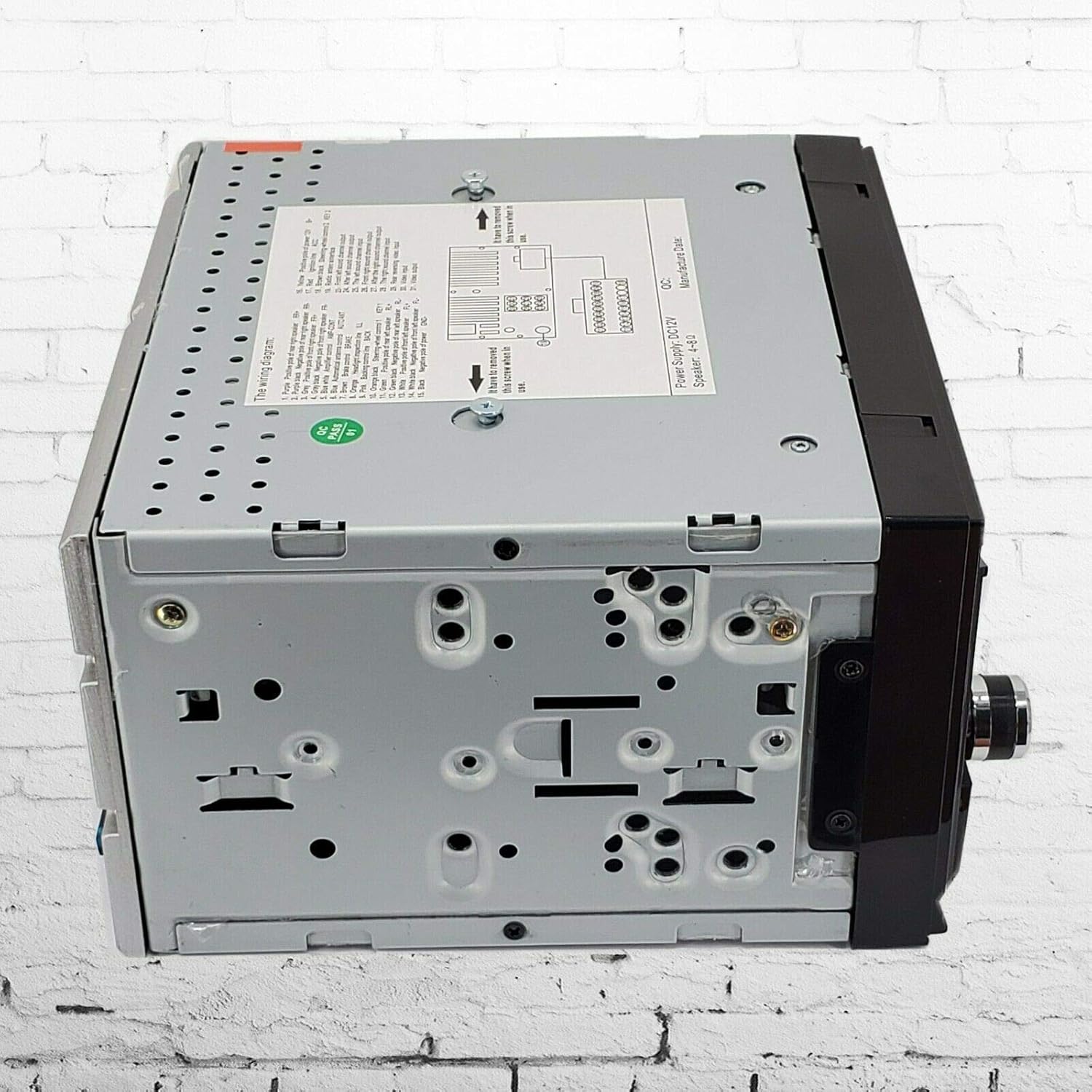
Şekil 5: Yan view of the car stereo unit.
Kurulum ve Yükleme
Proper installation is crucial for optimal performance and safety. If you are not confident in performing the installation yourself, seek professional assistance.
Kablolama Şeması
Refer to the wiring diagram provided on the unit's chassis and the included wiring harness. Ensure all connections are secure and correctly matched.
- Yellow (B+): Connect to constant 12V power supply.
- Red (ACC): Connect to switched 12V accessory power.
- Siyah (GND): Araç şasi topraklamasına bağlayın.
- Blue (ANT): Güç antenine bağlayın veya amplifier uzaktan açma.
- Orange (ILL): Araç aydınlatma kablosuna bağlayın.
- Brown (REV): Connect to reverse light trigger for rear camera activation.
- Hoparlör Kabloları: Aracınızdaki ilgili hoparlörlere bağlayın (örneğin, ön sol için Beyaz/Beyaz-Siyah, ön sağ için Gri/Gri-Siyah, arka sol için Yeşil/Yeşil-Siyah, arka sağ için Mor/Mor-Siyah). Doğru kutupluluğu sağlayın.
- Direksiyon Kumanda (SWC) Kabloları: Connect to vehicle's steering wheel control interface (if applicable).
Ünitenin Montajı
- Mevcut araç stereo sistemini gösterge panelinden çıkarın.
- Attach the included mounting brackets to the sides of the AUDIOTEK AT-578T unit using screws.
- Slide the unit into the dashboard opening, securing it with the mounting brackets.
- Connect all necessary wiring harnesses and antenna cable to the rear of the unit.
- Gösterge panelini tamamen yeniden monte etmeden önce ünitenin işlevselliğini test edin.
- Install the trim frame around the unit for a finished look.
Arka Kamera Montajı (İsteğe Bağlı)
If your package includes a rear camera:
- Mount the camera at the rear of your vehicle, typically near the license plate, ensuring a clear view.
- Connect the camera's power wire to the vehicle's reverse light power supply.
- Run the video cable from the camera to the 'CAM IN' (or similar) RCA input on the rear of the car stereo.
- Connect the reverse trigger wire (Brown wire on the main harness) from the stereo to the vehicle's reverse light signal.
Kullanım Talimatları
Temel İşlemler
- Güç Açma/Kapatma: Basın PWR/MODE Cihazı açmak için düğmeye basın. Kapatmak için basılı tutun.
- Mod Seçimi: Kısaca basın PWR/MODE button to cycle through available input sources (Radio, DVD, USB, SD, Bluetooth, AV-IN).
- Ses Ayarı: Kullanın HACİM+ Ve cilt buttons on the front panel or remote control.
- Sesini kapatmak: Basın SESSİZ Sesi kapatmak için düğmeye basın. Tekrar bastığınızda ses açılır.
Radio (FM) Operation
- Seçme RADYO mod.
- Use the touchscreen or remote to scan for stations or select preset stations.
- Basmak BANT to switch between FM bands.
- Basmak AS/PS to auto-scan and store stations.
Media Playback (DVD/MP5/USB/SD)
- Insert a DVD disc into the slot, or a USB drive into the USB port, or an SD card into the SD card slot.
- The unit should automatically switch to the corresponding mode. If not, select the mode manually.
- Use the touchscreen controls for playback (Play, Pause, Skip, Fast Forward/Rewind).
- Supported formats include MP5, MP3, and various video formats.
Bluetooth İşlemi
- Seçme Bluetooth mod.
- On your mobile device, search for Bluetooth devices and select "AUDIOTEK" or a similar name.
- İstendiğinde eşleştirme kodunu girin (genellikle "0000" veya "1234").
- Once paired, you can make/receive calls and stream audio from your device.
- Use the touchscreen to manage calls (answer, end, dial) and control music playback.
Arka Kamera Girişi
When the vehicle is shifted into reverse gear, the unit will automatically display the rear camera feed on the screen, provided the camera is correctly installed and wired.
Direksiyon Kontrolü
If your vehicle has steering wheel controls and they are connected to the unit, you may need to configure them through the unit's settings menu. Refer to the on-screen menu for specific steps to map functions.
Bakım
- Ekranın Temizlenmesi: Dokunmatik ekranı yumuşak, tiftiksiz bir bezle nazikçe silin. Aşındırıcı temizleyiciler veya çözücüler kullanmayın.
- Genel Temizlik: Cihazın dış yüzeyini kuru veya hafif nemli bir bezle silin.amp Kumaş.
- Disk Bakımı: Handle DVD discs by their edges. Keep them clean and free of scratches to ensure proper playback.
- Donanım Yazılımı Güncellemeleri: Üreticinin kontrol edin webLütfen düzenli olarak siteyi ziyaret ederek mevcut ürün yazılımı güncellemeleri olup olmadığını kontrol edin.
Sorun giderme
| Sorun | Olası Neden | Çözüm |
|---|---|---|
| Ünite açılmıyor. | Yanlış kablolama; Sigorta atmış; Güç kaynağı yok. | Check power (Yellow, Red, Black) connections. Inspect vehicle's fuse box and unit's fuse. |
| Ses yok. | Ses seviyesi çok düşük; Sessize alma etkinleştirilmiş; Hoparlör kablolaması yanlış. | Increase volume. Deactivate mute. Verify speaker connections and polarity. |
| Bluetooth bağlanmıyor. | Cihaz eşleştirme modunda değil; Yanlış eşleştirme kodu; Girişim. | Ensure Bluetooth is enabled on both devices. Re-attempt pairing. Move closer to the unit. |
| Arka kamera görüntüsü görüntülenmiyor. | Camera not powered; Video cable loose; Reverse trigger not connected. | Check camera power and video cable connections. Ensure the Brown reverse trigger wire is connected. |
| Disc/USB/SD not playing. | Unsupported format; Damaged media; Incorrect mode selected. | Verify media format. Try a different disc/USB/SD. Select the correct input mode. |
Özellikler
| Özellik | Şartname |
|---|---|
| Görüntü Türü | 6.2 inç LCD Dokunmatik Ekran |
| Güç Çıkışı | 200W (En Yüksek) |
| Medya Oynatma | DVD, MP5, MP3, USB, SD |
| Bağlantı | Bluetooth, USB 2.0, SD Card Slot, AV-IN, Rear Camera Input |
| Radyo Tuner | FM |
| Uzaktan kumanda | Evet (Kablosuz) |
| Uyumlu Cihazlar | Akıllı Telefon, Hoparlör |
| Model Numarası | AT-578T |
| UPC | 613464919551 |
Garanti ve Destek
This product is covered by a manufacturer's warranty. Please refer to the warranty card included with your purchase or contact AUDIOTEK customer support for detailed information regarding warranty terms and conditions.
For technical assistance, troubleshooting not covered in this manual, or service inquiries, please contact AUDIOTEK customer support through their official webSite veya ürün belgelerinizle birlikte verilen iletişim bilgileri.
Ask a question about this manual
Ask about setup, troubleshooting, compatibility, parts, safety, or missing instructions. Manuals+ will review the question and use this page’s manual context to help answer it.