
1. Giriş
Thank you for choosing the Wendry Ergonomic Vertical USB Wired Mouse. This manual provides essential information for setting up, operating, and maintaining your new mouse. Designed for left-handed users, this vertical mouse promotes a natural hand and wrist posture, aiming to reduce strain and discomfort during extended computer use. Its ergonomic design, adjustable DPI settings, and programmable buttons enhance productivity and comfort for various tasks, including office work, graphic design, and gaming.
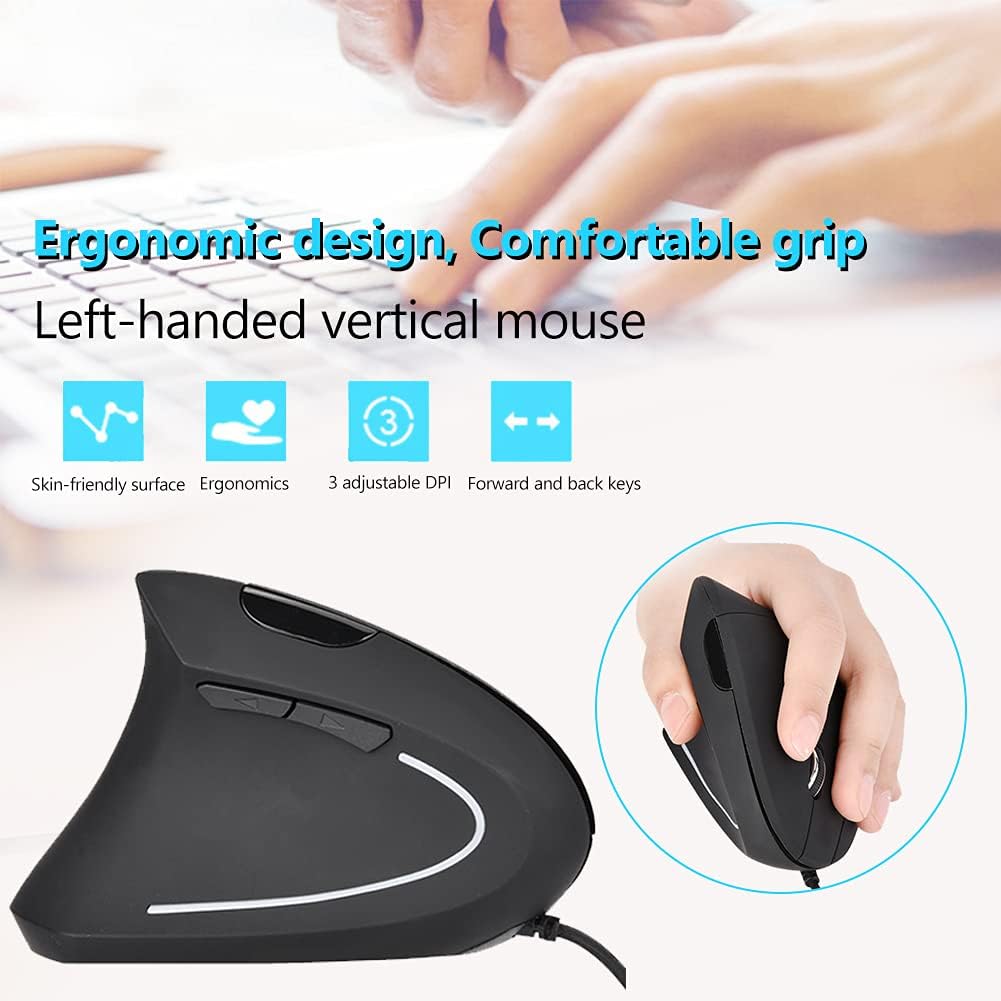
Image 1: The Wendry Ergonomic Vertical USB Wired Mouse, showcasing its design features including a skin-friendly surface, ergonomic shape, 3 adjustable DPI settings, and dedicated forward/back keys.
2. Ürün Bittiview
The Wendry Ergonomic Vertical USB Wired Mouse is engineered to provide a comfortable and efficient user experience. Key features include:
- Ergonomik Tasarım: Vertical orientation to relieve wrist tension through comfortable thumb and pinky support, and contoured palm support.
- Left-Handed Specific: Tailored for left-handers to align with palm and wrist muscles.
- Ayarlanabilir DPI: Three levels of DPI settings (800/1200/1600) for precise cursor control.
- 6 Programlanabilir Düğme: Customize functions for enhanced workflow.
- Web Switch Keys: Dedicated forward and back buttons for easy web sayfa gezintisi.
- Optical Tracking Technology: Premium optical engine for quicker response, smoother tracking, and higher precision.
- Geniş Uyumluluk: Supports most operating systems including Windows 2000, 7, 8, 98, Vista, ME, and OS.
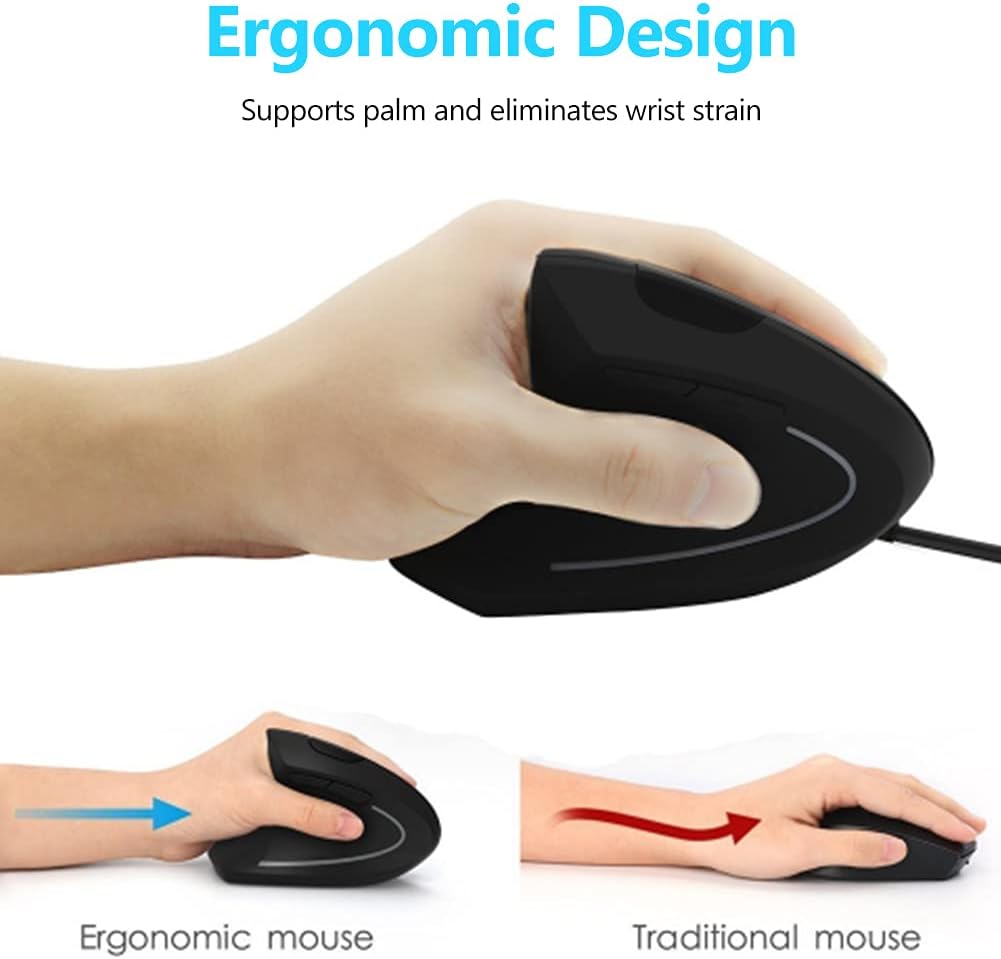
Image 2: A visual comparison demonstrating the ergonomic advantage of the vertical mouse, showing how it supports the palm and reduces wrist strain compared to a traditional horizontal mouse.
3. Kurulum Talimatları
Setting up your Wendry Ergonomic Vertical USB Wired Mouse is a simple plug-and-play process:
- USB Kablosunu bağlayın: Locate an available USB port on your computer (laptop, desktop, notebook, PC, etc.).
- Farenin USB konektörünü USB bağlantı noktasına sıkıca takın.
- Sürücü Kurulumu: The mouse is plug-and-play and typically does not require any additional driver installation. Your operating system should automatically detect and configure the device.
- Kullanıma hazır: Bağlantı kurulduktan sonra fare hemen kullanıma hazırdır.

Resim 3: Ayrıntılı view of the USB connector, which is used to connect the mouse to your computer.
4. Kullanım Talimatları
Familiarize yourself with the various buttons and functions of your vertical mouse for optimal control:
- Sol Tuş: Standart sol tıklama fonksiyonu.
- Sağ Buton: Standart sağ tıklama fonksiyonu.
- Kaydırma tekerleği: Belgeler arasında yukarı veya aşağı kaydırın ve web Sayfalar. Orta tıklama işlevi için de tıklanabilir.
- DPI Düğmesi: Located on the top of the mouse, press this button to cycle through the 3 adjustable DPI settings (800/1200/1600). This allows you to adjust cursor sensitivity to your preference.
- İleri/Geri Düğmeleri: Located on the side, these buttons allow for quick navigation between web pages or folders (e.g., going back or forward in your browser history).

Image 4: An illustration detailing the location and labels of the six programmable buttons on the vertical mouse, including the DPI button, left/right click, scroll wheel, and forward/backward buttons.

Image 5: A visual guide to using the forward and back buttons, highlighting their convenience for navigating web sayfalar ve files with a single click.
Resmi Ürün Videosu
Video 1: An official product video from Wendryer demonstrating the Ergonomic Vertical USB Wired Mouse in use, highlighting its design and functionality.
5. Bakım
To ensure the longevity and optimal performance of your mouse, follow these simple maintenance tips:
- Temizlik: Farenin yüzeyini silmek için yumuşak ve kuru bir bez kullanın. İnatçı kirler için hafifçe silin.ampBezi su veya hafif bir temizleme solüsyonuyla yıkayın. Sert kimyasallardan veya aşındırıcı malzemelerden kaçının.
- Optik sensör: Periodically check the optical sensor on the underside of the mouse for dust or debris. Use a cotton swab or compressed air to gently clean it.
- Kablo Bakımı: Hasar görmesini önlemek için USB kablosunu sertçe bükmekten veya çekmekten kaçının. Kullanılmadığı zaman kabloyu düzgün bir şekilde saklayın.
6. Sorun Giderme
If you encounter any issues with your mouse, refer to the following troubleshooting steps:
- Fare Yanıt Vermiyor:
- USB kablosunun bilgisayarınızdaki çalışan bir USB portuna güvenli bir şekilde takılı olduğundan emin olun.
- Fareyi farklı bir USB portuna takmayı deneyin.
- Bilgisayarınızı yeniden başlatın.
- Inaccurate or Jerky Cursor Movement:
- Farenin alt tarafındaki optik sensörü temizleyin.
- Fareyi uygun bir yüzeyde (örneğin, bir fare altlığı veya yansıtıcı olmayan, düzgün bir yüzey) kullandığınızdan emin olun.
- Adjust the DPI setting using the DPI button to see if a different sensitivity improves performance.
- Çalışmayan Düğmeler:
- Farenin düzgün bağlandığından emin olun.
- Sorunun fareden mi yoksa bilgisayar ayarlarından mı kaynaklandığını belirlemek için fareyi başka bir bilgisayarda test edin.
7. Özellikler
Detailed specifications for your Wendry Ergonomic Vertical USB Wired Mouse:
| Özellik | Şartname |
|---|---|
| Ürün Boyutları | 4.92 x 2.95 x 2.44 inç |
| Ürün Ağırlığı | 4.9 ons |
| Ürün Model Numarası | Wendrymcb5iqnw3g |
| Bağlantı Teknolojisi | USB, Kablolu |
| Özel Özellik | Ergonomik Tasarım |
| Hareket Algılama Teknolojisi | Optik |
| Adjustable DPI Levels | 800/1200/1600 |
| Düğme Sayısı | 6 |
| Renk | Siyah |
| Üretici | Wendry |
| İlk Mevcut Tarih | 28 Mayıs 2019 |
8. Garanti ve Destek
For any product inquiries, technical assistance, or warranty claims, please contact Wendry customer support through the retailer's platform or the official brand webSite. Lütfen garanti geçerliliği için satın alma belgenizi saklayın.