
1. Giriş
The AXIS T8351 Mk II Microphone 3.5 mm is a high-performance analog microphone designed for integration into video surveillance systems. It provides superior audio monitoring and recording capabilities, particularly in environments with low ambient noise. This manual provides essential information for the proper installation, operation, and maintenance of your AXIS T8351 Mk II Microphone.
2. Güvenlik Bilgileri
- Kurulum ve kullanımdan önce tüm talimatları dikkatlice okuyun.
- Do not expose the microphone to extreme temperatures, humidity, or corrosive environments.
- Ensure the microphone is securely mounted to prevent accidental falls.
- Only use accessories and power sources specified by Axis Communications.
- Temizlik veya herhangi bir bakım yapmadan önce elektrik bağlantısını kesin.
3. Paket İçeriği
Paketin içinde tüm öğelerin mevcut olduğundan emin olun:
- AXIS T8351 Mk II Microphone 3.5 mm
- Installation Guide (if separate)
Note: Additional mounting accessories may be sold separately.
4. Kurulum ve Kurulum
4.1 Mikrofonun Montajı
The AXIS T8351 Mk II Microphone offers flexible mounting options for walls, ceilings, or covert areas. Choose a location that allows optimal sound capture for your surveillance needs.
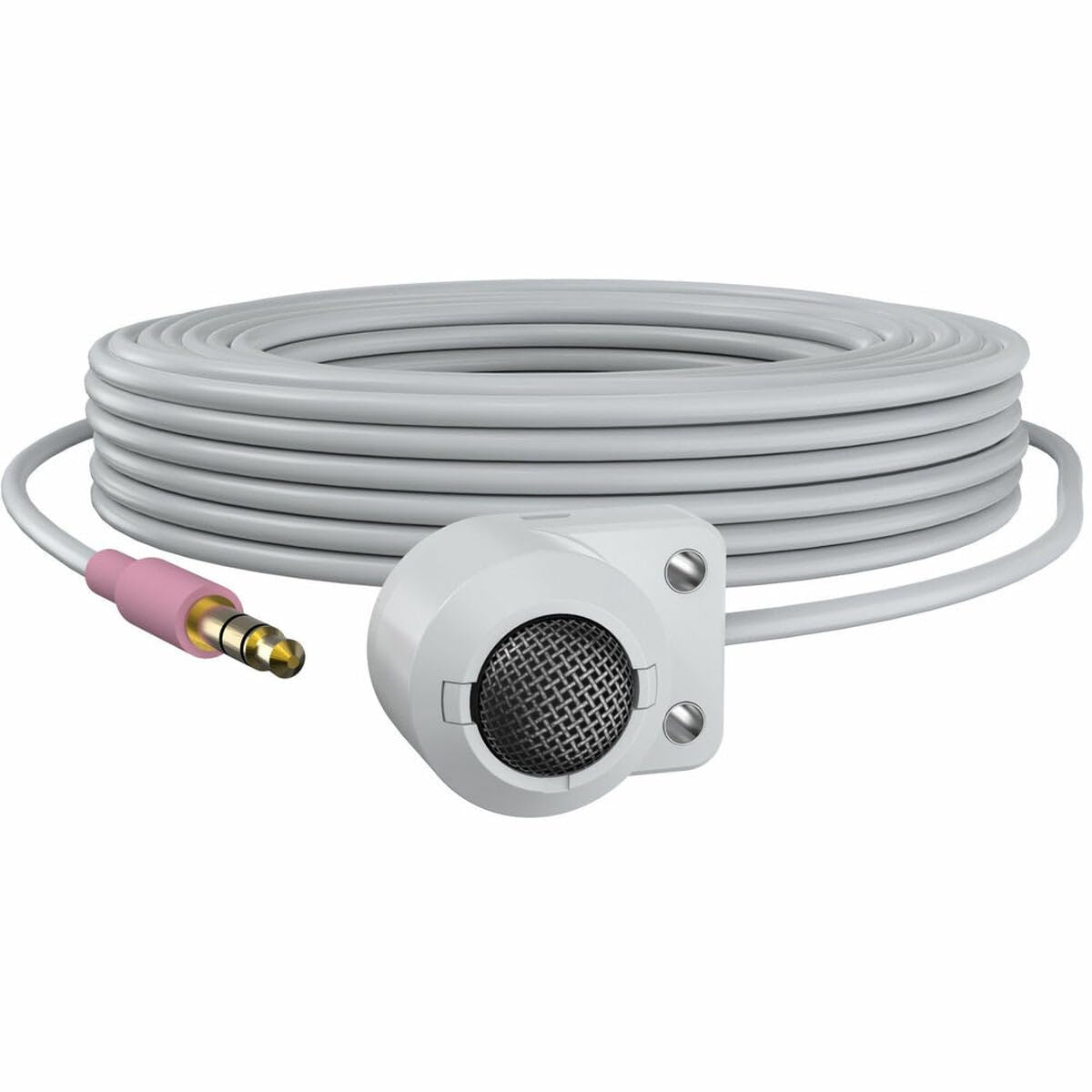
Figure 1: The AXIS T8351 Mk II Microphone, illustrating its compact design and the 3.5 mm connector for integration into surveillance systems. This image highlights the microphone's small form factor, making it suitable for discreet placement.
Montaj yeri seçerken aşağıdakileri göz önünde bulundurun:
- Ses Kaynağına Yakınlık: For best results, position the microphone close to the intended sound source.
- Ortam Gürültüsü: While designed for low ambient noise environments, avoid placing the microphone near sources of constant noise (e.g., air conditioning vents, loud machinery).
- Takdir yetkisi: The compact size allows for subtle concealment if required.
4.2 Mikrofonun Bağlanması
The AXIS T8351 Mk II Microphone connects to compatible network products via a 3.5 mm microphone input jack or a 4-pin audio connector.
- Locate the 3.5 mm microphone input jack or 4-pin audio connector on your network product (e.g., IP camera, audio encoder).
- Insert the microphone's connector firmly into the corresponding port.
- Ensure a secure connection. The microphone is powered directly by the network product, eliminating the need for additional power cables.
5. Mikrofonun Kullanımı
5.1 Ses Kaydı
The AXIS T8351 Mk II is a hemispherical, omni-directional microphone, meaning it captures sound from all directions. This characteristic makes it effective for monitoring general ambient sound within a room.
- Once connected, the microphone will begin capturing audio as configured by your network product's settings.
- Adjust audio input levels and sensitivity through the interface of your connected network device to achieve optimal sound quality and prevent distortion.
5.2 Integration with Surveillance Systems
The microphone is designed to complement video surveillance by providing synchronized audio. Refer to your network product's documentation for specific instructions on:
- Enabling audio recording.
- Configuring audio triggers or events.
- Live audio monitoring.
6. Bakım
6.1 Temizlik
Optimum performans ve görünümü korumak için:
- Gently wipe the exterior of the microphone with a soft, dry cloth.
- Sert kimyasallar, çözücüler veya aşındırıcı temizleyiciler kullanmayın.
- Ensure no moisture enters the microphone's openings.
6.2 Çevresel Hususlar
The microphone is designed for indoor use. Protect it from:
- Direct sunlight or extreme heat.
- Excessive dust or dirt.
- Strong vibrations or impacts.
7. Sorun Giderme
7.1 Ses Çıkışı Yok
- Bağlantıyı kontrol et: Ensure the 3.5 mm connector is fully inserted into the network product's audio input.
- Verify Network Product Settings: Confirm that audio input is enabled and configured correctly in your network product's software interface. Check volume levels.
- Güç: Since the microphone is powered by the network product, ensure the network product itself is powered on and functioning correctly.
- Uyumluluk: Confirm your network product supports a 3.5 mm microphone input or 4-pin audio connector.
7.2 Poor Audio Quality (Distortion, Low Volume, Noise)
- Mikrofon Yerleşimi: Reposition the microphone closer to the sound source or away from sources of ambient noise.
- Giriş Seviyeleri: Adjust the audio input sensitivity and gain settings on your network product. Too high a gain can cause distortion; too low can result in faint audio.
- Çevresel Gürültü: Identify and mitigate external noise sources in the environment.
- Kablo Bütünlüğü: Inspect the cable for any damage or kinks.
8. Özellikler
| Özellik | Detay |
|---|---|
| Model Adı | T8351 Mk II Microphone 3.5 mm |
| Mikrofon Form Faktörü | Mini |
| Kutup Deseni | Hemispherical, Omni-directional |
| Bağlayıcı Türü | Audio Line Out (3.5mm jack) |
| Bağlantı Teknolojisi | XLR (Note: Product description mentions 3.5mm, please verify specific model variant if XLR is primary) |
| Güç Kaynağı | Corded Electric (powered by network product) |
| Frekans Tepkisi | 16 KHz |
| Sinyal-Gürültü Oranı | 76 dB |
| Ses Hassasiyet | 22 Desibel |
| Ürün Boyutları (U x G x Y) | 1.1 x 0.8 x 0.8 inç |
| Ürün Ağırlığı | 3.2 ons |
| Uyumlu Cihazlar | Camera (with 3.5mm mic input or 4-pin audio connector) |
9. Garanti ve Destek
For information regarding the product warranty, technical support, and additional resources, please visit the official Axis Communications webWeb sitesini ziyaret edin veya yetkili satıcınızla iletişime geçin. Garanti talepleri için satın alma fişinizi saklayın.
Axis Communications Yetkilisi Webalan: www.axis.com