
1. Giriş
This manual provides essential information for the safe and proper installation, operation, and maintenance of your Dell 180 Watt Power Supply Unit (PSU). This specific model, 1TG7T, is designed for use with Dell Optiplex 3050, 5050, and 7050 SFF (Small Form Factor) systems. Please read this manual thoroughly before attempting any installation or service.
2. Güvenlik Bilgileri
Yaralanmayı veya ekipmana gelebilecek zararı önlemek için her zaman aşağıdaki güvenlik önlemlerine uyun:
- Elektrik Tehlikesi: Güç kaynakları yüksek voltaj içerir.tage bileşenleri. PSU'yu açmayın casing. Servis işlemleri yalnızca kalifiye personel tarafından yapılmalıdır.
- Gücü Kesin: Always disconnect the computer from the main power outlet before installing, removing, or servicing the power supply.
- Statik elektrik: Use an anti-static wrist strap or take other anti-static precautions when handling the PSU to prevent damage to sensitive electronic components.
- Havalandırma: Ensure proper airflow around the PSU and within the computer case to prevent overheating. Do not block ventilation openings.
- Uyumluluk: Use only power supplies compatible with your system's specifications. Incompatible PSUs can cause damage.
3. Ürün Bittiview
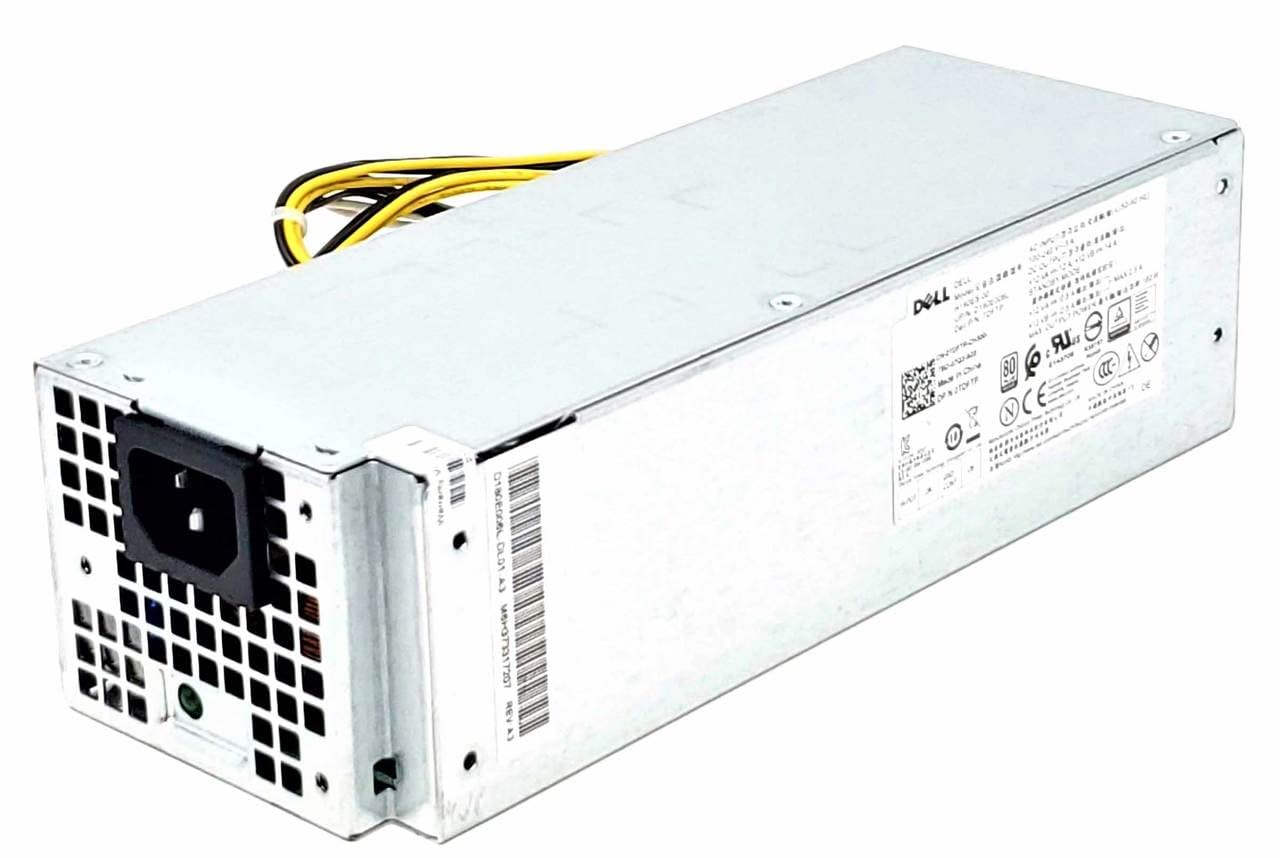
Image: Dell 180W Power Supply Unit (Model: 1TG7T). This image displays the external casing of the power supply, showing the AC power input connector, ventilation grilles, and the bundle of output cables. The Dell branding and regulatory labels are visible on the side.
The Dell 180W Power Supply Unit (part numbers 1TG7T, 66P44, C5YYV, TDFTP, 082DRM) is an internal component designed to convert AC power from a wall outlet into DC power required by the computer's components. It features a compact design suitable for Small Form Factor (SFF) desktop computers.
4. Kurulum ve Kurulum
Installation of an internal power supply requires technical knowledge and should ideally be performed by a certified technician. If you proceed with self-installation, follow these general steps:
- Sistemi Hazırlayın:
- Shut down the computer completely and disconnect the power cord from the wall outlet.
- Disconnect all peripheral devices (monitor, keyboard, mouse, etc.).
- Open the computer case according to your system's service manual.
- Eski PSU'yu çıkarın (eğer varsa):
- Carefully disconnect all power cables from the motherboard, graphics card, hard drives, and other components.
- Unscrew the old PSU from the computer chassis.
- Gently slide the old PSU out of the case.
- Yeni Güç Kaynağını Takın:
- Slide the new Dell 180W PSU into the designated bay in the computer chassis.
- PSU'yu uygun vidalarla sabitleyin.
- Connect the main 24-pin ATX power connector to the motherboard.
- 4 veya 8 pinli CPU güç konektörünü anakarta bağlayın.
- Connect SATA power cables to hard drives and SSDs.
- Connect any other necessary power cables (e.g., PCIe for graphics cards, if applicable, though this PSU is 180W and likely for integrated graphics systems).
- Son Adımlar:
- Tüm kabloların güvenli bir şekilde bağlandığından ve hava akışını engellemeyecek şekilde yönlendirildiğinden emin olun.
- Bilgisayar kasasını kapatın.
- Reconnect the power cord and peripheral devices.
- Power on the system to verify functionality.
Refer to your specific Dell Optiplex system's service manual for detailed, model-specific installation instructions.
5. Çalışma Prensipleri
The Dell 180W PSU operates automatically once installed and connected to a power source. It continuously supplies stable DC voltage to all connected computer components. The PSU is designed to regulate voltage and protect against overcurrent, overvoltage, and short circuits, ensuring the safe operation of your system. Its 80 PLUS Bronze certification indicates high energy efficiency, converting a significant percentage of AC power into usable DC power, thus reducing wasted heat and electricity consumption.
6. Bakım
Minimal maintenance is required for the power supply unit itself. However, general computer maintenance practices contribute to its longevity:
- Toz Giderimi: Periodically clean the interior of your computer case, including the PSU's fan and ventilation grilles, using compressed air. Ensure the computer is powered off and unplugged before cleaning.
- Havalandırma: Ensure the computer is placed in a well-ventilated area, away from direct sunlight or heat sources, to prevent overheating of internal components, including the PSU.
- Kablo yönetimi: Proper cable management inside the case improves airflow and prevents cables from interfering with the PSU fan.
7. Sorun Giderme
If you experience issues with your computer's power, consider the following:
| Sorun | Olası Neden | Çözüm |
|---|---|---|
| Bilgisayar açılmıyor. | Loose power cable, faulty wall outlet, PSU failure. | Check power cable connections. Test wall outlet. If still no power, PSU may need replacement. |
| System randomly shuts down or reboots. | Overheating, unstable power, failing PSU. | Ensure proper ventilation. Check for dust buildup. If issues persist, PSU may be failing. |
| Burning smell or smoke from computer. | Component failure, including PSU. | Derhal elektriği kesin. Do not attempt to power on. Seek professional assistance. |
| Güç kaynağı ünitesinden yüksek fan sesi geliyor. | Dust buildup, failing fan bearing. | Clean PSU fan. If noise persists, fan may be failing, requiring PSU replacement. |
For complex issues, it is recommended to consult a qualified computer technician or Dell support.
8. Özellikler
| Özellik | Detay |
|---|---|
| Marka | Dell |
| Model Numarası | 7242920000 (Also known as 1TG7T, 66P44, C5YYV, TDFTP, 082DRM) |
| Çıkış Watttage | 180 Watt |
| Ürün Boyutları (U x G x Y) | 9.7 x 6.5 x 1.1 inç (24.6 x 16.5 x 2.8 cm) |
| Ürün Ağırlığı | 8.32 pound (3.77 kg) |
| Uyumluluk | Dell Optiplex 3050, 5050, 7050 SFF systems |
| Verimlilik Derecelendirmesi | 80 PLUS Bronze (implied by "BRZ D8 LTON" in title, common for Dell PSUs) |
9. Garanti ve Destek
For information regarding warranty coverage, technical support, or service for your Dell Power Supply Unit, please refer to the documentation provided with your original Dell system or visit the official Dell support webSiteyi ziyaret edin. Ürününüzün seri numarasını veya servis numarasını mutlaka kontrol edin. tag readily available when contacting support.
You can typically find support resources at: www.dell.com/support