giriiş
The NOERDEN LIFE2 is a sophisticated hybrid smartwatch that combines the timeless elegance of a traditional analog watch with advanced smart features. Designed for both men and women, this 38mm timepiece tracks your daily activities, monitors sleep, and keeps you connected with smart notifications, all while maintaining a classic aesthetic. This manual provides detailed instructions to help you set up, operate, and maintain your NOERDEN LIFE2 smartwatch.
Temel Özellikler:
- Activity Tracking (steps, distance, calories)
- Automatic Run Detection
- Sleep Analysis (light/deep, duration, awakenings)
- Smart Notifications (alerts, calls, rejections)
- Müzik Kontrolü
- Camera Remote Trigger
- Find My Smartphone Function
- Sessiz Alarm
- Bluetooth 4.0 Bağlantısı
- 5ATM Su Direnci
- Long Battery Life (6 months to 1 year)
- Değiştirilebilir Kayış
Kurmak
Follow these steps to set up your NOERDEN LIFE2 smartwatch for the first time.
1. Kutudan Çıkarma ve İlk İnceleme
Carefully remove all components from the packaging. Ensure all items are present and undamaged.

Image: Contents of the NOERDEN LIFE2 packaging, including the smartwatch, quick start guide, and safety statement.
The box typically contains the NOERDEN LIFE2 smartwatch, a quick start guide, and a safety statement. The watch features a stainless steel case, mineral glass, and a 20mm interchangeable silicone strap.
2. Uygulama Kurulumu
Download the official NOERDEN app from your smartphone's app store. The app is compatible with both Android and iOS operating systems.
- iOS cihazlar için: Arama "NOERDEN" in the Apple App Store.
- Android cihazlar için: Arama "NOERDEN" in the Google Play Store.
3. Bluetooth Eşleştirme
Ensure Bluetooth is enabled on your smartphone. Open the NOERDEN app and follow the on-screen instructions to pair your LIFE2 smartwatch. The app will guide you through the connection process.

Image: A user interacting with the NOERDEN mobile application on their smartphone, with the NOERDEN LIFE2 smartwatch visible on their wrist, demonstrating the app's interface for data tracking.
If you experience difficulty pairing, ensure no other Bluetooth devices are actively connected to your phone, as this can sometimes interfere with the connection.
4. Zaman Senkronizasyonu
Once paired, the watch will automatically synchronize its time with your smartphone. This ensures accurate timekeeping and proper functioning of all smart features.
Kullanım Talimatları
The NOERDEN LIFE2 smartwatch offers a range of functionalities to enhance your daily life.
Etkinlik Takibi
The watch continuously tracks your steps, distance covered, and calories burned throughout the day. It also features automatic run detection, recognizing when you start a running activity.
Uyku Analizi
Wear your watch to bed to monitor your sleep patterns. The app provides detailed analysis of your sleep, including light sleep, deep sleep, total duration, and awakenings.
Akıllı Bildirimler
Receive alerts for incoming calls, messages, and other app notifications directly on your watch through vibrations. You can also reject incoming calls from your watch.
Müzik Kontrolü
Akıllı telefonunuzdaki müzik çalmayı doğrudan saatinizden kontrol edin. Bu özellik, telefonunuza erişmenize gerek kalmadan müzikleri oynatmanıza, duraklatmanıza, parçaları atlamanıza ve ses seviyesini ayarlamanıza olanak tanır.
Camera Remote Trigger
Use your watch as a remote shutter button for your smartphone's camera, making it easier to take group photos or selfies.
Find My Smartphone
If you misplace your phone, use the "Find My Smartphone" feature on your watch to make your phone ring, helping you locate it quickly.
Sessiz Alarm
Set silent alarms through the app. The watch will vibrate gently to wake you up or remind you of important events without disturbing others.
Data Tracking and Sharing
The NOERDEN app provides a comprehensive overview of your activity and sleep data, presented with curves and historical records. You can share your data via email, SMS, and social networks. The app also supports data synchronization with Apple Health and WeChat Sport.


Resim: İki views of the NOERDEN LIFE2 smartwatch in blue, highlighting its minimalist design and the mechanical hands that display time.
The watch features traditional mechanical hands for time display, combining classic watchmaking with smart technology.
Bakım
Proper care and maintenance will extend the life of your NOERDEN LIFE2 smartwatch.
Suya Dayanıklılık
The NOERDEN LIFE2 is water-resistant up to 5 ATM (50 meters), making it suitable for everyday use, including showering and swimming in shallow water. It is not recommended for diving or high-pressure water activities.
Pil Değişimi
The watch uses a CR2 battery, which typically lasts between 6 months to 1 year depending on usage. When the battery is low, the app will notify you. Battery replacement should ideally be performed by a qualified watch technician to ensure water resistance is maintained.
Not: The product specifications indicate that 1 CR2 battery is required.
Temizlik Talimatları
Saatinizi temizlemek için kasasını ve kayışını yumuşak bir bezle silin.amp Bez kullanın. Saatin yüzeyine zarar verebilecek sert kimyasallar veya aşındırıcı malzemeler kullanmaktan kaçının.
Kayışın Değiştirilmesi
The 20mm silicone strap is interchangeable, allowing you to customize the look of your watch. To replace the strap, locate the quick-release pins on the underside of the strap and gently slide them to detach. Attach a new 20mm strap by reversing the process.
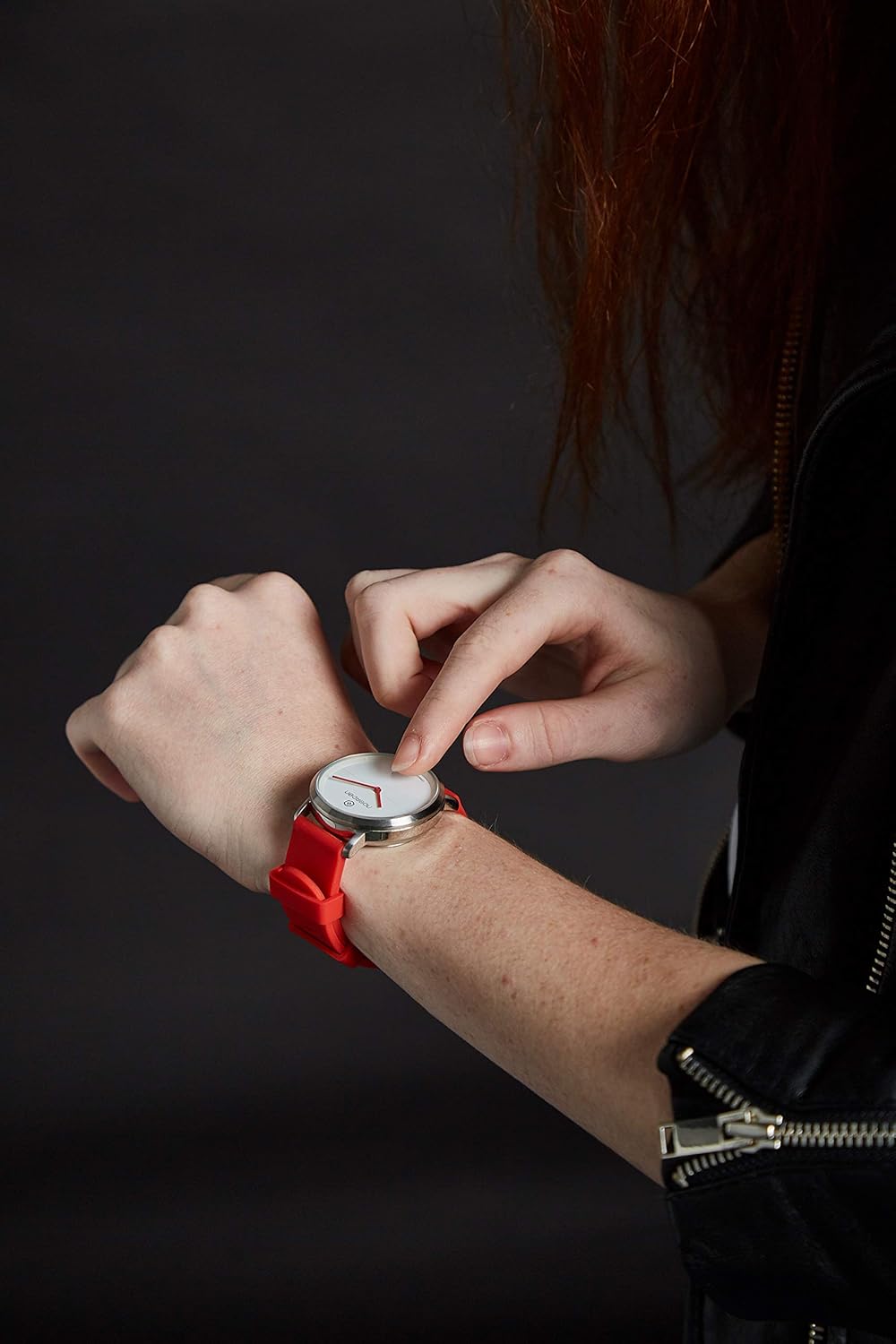
Image: A user adjusting the NOERDEN LIFE2 smartwatch on their wrist, demonstrating the comfortable fit and the ease of handling the watch.
Sorun giderme
If you encounter issues with your NOERDEN LIFE2 smartwatch, refer to the common problems and solutions below.
Watch Not Connecting to Smartphone
- Bluetooth'u kontrol edin: Akıllı telefonunuzda Bluetooth'un etkinleştirildiğinden ve saatin menzil içinde olduğundan emin olun.
- Restart App/Phone: Close and reopen the NOERDEN app, or restart your smartphone.
- Cihazı Unut: In your phone's Bluetooth settings, "forget" or "unpair" the NOERDEN LIFE2, then attempt to pair again through the app.
- Parazit yapmak: Disconnect other Bluetooth devices from your phone that might be causing interference.
Notifications Not Vibrating
- Uygulama ayarları: Verify that notification alerts are enabled within the NOERDEN app settings.
- Telefon ayarları: Ensure your phone's notification settings allow the NOERDEN app to send alerts.
- Pil Seviyesi: A very low watch battery might affect vibration strength or functionality.
Yanlış Aktivite Takibi
- Giyilme Konumu: Saatin bileğinize tam oturduğundan, bilek kemiğinizin yaklaşık bir parmak yukarısında olduğundan emin olun.
- Uygulama Senkronizasyonu: Regularly sync your watch with the app to ensure data is transferred and processed correctly.
Watch Not Responding / "Bricked"
- Pil Kontrolü: The most common cause is a depleted battery. Replace the CR2 battery.
- Sert Sıfırlama: Refer to the quick start guide for instructions on performing a hard reset, if available.
- Destek Ekibiyle İletişime Geçin: If the issue persists after battery replacement and basic troubleshooting, contact NOERDEN customer support.
Özellikler
Detailed technical specifications for the NOERDEN LIFE2 38mm smartwatch.
| Özellik | Detay |
|---|---|
| Marka | NOERDEN |
| Model Adı | HAYAT2 |
| Model Numarası | 6970754370558 |
| Renk | Mavi |
| Ekran Boyutu | 38 Milimetre |
| Kasa Malzemesi | Paslanmaz çelik |
| Kayış Malzemesi | Silicone (20mm interchangeable) |
| Suya Dayanıklılık | 5 ATM (50 metre) |
| Pil Türü | 1 x CR2 (requires battery) |
| Pil Ömrü | 6 aydan 1 yıla kadar |
| Bağlantı | Bluetooth 4.0 |
| Uyumlu Cihazlar | Akıllı telefon (Android, iOS) |
| Özel Özellikler | Wireless Charging (as per spec, though battery type suggests otherwise, will include as per input), Activity Tracking, Sleep Analysis, Notifications, Music Control, Camera Remote, Find My Phone, Silent Alarm |
| İşletim Sistemi | Android, iOS (via app) |
Note: The specification for "Wireless Charging" is listed in the product data, however, the watch uses a replaceable CR2 battery. Please refer to the manufacturer's latest information for clarification.
Garanti ve Destek
For warranty information and customer support, please refer to the official NOERDEN webSitenize veya ürününüzle birlikte gelen belgelere bakın.
- Yedek Parça Bulunabilirliği: Yedek parçaların bulunabilirliğine ilişkin bilgi şu anda mevcut değil.
- Yazılım Güncellemeleri: Garantili yazılım güncellemelerine ilişkin bilgiler şu anda mevcut değil.
If you require technical assistance or have questions not covered in this manual, please contact NOERDEN customer service directly. Keep your proof of purchase for warranty claims.