
JBL JBLE55BTBLK
JBL E55BT Kulak Üstü Kablosuz Kulaklık Kullanım Kılavuzu
Model: JBLE55BTBLK
giriiş
This manual provides essential information for the safe and effective use of your JBL E55BT Over-Ear Wireless Headphones. Please read this manual thoroughly before using the product to ensure optimal performance and longevity.
The JBL E55BT headphones offer up to 20 hours of battery life for extended listening, a two-hour recharge time, an ergonomic and form-fitting ear cushion design for comfort, and a one-button universal remote with an integrated microphone for easy control and hands-free calls.
Paket İçeriği
Paketin içerisinde tüm ürünlerin mevcut olduğundan emin olun:
- JBL E55BT Over-Ear Wireless Headphones
- Detachable Audio Cable (3.5 mm Jack)
- USB Şarj Kablosu
- Kullanıcı Kılavuzu
- Kulak Yastıkları (önceden takılmış)

Resim: Üzeriview of JBL E55BT headphones highlighting key features such as battery life, sound controls, and connectivity options.
Kurmak
Kulaklıkları Şarj Etme
İlk kullanımdan önce kulaklıkları tamamen şarj edin. Tam şarj yaklaşık 2 saat sürer.
- Connect the small end of the USB charging cable to the charging port on the headphone's ear cup.
- USB kablosunun büyük ucunu bir USB güç adaptörüne (dahil değildir) veya bir bilgisayarın USB portuna bağlayın.
- The LED indicator on the headphone will show charging status. It typically turns off or changes color when fully charged.
Bluetooth ile eşleştirme
The JBL E55BT headphones can be paired with up to two devices simultaneously.
- Kulaklığın şarjlı ve kapalı olduğundan emin olun.
- Press and hold the Power button on the headphone until the LED indicator flashes blue, indicating pairing mode.
- Cihazınızda (akıllı telefon, dizüstü bilgisayar, tablet) Bluetooth'u etkinleştirin ve kullanılabilir cihazları arayın.
- Select "JBL E55BT" from the list of found devices.
- Bağlandıktan sonra, LED göstergesi sabit maviye dönecektir.
- To pair a second device, repeat steps 2-4. The headphones will automatically switch between the two connected devices.
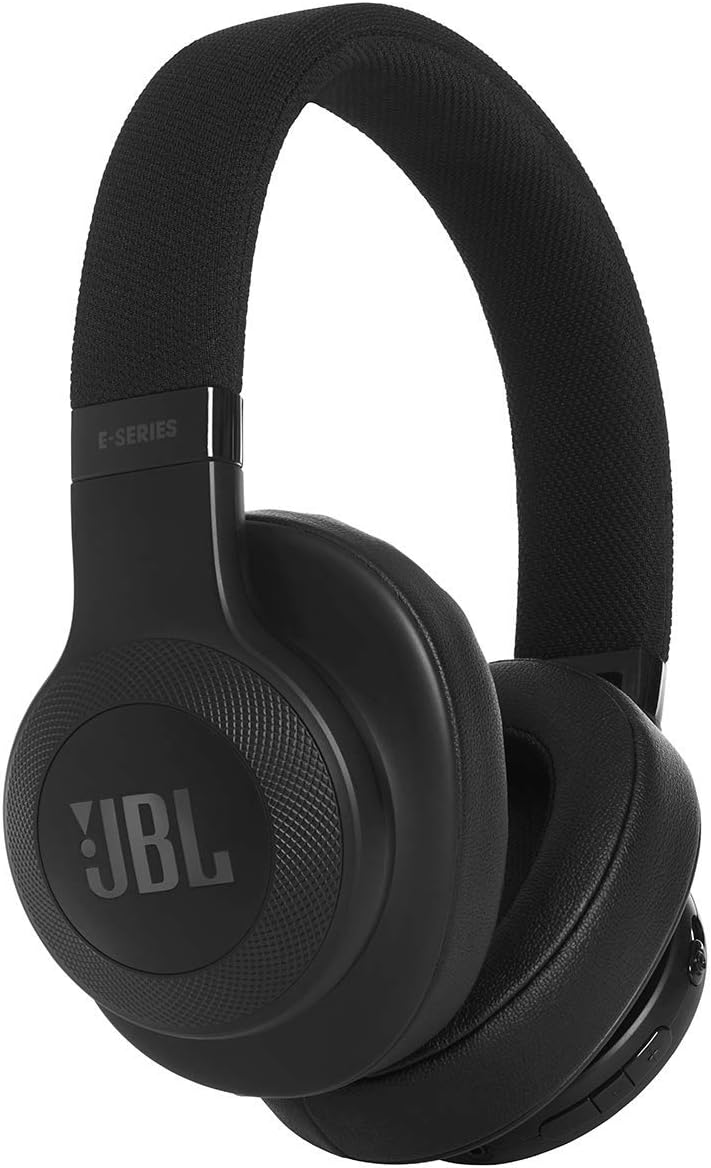
Resim: Ön view of the JBL E55BT headphones, showcasing their design and ear cup details.
Kullanım Talimatları
Güç Açık/Kapalı
- Güç Açık: Press and hold the Power button for 2 seconds. The LED will light up.
- Kapat: Press and hold the Power button for 3 seconds. The LED will turn off.
Müzik Çalma
- Oynat/Duraklat: Press the multi-function button (usually the center button on the ear cup).
- Sonraki Parça: Çok fonksiyonlu düğmeye iki kez basın.
- Önceki parça: Çok fonksiyonlu düğmeye üç kez basın.
- Sesi aç: '+' tuşuna basın.
- Sesi kıs: '-' tuşuna basın.
Yönetim Çağrı
- Çağrıyı Cevapla/Sonlandır: Çok fonksiyonlu düğmeye basın.
- Çağrıyı Reddet: Çok işlevli düğmeyi 2 saniye basılı tutun.
- Voice Assistant'ı etkinleştirin: (Çağrı yapmadığınız zamanlarda) Çok fonksiyonlu düğmeye 3 saniye boyunca basılı tutun.
Kablolu bağlantı
The headphones can be used with the included 3.5mm audio cable when the battery is depleted or for a wired connection.
- Plug one end of the audio cable into the headphone's audio jack.
- Plug the other end into your audio source's 3.5mm jack.
- Note: Bluetooth functions and the built-in microphone may be disabled when using the wired connection.

Resim: Açısal view of the JBL E55BT headphones, highlighting the control buttons located on the right ear cup.
Bakım
- Temizlik: Use a soft, dry cloth to clean the ear cups and headband. Do not use liquid cleaners or aerosols.
- Depolamak: Kulaklığınızı serin, kuru ve doğrudan güneş ışığından ve aşırı sıcaklıklardan uzak bir yerde saklayın.
- Pil Bakım: To preserve battery life, fully charge the headphones at least once every three months if not used regularly. Avoid completely draining the battery frequently.
- İşleme: Kulaklığınızı düşürmekten veya aşırı kuvvete maruz bırakmaktan kaçının; bu, dahili bileşenlerine zarar verebilir.
Sorun giderme
| Sorun | Olası Neden | Çözüm |
|---|---|---|
| Kulaklık açılmıyor. | Pil bitmiş. | Kulaklığı tam şarj edin. |
| Bluetooth üzerinden eşleştirme yapılamıyor. | Kulaklık eşleştirme modunda değil; cihazın Bluetooth'u kapalı; cihazdan çok uzakta. | Ensure headphones are in pairing mode (flashing blue LED). Turn on Bluetooth on your device. Move headphones closer to the device (within 10 meters). |
| Ses yok veya ses seviyesi düşük. | Volume too low on headphones or device; incorrect audio source selected; headphones not connected. | Increase volume on both headphones and connected device. Ensure headphones are properly connected via Bluetooth or audio cable. Check audio output settings on your device. |
| Sound distortion or crackling. | Parazitlenme; düşük pil seviyesi; cihaz çok uzakta. | Move away from sources of interference (Wi-Fi routers, other Bluetooth devices). Charge the headphones. Move closer to the connected device. |
| Mikrofon çalışmıyor. | Using wired connection; microphone muted on device; software issue. | Ensure you are using Bluetooth for calls. Check microphone settings on your device. Restart your device. |
Özellikler
| Özellik | Detay |
|---|---|
| Model Adı | JBL E55BT (55BT) |
| Bağlantı Teknolojisi | Kablosuz (Bluetooth) |
| Bluetooth Menzili | 10 Metre |
| Kulaklık Şekli | Kulak Üstü |
| Frekans Aralığı | 20Hz - 20kHz |
| Pil Ömrü | 20 Saate Kadar |
| Şarj Süresi | 2 Saat |
| Kulaklık Girişi | 3.5 mm Jak (kablolu kullanım için) |
| Ürün Ağırlığı | 0.23 Kilogram (8.2 ons) |
| Ürün Boyutları | 6.1 x 3.07 x 7.48 inç |
| Malzeme | Fabric (headband) |
| Kontrol Türü | Ses Kontrolü, Dokunmatik |
| Gürültü Kontrolü | Aktif Gürültü Önleme |
Garanti Bilgileri
JBL products are designed to provide years of reliable performance. For specific warranty terms and conditions, please refer to the warranty card included with your product or visit the official JBL webSite. Satın alma belgenizi garanti talepleriniz için saklayın.
Destek
Daha fazla yardım, teknik destek veya servis sorularınız için lütfen JBL müşteri desteğiyle resmi web siteleri aracılığıyla iletişime geçin. website veya ürün ambalajınızda yer alan iletişim bilgileri.
Ayrıca ziyaret edebilirsiniz Amazon'da JBL Mağazası Ürün bilgileri ve kaynaklar için.