
1. Giriş
The Samsung Galaxy Tab A 8.0" (2015) is a compact and practical tablet designed for everyday use. It features an 8-inch display with a 4:3 aspect ratio, making it ideal for reading and browsing. Powered by a quad-core processor and 1.5GB of RAM, it efficiently handles basic tasks. The tablet includes 16GB of internal storage, which can be expanded further using a microSD card. Its 4200mAh battery provides reliable usage throughout the day. Lightweight and portable, this tablet is suitable for casual entertainment and productivity on the go.
2. Ürün Bittiview

Şekil 1: Ön view of the Samsung Galaxy Tab A SM-T350 8-Inch Tablet. The display shows the time 12:45 PM, Friday, May 1, with a weather widget indicating 65 degrees Fahrenheit in New York. The Samsung logo is at the top, and navigation buttons are at the bottom.

Şekil 2: Ön view of the Samsung Galaxy Tab A SM-T350 8-Inch Tablet in landscape orientation. The display shows the time 12:45 PM, Friday, May 1, with a weather widget indicating 65 degrees Fahrenheit in New York. The Samsung logo is at the top, and navigation buttons are on the right side.

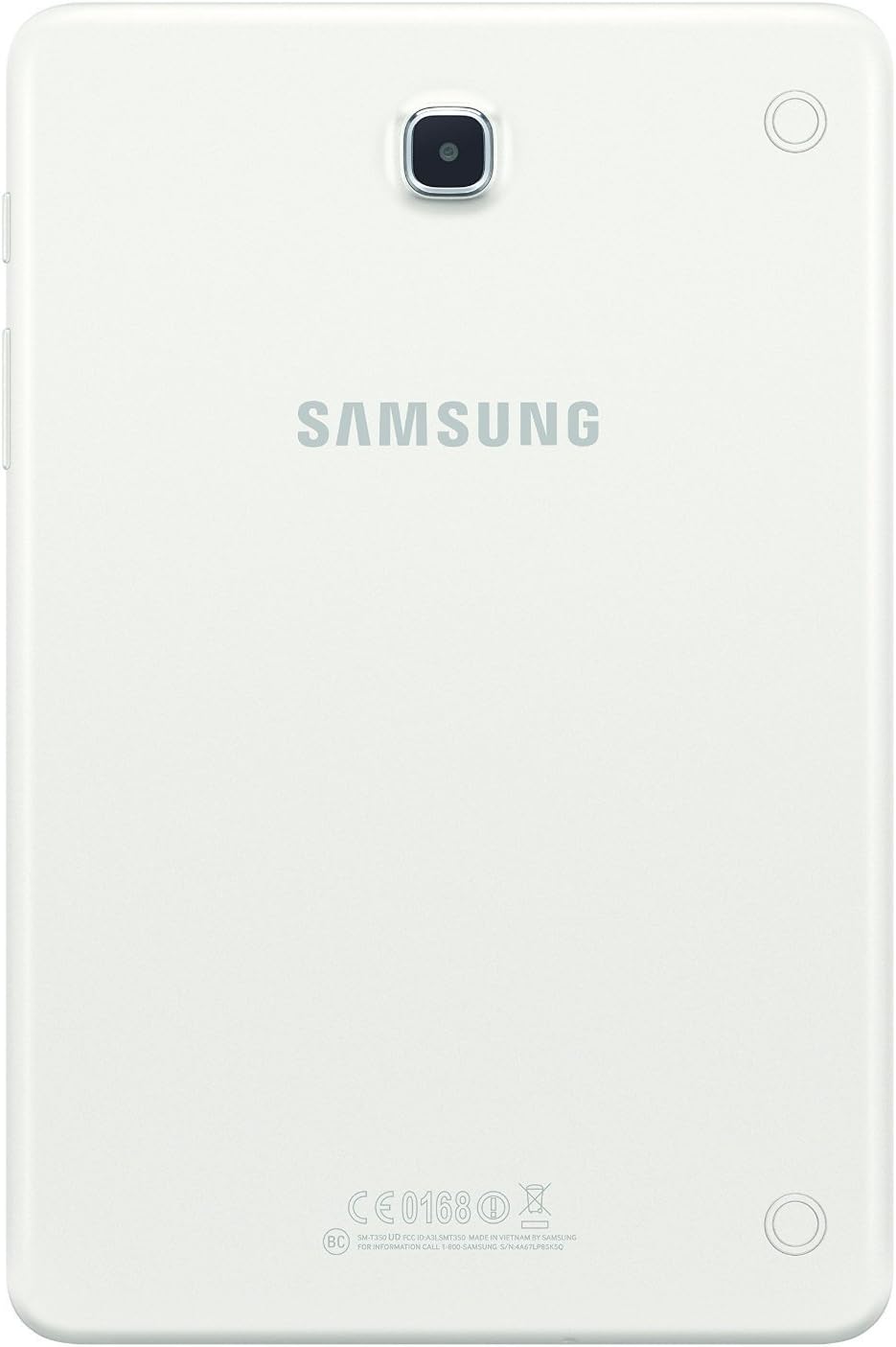
Şekil 3: Arka view of the Samsung Galaxy Tab A SM-T350 8-Inch Tablet. The Samsung logo is prominently displayed in the center, with the rear camera lens located in the upper center. Regulatory markings are visible at the bottom.
Şekil 4: Taraf view of the Samsung Galaxy Tab A SM-T350 8-Inch Tablet, highlighting the power button, volume rocker, and microSD card slot. The slim profile of the tablet is also visible.
Official Product Video: Initial Setup
This video provides a detailed walkthrough of the initial setup process for a Samsung Galaxy tablet, including language selection, Wi-Fi connection, date and time settings, and agreement to terms and conditions. It demonstrates how to navigate through the accessibility settings and personalize the device. The video also highlights the tablet's physical features, such as the charging port, volume buttons, and camera, and shows how to access various pre-installed apps and widgets.
3. Kurulum
3.1 İlk Şarj ve Güç Açma
- Tableti Şarj Edin: Before first use, connect the tablet to the charger using the provided USB cable and power adapter. Ensure the tablet is fully charged.
- Güç Açık: Ekranda Samsung logosu görünene kadar (yan tarafta bulunan) Güç düğmesini basılı tutun.
- Ekrandaki Komutları Takip Edin: The tablet will guide you through the initial setup steps, including language selection, Wi-Fi connection, and account setup.
3.2 Wi-Fi Bağlantısı
- During initial setup, select your preferred Wi-Fi network from the list of available networks.
- İstenirse ağ şifresini girin ve dokunun. Bağlamak.
- If skipping initial setup, go to Ayarlar > Bağlantılar > Wifi bağlanmak.
3.3 Hesap Kurulumu
- Google hesabı: Mevcut Google hesabınızla oturum açın veya yeni bir hesap oluşturun. Bu, Google Play Store ve diğer Google hizmetlerine erişmek için gereklidir.
- Samsung Hesabı: You may also be prompted to sign in or create a Samsung account to access exclusive Samsung features and services.
3.4 Tarih ve Saat
- During setup, confirm the date and time settings. You can usually set it to automatically update via the network.
- If needed, adjust the time zone manually.
4. Tabletinizi Çalıştırma
4.1 Gezinme ve Arayüz
- Ana Ekran: Uygulamalara, widget'lara ve kısayollara erişebileceğiniz ana ekran.
- Gezinme Çubuğu: Located at the bottom of the screen, it typically includes Back, Home, and Recent Apps buttons.
- Bildirim paneli: Ekranın üst kısmından aşağı doğru kaydırarak hızlı ayarlara ve bildirimlere erişebilirsiniz.
4.2 Uygulamaları Kullanma
- Açmak için bir uygulama simgesine dokunun.
- To close an app, tap the Güncel uygulamalar button and swipe the app card away, or use the Geri Çıkış butonu.
- Download new apps from the Google Play Mağazası.
4.3 Kamera Fonksiyonları
- Açın Kamera Uygulamayı ana ekrandan veya uygulama çekmecesinden açın.
- Dokunun Kepenk Fotoğraf çekmek için düğmeye basın.
- Ekrandaki kamera simgesini kullanarak ön ve arka kameralar arasında geçiş yapın.
- Explore various modes like Panorama, Beauty, and Night mode (if available).
4.4 Bölünmüş Ekran Çoklu Görevi
- Dokunun Güncel uygulamalar düğme.
- Tap the app icon at the top of an app card and select Bölünmüş ekran modunda aç view.
- Choose a second app to use simultaneously.
5. Bakım ve Özen
- Temizlik: Use a soft, lint-free cloth to clean the screen and body of the tablet. Avoid harsh chemicals.
- Pil Bakım: To prolong battery life, avoid extreme temperatures. Charge the tablet regularly, but avoid leaving it fully charged or fully depleted for extended periods.
- Yazılım Güncellemeleri: Keep your tablet's software updated to ensure optimal performance and security. Go to Ayarlar > Yazılım güncellemesi.
- Depolama Yönetimi: Gereksiz olanları düzenli olarak temizleyin files and uninstall unused apps to free up storage space and improve performance.
6. Sorun Giderme
- Tablet Açılmıyor: Tabletin yeterince şarj olduğundan emin olun. Şarj cihazına bağlayın ve tekrar açmayı denemeden önce birkaç dakika bekleyin.
- Yavaş Performans: Close unused applications, clear cache, and check for available software updates. Consider performing a factory reset if issues persist (back up data first).
- Wi-Fi Bağlantı Sorunları: Restart your Wi-Fi router and the tablet. Forget the network in Wi-Fi settings and reconnect.
- Pil Hızla Boşalıyor: Reduce screen brightness, disable unnecessary features like Bluetooth or GPS when not in use, and close background apps.
7. Özellikler
| Özellik | Şartname |
|---|---|
| Marka | SAMSUNG |
| Model Adı | Galaksi Tab A |
| Ürün Model Numarası | SM-T350NZWAXAR |
| İşletim Sistemi | Android |
| Ekran Boyutu | 8 inç |
| Ekran Çözünürlüğü | 1024 x 768 Piksel |
| İşlemci | 1.2 GHz Quad-Core (Qualcomm) |
| Veri deposu | 1.5 GB |
| Sabit Disk / Flash Bellek Boyutu | 16 GB |
| Genişletilebilir Depolama | microSD kart yuvası |
| Kablosuz Tip | 802.11bgn |
| Ortalama Pil Ömrü | 10 Saat (4200mAh) |
| Arka Webkam Çözünürlüğü | 5 MP |
| Ön Webkam Çözünürlüğü | 2 MP |
| Ürün Ağırlığı | 11 ons |
| Ürün Boyutları | 8.2 x 0.3 x 5.43 inç |
| Renk | Beyaz |
8. Garanti ve Destek
This product is listed as a Renewed item. Amazon Renewed products are pre-owned and professionally inspected, tested, and cleaned by Amazon-qualified suppliers. They come with a 90-day Amazon Renewed Guarantee. For specific warranty details and support, please refer to the documentation provided with your renewed product or contact Amazon Renewed customer service.
For general product support and troubleshooting, visit the official Samsung support website or refer to the device's built-in help features.