
Intel BX80662I56500
Intel Core i5 6500 İşlemci Kullanım Kılavuzu
Model: BX80662I56500
giriiş
The Intel Core i5 6500 is a 3.20 GHz Quad Core Skylake Desktop Processor designed for Socket LGA 1151 motherboards. It features 6MB of cache and is engineered to provide intelligent performance, accelerating in response to demanding tasks such as gaming and photo editing. This processor automatically allocates processing power where it's needed most, enabling efficient multitasking for activities like HD video creation, digital music composition, and playing PC games.
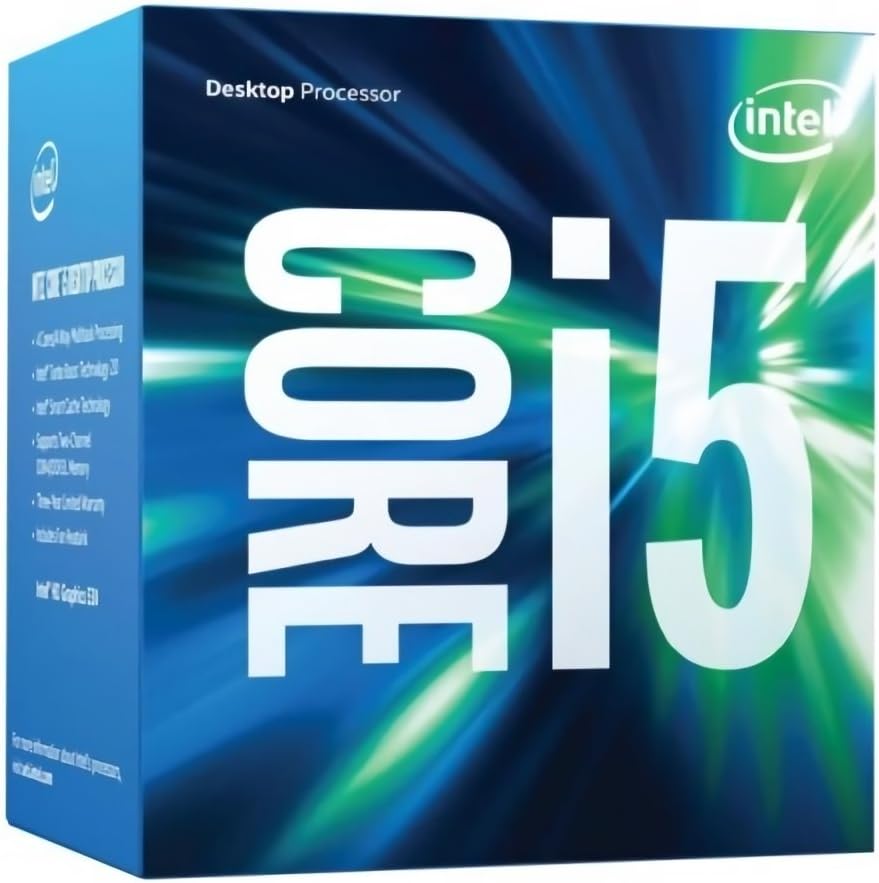
Paket İçeriği
Upon opening the retail box version of the Intel Core i5 6500 processor, you should find the following components:
- Intel Core i5 6500 Processor
- Fan and Heat Sink (Included)
- Dokümantasyon (Kullanım Kılavuzu, Kurulum Kılavuzu)

Kurulum ve Yükleme
Proper installation of your Intel Core i5 6500 processor is crucial for optimal performance and system stability. Always ensure your system is powered off and unplugged before beginning installation.
1. Motherboard Compatibility
Verify that your motherboard supports the LGA 1151 socket and is compatible with Intel Skylake processors. Consult your motherboard's manual for specific CPU support lists and BIOS requirements.
2. Preparing the Socket
Gently open the CPU retention lever on the motherboard's LGA 1151 socket. Lift the load plate.
3. İşlemcinin Takılması
Carefully align the triangular arrow on the corner of the processor with the corresponding arrow on the motherboard socket. Lower the processor straight down into the socket without forcing it. The processor should sit flush in the socket.
4. Securing the Processor
Close the load plate over the processor and press down the retention lever until it clicks into place. This secures the processor firmly in the socket.
5. Applying Thermal Paste and Installing Cooler
If your processor did not come with pre-applied thermal paste on the cooler, apply a small amount (pea-sized dot) of thermal paste to the center of the processor's integrated heat spreader (IHS). Then, carefully place the included Intel stock cooler (or an aftermarket cooler) onto the processor, aligning the mounting pins with the holes on the motherboard. Press down firmly on each pin until it clicks, ensuring the cooler is securely attached. Connect the cooler's fan cable to the CPU_FAN header on your motherboard.
Ayrıntılı görsel talimatlar için lütfen aşağıdaki bağlantıya bakın. Kurulum Kılavuzu (PDF).
İşletme Talimatları
Once installed, the Intel Core i5 6500 processor operates automatically with your system's operating system and applications. Its integrated Intel HD Graphics 530 allows for display output without a dedicated graphics card, though a discrete GPU is recommended for demanding graphical tasks and gaming.
- Performans: The processor dynamically adjusts its clock speed (up to 3.6 GHz with Intel Turbo Boost Technology) based on workload to optimize performance and power efficiency.
- Çoklu görev: With four physical cores, the i5-6500 is capable of handling multiple applications simultaneously, providing a smooth user experience.
- Entegre Grafikler: The Intel HD Graphics 530 supports 4K video playback and can handle light gaming and everyday computing tasks.

Bakım
The Intel Core i5 6500 processor requires minimal maintenance. The primary concern is ensuring adequate cooling to prevent overheating, which can lead to performance degradation or system instability.
- Toz Giderimi: Periodically clean dust from the CPU cooler's fan and heatsink fins using compressed air. Dust accumulation can impede airflow and reduce cooling efficiency.
- Termal Macun: The thermal paste applied during installation typically lasts for several years. If you notice consistently high temperatures, consider reapplying fresh thermal paste after cleaning the CPU and heatsink surfaces.
- Hava akışı: Ensure good airflow within your computer case by managing cables and keeping intake/exhaust vents clear.
Sorun giderme
If you encounter issues with your system after installing the Intel Core i5 6500 processor, consider the following common troubleshooting steps:
No Display/System Not Booting
- Bağlantıları Kontrol Edin: Ensure all power cables (24-pin ATX, 8-pin CPU) are securely connected to the motherboard. Verify that the CPU cooler fan is connected to the CPU_FAN header.
- Yeniden Yerleştirme Bileşenleri: Carefully reseat the CPU in its socket. Also, reseat RAM modules and any expansion cards (like a graphics card).
- BIOS/UEFI Güncellemesi: Some motherboards may require a BIOS/UEFI update to support newer processors. Consult your motherboard's manufacturer webalan.
Aşırı Isınma Sorunları
- Soğutucu Kurulumu: Confirm the CPU cooler is properly seated and making full contact with the processor's IHS. Ensure all mounting pins/screws are tightened.
- Termal Macun: Isı yalıtım macununun doğru ve yeterli miktarda uygulandığından emin olun.
- Kasa Hava Akışı: Check for proper case fan configuration and ensure no obstructions are blocking airflow.
- İzleme Yazılımı: Use system monitoring software (e.g., HWMonitor, Core Temp) to check CPU temperatures.
Sistem Kararsızlığı/Çökmeler
- RAM Sorunları: Test your RAM modules using diagnostic tools (e.g., MemTest86).
- Sürücü Güncellemeleri: Ensure your motherboard chipset drivers and integrated graphics drivers (if used) are up to date.
- Güç Kaynağı: Verify your power supply unit (PSU) has sufficient wattage and stable power delivery for all system components.
Özellikler
| Özellik | Detay |
|---|---|
| İşlemci Modeli | Intel Core i5-6500 |
| Soket Tipi | LGA1151 |
| Çekirdekler | 4 |
| Konular | 4 |
| Temel Saat Hızı | 3.2 GHz |
| Maksimum Turbo Frekansı | 3.6 GHz |
| Önbellek | 6 MB Akıllı Önbellek |
| Entegre Grafikler | Intel HD Grafik 530 |
| Maksimum Bellek Boyutu | 64 GB |
| Bellek Türleri | DDR4-1866/2133, DDR3L-1333/1600 @ 1.35V |
| TDP | 65 B |
| Ürün Model Numarası | BX80662I56500 |
| Ürün Boyutları | 4.7 x 4.4 x 3.1 inç |
| Ürün Ağırlığı | 10.4 ons |
Garanti Bilgileri
Intel processors typically come with a limited manufacturer's warranty. For specific details regarding the warranty period, coverage, and terms for your Intel Core i5 6500 processor, please refer to the warranty documentation included in your product packaging or visit the official Intel support webalan.
Satın alma belgenizi (fiş veya fatura) saklayın; garanti taleplerinizde bu belgeye ihtiyacınız olacaktır.
Destek ve Kaynaklar
Daha fazla yardım, teknik destek veya ek kaynaklara erişim için lütfen aşağıdaki seçenekleri kullanın:
- Resmi Intel Desteği: Ziyaret edin Intel Desteği Webalan for drivers, software, troubleshooting guides, and contact information.
- Kullanım Kılavuzu (PDF): A comprehensive user manual is available in PDF format for detailed information: Kullanıcı Kılavuzunu İndirin.
- Topluluk Forumları: Intel's community forums can be a valuable resource for peer-to-peer support and solutions to common issues.
Not: Bu kılavuzda satıcıya ait resmi ürün videosuna rastlanmamıştır.
Ask a question about this manual
Ask about setup, troubleshooting, compatibility, parts, safety, or missing instructions. Manuals+ will review the question and use this page’s manual context to help answer it.