
1. Giriş
The Aiwa Exos-9 is a portable Bluetooth speaker designed to deliver powerful, home-stereo class audio performance. This manual provides essential information for setting up, operating, and maintaining your speaker to ensure an optimal listening experience.
Key features include 200 watts of continuous power, a 6.5-inch dual-voice coil subwoofer, up to 9 hours of battery life, Bluetooth 4.2 connectivity, and a 5-band graphic equalizer for sound customization.
2. Kutuda Neler Var?
- Aiwa Exos-9 Taşınabilir Bluetooth Hoparlör
- Güç kablosu
3. Ürün Bittiview
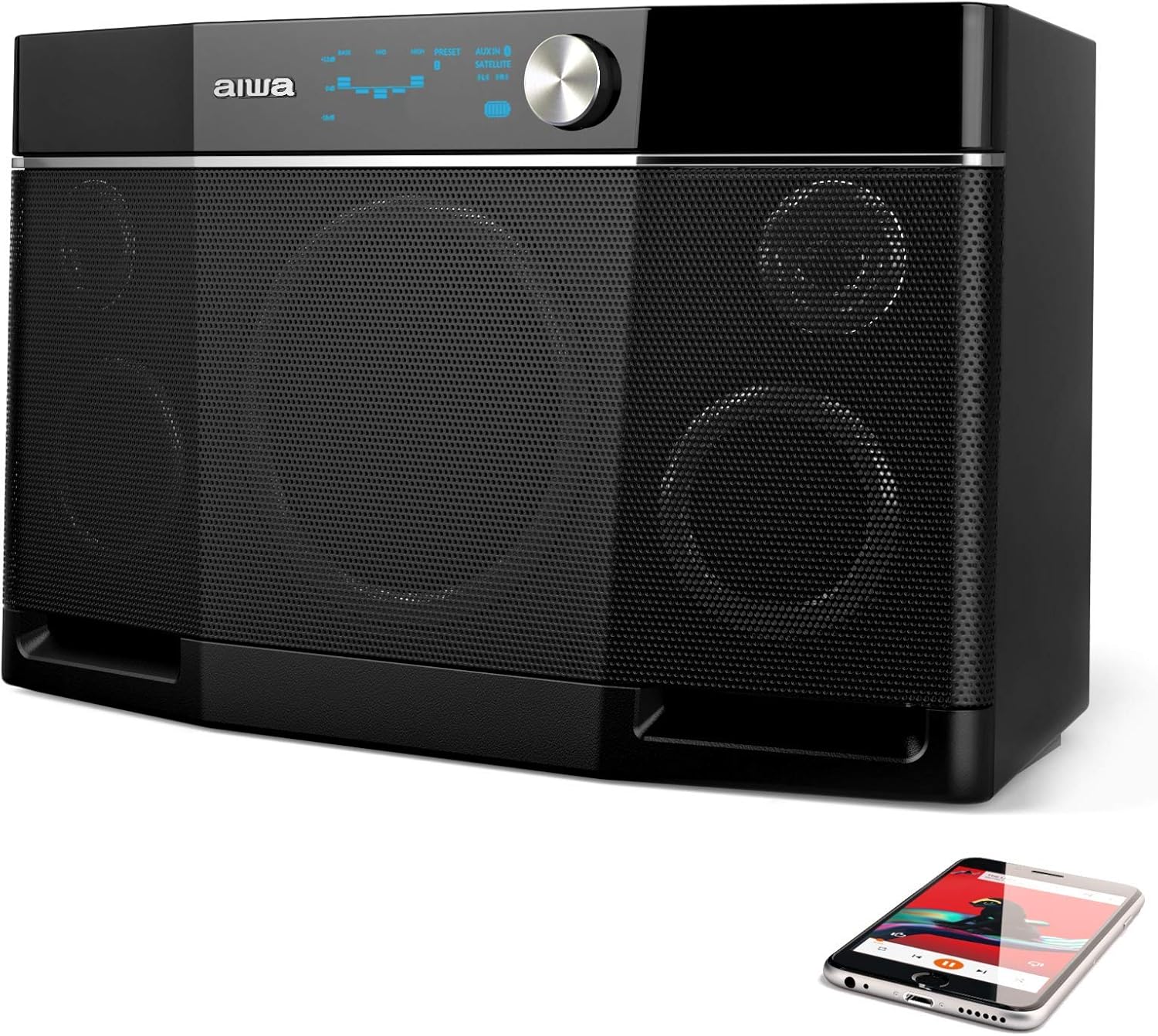
Şekil 1: Ön view of the Aiwa Exos-9 Portable Bluetooth Speaker, showcasing its sleek black design and speaker grilles.

Şekil 2: Açısal view of the Aiwa Exos-9, highlighting its robust construction and portable form factor.

Figure 3: Diagram illustrating the internal components of the Exos-9, including the 6.5-inch subwoofer and other drivers.

Figure 4: Top panel of the speaker, featuring the intuitive controls and the 5-band graphic equalizer for sound customization.

Figure 5: Two Aiwa Exos-9 speakers wirelessly linked together, demonstrating the stereo pairing capability.

Figure 6: Close-up of the connectivity options, including Bluetooth and the 3.5mm audio jack.
4. Kurulum
4.1 İlk Şarj
Before first use, fully charge your Aiwa Exos-9 speaker. Connect the provided power cable to the speaker's power input and a wall outlet. A full charge takes approximately 9 hours.
4.2 Bluetooth Eşleştirme
- Ensure the Exos-9 is powered on.
- Activate Bluetooth on your connecting device (e.g., smartphone, tablet).
- Arama "Exos-9" in your device's Bluetooth menu and select it to pair.
- The speaker will indicate successful pairing.
5. Hoparlörün Çalıştırılması
5.1 Temel Kontroller
The top panel of the Exos-9 features intuitive controls for power, volume, playback, and equalizer settings. Refer to Figure 4 for a visual guide.
5.2 Adjusting the Equalizer (EQ)
The Exos-9 features a 5-band onboard graphic equalizer. You can select from 4 available pre-set options or fine-tune the bass, mids, and highs to your preference. Consult the Quick Start Guide for detailed instructions on EQ adjustments.
5.3 Stereo Pairing (Link Mode)
Two Aiwa Exos-9 speakers can be wirelessly linked for true stereo sound. Follow these steps:
- Ensure both Exos-9 units are powered on and not connected to any Bluetooth device.
- On one speaker, press and hold the "LINK" button for 3 seconds until you hear a beep.
- Aynı işlemi ikinci hoparlörde de tekrarlayın.
- The speakers will automatically connect to each other, indicated by a specific sound or light pattern.
- Now, connect your Bluetooth device to one of the linked speakers.
6. Bağlantı
6.1 Bluetooth
The Exos-9 utilizes Bluetooth 4.2 for instant pairing and maintains a strong connection up to 80 feet. It remembers your last connected device for effortless reconnection.
6.2 3.5mm Ses Jakı
For wired connections, use the 3.5mm audio jack to connect devices without Bluetooth capability.
6.3 USB'den Şarj Etme
The speaker features a USB port that can be used for charging phones and tablets, making it convenient for outdoor use.
7. Pil Yönetimi
The Exos-9 is equipped with a quick-swap Lithium-ion battery pack, providing up to 9 hours of unplugged sound. Battery capacity is rated for up to 12 hours under specific conditions. To maximize battery life, ensure the unit is fully charged before extended use. The charging time is approximately 9 hours.
8. Bakım
To ensure the longevity and optimal performance of your Aiwa Exos-9 speaker, follow these guidelines:
- Hoparlörü yumuşak ve kuru bir bezle silerek temiz tutun.
- Hoparlörü aşırı sıcaklıklara veya doğrudan güneş ışığına uzun süre maruz bırakmaktan kaçının.
- While durable, the speaker is not waterproof. Protect it from water and excessive moisture.
- Hoparlörü kullanılmadığı zaman serin ve kuru bir yerde saklayın.
9. Sorun Giderme
9.1 Refreshing Bluetooth Connections
If you experience connectivity issues or need to reset the Bluetooth connection, follow these steps:
- On your connecting device, go to the Bluetooth menu and "Forget" or "Unpair" the Exos-9 speaker.
- Power on your Exos-9 unit using its battery.
- Press and hold the "PLAY" and "LINK" buttons simultaneously for 3 seconds, or until you hear the unit beep.
- Arama "Exos-9" in your device's Bluetooth menu again, then add and connect.
10. Özellikler
| Özellik | Detay |
|---|---|
| Model Adı | AI6020 (Item model number: Aiwa-9002) |
| Hoparlör Tipi | Subwoofer |
| Hoparlör Maksimum Çıkış Gücü | 400 Watt |
| Ses Çıkışı Modu | Stereo |
| Kablosuz İletişim Teknolojisi | Bluetooth, NFC |
| Bluetooth Menzili | 80 Ayak |
| Güç Kaynağı | Pil ile çalışır |
| Pil Ömrü (Oynatma) | Up to 9 hours (12 hours capacity) |
| Şarj Süresi | 9 Saat |
| Ürün Boyutları | 7.5"D x 11.7"G x 19.4"Y |
| Ürün Ağırlığı | 13 Pound |
| Malzeme | Plastic, Paper/Polypropylene (Components), Metal/Plastic (Enclosure) |
| Özel Özellik | Micro-USB for firmware updates, Stereo Pairing, USB charging for phones and tablets |
| Su Geçirmez | YANLIŞ |
11. Garanti ve Destek
11.1 Sınırlı Garanti
The Aiwa Exos-9 comes with a 1-year limited warranty. Please refer to your product's welcome letter or the official Aiwa website for full warranty details and registration information.
11.2 Müşteri Desteği
For any questions, technical support, or assistance, the Aiwa Customer Service team is available. Please contact them through the email address provided in your product's welcome letter.
12. Resmi Ürün Videosu
Video 1: An official product video from Aiwa Corp. showcasing the Exos-9 Bluetooth Speaker, emphasizing its powerful sound and portability. This video highlights the speaker's ability to deliver high-quality audio without compromising on mobility.