
1. บทนำ
Welcome to the OPPO K14 5G Smartphone user manual. This guide provides comprehensive instructions to help you set up, operate, and maintain your new device. Please read this manual thoroughly to ensure optimal performance and longevity of your smartphone.
2. สินค้าหมดview
The OPPO K14 5G is a high-performance smartphone designed for daily use, gaming, and content creation. It features a durable design, a powerful 7000 mAh battery, 6GB RAM, 128GB internal storage, and a SuperCool VC System for efficient thermal management.
2.1 ส่วนประกอบของอุปกรณ์
- แสดง: Large, vibrant screen for immersive viewการไอเอ็นจี
- กล้องหลัง: Dual AI camera system for high-quality photography.
- กล้องหน้า: สำหรับการเซลฟี่และวิดีโอคอล
- ปุ่มเปิด/ปิด: Located on the side, used for power on/off and screen lock.
- ปุ่มปรับระดับเสียง: Located on the side, used to adjust audio levels.
- พอร์ต USB-C: สำหรับการชาร์จและถ่ายโอนข้อมูล
- ช่องใส่ซิมการ์ด/การ์ด SD: สำหรับใส่ซิมการ์ดและเพิ่มหน่วยความจำเสริม
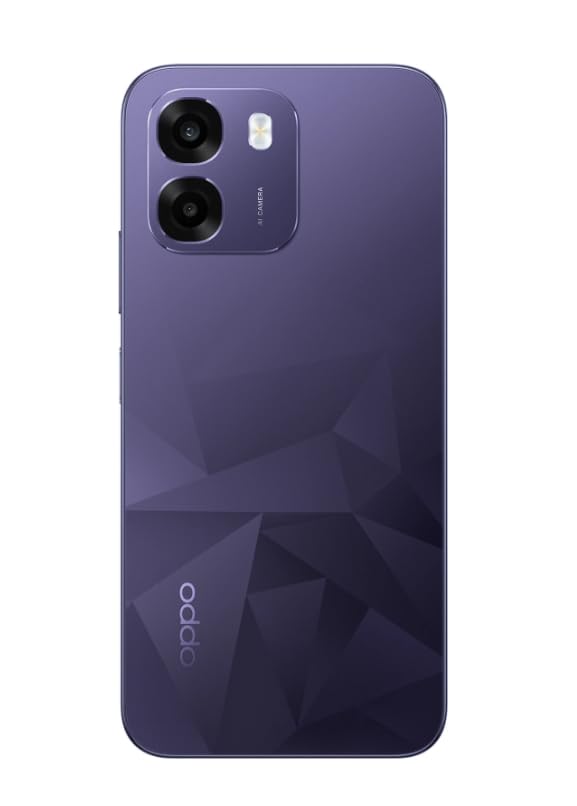
ภาพ: ด้านหลัง view of the OPPO K14 5G Smartphone, showcasing the dual camera setup and geometric pattern in Prism Violet.
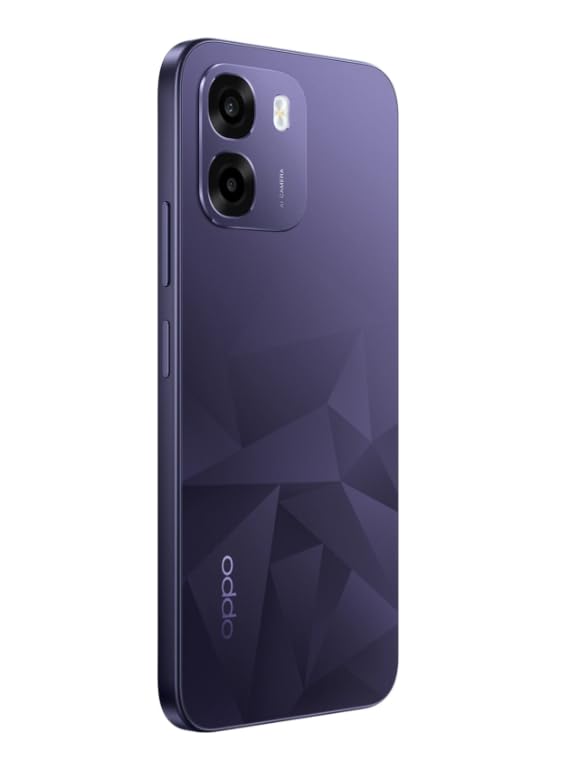
ภาพ: ด้านข้าง view of the OPPO K14 5G Smartphone, highlighting the slim profile และการวางตำแหน่งของปุ่ม
3. การตั้งค่า
3.1 การใส่ซิมการ์ด/การ์ด SD
- ค้นหาถาดใส่การ์ด SIM/SD ที่ด้านข้างอุปกรณ์ของคุณ
- ใส่เครื่องมือถอดซิมเข้าไปในรูเล็ก ๆ ข้างถาดและกดเบา ๆ จนถาดหลุดออกมา
- ใส่การ์ด Nano-SIM และ/หรือการ์ด microSD ลงในถาดโดยให้หน้าสัมผัสสีทองคว่ำลง ตรวจสอบให้แน่ใจว่าใส่การ์ดถูกต้อง
- ใส่ถาดกลับเข้าไปในโทรศัพท์อย่างระมัดระวัง
3.2 การเปิดเครื่องครั้งแรกและการตั้งค่า
- กดปุ่มเปิด/ปิดค้างไว้จนกว่าโลโก้ OPPO จะปรากฏขึ้น
- ทำตามคำแนะนำบนหน้าจอเพื่อเลือกภาษา ภูมิภาค เชื่อมต่อกับ Wi-Fi และตั้งค่าบัญชี Google ของคุณ
- You can transfer data from an old device during this process or skip it for later.
3.3 การชาร์จอุปกรณ์
Before first use, it is recommended to fully charge your OPPO K14 5G. Connect the USB-C cable to the phone's charging port and the other end to a compatible power adapter. The device supports 45W fast charging.
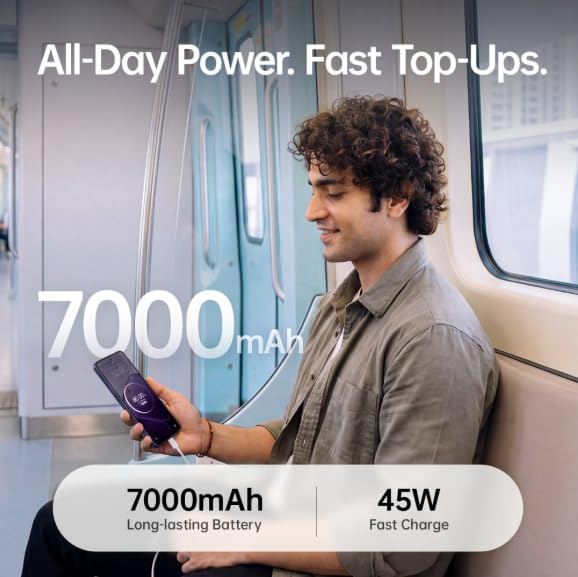
Image: The OPPO K14 5G highlighting its 7000mAh long-lasting battery and 45W fast charge capability.
4. คู่มือการใช้งาน
4.1 การนำทางพื้นฐาน
- สัมผัส: Tap to select items, open apps, or confirm actions.
- ปัด: Move your finger across the screen to scroll, switch between home screens, or navigate within apps.
- หยิก: ใช้สองนิ้วเพื่อซูมเข้าหรือออกจากรูปภาพและ web หน้า
- ท่าทาง: Customize navigation gestures in Settings for a fluid experience. The 120Hz display ensures smooth motion.
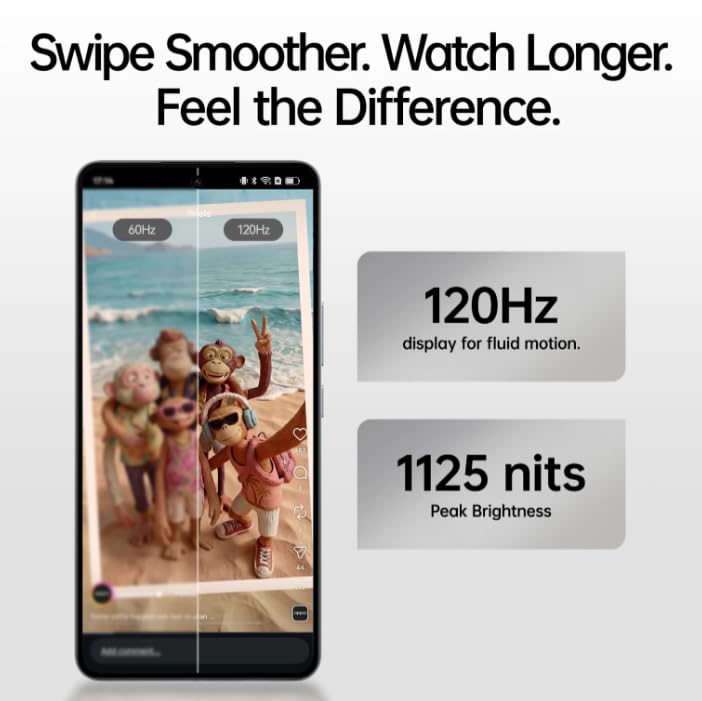
Image: The OPPO K14 5G display showcasing 120Hz for fluid motion and 1125 nits peak brightness.
4.2 การโทรและการส่งข้อความ
- โทรออก: เปิดแอปโทรศัพท์ ป้อนหมายเลข และแตะไอคอนโทร
- การส่งข้อความ: เปิดแอปข้อความ แตะเพื่อเริ่มการสนทนาใหม่ ป้อนชื่อผู้รับและข้อความของคุณ
4.3 การเชื่อมต่อเครือข่าย
The OPPO K14 5G supports 5G connectivity for fast internet speeds. Ensure your SIM card supports 5G and that you are in a 5G coverage area. You can manage Wi-Fi and mobile data settings in the Settings app.
5. การใช้กล้อง
Your OPPO K14 5G is equipped with a dual AI camera system designed to capture sharp and detailed photos in various conditions. The main camera is 50MP.
5.1 การถ่ายภาพและวิดีโอ
- เปิดแอปกล้อง
- เลือกโหมดที่คุณต้องการ (ภาพถ่าย, วิดีโอ, ภาพบุคคล, กลางคืน ฯลฯ)
- แตะปุ่มชัตเตอร์เพื่อถ่ายภาพหรือเริ่ม/หยุดการบันทึกวิดีโอ
- Use the zoom controls or switch between lenses as needed.
6. การจัดการแบตเตอรี่
The OPPO K14 5G features a large 7000 mAh battery, providing extended usage time. To maximize battery life:
- ปรับความสว่างหน้าจอ
- ปิดแอปที่ไม่ได้ใช้ที่ทำงานอยู่เบื้องหลัง
- เปิดใช้งานโหมดประหยัดพลังงานเมื่อแบตเตอรี่เหลือน้อย
- หลีกเลี่ยงอุณหภูมิที่สูงหรือต่ำเกินไป
7. ประสิทธิภาพและการระบายความร้อน
The device is engineered for smooth performance with 6GB RAM and is equipped with a SuperCool VC System. This system includes a 3900 mm² vapour chamber cooling area, which effectively dissipates heat during intensive tasks like gaming, ensuring sustained performance without overheating.
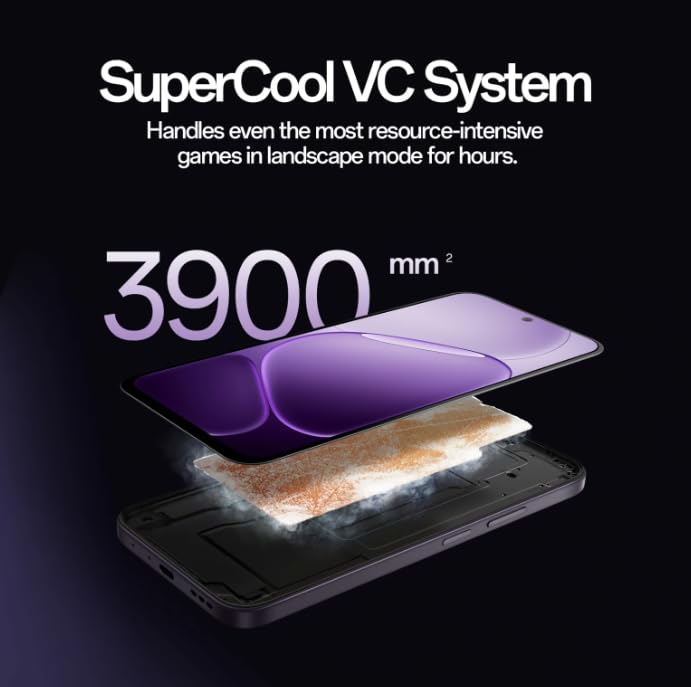
Image: Diagram illustrating the SuperCool VC System with its 3900 mm² vapour chamber, designed to prevent overheating during extended use.
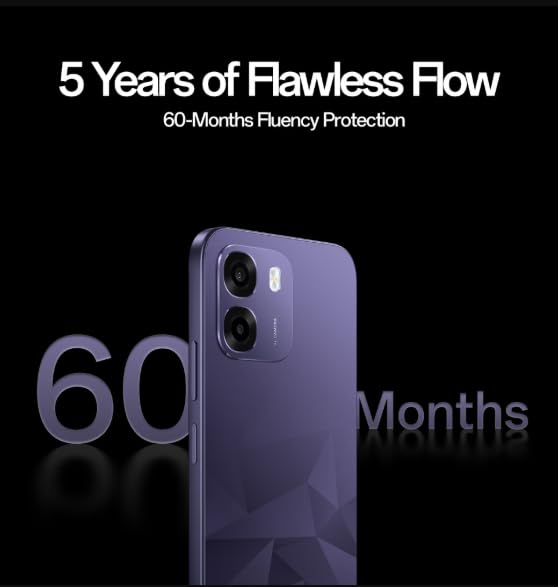
Image: The OPPO K14 5G promoting 60-Months Fluency Protection for long-term smooth performance.
8. การบำรุงรักษา
8.1 การทำความสะอาดอุปกรณ์ของคุณ
Use a soft, lint-free cloth to clean the screen and body of your phone. Avoid using harsh chemicals or abrasive materials. The device offers IP69 all-weather protection.
8.2 การอัปเดตซอฟต์แวร์
Regularly check for and install software updates to ensure your device has the latest features, security patches, and performance improvements. Go to Settings > About device > Software update.
8.3 การสำรองข้อมูล
สำรองข้อมูลสำคัญของคุณ (ภาพถ่าย, รายชื่อติดต่อ, เอกสาร) เป็นระยะๆ ไปยังบริการคลาวด์หรือคอมพิวเตอร์เพื่อป้องกันการสูญหายของข้อมูล
9 การแก้ไขปัญหา
If you encounter issues with your OPPO K14 5G, try the following steps:
- อุปกรณ์ไม่เปิด: Ensure the battery is charged. Connect to a charger for at least 15 minutes before attempting to power on.
- แอปขัดข้อง/หยุดทำงาน: ปิดแอปแล้วเปิดใหม่อีกครั้ง หากปัญหายังคงอยู่ ให้ล้างแคชของแอป (การตั้งค่า > แอป > [ชื่อแอป] > ที่เก็บข้อมูล > ล้างแคช)
- Network Issues (5G/Wi-Fi): Check if Airplane Mode is off. Restart your phone. For Wi-Fi, try forgetting the network and reconnecting. For 5G, ensure you have coverage and your SIM is active.
- ประสิทธิภาพการทำงานช้า: ปิดแอปพื้นหลัง ล้างแคช หรือรีสตาร์ทอุปกรณ์
- รีเซ็ตเป็นค่าเริ่มต้นจากโรงงาน: As a last resort, if problems persist, you can perform a factory reset (Settings > System settings > Back up and reset > Reset phone). คำเตือน: การดำเนินการนี้จะลบข้อมูลทั้งหมดในโทรศัพท์ของคุณ โปรดสำรองข้อมูลก่อนดำเนินการต่อ
10. ข้อมูลจำเพาะ
| คุณสมบัติ | ข้อมูลจำเพาะ |
|---|---|
| ยี่ห้อ | ออปโป้ |
| แบบอย่าง | เค14 5จี |
| ขนาดหน่วยความจำ RAM ที่ติดตั้ง | 6GB |
| ความจุของหน่วยความจำ | 128GB |
| เทคโนโลยีเซลลูล่าร์ | 5G |
| เทคโนโลยีการเชื่อมต่อ | 5G |
| สี | Prism Violet |
| Number of Rear Facing Cameras | 2 |
| ความจุของแบตเตอรี่ | 7000 มิลลิวินาทีamp ชั่วโมง |
| การใช้งานเฉพาะของผลิตภัณฑ์ | Gaming, Content Creation |
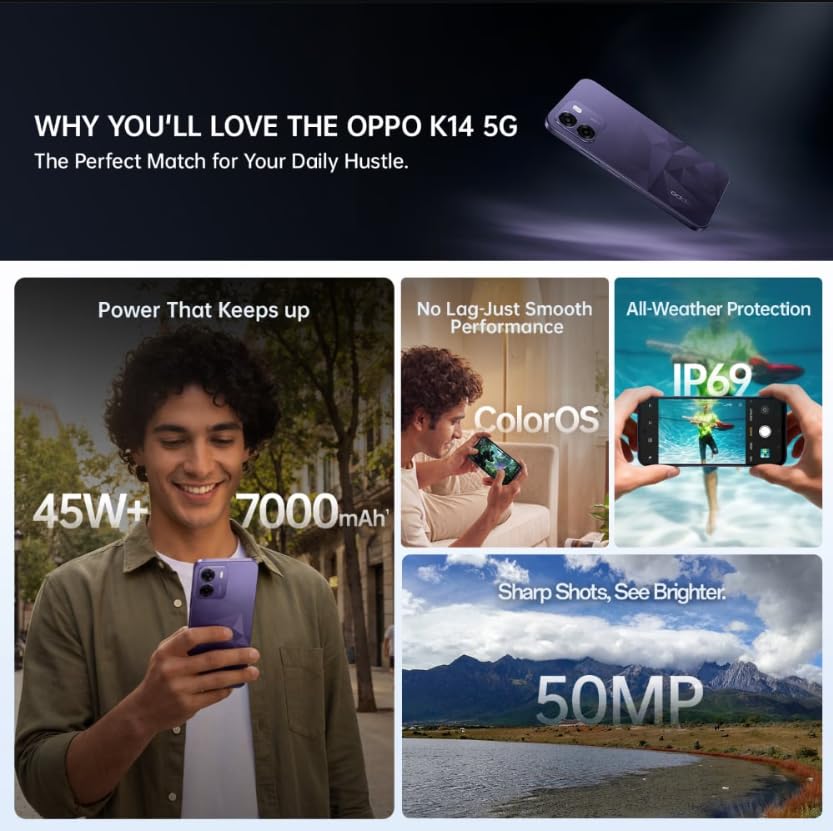
Image: A collage of key features for the OPPO K14 5G, including 7000mAh battery, smooth performance with ColorOS, IP69 all-weather protection, and a 50MP camera.
11. การรับประกันและการสนับสนุน
Your OPPO K14 5G Smartphone comes with a standard manufacturer's warranty. Please refer to the warranty card included in your product packaging for specific terms and conditions, including coverage duration and service procedures. For technical assistance, troubleshooting beyond this manual, or warranty claims, please contact OPPO customer support through their official webสถานที่หรือศูนย์บริการที่กำหนดไว้
Keep your purchase receipt and product packaging for warranty purposes.