
การแนะนำ
This manual provides essential information for setting up, operating, maintaining, and troubleshooting your TCL 55QM64L Series Mini LED QLED 4K HDR Smart Fire TV. Please read these instructions carefully before using your television to ensure proper functionality and safety.
การตั้งค่า
มีอะไรอยู่ในกล่อง
ตรวจสอบว่าส่วนประกอบทั้งหมดมีอยู่ก่อนดำเนินการติดตั้ง
- ทีวี TCL พร้อมระบบ Fire TV
- ชั้นวางทีวี (2)
- สายไฟ
- TV Remote + Batteries (2 AAA batteries required)
- บัตรรับประกัน
- คู่มือเริ่มต้นอย่างรวดเร็ว (ไม่รวมอยู่ในคู่มือดิจิทัลฉบับนี้)

Image: The TCL 55QM64L television, its remote control, and stand, with a diagram illustrating the product dimensions and a list of included accessories.
Physical Dimensions and Ports
The TCL 55QM64L TV measures approximately 11.6 inches deep, 48.4 inches wide, and 30.5 inches high (with stand). It features multiple connectivity options for various devices.
- USB 3.0 Flash Drive Port: For easy access to pictures and movies.
- USB 2.0 Flash Drive Port: For easy access to pictures and movies.
- Ethernet (Internet Router) Port: For the fastest, most stable internet connection.
- HDMI 1, HDMI 2, HDMI 3 Ports: For cable box, Blu-ray player, and other HDMI devices.
- HDMI 4 (eARC) Port: HDMI with ARC/eARC audio return channel for soundbars or receivers.
- Cable/Antenna Port: For over-the-air viewการไอเอ็นจี
- ออปติคอลเสียงออก: Digital output for soundbars or receivers.

ภาพ: ด้านข้างโดยละเอียด view of the TCL 55QM64L television, highlighting the various input and output ports including USB, Ethernet, HDMI, Cable/Antenna, and Optical Audio Out.
การติดตั้งขาตั้งทีวี
วิธีการติดตั้งขาตั้งทีวีที่ให้มา:
- วางทีวีคว่ำหน้าลงบนพื้นผิวที่นุ่มและสะอาดอย่างระมัดระวังเพื่อป้องกันความเสียหาย
- จัดขาตั้งแต่ละอันให้ตรงกับช่องที่ด้านล่างของทีวี
- ยึดขาตั้งด้วยสกรูที่ให้มา ตรวจสอบให้แน่ใจว่าขันแน่นสนิท

ภาพ: โปรด้านข้างfile view of the TCL 55QM64L television, illustrating the slim design and the attached stand.

ภาพ: ภาพระยะใกล้ view of the TV stand securely attached to the bottom frame of the TCL 55QM64L television.
ติดตั้งบนผนัง
If you choose to wall mount your TV, ensure you use a VESA-compatible wall mount (75 x 75 mm standard) and follow the wall mount manufacturer's instructions carefully. Professional installation is recommended.
การเชื่อมต่อพลังงานและการตั้งค่าเริ่มต้น
Connect the power cable to the TV and then to a power outlet. Follow the on-screen instructions to complete the initial setup, including network connection and Fire TV account login.
การใช้งานทีวีของคุณ
รีโมทคอนโทรล
The included remote control allows you to navigate the Fire TV interface, control volume, change channels, and access various features. Ensure the two AAA batteries are correctly inserted.

Image: The remote control for the TCL 55QM64L television, featuring dedicated buttons for streaming services and voice control.
อินเทอร์เฟซและการสตรีมของ Fire TV
Your TCL 55QM64L TV features the Fire TV operating system, providing access to a wide range of streaming applications and content. Navigate using the remote control's directional pad and select button.
- เข้าถึงแอปพลิเคชัน: Enjoy apps like Prime Video, Netflix, Disney+, Hulu, and HBO Max.
- รับชมแบบสตรีมมิ่งฟรี: รับชมคอนเทนต์จาก Fire TV Channels, Pluto TV, Tubi และอีกมากมาย
- ค้นหาเนื้อหา: Use Fire TV Search to find movies, shows, and games by actor, plot, or quotes.
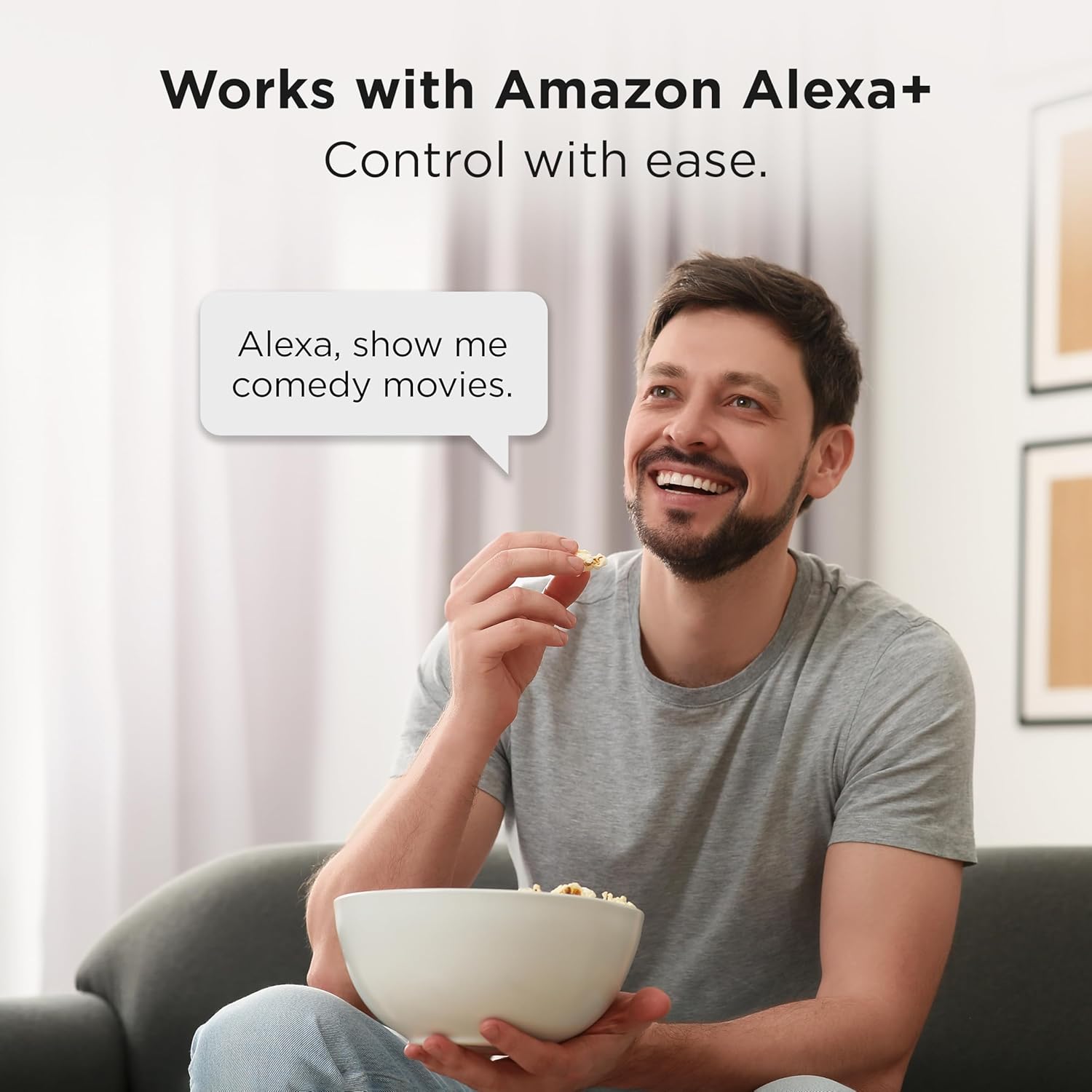
Image: The TCL 55QM64L television screen showing the Fire TV home interface, with a selection of streaming applications and content recommendations.
Alexa+ Voice Remote and Smart Home Integration
The Alexa+ Voice Remote allows for voice control of your TV and compatible smart home devices.
- คำสั่งเสียง: Use voice commands to search for content, control playback, and manage settings.
- ศูนย์กลางบ้านอัจฉริยะ: Pair your Fire TV with compatible smart devices to view live camera feeds, control lighting, and adjust thermostats using Alexa+.

Image: A man sitting on a couch, speaking a voice command to his TCL Fire TV, demonstrating the Alexa+ integration.
การตั้งค่าภาพและเสียง
Your TV offers advanced picture and sound technologies for an optimized viewการสร้างประสบการณ์
- QD-Mini LED & Halo Control System: Provides high-quality viewing with precise lighting and "Halo-Free" images.
- Local Dimming Pro: Dynamically adapts to on-screen content for deep blacks and enhanced contrast.
- High Brightness Pro: Ensures a clear picture in various room lighting conditions.
- Enhanced QLED: Delivers vibrant colors and realism, reproducing nearly all the DCI-P3 color space.
- ความละเอียด 4K UltraHD: Offers incredible detail with four times the resolution of 1080p Full HDTVs.
- 144Hz Native Refresh Rate: Provides smooth video playback and motion clarity.
- TCL AIPQ PRO Processor: Optimizes picture clarity, contrast, color, motion, upscaling, and backlighting using AI.
- ONKYO 2.1 Speaker System with Subwoofer: Delivers high-performance spatial sound with Dolby Atmos and DTS Virtual:X.

Image: Graphic illustrating the QD-Mini LED technology, emphasizing its visual and visionary capabilities.

Image: A comparison graphic showing a conventional display versus TCL's Halo Control System, demonstrating precision lighting for ultimate performance.

Image: Illustration of Local Dimming Pro, showing adaptive local dimming for deep blacks and great contrast.

Image: A comparison graphic demonstrating High Brightness Pro, showing a great picture in virtually any room lighting environment.

Image: A comparison graphic illustrating the High Contrast HVA Panel technology, providing incredible contrast for stunning pictures.

Image: A graphic comparing colors without QLED versus with QLED, highlighting more vibrant and realistic colors.

Image: A living room scene with the TCL 55QM64L TV displaying a high-resolution 4K image, demonstrating the clarity of 4K UltraHD Resolution.

Image: A graphic comparing a scene without 144Hz Native Refresh Rate versus with it, showing enhanced fluidity and clarity for gaming and sports.

Image: An illustration of the TCL AIPQ PRO Processor chip, representing its role in optimizing picture quality with AI.

Image: A graphic depicting a living room with the TCL TV and sound waves emanating from it, illustrating the immersive audio experience of the Onkyo 2.1 Speaker System with Subwoofer.
คุณสมบัติการเล่นเกม
- Game Accelerator 288 (240 on 55”): Provides blistering fast Variable Refresh Rate (VRR) for lag-free gaming.
- Auto Game Mode (ALLM) with AMD FreeSync Premium Pro: Automatically enables game mode for the lowest input lag and latency.

Image: A scene from a video game, illustrating the smooth and lag-free experience provided by Game Accelerator 288.

Image: A gaming scene demonstrating the benefits of Auto Game Mode (ALLM) with AMD FreeSync Premium Pro for optimized gaming performance.
แอปเปิล AirPlay2
Share videos, photos, music, and more directly from your Apple devices to your TCL 55QM64L Smart TV using Apple AirPlay 2.

Image: A graphic showing an iPhone screen mirroring content to the TCL TV via Apple AirPlay 2.
การซ่อมบำรุง
ทำความสะอาดทีวีของคุณ
- ควรถอดปลั๊กทีวีทุกครั้งก่อนทำความสะอาด
- ใช้ผ้าแห้งนุ่มเช็ดหน้าจอและตู้
- สำหรับรอยฝังแน่น ให้เช็ดเบาๆampชุบผ้าด้วยน้ำหรือน้ำยาทำความสะอาดหน้าจอสูตรอ่อนโยนที่ไม่กัดกร่อน ห้ามฉีดน้ำยาลงบนหน้าจอโดยตรง
- หลีกเลี่ยงการใช้แอลกอฮอล์ เบนซิน ทินเนอร์ หรือสารระเหยอื่นๆ เพราะอาจทำให้ทีวีเสียหายได้
การอัพเดตซอฟต์แวร์
Your Fire TV will periodically check for and install software updates automatically when connected to the internet. Ensure your TV remains connected to a stable internet connection to receive these updates, which can improve performance and add new features.
การแก้ไขปัญหา
หากคุณประสบปัญหาเกี่ยวกับทีวี โปรดดูวิธีแก้ไขทั่วไปต่อไปนี้:
ไม่มีไฟฟ้า / ทีวีไม่เปิด
- ตรวจสอบให้แน่ใจว่าสายไฟเสียบเข้ากับทีวีและเต้ารับไฟฟ้าที่ใช้งานได้แน่นหนา
- ตรวจสอบว่าเต้ารับไฟฟ้าใช้งานได้หรือไม่โดยเสียบอุปกรณ์อื่นเข้าไป
- กดปุ่มเปิด/ปิดบนทีวีโดยตรง ไม่ใช่แค่บนรีโมทเท่านั้น เพื่อตัดปัญหาที่รีโมท
ไม่มีภาพ / คุณภาพของภาพต่ำ
- Verify that the correct input source is selected (e.g., HDMI 1, Cable/Antenna).
- Check all cable connections (HDMI, antenna) to ensure they are secure.
- หากใช้อุปกรณ์ภายนอก โปรดตรวจสอบให้แน่ใจว่าอุปกรณ์เปิดอยู่และทำงานได้อย่างถูกต้อง
- ปรับการตั้งค่าภาพ (ความสว่าง ความคมชัด สี) ในเมนูทีวี
- If experiencing "halo" effects or poor local dimming, ensure the latest software is installed and consider adjusting picture modes.
ไม่มีเสียง / คุณภาพเสียงไม่ดี
- Increase the volume on both the TV and any connected audio devices (soundbar, receiver).
- ตรวจสอบการเชื่อมต่อสายสัญญาณเสียง (HDMI ARC, Optical)
- ตรวจสอบให้แน่ใจว่าฟังก์ชันปิดเสียงของทีวีไม่ได้เปิดใช้งานอยู่
- ตรวจสอบการตั้งค่าเอาต์พุตเสียงในเมนูทีวี (เช่น ลำโพงภายใน ระบบเสียงภายนอก)
รีโมทคอนโทรลไม่ตอบสนอง
- เปลี่ยนแบตเตอรี่ด้วยแบตเตอรี่ AAA ใหม่
- ตรวจสอบให้แน่ใจว่าไม่มีสิ่งกีดขวางระหว่างรีโมทและเซ็นเซอร์ IR ของทีวี
- เล็งรีโมทไปที่เซ็นเซอร์ของทีวีโดยตรง
- หากจับคู่รีโมตผ่านบลูทูธ ให้ลองจับคู่ใหม่อีกครั้งตามคำแนะนำบนหน้าจอ
Network / Internet Connectivity Issues
- รีสตาร์ทเราเตอร์ Wi-Fi และโมเด็มของคุณ
- Check the TV's network settings to ensure it is connected to the correct Wi-Fi network and the password is entered correctly.
- หากใช้สายอีเทอร์เน็ต โปรดตรวจสอบให้แน่ใจว่าเชื่อมต่อกับทีวีและเราเตอร์อย่างแน่นหนา
- Try moving the TV closer to the router or using a Wi-Fi extender if the signal is weak.
ข้อมูลจำเพาะ
| คุณสมบัติ | รายละเอียด |
|---|---|
| ยี่ห้อ | ทีซีแอล |
| ชื่อรุ่น | QM64L |
| หมายเลขรุ่น | 55QM64L |
| ขนาดหน้าจอ | 55 นิ้ว |
| เทคโนโลยีการแสดงผล | QLED, Mini-LED Backlight |
| ปณิธาน | 4K UltraHD (3840 x 2160) |
| อัตราการรีเฟรช | 144 เฮิรตซ์ เนทีฟ |
| รองรับรูปแบบ HDR | HDR10, HDR10+, Dolby Vision IQ, HLG |
| Motion Enhancement Technology | Motion Rate 480, Game Accelerator 240 |
| โปรเซสเซอร์ | TCL AIPQ PRO Processor |
| ระบบเสียง | ONKYO 2.1 Speaker System with built-in subwoofer |
| Integrated Surround Sound | ระบบเสียง Dolby Atmos, DTS Virtual:X |
| ระบบปฏิบัติการ | ไฟร์ทีวี |
| เทคโนโลยีการเชื่อมต่อ | Bluetooth, HDMI (4 ports), USB (2 ports), Wi-Fi, Ethernet |
| พอร์ต HDMI | 4 (รวม 1 eARC) |
| พอร์ต USB | 2 (1x USB 3.0, 1x USB 2.0) |
| คุณสมบัติพิเศษ | Ambient Light Sensor, Bezel-Less Design, Game Mode, Wide Viewing Angle, Apple AirPlay 2, Alexa+ Voice Remote |
| ขนาดสินค้า (รวมขาตั้ง) | ลึก 11.6 นิ้ว x กว้าง 48.4 นิ้ว x สูง 30.5 นิ้ว |
| มาตรฐาน VESA Mount | 75 x 75 มม. |
| ส่วนประกอบที่รวมอยู่ | Power Cable, Remote Control, Stand, Warranty Card |
| แบตเตอรี่ที่จำเป็น | 2 AAA batteries for remote |
ข้อมูลการรับประกัน
Your TCL 55QM64L Series TV comes with a การรับประกันจากผู้ผลิต 1 ปี. Please refer to the included Warranty Card for full terms and conditions. Keep your proof of purchase for warranty claims.
การสนับสนุนลูกค้า
For further assistance, technical support, or service inquiries, please contact TCL Customer Support. Contact information can typically be found on the TCL official webไซต์หรือบนบัตรรับประกันของคุณ
Before contacting support, please have your TV model number (55QM64L) and serial number ready.