
1. บทนำ
Thank you for choosing the GOBOULT Tenet TWS Earbuds. This manual provides essential information for setting up, operating, and maintaining your earbuds to ensure optimal performance and longevity. The Tenet earbuds feature Bluetooth 5.4 connectivity, 13mm dynamic drivers, Quad Mic Environmental Noise Cancellation (ENC), and support for the Amp App for personalized audio.
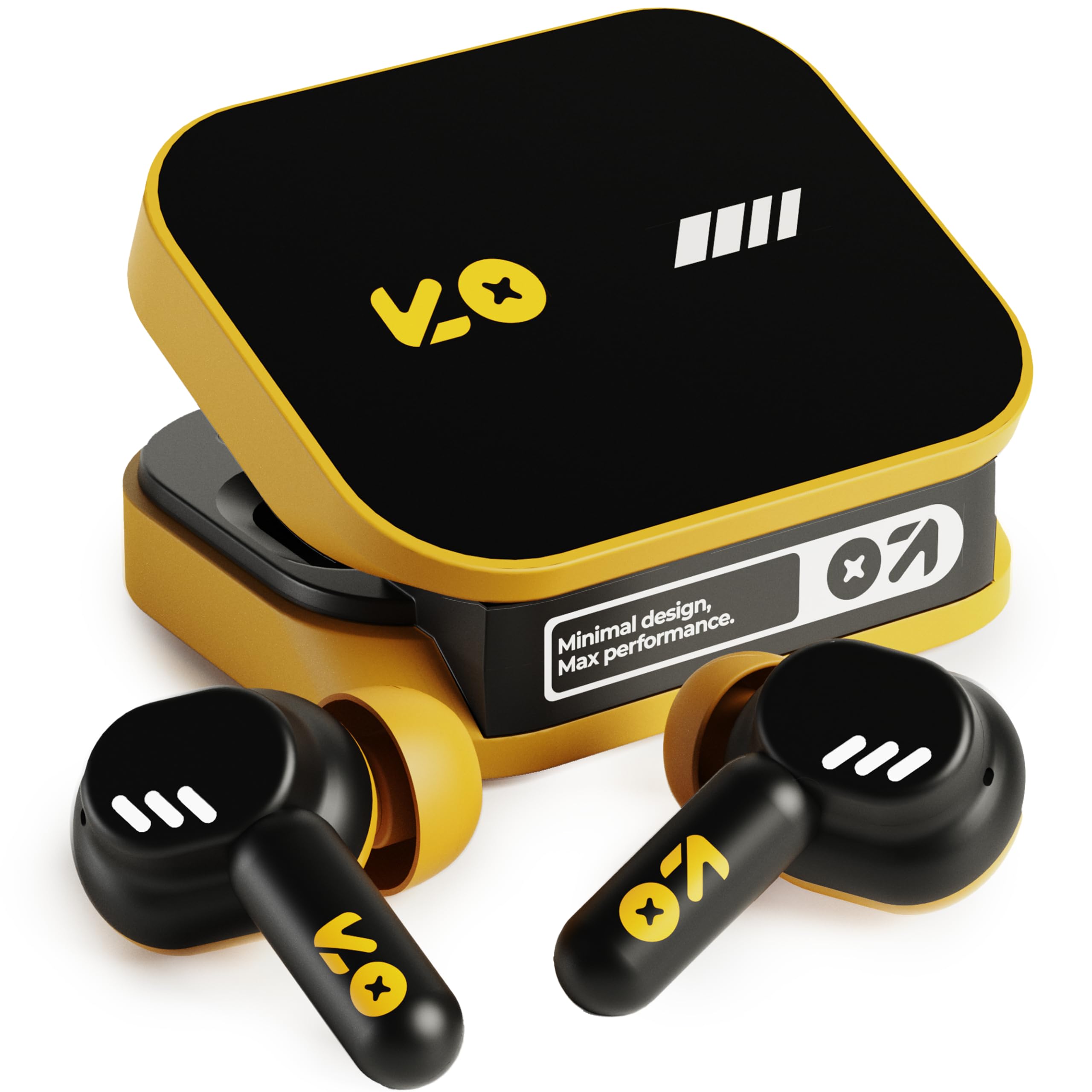
Image: The GOBOULT Tenet TWS Earbuds in Solar Yellow, shown with their charging case.
2. เนื้อหาบรรจุภัณฑ์
ตรวจสอบว่ามีรายการทั้งหมดต่อไปนี้รวมอยู่ในแพ็คเกจของคุณ:
- GOBOULT Tenet TWS Earbuds (Left and Right)
- เคสชาร์จไฟ
- สายชาร์จแบบ USB Type-C
- แผ่นรองหูฟัง (หลายขนาด)
- คู่มือการใช้งาน (เอกสารนี้)
- บัตรรับประกัน
3. การตั้งค่า
3.1. การชาร์จหูฟังและเคส
Before first use, fully charge the earbuds and the charging case. The case provides extended battery life for the earbuds.
- วางหูฟังทั้งสองข้างลงในกล่องชาร์จ โดยให้แน่ใจว่าอยู่ในตำแหน่งที่ถูกต้อง
- เชื่อมต่อสายชาร์จ USB Type-C ที่ให้มากับพอร์ตชาร์จบนเคส และกับแหล่งจ่ายไฟ USB ที่ใช้งานร่วมกันได้ (เช่น อะแดปเตอร์ติดผนัง พอร์ต USB ของคอมพิวเตอร์)
- The indicator light on the charging case will show the charging status. Refer to the LED indicator guide in the operating section for details.
- A full charge provides up to 75 hours of total playtime with the charging case. A quick 10-minute charge can provide up to 120 minutes of playtime.

Image: The GOBOULT Tenet earbuds in their open charging case, illustrating the USB-C charging port and battery life.
3.2. การใส่หูฟัง
Proper fit is crucial for sound quality and comfort. The earbuds feature a 'Vacuum Lock Earshell' design for a secure fit.
- Select the ear cushions that best fit your ears. Different sizes are provided.
- ค่อยๆ สอดหูฟังเข้าไปในช่องหูของคุณ
- Twist slightly to ensure a snug and comfortable seal. This helps optimize audio performance and noise isolation.

Image: A diagram illustrating the 'Vacuum Lock Earshell' design and how the earbud sits securely in the ear.
4. คู่มือการใช้งาน
4.1. เปิด/ปิดเครื่อง
- เปิดเครื่อง: เปิดกล่องชาร์จ หูฟังจะเปิดโดยอัตโนมัติ
- หมดแรง: ใส่หูฟังกลับเข้าไปในกล่องชาร์จและปิดฝา หูฟังจะปิดโดยอัตโนมัติและเริ่มชาร์จ
4.2. การจับคู่บลูทู ธ
The GOBOULT Tenet earbuds use Bluetooth 5.4 for stable and efficient connection.
- ตรวจสอบให้แน่ใจว่าหูฟังได้รับการชาร์จและอยู่ในกล่องชาร์จ
- เปิดกล่องชาร์จ หูฟังจะเข้าสู่โหมดจับคู่ โดยจะมีไฟ LED กระพริบแสดงขึ้น
- บนอุปกรณ์ของคุณ (สมาร์ทโฟน แท็บเล็ต แล็ปท็อป) ให้เปิดใช้งาน Bluetooth
- ค้นหา available Bluetooth devices and select "GOBOULT Tenet" from the list.
- เมื่อเชื่อมต่อแล้ว ไฟแสดงสถานะของหูฟังจะหยุดกะพริบ
4.3. การเชื่อมต่ออุปกรณ์สองเครื่องพร้อมกัน
The earbuds support dual device pairing, allowing seamless switching between two connected devices.
- จับคู่หูฟังกับอุปกรณ์เครื่องแรกของคุณ (เช่น สมาร์ทโฟน) ตามที่อธิบายไว้ข้างต้น
- ตัดการเชื่อมต่อหูฟังออกจากบลูทูธของอุปกรณ์เครื่องแรก (อย่าทำการยกเลิกการจับคู่)
- เชื่อมต่อหูฟังกับอุปกรณ์เครื่องที่สองของคุณ (เช่น แล็ปท็อป)
- เชื่อมต่อหูฟังกับอุปกรณ์เครื่องแรกอีกครั้งผ่านการตั้งค่าบลูทูธ ตอนนี้หูฟังเชื่อมต่อกับอุปกรณ์ทั้งสองแล้ว
- To switch between devices, simply pause audio on one device and play on the other.

Image: The GOBOULT Tenet earbuds and charging case positioned between a smartphone and a laptop, demonstrating dual device connectivity.
4.4. การควบคุมแบบสัมผัส
The earbuds feature intuitive touch controls for music playback, call management, and voice assistant activation.
| การทำงาน | การกระทำ |
|---|---|
| เล่น/หยุดชั่วคราว | แตะครั้งเดียวที่หูฟังเอียร์บัดข้างใดข้างหนึ่ง |
| เพลงถัดไป | แตะสองครั้งที่หูฟังด้านขวา |
| เพลงก่อนหน้า | แตะสองครั้งที่หูฟังด้านซ้าย |
| รับสาย/วางสาย | แตะครั้งเดียวที่หูฟังเอียร์บัดข้างใดข้างหนึ่ง |
| ปฏิเสธการรับสาย | กดหูฟังเอียร์บัดข้างใดข้างหนึ่งค้างไว้ |
| เปิดใช้งานผู้ช่วยเสียง (Siri/Google Assistant) | แตะสามครั้งที่หูฟังข้างใดข้างหนึ่ง |

Image: An illustration detailing the touch controls for music and calls, along with information on intelligent AI assistance and IPX5 water resistance.
4.5. การใช้ Amp แอป
Personalize your listening experience with the dedicated Amp แอป.
- ดาวน์โหลด "Amp App" from your device's app store.
- Connect your GOBOULT Tenet earbuds to your device via Bluetooth.
- เปิด Amp App. It will automatically detect your earbuds.
- Within the app, you can customize EQ settings (e.g., Rock, Jazz, Natural, Bass), rename your earbuds, and access tailored widgets.

Image: The GOBOULT Amp App interface displayed on a smartphone, showing custom EQ modes and other personalization options for the earbuds.
4.6. Call Management (Quad Mic ENC)
The Quad Mic Environmental Noise Cancellation (ENC) ensures clear calls by reducing background noise.
- Use the touch controls (Section 4.4) to answer, end, or reject calls.
- The four integrated microphones work to isolate your voice from ambient sounds, providing clear communication even in noisy environments.
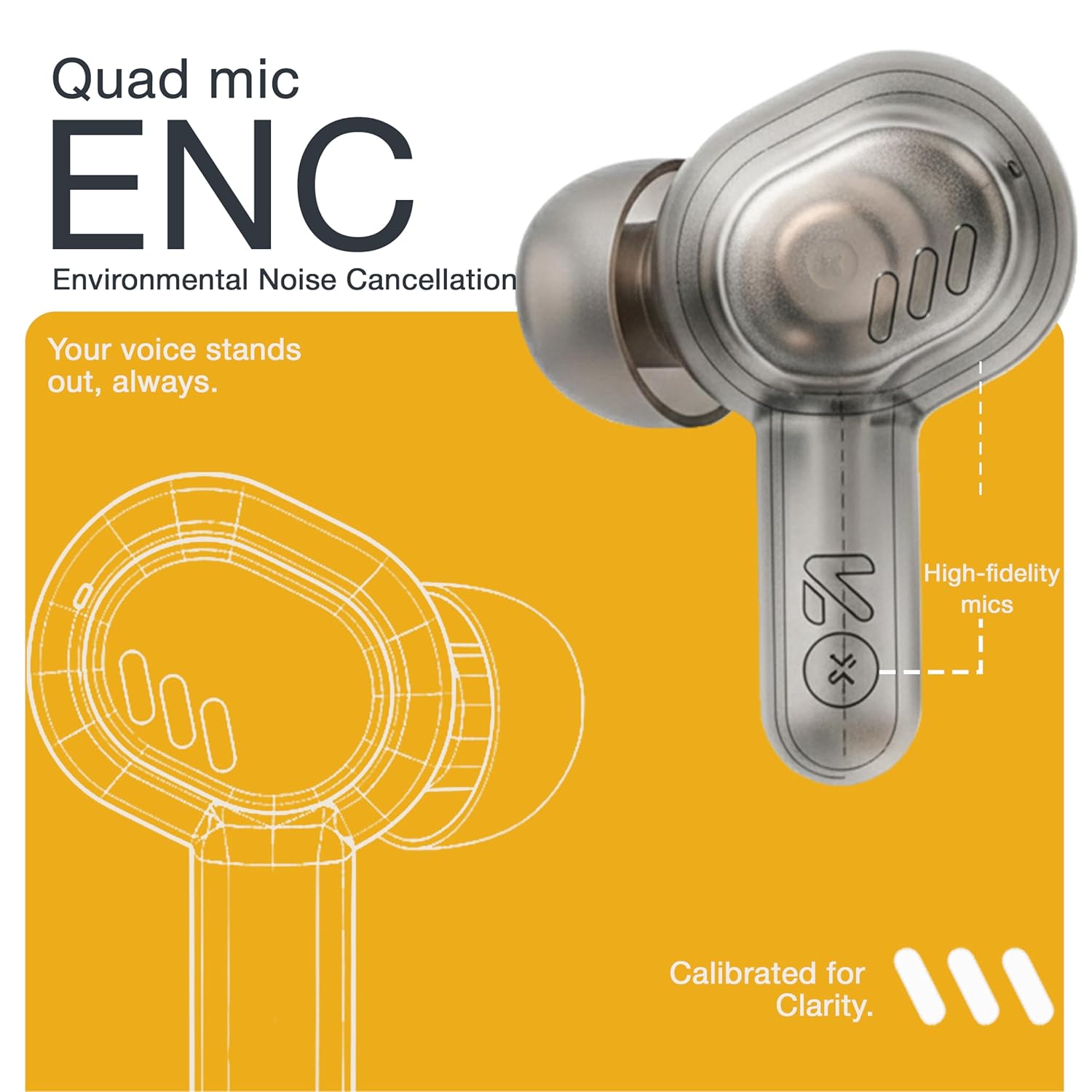
Image: A detailed diagram highlighting the Quad Mic ENC system within the earbud, designed for clear voice transmission.
4.7. Audio Performance (13mm Drivers)
The GOBOULT Tenet earbuds are equipped with 13mm dynamic drivers for a rich audio experience.
- Experience deep bass, clear vocals, and balanced audio across various music genres.
- ปรับเสียงให้โปรfile further using the Amp App's equalizer settings.

ภาพ: ระเบิด view แผนภาพแสดงส่วนประกอบของหูฟังasing the 13mm dynamic driver responsible for audio output.
4.8. ความทนทานต่อน้ำ
The earbuds are IPX5 water resistant, making them suitable for workouts and light splashes.
- IPX5 rating means the earbuds can resist a sustained, low-pressure water jet spray.
- ห้ามจุ่มหูฟังลงในน้ำหรือให้โดนฝนตกหนัก
- กล่องชาร์จไม่กันน้ำ
5. การบำรุงรักษา
5.1. การทำความสะอาด
- ทำความสะอาดหูฟังและกล่องชาร์จเป็นประจำด้วยผ้าแห้งนุ่มที่ไม่เป็นขุย
- ถอดแผ่นรองหูฟังออกและทำความสะอาดด้วยสบู่และน้ำอ่อนๆ หากจำเป็น ตรวจสอบให้แน่ใจว่าแห้งสนิทก่อนประกอบกลับเข้าไปใหม่
- ห้ามใช้สารทำความสะอาดที่มีฤทธิ์กัดกร่อน แอลกอฮอล์ หรือตัวทำละลายเคมี
- ตรวจสอบให้แน่ใจว่าหน้าสัมผัสการชาร์จบนหูฟังทั้งสองข้างและเคสสะอาดและไม่มีสิ่งสกปรก
5.2. การจัดเก็บ
- เมื่อไม่ได้ใช้งาน ให้เก็บหูฟังไว้ในกล่องชาร์จเพื่อปกป้องหูฟังและชาร์จไฟให้หูฟังอยู่เสมอ
- เก็บอุปกรณ์ไว้ในที่แห้งและเย็น หลีกเลี่ยงอุณหภูมิที่สูงและแสงแดดโดยตรง
5.3. การดูแลแบตเตอรี่
- เพื่อยืดอายุการใช้งานแบตเตอรี่ ควรหลีกเลี่ยงการปล่อยให้หูฟังและเคสชาร์จหมดเกลี้ยงบ่อยๆ
- ควรชาร์จอุปกรณ์เป็นประจำ แม้ว่าจะไม่ได้ใช้งานบ่อย เพื่อป้องกันการคายประจุจนหมด
6 การแก้ไขปัญหา
| ปัญหา | วิธีแก้ปัญหาที่เป็นไปได้ |
|---|---|
| หูฟังเอียร์บัดไม่จับคู่ |
|
| ไม่มีเสียงจากเอียร์บัดข้างเดียว |
|
| ปัญหาการชาร์จ |
|
| ระดับเสียงต่ำหรือคุณภาพเสียงไม่ดี |
|
| ผู้ช่วยเสียงไม่ตอบสนอง |
|
7. ข้อมูลจำเพาะ
| คุณสมบัติ | รายละเอียด |
|---|---|
| ยี่ห้อ | โกบูลท์ |
| ชื่อรุ่น | Tenet (Airbass) |
| หมายเลขรุ่น | หูฟัง Airbass |
| การวางตำแหน่งหู | ในหู |
| การควบคุมเสียงรบกวน | Environmental Noise Cancellation (ENC), Sound Isolation |
| เวอร์ชันบลูทูธ | 5.4 |
| ช่วงบลูทูธ | สูงสุด 10 เมตร |
| ขนาดไดร์เวอร์เสียง | 13 มิล |
| ช่วงความถี่ | 20 เฮิรตซ์ - 20,000 เฮิรตซ์ |
| ความไวต่อความรู้สึก | 105 เดซิเบล |
| Battery Average Life (with case) | นานถึง 75 ชั่วโมง |
| ชาร์จเร็ว | ชาร์จ 10 นาที เล่นได้ 120 นาที |
| พอร์ตชาร์จ | ยูเอสบี ไทป์ ซี |
| ระดับความต้านทานต่อน้ำ | IPX5 (เอียร์บัดเท่านั้น) |
| ประเภทตัวควบคุม | Touch, Google Assistant, Siri |
| อุปกรณ์ที่รองรับ | Desktops, Gaming Consoles, Laptops, Smart Watch, Tablets |
| น้ำหนักสินค้า | 54.5 Grams (Case + Earbuds) |
| ประเทศต้นกำเนิด | จีน |
8. การรับประกันและการสนับสนุน
8.1. ข้อมูลการรับประกัน
The GOBOULT Tenet TWS Earbuds come with a 1-Year Manufacturer's Warranty from the date of purchase. This warranty covers manufacturing defects.
- โปรดเก็บใบเสร็จรับเงินไว้เป็นหลักฐานการซื้อสำหรับการเรียกร้องการรับประกัน
- การรับประกันไม่ครอบคลุมความเสียหายที่เกิดจากการใช้งานผิดวิธี อุบัติเหตุ การดัดแปลงที่ไม่ได้รับอนุญาต หรือการสึกหรอตามปกติ
8.2. การสนับสนุนลูกค้า
For any queries, technical assistance, or warranty claims, please contact GOBOULT customer support.
- ผู้ผลิต: Exotic Mile Private Limited, B-67 Wazirpur Industrial Area, New Delhi 110052
- ผู้นำเข้า: Exotic Mile Pvt. Ltd., B67 Wazirpur Industrial Area, New Delhi 110052
- Refer to the contact information provided on your warranty card or the official GOBOULT webเว็บไซต์นี้เป็นแหล่งรวมช่องทางการสนับสนุนที่ทันสมัยที่สุด