
การแนะนำ
The MINIX 100W USB C Charger (NEO P3 Pro) is a versatile 3-port GaN charger designed for rapid charging of various devices, including laptops, tablets, and smartphones. It features a smart display for real-time charging information and a compact, travel-friendly design. This manual provides essential information for the safe and efficient use of your charger.

Image: The MINIX 100W USB C Charger (NEO P3 Pro) connected to a laptop, illustrating its fast charging capability.
What's in the Box (Setup)
Your MINIX 100W USB C Charger package includes the following items:
- 1x MINIX P3 PRO 100W Charger
- 1x EU Plug Adapter
- อะแดปเตอร์ปลั๊กไฟแบบ UK 1 ชิ้น
- 1x คู่มือผู้ใช้
- กระเป๋าเก็บของ 1x

Image: The MINIX P3 Pro charger, EU plug, UK plug, and storage bag, as included in the package.
Attaching the Correct Plug Adapter
The MINIX P3 Pro charger comes with interchangeable plug adapters (US, EU, UK) to ensure compatibility in various regions. To attach an adapter:
- Align the desired plug adapter with the charger's prongs.
- Gently push the adapter onto the charger until it clicks securely into place.
- To remove, press the release button (if present) and slide the adapter off.

Image: The MINIX charger with its switchable US, EU, and UK plug adapters.
คำแนะนำการใช้งาน
การเชื่อมต่ออุปกรณ์
The MINIX P3 Pro features two USB-C ports and one USB-A port. Connect your devices using appropriate charging cables. For optimal 100W charging, use a 100W 5A cable connected to a single USB-C port.
- USB-C1: กำลังขับสูงสุด 100 วัตต์
- USB-C2: กำลังขับสูงสุด 100 วัตต์
- ยูเอสบี-A1: กำลังขับสูงสุด 30 วัตต์

Image: The MINIX P3 Pro charging three devices concurrently: a laptop via USB-C1, a tablet via USB-C2, and a smartphone via USB-A1.
Smart Display and Touch Control
The integrated smart display provides real-time information about your charging status. You can interact with the display using the touch control button.
- สถานะการชาร์จ: View the current wattagอีเอาท์พุท
- รายละเอียดเฉพาะท่าเรือ: Tap the touch button to cycle through individual port outputs.
- การแจ้งเตือนอุณหภูมิ: The display may show temperature-related information for safety.
- เวลารวม: Displays the total charging duration.
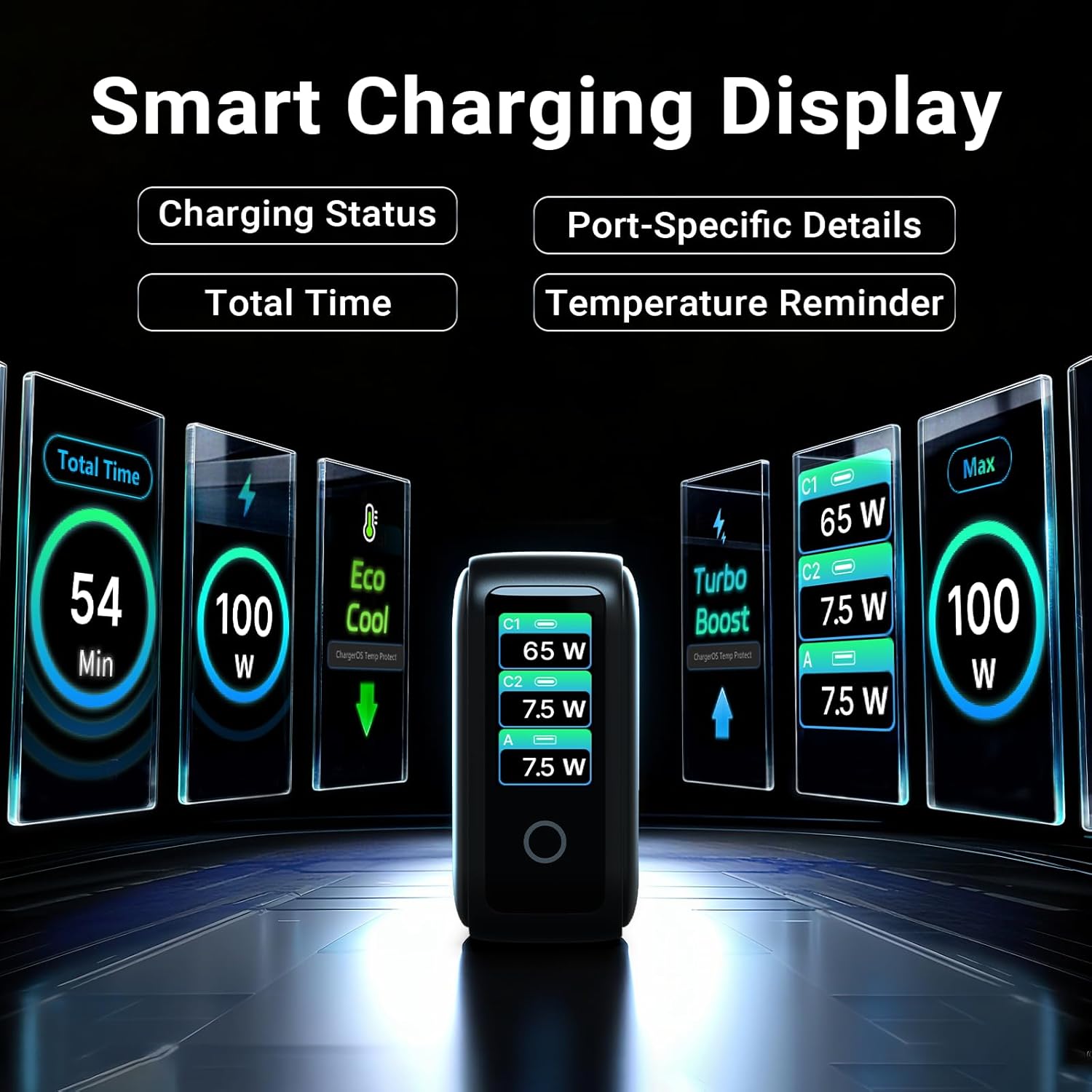
Image: The smart display of the MINIX P3 Pro, showcasing real-time charging status and port-specific details.
การหมุนหน้าจอ
To adapt the display orientation to your wall outlet, press and hold the touch control button for 3 seconds. The screen will rotate 180°.
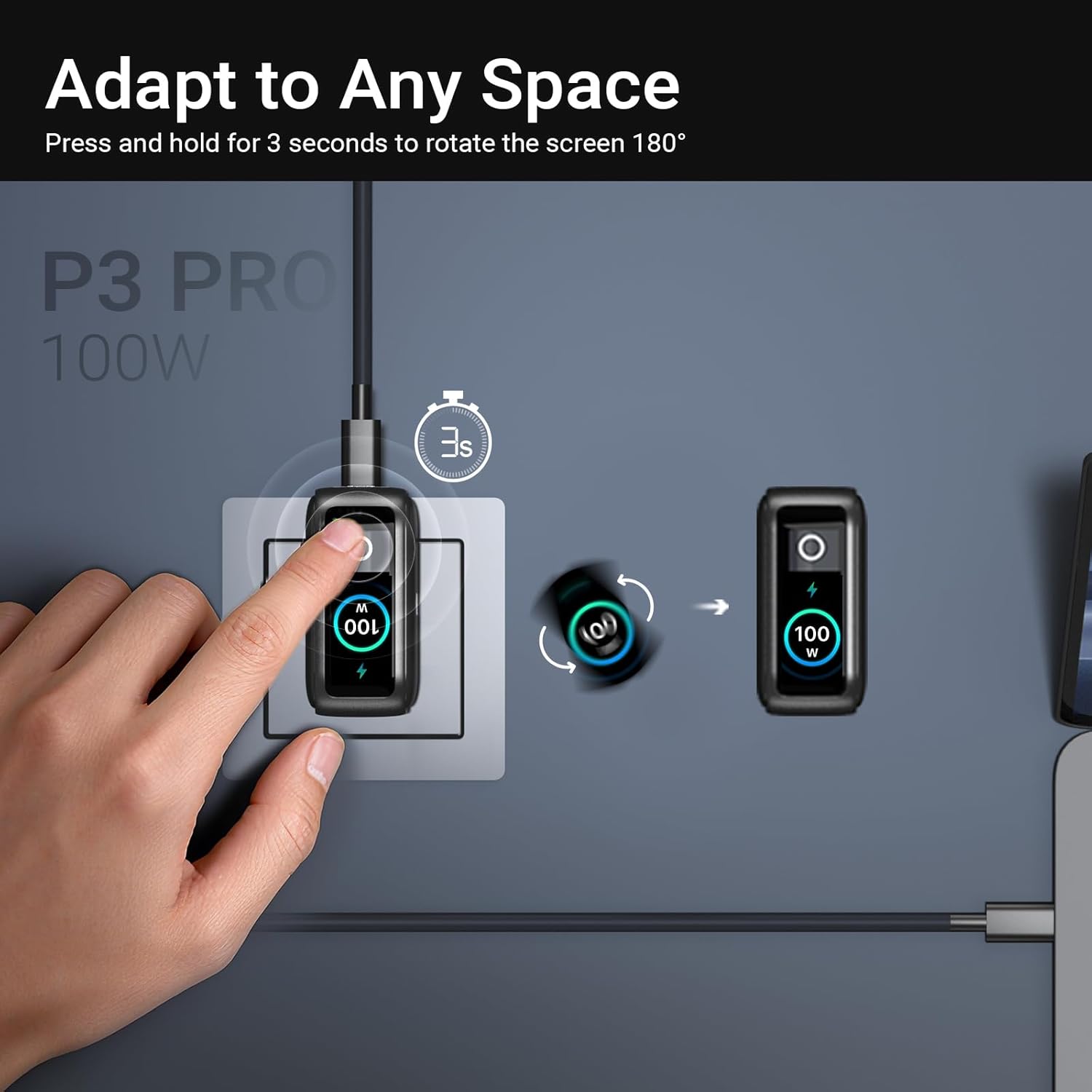
Image: The MINIX P3 Pro charger plugged into a wall socket, illustrating how to rotate the smart display by 180 degrees for better viewการไอเอ็นจี
ระบบจำหน่ายไฟฟ้า
The charger intelligently redistributes power based on the number of connected devices and their power requirements. Below is a general guide to power output configurations:
- 1 พอร์ตเอาท์พุต:
- USB-C1: 100W
- USB-C2: 100W
- USB-A1: 30W
- พอร์ตเอาท์พุต 2 พอร์ต:
- USB-C1+USB-C2: 65วัตต์+30วัตต์
- USB-C1 + USB-A1: 65W + 7.5W
- USB-C2 + USB-A1: 7.5W + 7.5W
- พอร์ตเอาท์พุต 3 พอร์ต:
- USB-C1 + USB-C2 + USB-A1: 65W + 7.5W + 7.5W
Video: An official product introduction video for the MINIX P3 Pro, demonstrating its features and functionality, including power distribution across multiple ports.
การซ่อมบำรุง
To ensure the longevity and optimal performance of your MINIX P3 Pro charger, follow these maintenance guidelines:
- รักษาที่ชาร์จให้สะอาด ปราศจากฝุ่นและเศษขยะ ใช้ผ้านุ่มและแห้งเช็ดทำความสะอาด
- ควรหลีกเลี่ยงการวางเครื่องชาร์จไว้ในที่ที่มีอุณหภูมิสูง ความชื้นสูง หรือแสงแดดโดยตรง
- ห้ามทำตกหรือกระแทกที่ชาร์จอย่างรุนแรง
- Store the charger in the provided storage bag when not in use, especially during travel, to protect it from scratches and damage.
- ตรวจสอบให้แน่ใจว่ามีการระบายอากาศที่เหมาะสมรอบๆ เครื่องชาร์จขณะใช้งาน เพื่อป้องกันความร้อนสูงเกินไป
ข้อมูลจำเพาะ
| คุณสมบัติ | รายละเอียด |
|---|---|
| ยี่ห้อ | มินิกซ์ |
| หมายเลขรุ่น | P5010 |
| พอร์ต USB รวม | 3 พอร์ต (USB Type-C 2 พอร์ต, USB Type-A 1 พอร์ต) |
| วัดtage | 100W (สูงสุด) |
| อินพุต Voltage | 240 โวลต์ |
| กระแสไฟขาออก | 5 Amps |
| ปริมาณการส่งออกtage | 120 โวลต์ |
| ประเภทขั้วต่อ | USB ประเภท A, USB ประเภท C |
| อุปกรณ์ที่รองรับ | Laptops, Tablets, Samsung Galaxy S21-S24 Series, iPhone 17/16/15/14/13/12 Series, iPhone SE (3rd Gen) |
| คุณสมบัติพิเศษ | Fast Charging, Lightweight Design, Multi-Device Charging, Travel-Friendly, Smart Display, Touch Control |
| สี | สีดำ |
| น้ำหนักสินค้า | 200 กรัม |
| วัสดุ | เทอร์โมพลาสติกอีลาสโตเมอร์ (TPE) |
| การรับรอง | CE, FCC, WEEE |
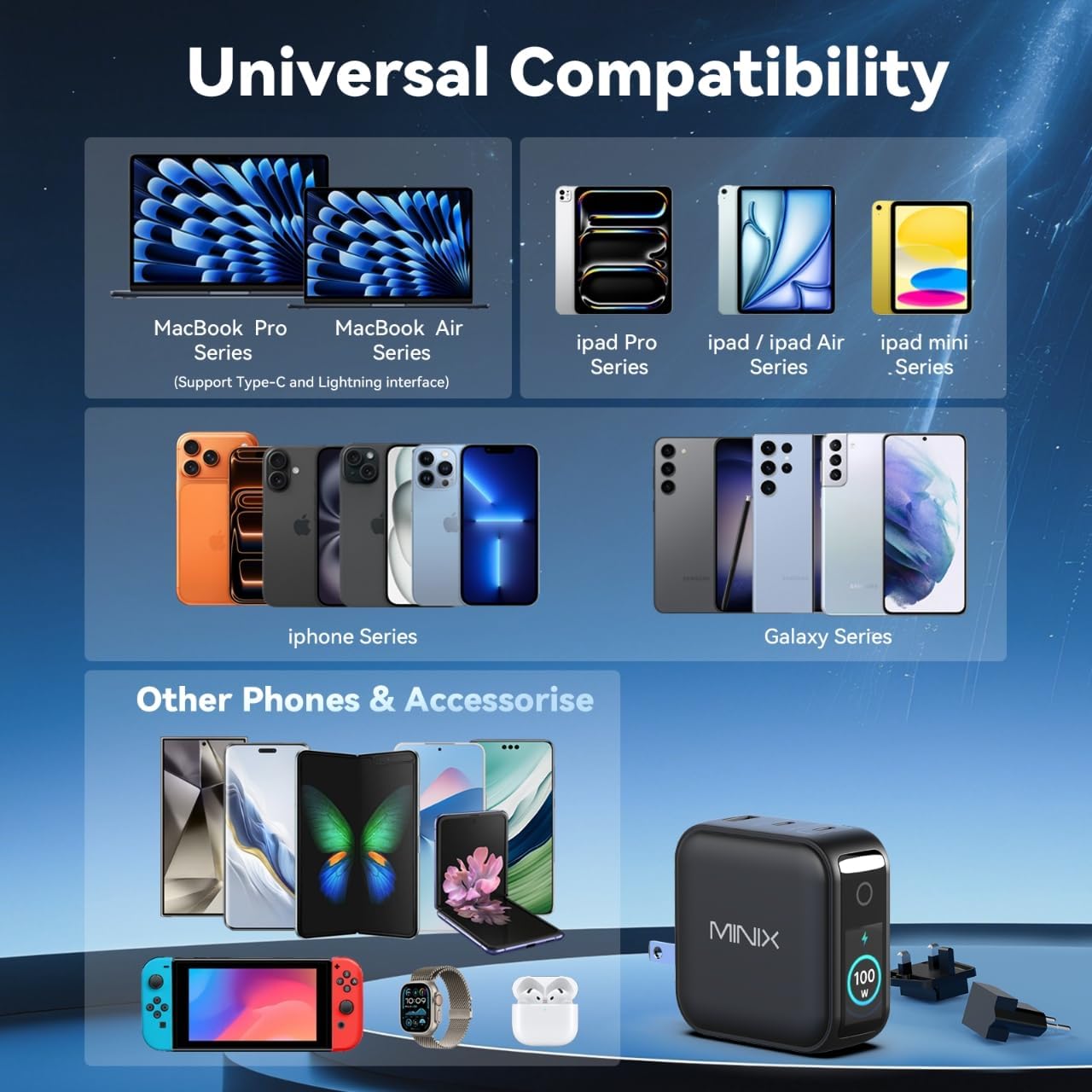
Image: A visual representation of the MINIX P3 Pro's universal compatibility with various devices.
การแก้ไขปัญหา
If you encounter issues with your MINIX P3 Pro charger, please refer to the following common troubleshooting steps:
- เครื่องชาร์จไม่เปิดเครื่อง:
- ตรวจสอบให้แน่ใจว่าเครื่องชาร์จเสียบเข้ากับเต้ารับไฟฟ้าที่ผนังอย่างแน่นหนา
- Verify that the correct regional plug adapter is firmly attached.
- อุปกรณ์ไม่ชาร์จหรือชาร์จช้า:
- Check that the charging cable is securely connected to both the charger and your device.
- Ensure the charging cable is not damaged and supports the required power delivery (e.g., 100W for high-power devices).
- ลองใช้พอร์ตอื่นบนเครื่องชาร์จ
- If charging multiple devices, note that power is distributed, which may reduce individual port output. Refer to the "Power Distribution" section.
- Ensure your device supports the charging protocols (PPS, PD3.0, QC3.0) supported by the charger.
- Smart display not working or showing incorrect information:
- Ensure the charger is powered on and a device is connected.
- Tap the touch button to cycle through display modes.
- If the display is unresponsive, unplug the charger from the wall for a few seconds and then plug it back in.
- เครื่องชาร์จจะรู้สึกอุ่นระหว่างการใช้งาน:
- เป็นเรื่องปกติที่เครื่องชาร์จจะร้อนขึ้นระหว่างการใช้งาน โดยเฉพาะอย่างยิ่งในระหว่างการชาร์จด้วยกำลังไฟสูง
- Ensure there is adequate ventilation around the charger. If it becomes excessively hot, disconnect it immediately and contact support.
ข้อมูลด้านความปลอดภัย
โปรดอ่านและปฏิบัติตามข้อควรระวังด้านความปลอดภัยเหล่านี้ เพื่อป้องกันความเสียหายต่อผลิตภัณฑ์หรือการบาดเจ็บต่อตัวคุณเอง:
- อย่าให้เครื่องชาร์จโดนน้ำ ความชื้น หรือความชื้นสูง
- Avoid using the charger in environments with extreme temperatures.
- Do not disassemble, modify, or attempt to repair the charger yourself. This will void the warranty.
- เก็บที่ชาร์จให้พ้นมือเด็กและสัตว์เลี้ยง
- โปรดใช้เฉพาะสายเคเบิลและอุปกรณ์ที่ใช้งานร่วมกับที่ชาร์จได้เท่านั้น
- ถอดปลั๊กเครื่องชาร์จในระหว่างที่มีพายุฝนฟ้าคะนองหรือเมื่อไม่ได้ใช้งานเป็นเวลานาน
- The charger includes built-in safety features such as over-current, over-voltage. การป้องกันอุณหภูมิเกินและไฟฟ้าลัดวงจร
การรับประกันและการสนับสนุน
The MINIX 100W USB C Charger (NEO P3 Pro) comes with a การรับประกันจากผู้ผลิต 1 ปี.
การสนับสนุนลูกค้า
For any questions, technical assistance, or warranty claims, please contact MINIX customer service:
- การสนับสนุนทางออนไลน์: เยี่ยมชม ร้าน MINIX บน Amazon and use the "Ask Product Question" feature.
- Offline Maintenance Service: กรุณาเยี่ยมชมเว็บไซต์ของเราอย่างเป็นทางการ webเว็บไซต์สำหรับข้อมูลเพิ่มเติม
โปรดเตรียมหมายเลขรุ่นผลิตภัณฑ์ (P5010) และรายละเอียดการสั่งซื้อให้พร้อมเมื่อติดต่อฝ่ายสนับสนุน