
1. บทนำ
ขอบคุณสำหรับการซื้อasing the LG 27G411A UltraGear Gaming Monitor. This manual provides essential information for the safe and efficient use of your monitor. Please read it thoroughly before operating the product and retain it for future reference. This 27-inch Full HD (1920 x 1080) IPS display is designed for an immersive gaming experience, featuring a 144Hz refresh rate, 1ms Motion Blur Reduction (MBR), HDR10 support, and compatibility with NVIDIA G-Sync and AMD FreeSync technologies.
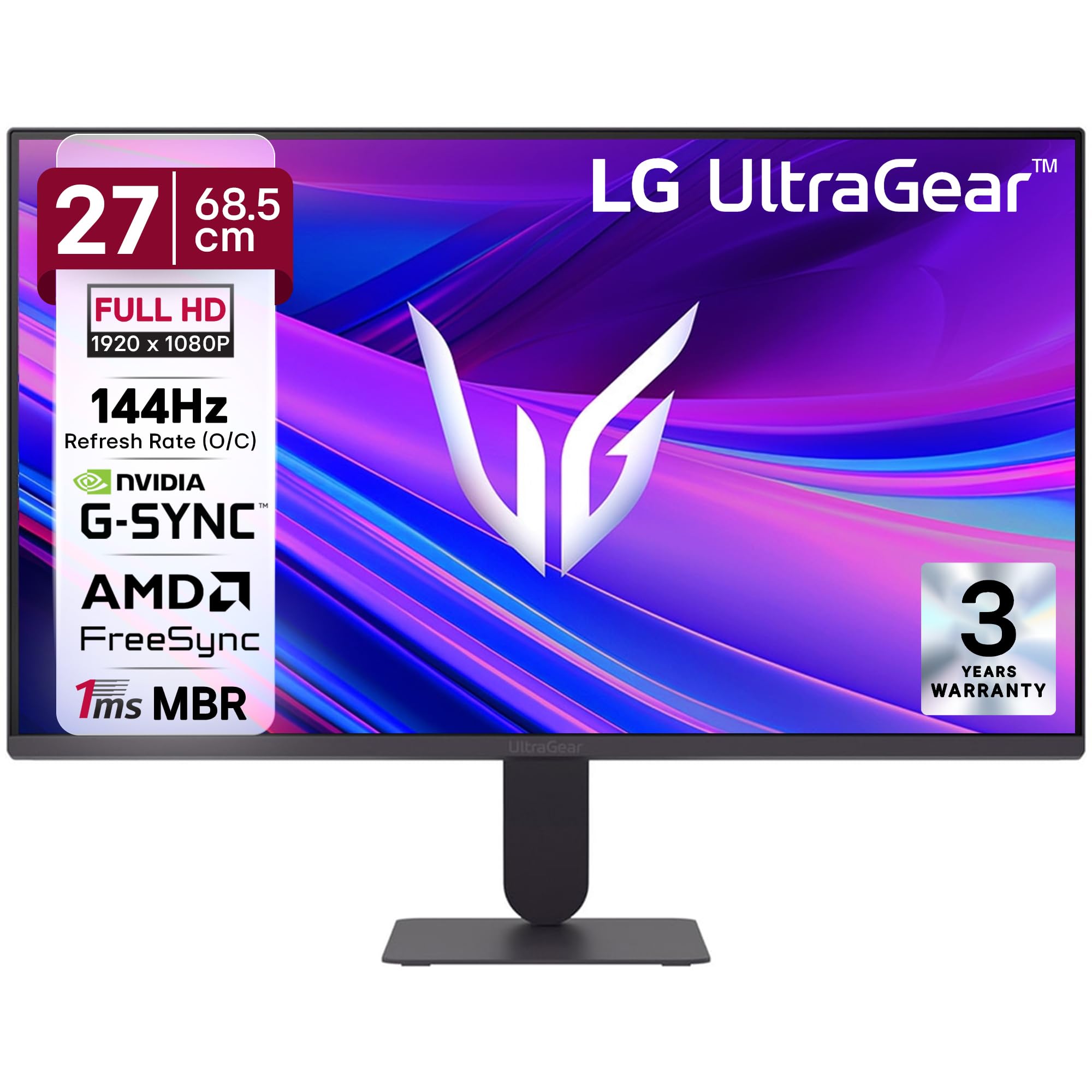
รูปที่ 1 : ด้านหน้า view of the LG 27G411A UltraGear Gaming Monitor.
2. ข้อมูลด้านความปลอดภัย
ปฏิบัติตามข้อควรระวังด้านความปลอดภัยต่อไปนี้เพื่อป้องกันความเสียหายต่อผลิตภัณฑ์หรือการบาดเจ็บต่อตัวคุณและผู้อื่น
- พลัง: Use only the power cord and adapter supplied with the monitor. Do not overload power outlets.
- การจัดวาง: Place the monitor on a stable, level surface. Avoid direct sunlight, heat sources, and areas with high humidity or dust. Ensure adequate ventilation around the monitor.
- การจัดการ: Do not drop the monitor or subject it to strong impacts. Avoid touching the screen with sharp objects.
- การทำความสะอาด: ถอดสายไฟออกก่อนทำความสะอาด ใช้ผ้านุ่มและแห้ง ห้ามใช้น้ำยาทำความสะอาดหรือสเปรย์ฉีด
- การซ่อมแซม: อย่าพยายามให้บริการผลิตภัณฑ์นี้ด้วยตนเอง ส่งต่อการบริการทั้งหมดไปยังช่างบริการที่ผ่านการรับรอง
3. เนื้อหาบรรจุภัณฑ์
ตรวจสอบว่ามีสินค้าทั้งหมดอยู่ในกล่องผลิตภัณฑ์ของคุณ:
- LG 27G411A UltraGear Monitor
- สายไฟ
- สาย HDMI
- ขาตั้งจอมอนิเตอร์ (ฐานและคอ)
- คู่มือการใช้งาน (เอกสารนี้)
4. การตั้งค่า
4.1 การประกอบจอภาพ
ทำตามขั้นตอนเหล่านี้เพื่อประกอบขาตั้งจอภาพและยึดเข้ากับแผงจอแสดงผล
- Carefully place the monitor face down on a soft cloth or cushion to prevent scratches.
- Attach the stand neck to the base, securing it with the captive screw.
- Align the assembled stand with the mounting slot on the back of the monitor panel and push until it clicks into place.
- Alternatively, the monitor supports VESA 100x100mm wall mounting. Remove the stand if using a wall mount.

Figure 2: Illustration of the monitor's ultra-slim design, tilt adjustment, and VESA wall mount compatibility.
4.2 การเชื่อมต่อจอภาพ
เชื่อมต่ออุปกรณ์ของคุณกับจอภาพโดยใช้สายเคเบิลที่เหมาะสม
- การเชื่อมต่อไฟฟ้า: เชื่อมต่อสายไฟเข้ากับแหล่งจ่ายไฟของจอภาพ จากนั้นจึงเชื่อมต่อกับเต้ารับที่ผนัง
- การเชื่อมต่อ HDMI: Use the supplied HDMI cable to connect your computer or gaming console to the HDMI port on the monitor.
- การเชื่อมต่อดิสเพลย์พอร์ต: For optimal performance, especially for 144Hz refresh rate, connect your computer to the DisplayPort (DP) on the monitor using a DisplayPort cable (not always included).
- หูฟังออก: Connect headphones or external speakers to the 3-pole headphone out port for audio output.

รูปที่ 3: ด้านหลัง view of the monitor displaying the power input, HDMI, DisplayPort, and headphone out ports.

รูปที่ 4: รายละเอียด view of the DisplayPort (DP-IN), HDMI, and Headphone (HP) ports.
5. คู่มือการใช้งาน
5.1 เปิด/ปิดเครื่อง
Press the joystick button located at the bottom center of the monitor to turn it on or off. A short press will bring up the OSD menu, while a long press will power off the monitor.
5.2 เมนูการแสดงผลบนหน้าจอ (OSD)
The OSD menu allows you to adjust various monitor settings. Use the joystick button to navigate:
- เลื่อนจอยสติ๊กขึ้น/ลง/ซ้าย/ขวา เพื่อนำทางไปยังตัวเลือกเมนู
- กดจอยสติ๊กเพื่อเลือกตัวเลือกหรือยืนยันการตั้งค่า
5.3 โหมดภาพ
The monitor offers several preset picture modes optimized for different content types:
- กำหนดเอง: Allows manual adjustment of all picture settings.
- Gamer1/Gamer2: User-configurable modes for gaming preferences.
- FPS/RTS: Optimized for First-Person Shooter and Real-Time Strategy games.
- สดใส: Enhances color and contrast for general viewการไอเอ็นจี
- ผู้อ่าน: ลดแสงสีฟ้าเพื่อการอ่านหนังสือที่สบายตา
- เอฟเฟกต์ HDR: Simulates HDR content for non-HDR sources.
- จุดอ่อนของสี: Adjusts color settings to assist users with color vision deficiency.
5.4 Gaming Enhancements
The LG 27G411A is equipped with features to enhance your gaming experience:
- อัตราการรีเฟรช 144Hz และ MBR 1ms: Experience fluid motion and reduced ghosting. The monitor supports a native 120Hz refresh rate and up to 144Hz in overclock mode via DisplayPort 1.4 (HDMI 2.0 supports up to 144Hz).
- AMD FreeSync & NVIDIA G-Sync Compatible: ซิงโครไนซ์อัตราการรีเฟรชของจอภาพกับอัตราเฟรมของ GPU ของคุณเพื่อขจัดปัญหาภาพฉีกขาดและกระตุก
- ตัวกันโคลงสีดำ: เพิ่มความสว่างให้กับบริเวณที่มืด เพื่อช่วยให้คุณมองเห็นศัตรูที่ซ่อนตัวอยู่ในเงามืดได้ง่ายขึ้น
- การซิงค์การดำเนินการแบบไดนามิก (DAS): ลดความหน่วงในการป้อนข้อมูลเพื่อการดำเนินการแบบเรียลไทม์
- ครอสแฮร์: Places a fixed crosshair in the center of the screen for improved aiming in FPS games.
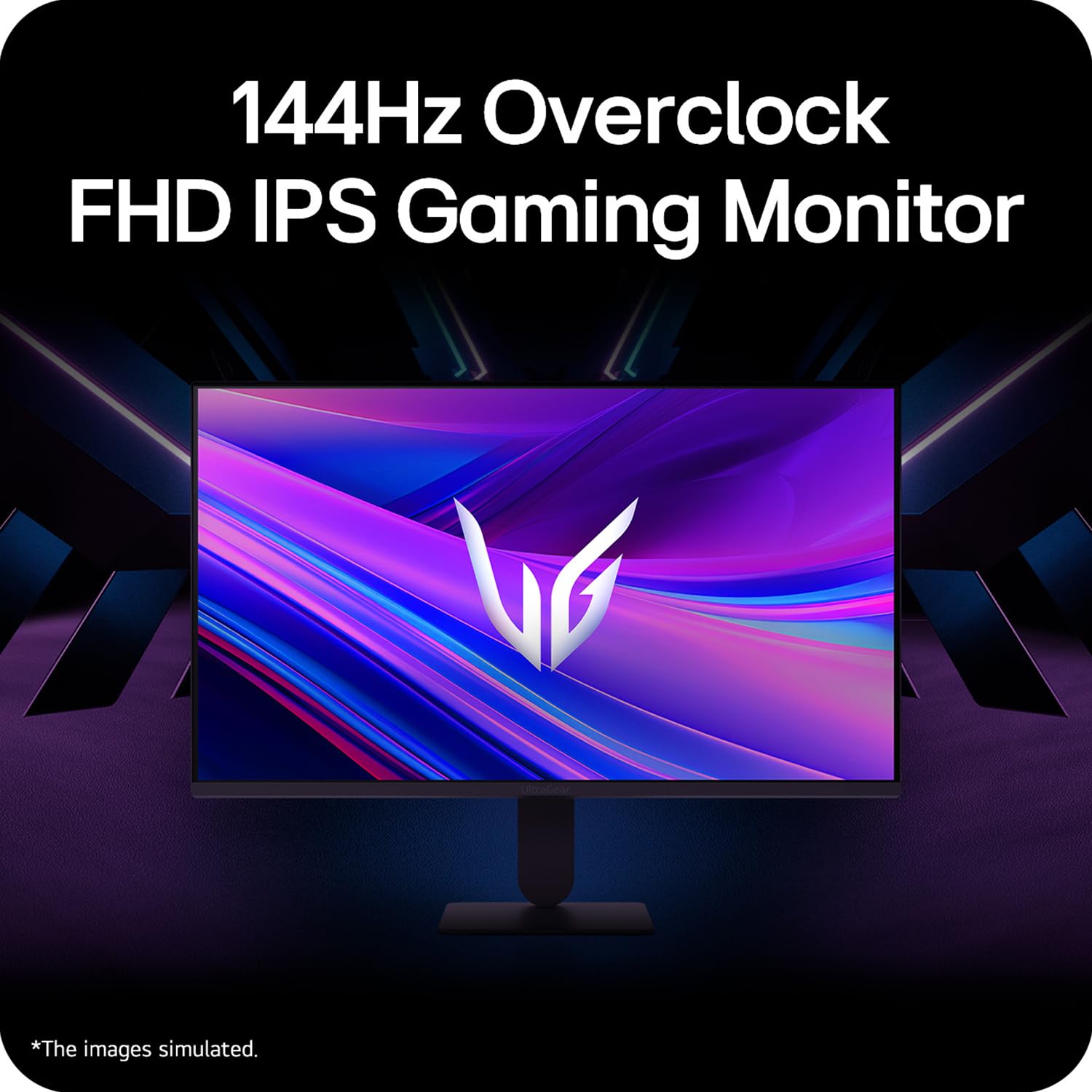
Figure 5: Visual representation of 144Hz overclock for fluid gaming motion.

Figure 6: Illustration of 1ms Motion Blur Reduction (MBR) for fast-paced gaming. Note: 1ms MBR causes lowered luminance and cannot be used with AMD FreeSync/DAS. Flicker may occur during 1ms MBR operation.

Figure 7: The monitor is certified compatible with NVIDIA G-Sync and AMD FreeSync technologies.

Figure 8: Precision Gaming Mode features: Dynamic Action Sync (DAS), Black Stabilizer, and Crosshair.
5.5 คุณสมบัติการดูแลดวงตา
เพื่อลดอาการปวดตาขณะใช้งานเป็นเวลานาน จอภาพจึงมีคุณสมบัติดังต่อไปนี้:
- ปลอดภัยจากการสั่นไหว: Reduces screen flicker to minimize eye fatigue.
- โหมดการอ่าน: Adjusts color temperature and brightness to simulate paper, making it easier on the eyes for reading tasks.
- จุดอ่อนของสี: Provides color adjustments for users with color vision deficiencies.
5.6 Smart Convenience (LG Switch App)
The LG Switch app offers enhanced control and customization options for your monitor directly from your computer. Features include Dual mode, Smart screen split, Launch a video call, and Personalized Picture Wizard.

Figure 9: The LG Switch app provides smarter control and seamless switching between various display modes and settings.
6. การบำรุงรักษา
6.1 การทำความสะอาดจอภาพ
เพื่อรักษารูปลักษณ์และประสิทธิภาพของจอภาพ:
- ควรถอดปลั๊กจอภาพออกจากเต้ารับไฟฟ้าทุกครั้งก่อนทำความสะอาด
- ใช้ผ้าที่ไม่เป็นขุยและนุ่มเช็ดหน้าจอและพื้นผิวภายนอกอย่างเบามือ
- สำหรับรอยฝังแน่น ให้เช็ดเบาๆampชุบผ้าด้วยน้ำหรือน้ำยาทำความสะอาดหน้าจอสูตรอ่อนโยนที่ไม่กัดกร่อน ห้ามฉีดน้ำยาลงบนหน้าจอโดยตรง
- Avoid using benzene, alcohol, or other volatile solvents, as they may damage the monitor.
7 การแก้ไขปัญหา
หากคุณพบปัญหาเกี่ยวกับจอภาพของคุณ โปรดดูวิธีแก้ไขทั่วไปต่อไปนี้:
| ปัญหา | สาเหตุที่เป็นไปได้ / วิธีแก้ไข |
|---|---|
| ไม่มีไฟฟ้า | Ensure the power cable is securely connected to the monitor and a working power outlet. Check if the power outlet is functional. |
| ไม่มีสัญญาณ / หน้าจอว่างเปล่า | Verify that the video cable (HDMI or DisplayPort) is securely connected to both the monitor and your computer/device. Ensure the correct input source is selected in the OSD menu. Check if the computer is powered on and not in sleep mode. |
| ภาพสั่นไหวหรือบิดเบี้ยว | Check the video cable for damage or loose connections. Try a different video cable or port. Adjust the refresh rate settings on your computer. Disable 1ms MBR if flicker is observed. |
| Backlight leakage on corners | Minor backlight leakage can be a characteristic of IPS panels, especially visible on a completely black screen in a dark environment. This is generally not considered a defect unless it significantly impacts normal viewการไอเอ็นจี |
| Monitor not recognized by PC | Update your graphics card drivers. Restart your computer. |
8. ข้อมูลจำเพาะ
Key technical specifications for the LG 27G411A UltraGear Gaming Monitor:
- ขนาดหน้าจอ: 27 นิ้ว (68.5 ซม.)
- ประเภทแผง: ไอพีเอส
- ปณิธาน: FHD (1920 x 1080)
- อัตราส่วนภาพ: 16:9 น.
- อัตราการรีเฟรช: 144 Hz (Overclock)
- เวลาตอบสนอง: 1ms MBR (5ms GTG)
- ความสว่าง: 250 cd/m² (ทั่วไป)
- อัตราส่วนคอนทราสต์: 1500:1 น.
- ช่วงสี: เอสอาร์จีบี 99%
- รองรับ HDR: HDR10
- การซิงโครไนซ์แบบปรับได้: รองรับ NVIDIA G-Sync และ AMD FreeSync
- Viewอิงมุม: 178° (สูง/วี)
- การเชื่อมต่อ: 1 x HDMI, 1 x DisplayPort, 1 x ช่องเสียบหูฟัง
- Dimensions (with stand, WxHxD): 61.2 x 45.2 x 22 ซม. (24.07 x 17.81 x 8.66 นิ้ว)
- น้ำหนัก (พร้อมขาตั้ง): 3.8 กก.
- การใช้พลังงาน: 20W (ทั่วไป)
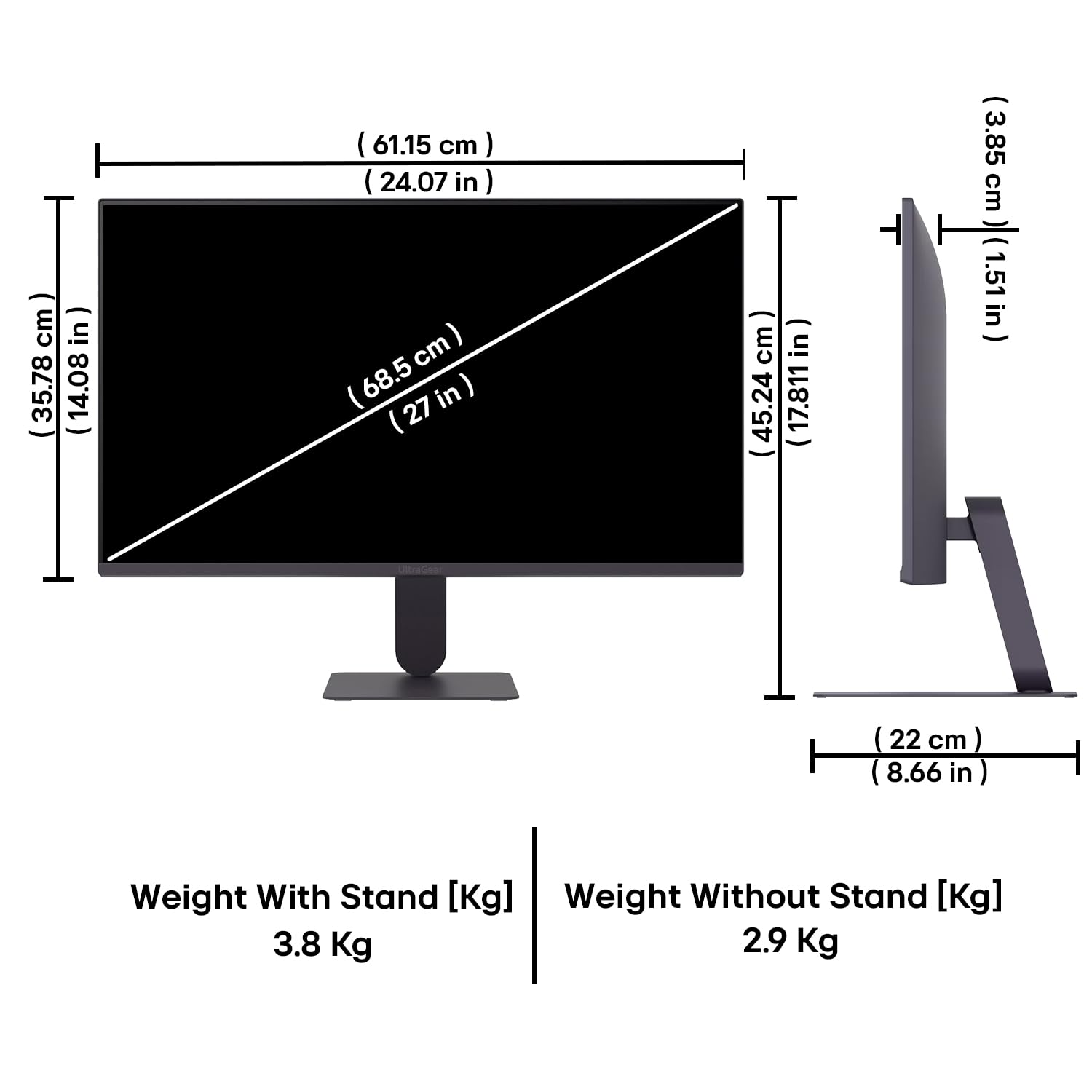
Figure 10: Physical dimensions and weight of the LG 27G411A monitor with and without the stand.
9. ข้อมูลการรับประกัน
This LG 27G411A UltraGear Gaming Monitor comes with a รับประกันจากผู้ผลิต 3 ปี covering parts and labor. Please retain your proof of purchase for warranty claims. For detailed terms and conditions, refer to the warranty card included in your product packaging or visit the official LG webเว็บไซต์.
10. การสนับสนุนลูกค้า
For further assistance, technical support, or service inquiries, please contact LG Customer Service. You can find contact information on the official LG webไซต์หรือในเอกสารที่มาพร้อมกับจอภาพของคุณ
LG Electronics India Pvt. บจก.
PLOT NO. A-5, MIDC RANJANGAON.
TALUKA SHIRUR, PUNE, MAHRASHTRA (INDIA), 412220