
การแนะนำ
Thank you for choosing the JUOVI 65W 20000mAh Portable Power Bank. This device is designed to provide fast and efficient charging for a wide range of electronic devices, including laptops, smartphones, tablets, and more. Please read this manual carefully to ensure proper use and to maximize the lifespan of your power bank.
สินค้าเกินview
The JUOVI 65W 20000mAh Portable Power Bank is a compact and powerful charging solution featuring:
- ชาร์จเร็ว 65W: Supports up to 65W fast charging, compatible with various laptops including MacBook, Dell, and Thinkpad, ensuring your productivity never pauses.
- 2 USB-A and 2 USB-C Ports: Equipped with multiple ports to charge your laptop, phone, and tablet simultaneously, reducing clutter and simplifying your carry.
- Travel-Friendly and Airline-Approved: Designed for seamless travel, compliant with airline regulations, allowing you to carry it through security worldwide.
- เข้ากันได้อย่างกว้างขวาง: Supports various fast-charging protocols including PD, PPS, QC, FCP, and SCP, making it compatible with common devices like iPhone series, other smartphones, tablets, and earbuds.
- Multi-protection: Built-in safeguards protect your devices from overvoltage, overload, overheating, overcurrent, and short circuits. The power bank automatically shuts off when devices are fully charged to prevent overcharging and protect battery health.
เนื้อหาแพ็คเกจ
เมื่อแกะกล่อง โปรดตรวจสอบให้แน่ใจว่าสินค้าครบถ้วน:
- JUOVI 65W 20000mAh Portable Power Bank (Model J2931)
- USB-C to USB-C Charging Cable (approx. 13 inches)
- คู่มือการใช้งาน
การตั้งค่า
Before initial use, it is recommended to fully charge your JUOVI Power Bank.
- Connect the provided USB-C to USB-C cable to one of the USB-C IN/OUT ports on the power bank.
- เชื่อมต่อปลายสายอีกด้านหนึ่งเข้ากับเครื่องชาร์จไฟติดผนัง USB-C ที่ใช้งานร่วมกันได้ (ไม่รวมอยู่ด้วย)
- The digital display on the power bank will show the charging percentage, and the last digit will flash, indicating it is charging.
- Once the display shows 100% and stops flashing, the power bank is fully charged and ready for use.
คำแนะนำการใช้งาน
การชาร์จอุปกรณ์ของคุณ
ในการชาร์จอุปกรณ์อิเล็กทรอนิกส์ของคุณ:
- Connect your device to one of the available USB-A or USB-C output ports on the power bank using an appropriate charging cable.
- Press the power button on the side of the power bank once to activate charging. The digital display will show the remaining battery percentage.
- For fast charging, a green light indicator will illuminate next to the percentagอี แสดงผล
- The power bank will automatically detect your device and deliver the optimal charging speed.
Low Current Mode for Small Devices
For charging low-power devices such as Bluetooth earbuds or smartwatches, activate the low current mode:
- Ensure the power bank is powered on.
- Double-press the power button on the side of the power bank. The green light indicator will turn off, signifying entry into low current mode.
- เชื่อมต่ออุปกรณ์พลังงานต่ำของคุณเข้ากับพาวเวอร์แบงค์
- To exit low current mode, double-press the power button again.
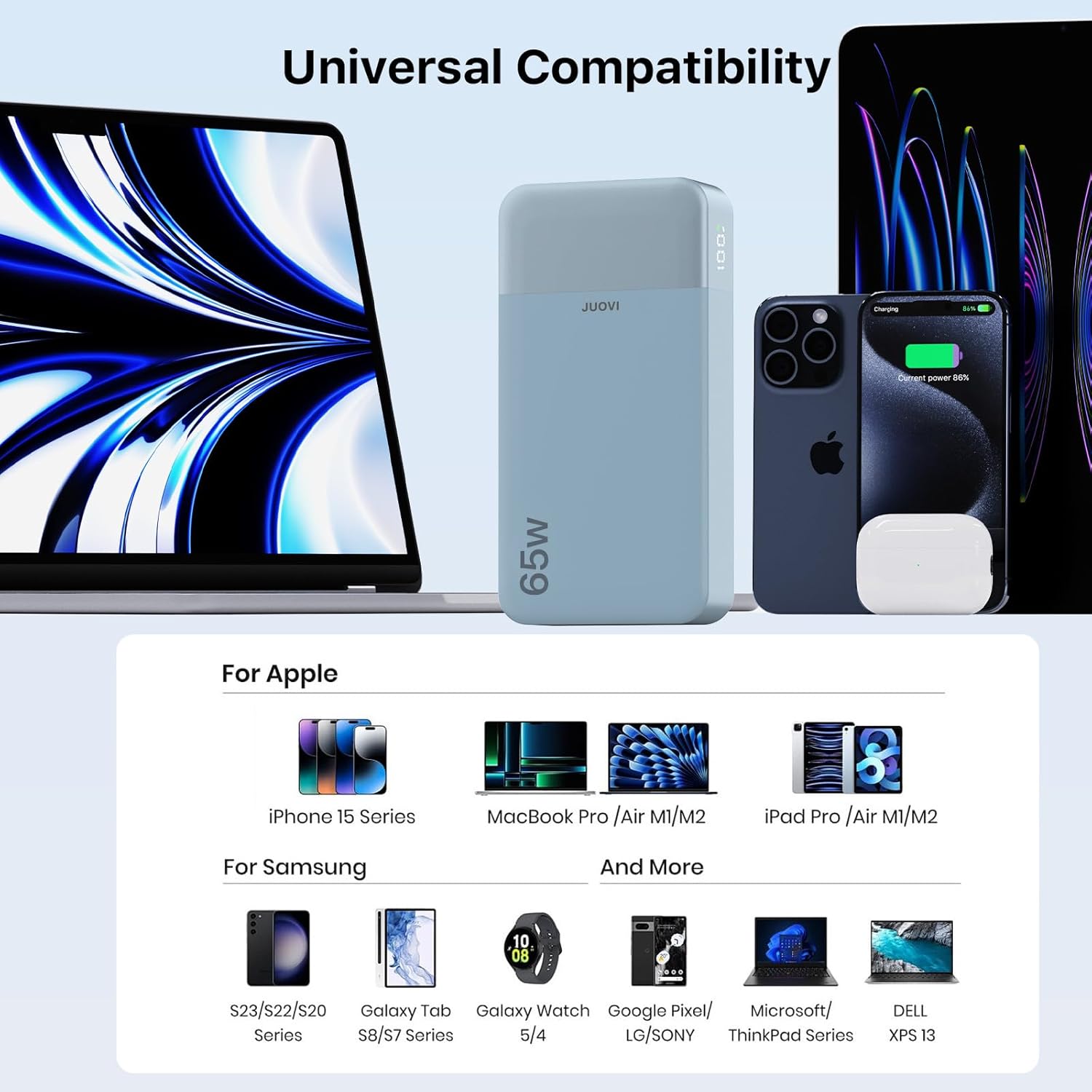
Image: The JUOVI 65W 20000mAh Portable Power Bank simultaneously charging a smartphone and a laptop via its USB-C ports, demonstrating its multi-device charging capability.
ความเข้ากันได้
The JUOVI Power Bank is designed for broad compatibility:
- โน๊ตบุ๊ค: Compatible with MacBook, Dell XPS, ThinkPad, and other laptops supporting USB-C Power Delivery up to 65W.
- สมาร์ทโฟน: Supports iPhone series (17/16/15/14), Samsung Galaxy series (S23/S22/S20), Google Pixel, and other Android phones.
- แท็บเล็ต: Works with iPad Pro/Air M1/M2, Galaxy Tab S8/S7 Series, and other USB-C enabled tablets.
- อุปกรณ์อื่น ๆ: Charges Steam Deck, earbuds, smartwatches, and other small electronic devices.

Image: A visual representation of the JUOVI Power Bank's universal compatibility, displaying various Apple devices (iPhone 15 Series, MacBook Pro/Air M1/M2, iPad Pro/Air M1/M2) and Samsung devices (S23/S22/S20 Series, Galaxy Tab S8/S7 Series, Galaxy Watch 5/4), alongside other compatible brands like Google Pixel/LG/Sony, Microsoft/ThinkPad Series, and Dell XPS 13.
ข้อมูลด้านความปลอดภัย
Your safety and the longevity of your devices are paramount. The JUOVI Power Bank incorporates multiple protection features:
- โอเวอร์โวลtagการป้องกันอี: ป้องกันความเสียหายจากปริมาณเสียงที่มากเกินไปtagอีอินพุต
- ระบบป้องกันการโอเวอร์โหลด: Safeguards against drawing too much current.
- การป้องกันความร้อนสูงเกินไป: Monitors internal temperature to prevent overheating.
- การป้องกันกระแสเกิน: ป้องกันกระแสไฟเกิน
- การป้องกันไฟฟ้าลัดวงจร: ตัดไฟอัตโนมัติเมื่อเกิดไฟฟ้าลัดวงจร
- ปิดอัตโนมัติ: The power bank will automatically turn off once a connected device is fully charged to prevent overcharging and preserve battery health.
ข้อมูลจำเพาะ
| คุณสมบัติ | รายละเอียด |
|---|---|
| หมายเลขรุ่น | เจ 2931 |
| ความจุของแบตเตอรี่ | 20000mAh |
| กำลังขับสูงสุด | 65วัตต์ |
| พอร์ตอินพุต | USB Type C (C1/C2 IN/OUT) |
| พอร์ตเอาท์พุต | USB Type C (C1/C2 IN/OUT), USB Type A (USB1/USB2 OUT) |
| ขนาดสินค้า | 5.4 x 1 x 2.8 นิ้ว |
| น้ำหนักสินค้า | 14.1 ออนซ์ |
| คุณสมบัติพิเศษ | Auto Shut-Off, Digital Display, Fast Charging, Over Charging Protection, Short Circuit Protection |
| สายการบินอนุมัติ | Yes (under 100Wh) |

Image: A visual comparison of the JUOVI Power Bank's dimensions (13.7cm x 7cm) against a typical smartphone (16.3cm x 7.9cm), highlighting its compact size.
การแก้ไขปัญหา
Reduced Charging Speed with Multiple Devices
When multiple devices are connected to the power bank, the total available wattage (65W) is distributed among them. This may result in individual devices charging at a slower rate than if they were charged alone. For example, if you plug in a laptop and a smartphone, the 65W output will be shared, potentially reducing the fast charging speed for each device. This is normal behavior for multi-port power banks to ensure stable power delivery across all connected devices.
Device Not Charging or Slow Charging
- ตรวจสอบสายเคเบิล: ตรวจสอบให้แน่ใจว่าคุณใช้สายชาร์จคุณภาพสูงและเข้ากันได้
- การเปิดใช้งานพาวเวอร์แบงค์: Press the power button once to ensure the power bank is active.
- โหมดกระแสไฟต่ำ: If charging a small device (e.g., earbuds), ensure Low Current Mode is activated by double-pressing the power button. If a small device is connected while in standard fast-charging mode, it might not charge or charge very slowly due to excessive power delivery.
- Power Bank Charge Level: ตรวจสอบให้แน่ใจว่าพาวเวอร์แบงค์มีประจุไฟเพียงพอ
การรับประกันและการสนับสนุน
For warranty claims, technical support, or any inquiries regarding your JUOVI 65W 20000mAh Portable Power Bank, please refer to the contact information provided on the product packaging or visit the official JUOVI webไซต์ โปรดเก็บใบเสร็จรับเงินไว้เป็นหลักฐานการซื้อสำหรับบริการรับประกัน