
1. บทนำ
Thank you for choosing the AULA F3018 Mechanical Keyboard. This keyboard is designed for high-level mechanical performance and robust construction, offering precision for gaming and comfort for typing. It features Blue switches for a tactile and audible click, an ABNT2 layout with 'Ç' for Brazilian Portuguese compatibility, and full RGB lighting with multiple customizable effects. The reinforced braided cable enhances durability and ensures a stable connection. This manual provides essential information for setup, operation, and maintenance of your keyboard.
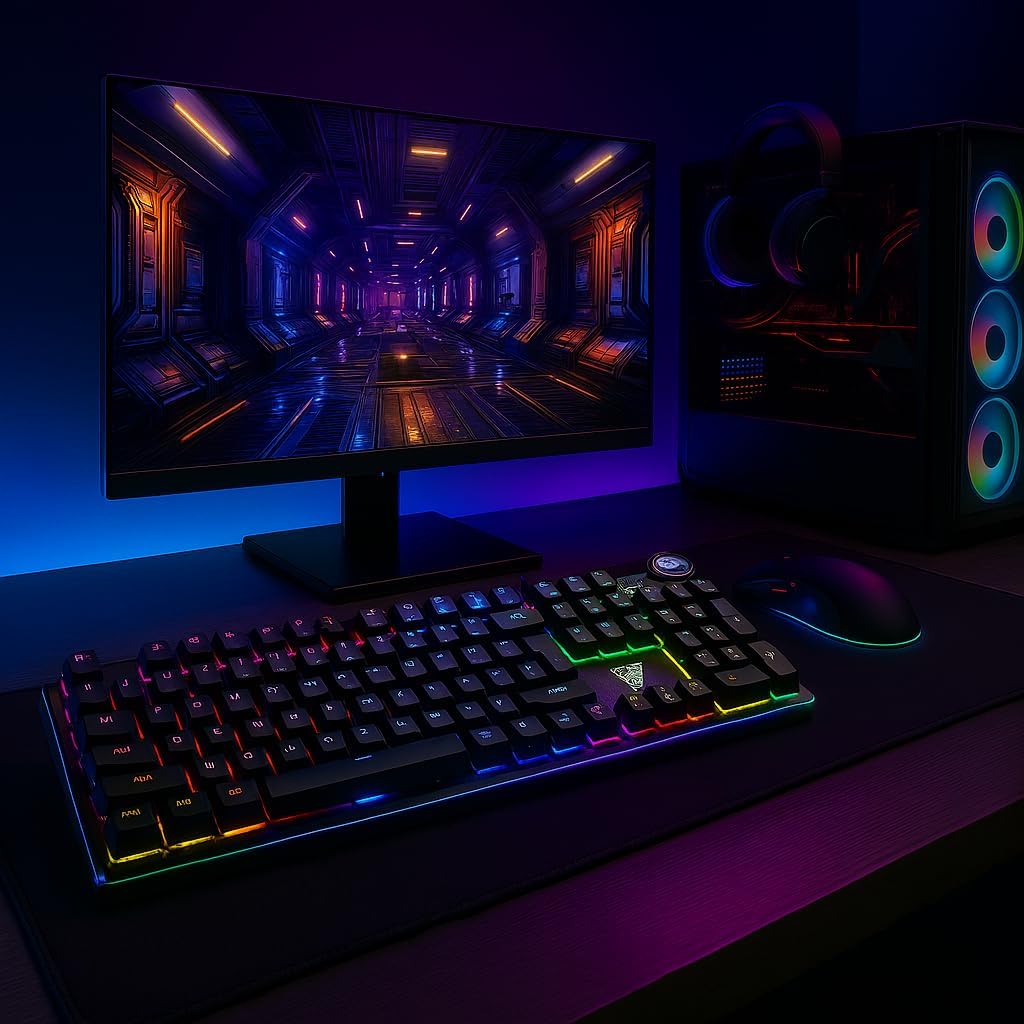
Image 1.1: AULA F3018 Mechanical Keyboard in a typical desktop setup, showcasing its RGB lighting and full-size design.
2. เนื้อหาบรรจุภัณฑ์
ตรวจสอบให้แน่ใจว่ามีรายการทั้งหมดอยู่ในบรรจุภัณฑ์:
- AULA F3018 คีย์บอร์ดแบบกลไก
- สาย USB (ติดมาด้วย)
- คู่มือการใช้งาน (เอกสารนี้)
3. การตั้งค่า
Follow these steps to connect your AULA F3018 Mechanical Keyboard:
- แกะคีย์บอร์ดออก: นำคีย์บอร์ดออกจากบรรจุภัณฑ์อย่างระมัดระวัง
- เชื่อมต่อกับคอมพิวเตอร์: Insert the USB connector of the keyboard's reinforced cable into an available USB port on your computer (PC, Notebook, or MacBook). The keyboard supports USB 2.0 and USB 3.0 ports.
- การติดตั้งไดร์เวอร์: The keyboard is plug-and-play. Your operating system will automatically detect and install the necessary drivers. No additional software installation is required for basic functionality.
- ตรวจสอบการเชื่อมต่อ: Once connected, the keyboard's RGB lighting should illuminate, indicating a successful connection. You can now begin using your keyboard.

ภาพที่ 3.1: มุม view of the AULA F3018 keyboard, highlighting the durable, reinforced USB cable for connection.
4. คู่มือการใช้งาน
4.1. ฟังก์ชั่นพื้นฐาน
The AULA F3018 is a full-size ABNT2 layout keyboard with 108 keys, providing all standard typing and navigation functions.
4.2. การควบคุมแสง RGB
The keyboard features full RGB backlighting with multiple effects. Use the following key combinations to control the lighting:
- Fn + [ปุ่ม]: Specific keys may have secondary functions for lighting control. Refer to the keycaps for symbols indicating lighting adjustments.
- โหมดแสงสว่าง: Cycle through various lighting effects and patterns.
- การปรับความสว่าง: Increase or decrease the brightness of the backlighting.
- การปรับความเร็ว: เปลี่ยนความเร็วของเอฟเฟกต์แสงแบบไดนามิก

Image 4.1: The AULA F3018 keyboard illuminated with vibrant RGB lighting, demonstrating customizable visual effects.
4.3. Multimedia Controls
The keyboard includes dedicated multimedia keys and a volume control knob for convenient media management:
- ปุ่มปรับระดับเสียง: Rotate the knob clockwise to increase volume, counter-clockwise to decrease volume. Press the knob to mute/unmute audio.
- ปุ่มมัลติมีเดียเฉพาะ: Located above the numeric keypad, these keys provide quick access to functions like Play/Pause, Stop, Previous Track, and Next Track.

ภาพที่ 4.2: รายละเอียด view of the volume control knob and adjacent multimedia keys on the AULA F3018 keyboard.
5. การบำรุงรักษา
การบำรุงรักษาอย่างถูกวิธีจะช่วยให้คีย์บอร์ดของคุณใช้งานได้ยาวนานและทำงานได้อย่างมีประสิทธิภาพสูงสุด:
- การทำความสะอาด: ใช้ผ้าแห้งนุ่มเช็ดทำความสะอาดพื้นผิวแป้นพิมพ์ สำหรับฝุ่นและสิ่งสกปรกที่อยู่ระหว่างปุ่ม ให้ใช้ลมเป่าอัด หลีกเลี่ยงการใช้สารเคมีรุนแรงหรือวัสดุที่มีฤทธิ์กัดกร่อน
- การป้องกันการรั่วไหล: While the keyboard is moisture-resistant, avoid direct liquid spills. In case of a spill, immediately disconnect the keyboard and allow it to dry completely before reconnecting.
- การดูแลสายเคเบิล: Do not bend or twist the reinforced cable excessively. Store it neatly to prevent damage.
- พื้นที่จัดเก็บ: เมื่อไม่ได้ใช้งานเป็นเวลานาน ควรเก็บแป้นพิมพ์ไว้ในสภาพแวดล้อมที่สะอาดและแห้ง หลีกเลี่ยงแสงแดดโดยตรงและอุณหภูมิที่สูงหรือต่ำเกินไป
6 การแก้ไขปัญหา
If you encounter issues with your AULA F3018 keyboard, refer to the following common problems and solutions:
- แป้นพิมพ์ไม่ตอบสนอง:
- ตรวจสอบให้แน่ใจว่าสาย USB เชื่อมต่อกับคีย์บอร์ดและคอมพิวเตอร์อย่างแน่นหนา
- ลองเชื่อมต่อคีย์บอร์ดกับพอร์ต USB อื่นบนคอมพิวเตอร์ของคุณ
- รีสตาร์ทเครื่องคอมพิวเตอร์ของคุณ
- ทดสอบแป้นพิมพ์บนคอมพิวเตอร์เครื่องอื่นเพื่อตัดปัญหาเฉพาะคอมพิวเตอร์เครื่องนั้นออกไป
- ไฟ RGB ไม่ทำงาน:
- Check if the lighting is turned off or set to minimum brightness using the keyboard's lighting control functions (e.g., Fn + [Key]).
- ตรวจสอบให้แน่ใจว่าแป้นพิมพ์เชื่อมต่ออย่างถูกต้องและได้รับพลังงาน
- คีย์ไม่ลงทะเบียนหรือพิมพ์ซ้ำ:
- Clean the affected key(s) with compressed air to remove any debris.
- If the issue persists, it might indicate a hardware fault. Contact customer support.
- ปุ่มมัลติมีเดียไม่ทำงาน:
- Ensure your operating system's media player is active and in focus.
- ตรวจสอบว่ามีซอฟต์แวร์หรือไดรเวอร์ใดที่อาจขัดแย้งกันหรือไม่
7. ข้อมูลจำเพาะ
| คุณสมบัติ | คำอธิบาย |
|---|---|
| ชื่อรุ่น | AULA F3018 คีย์บอร์ดแบบกลไก |
| หมายเลขรุ่น | เอฟ3018 |
| ยี่ห้อ | AULA (Generic) |
| ประเภทสวิตซ์ | Tactile Blue Switch |
| เค้าโครงแป้นพิมพ์ | ABNT2 (Portuguese) |
| จำนวนคีย์ | 108 |
| การเชื่อมต่อ | Wired (USB, USB 2.0, USB 3.0) |
| แสงไฟแบ็คไลท์ | Full RGB, Adjustable |
| อุปกรณ์ที่รองรับ | MacBook, Notebook, PC |
| วัสดุ | อะคริโลไนไตรล์ บิวทาไดอีน สไตรีน (ABS) |
| สี | สีดำ |
| ขนาด (กว้าง x ยาว x สูง) | 44 ซม. x 14 ซม. x 3 ซม. |
| ระดับความต้านทานต่อน้ำ | ทนความชื้น |
| การใช้ที่แนะนำ | Gaming, Personal, Programming |
| ส่วนประกอบที่รวมอยู่ | สาย USB |
| ประเทศต้นกำเนิด | จีน |

Image 7.1: Dimensions of the AULA F3018 Mechanical Keyboard, showing its length, width, and height.

Image 7.2: Key features of the AULA F3018 keyboard, including switch type, layout, and connectivity.
8. การรับประกันและการสนับสนุน
The AULA F3018 Mechanical Keyboard comes with a การรับประกันจากผู้ขาย 30 วัน นับจากวันที่ซื้อ การรับประกันนี้ครอบคลุมถึงข้อบกพร่องจากการผลิตภายใต้การใช้งานปกติ
For technical support, warranty claims, or any questions regarding your product, please contact your retailer or the seller directly. Please retain your proof of purchase for warranty validation.