
1. บทนำ
This manual provides essential information for setting up, operating, and maintaining your Samsung Galaxy A17 5G smartphone. Please read this guide thoroughly to ensure proper use and to maximize your device's capabilities. The Samsung Galaxy A17 5G is an international version designed for global connectivity, featuring an immersive AMOLED display, a powerful camera system, and a long-lasting battery.
2. อะไรอยู่ในกล่อง
เมื่อแกะกล่อง Samsung Galaxy A17 5G ของคุณ ตรวจสอบว่ามีส่วนประกอบทั้งหมดครบถ้วน:
- สมาร์ทโฟน Samsung Galaxy A17 5G
- อะแดปเตอร์แปลงไฟ (เครื่องชาร์จเร็ว 25 วัตต์)
- สาย USB (ประเภท-C)
- คู่มือเริ่มต้นใช้งานฉบับย่อ (อาจแตกต่างกันไปตามแต่ละภูมิภาค)

Image: Contents of the Samsung Galaxy A17 5G retail package, including the smartphone, USB Type-C cable, and 25W power adapter.
3. การตั้งค่า
3.1. เค้าโครงอุปกรณ์
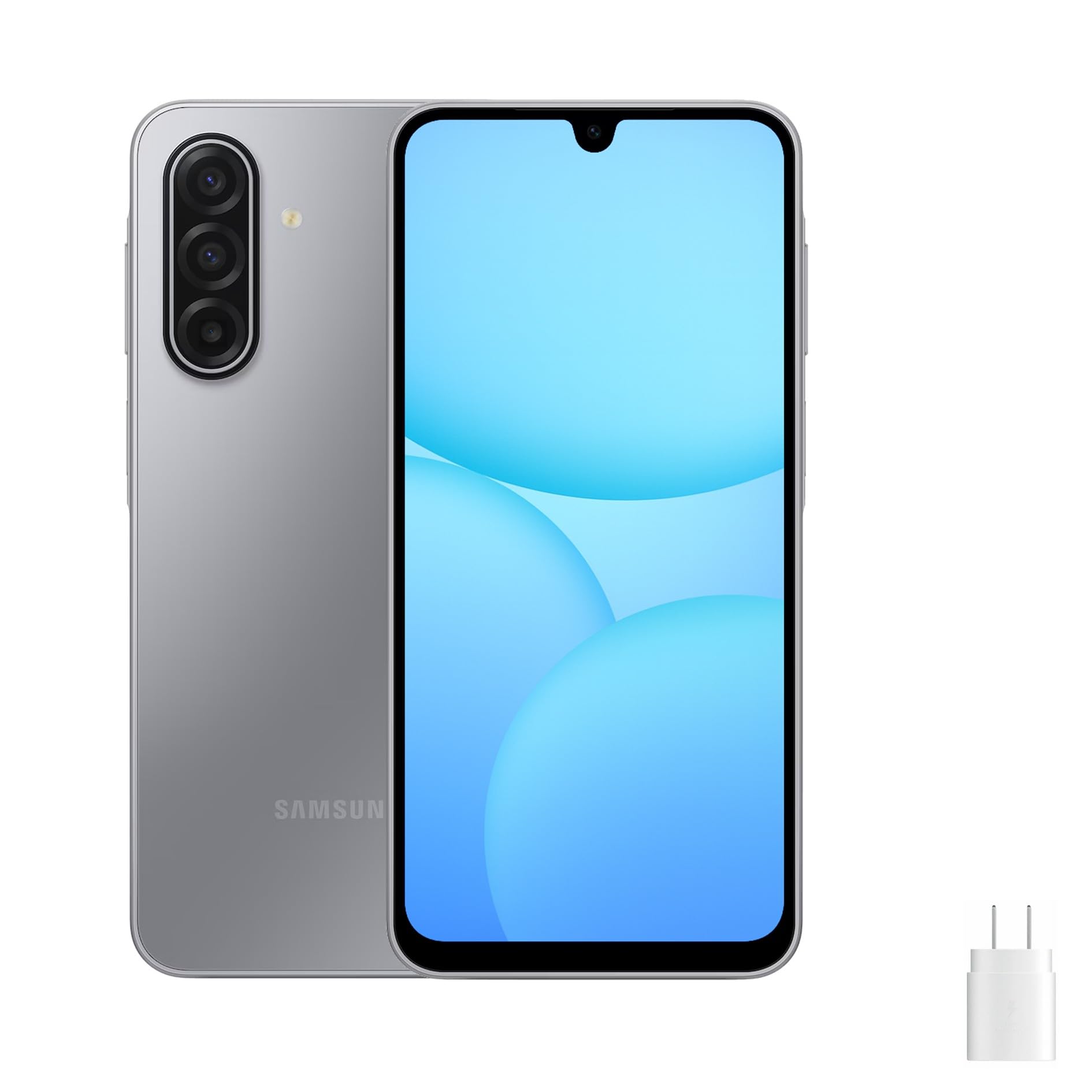
Image: Front, left, and right side views of the Samsung Galaxy A17 5G, illustrating the display, camera, volume buttons, power button, and SIM tray location.
3.2. การใส่ซิมการ์ดและการ์ด MicroSD
- ค้นหาถาดซิมที่ด้านข้างอุปกรณ์ของคุณ
- Insert the ejection pin (not included) into the small hole on the SIM tray to open it.
- Place your Nano-SIM card(s) and/or microSD card into the tray with the gold contacts facing down. The Galaxy A17 5G supports Dual SIM or one SIM with a microSD card.
- ค่อยๆ ดันถาดกลับเข้าไปในช่องจนกระทั่งล็อคเข้าที่
3.3. การเปิดเครื่องครั้งแรกและการตั้งค่า
- กดปุ่มเปิด/ปิดค้างไว้จนกระทั่งโลโก้ Samsung ปรากฏขึ้น
- ทำตามคำแนะนำบนหน้าจอเพื่อเลือกภาษา เชื่อมต่อกับเครือข่าย Wi-Fi และตั้งค่าบัญชี Google ของคุณ
- Transfer data from an old device if desired, using Samsung Smart Switch or Google's data transfer tools.
- Set up security features such as a PIN, pattern, password, or fingerprint recognition.
4. การใช้งานอุปกรณ์ของคุณ
4.1. การแสดงผลและการนำทาง
The Galaxy A17 5G features a 6.7-inch FHD+ Super AMOLED display with a 90Hz refresh rate. This provides vibrant colors, deep blacks, and smooth scrolling. Navigate your device using touch gestures:
- แตะ: เลือกรายการหรือเปิดแอป
- ปัด: เลื่อนดูหน้าจอหรือรายการ
- หยิก: ซูมเข้าหรือออกจากรูปภาพและ web หน้า
- กดแบบยาว: เข้าถึงเมนูบริบทหรือย้ายไอคอนแอป
4.2. คุณสมบัติด้านความปลอดภัย
Protect your device and data using the following security options:
- เซ็นเซอร์ลายนิ้วมือ: Located on the side power button for quick and secure unlocking.
- การจดจำใบหน้า: ปลดล็อกอุปกรณ์ของคุณโดยใช้ใบหน้า
- PIN, รูปแบบ, รหัสผ่าน: วิธีการรักษาความปลอดภัยมาตรฐานสำหรับการเข้าถึงอุปกรณ์
5. คุณสมบัติของกล้อง
The Galaxy A17 5G is equipped with a versatile camera system:
- 50MP Triple Rear Camera: Capture high-resolution photos with optical image stabilization (OIS) for steady shots. Includes wide-angle and depth sensors for various photographic effects.
- กล้องหน้า 13MP: Ideal for clear selfies and high-quality video calls.
To access the camera, tap the Camera app icon. You can switch between photo, video, portrait, and other modes by swiping across the screen. Tap the shutter button to take a photo or start/stop video recording.
6. การเชื่อมต่อ
Galaxy A17 5G ของคุณรองรับตัวเลือกการเชื่อมต่อต่างๆ:
- 5G และ 4G LTE: Enjoy fast mobile data speeds. This is an international version, compatible with most major U.S. GSM carriers like T-Mobile, Metro, and Mint Mobile. It is not compatible with Verizon or CDMA networks.
- สองซิม: Use two SIM cards simultaneously for separate personal and work numbers, or for international travel.
- ไวไฟ : เชื่อมต่อกับเครือข่ายไร้สายเพื่อการเข้าถึงอินเทอร์เน็ต
- บลูทูธ: จับคู่กับหูฟังไร้สาย ลำโพง และอุปกรณ์อื่นๆ ที่เปิดใช้งาน Bluetooth
- USB Type-C: สำหรับการชาร์จและถ่ายโอนข้อมูล
7. การจัดการแบตเตอรี่
The device is powered by a 5000mAh battery, providing extended usage time. To charge your device:
- Connect the included USB Type-C cable to the phone's charging port.
- Connect the other end of the cable to the 25W fast charger power adapter.
- เสียบอะแดปเตอร์ไฟฟ้าเข้ากับเต้ารับไฟฟ้าที่ผนัง
To optimize battery life, consider these tips:
- ลดความสว่างหน้าจอ
- ปิดใช้งาน Wi-Fi, Bluetooth และ GPS เมื่อไม่ได้ใช้งาน
- ปิดแอปที่ไม่ได้ใช้ที่ทำงานอยู่เบื้องหลัง
- เปิดใช้งานโหมดประหยัดพลังงานในเมนูการตั้งค่า
8. การบำรุงรักษา
การดูแลรักษาอย่างถูกวิธีจะช่วยยืดอายุการใช้งานอุปกรณ์ของคุณ:
- การทำความสะอาด: ใช้ผ้านุ่มไม่เป็นขุยทำความสะอาดหน้าจอและตัวเครื่อง หลีกเลี่ยงสารเคมีรุนแรง
- การอัปเดตซอฟต์แวร์: ตรวจสอบและติดตั้งการอัปเดตซอฟต์แวร์เป็นประจำเพื่อให้มั่นใจถึงประสิทธิภาพและความปลอดภัยที่เหมาะสมที่สุด ไปที่ การตั้งค่า > อัปเดตซอฟต์แวร์.
- การจัดการพื้นที่เก็บข้อมูล: ล้างสิ่งที่ไม่จำเป็นออกเป็นระยะๆ fileและแอปต่างๆ เพื่อเพิ่มพื้นที่จัดเก็บข้อมูล
- สภาพแวดล้อม : หลีกเลี่ยงการสัมผัสอุปกรณ์ในอุณหภูมิที่สูงหรือต่ำเกินไป แสงแดดโดยตรง หรือความชื้นที่มากเกินไป
9 การแก้ไขปัญหา
หากคุณพบปัญหาเกี่ยวกับอุปกรณ์ของคุณ ให้ลองวิธีแก้ปัญหาทั่วไปต่อไปนี้:
9.1. อุปกรณ์ไม่เปิด
- ตรวจสอบให้แน่ใจว่าแบตเตอรี่ชาร์จเต็มแล้ว เสียบที่ชาร์จและรอสักครู่ก่อนลองเปิดเครื่อง
- กดปุ่มเปิด/ปิดค้างไว้อย่างน้อย 10 วินาทีเพื่อบังคับรีสตาร์ท
9.2 ปัญหาการเชื่อมต่อเครือข่าย
- ตรวจสอบว่าคุณได้ใส่ซิมการ์ดอย่างถูกต้องหรือไม่
- Verify that your device is within network coverage.
- รีสตาร์ทอุปกรณ์ของคุณ
- ไปที่ การตั้งค่า > การเชื่อมต่อ > เครือข่ายมือถือ > ผู้ให้บริการเครือข่าย and select your network manually.
- Confirm compatibility with your carrier. This international model is primarily compatible with GSM carriers like T-Mobile in the U.S.
9.3. แอปขัดข้องหรือหยุดทำงาน
- ปิดและเปิดแอปใหม่อีกครั้ง
- ล้างแคชและข้อมูลของแอป (การตั้งค่า > แอป > [ชื่อแอป] > ที่เก็บข้อมูล).
- ตรวจสอบให้แน่ใจว่าแอปได้รับการอัปเดตเป็นเวอร์ชันล่าสุด
- รีสตาร์ทอุปกรณ์ของคุณ
9.4. แบตเตอรี่หมดเร็ว
- Review การใช้งานแบตเตอรี่ใน การตั้งค่า > การดูแลแบตเตอรี่และอุปกรณ์ > แบตเตอรี่ เพื่อระบุแอปที่กินพลังงาน
- ลดความสว่างหน้าจอและตั้งค่าเวลาปิดหน้าจออัตโนมัติ
- Disable background app refresh for non-essential apps.
10. ข้อมูลจำเพาะ
| ชื่อรุ่น | ซัมซุง กาแล็คซี่ A17 5G |
| หมายเลขรุ่น | SM-A176B/ดีเอส |
| แสดง | Super AMOLED ขนาด 6.7 นิ้ว FHD+ อัตราการรีเฟรช 90Hz |
| โปรเซสเซอร์ | ซัมซุง Exynos 1330 |
| แรม | 8GB |
| การจัดเก็บข้อมูลภายใน | 256 GB (เพิ่มได้ผ่าน microSD) |
| กล้องหลัง | 50MP Triple Camera with OIS |
| กล้องหน้า | 13MP |
| แบตเตอรี่ | แบตเตอรี่ 5000mAh, ชาร์จเร็ว 25W |
| ระบบปฏิบัติการ | แอนดรอยด์ 14 |
| การเชื่อมต่อ | 5G, 4G LTE, Wi-Fi, Bluetooth, Dual SIM |
| ขนาด | 20 x 10 x 8 นิ้ว (บรรจุภัณฑ์) |
| น้ำหนัก | 15 ปอนด์ (น้ำหนักรายการ) |
11. การรับประกันและการสนับสนุน
This Samsung Galaxy A17 5G is an international version. Please note the following regarding warranty and support:
- ไม่มีการรับประกันจากผู้ผลิตในสหรัฐอเมริกา: อุปกรณ์นี้ไม่มีการรับประกันจากผู้ผลิตในสหรัฐอเมริกา
- นโยบายการคืนสินค้าของผู้ขาย: Any warranty or return claims will be subject to the seller's return policy. Please refer to the purchase platform for details on the applicable return and refund policies.
For technical assistance or further information, you may visit the official Samsung support website for your region or contact the seller directly.