
1. บทนำ
This manual provides detailed instructions for the LAXASFIT GT1 Smart Watch. Please read this manual thoroughly before using your device to ensure proper operation and to maximize its features. Keep this manual for future reference.
2. สินค้าหมดview
2.1 เนื้อหาบรรจุภัณฑ์
เมื่อเปิดบรรจุภัณฑ์ ตรวจสอบว่ามีสิ่งของครบทั้งหมด:
- LAXASFIT GT1 Smart Watch
- สายชาร์จ USB
- คู่มือการใช้งาน (เอกสารนี้)
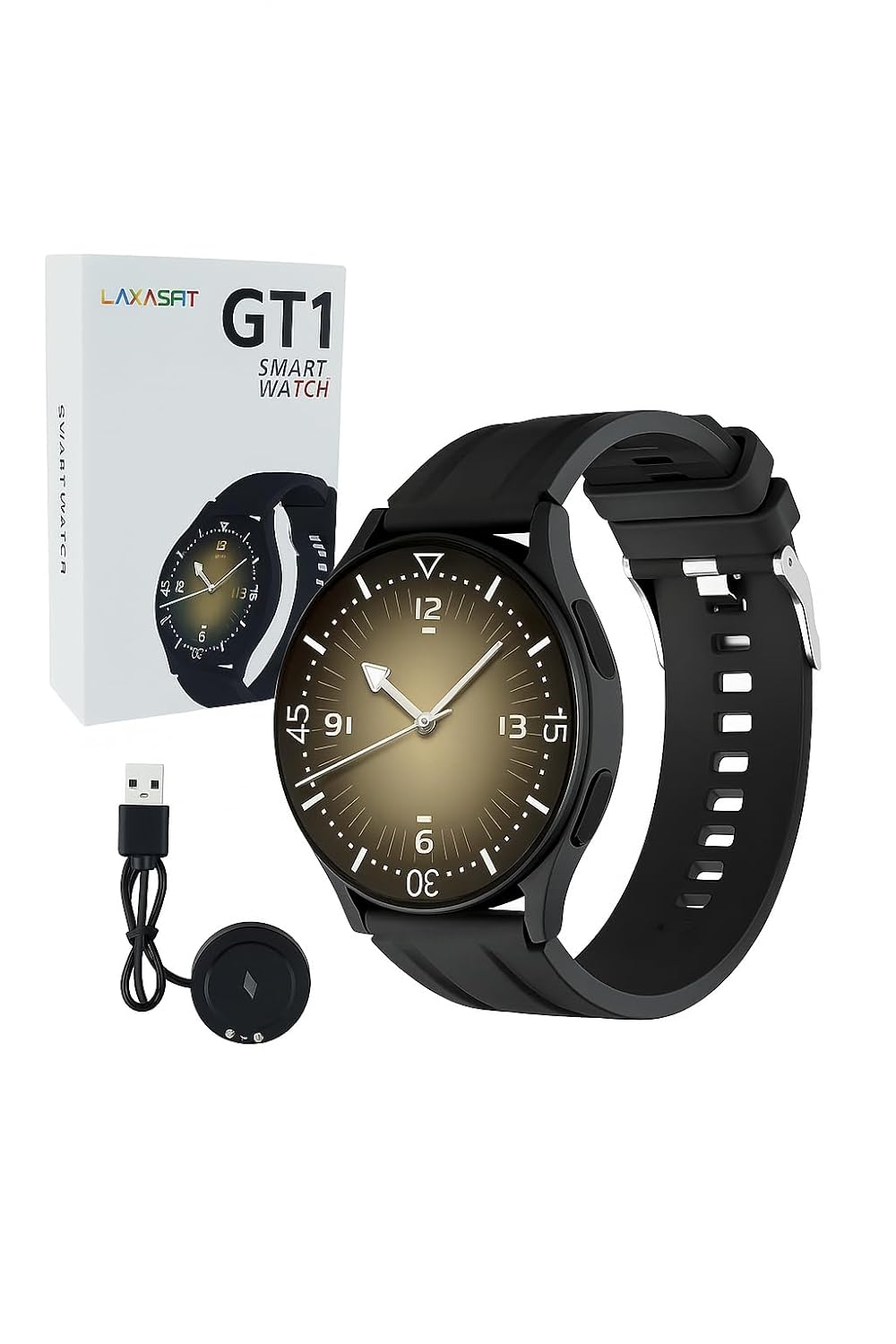
Image: The LAXASFIT GT1 Smart Watch, its retail packaging, and the included USB charging cable.
2.2 คุณสมบัติหลัก
The LAXASFIT GT1 Smart Watch offers a range of functionalities designed to enhance your daily life:
- 1.32" IPS Pure Round Full Touch Screen: Vibrant and responsive display for clear interaction.
- ฟังก์ชันการโทรผ่านบลูทูธ: โทรออกและรับสายได้โดยตรงจากข้อมือของคุณ
- การติดตามการนอนหลับ: Tracks sleep patterns to help assess sleep quality.
- โหมดกีฬาหลายโหมด: Records data for various physical activities.
- ระดับการกันน้ำ IP67: Resistant to splashes and brief immersion.
- เครื่องตรวจวัด SpO2: วัดระดับความอิ่มตัวของออกซิเจนในเลือด
- การตรวจสอบอัตราการเต้นของหัวใจ: การติดตามอัตราการเต้นของหัวใจอย่างต่อเนื่อง
- เครื่องนับก้าว: Tracks daily steps and activity.
- การแจ้งเตือน: Receives alerts for calls, messages, and app notifications.
- การออกแบบที่ทนทาน: Features a black silicone strap with ventilation for comfort.
3. คู่มือการติดตั้ง
3.1 การชาร์จสมาร์ทวอทช์
Before initial use, fully charge your LAXASFIT GT1 Smart Watch.
- Connect the USB charging cable to a standard USB power adapter (not included) or a computer's USB port.
- Attach the magnetic charging pins to the charging contacts on the back of the watch. Ensure a secure connection.
- หน้าจอของนาฬิกาจะแสดงสถานะการชาร์จ โดยปกติการชาร์จเต็มจะใช้เวลาประมาณ 2 ชั่วโมง
3.2 เปิด/ปิดเครื่อง
- การเปิดเครื่อง: กดปุ่มด้านข้างค้างไว้จนกว่าโลโก้ LAXASFIT จะปรากฏบนหน้าจอ
- วิธีปิดเครื่อง: From the watch face, swipe down to access the quick settings, then tap the power icon, or navigate to การตั้งค่า > ระบบ > ปิดเครื่องยืนยันการเลือกของคุณ
3.3 การติดตั้งแอปและการจับคู่อุปกรณ์
To unlock the full potential of your LAXASFIT GT1 Smart Watch, install the companion application on your smartphone.
- ดาวน์โหลดแอป: ค้นหา "Laxasfit" in the Google Play Store (for Android devices) or the Apple App Store (for iOS devices).
- ติดตั้งแอพ: ปฏิบัติตามคำแนะนำบนหน้าจอเพื่อติดตั้งแอปพลิเคชัน

Image: Screenshot of the Laxasfit app listing on the Google Play Store.

Image: Screenshot of the Laxasfit app listing on the Apple App Store.
- เปิดใช้งานบลูทูธ: ตรวจสอบให้แน่ใจว่าได้เปิดใช้งาน Bluetooth บนสมาร์ทโฟนของคุณแล้ว
- เปิดแอป: Launch the Laxasfit app and follow the on-screen prompts to create an account or log in.
- จับคู่อุปกรณ์: Within the app, navigate to the device section and select "Add Device" or "Search Device." The app will scan for available smartwatches. Select "GT1" or the corresponding device name when it appears.
- ยืนยันการจับคู่: อาจมีคำขอจับคู่ปรากฏขึ้นทั้งบนโทรศัพท์และนาฬิกาของคุณ โปรดยืนยันการจับคู่บนอุปกรณ์ทั้งสอง
4. คู่มือการใช้งาน
4.1 การนำทางพื้นฐาน
- หน้าจอสัมผัส: ปัดไปทางซ้าย ขวา ขึ้น หรือลง เพื่อเลื่อนดูเมนูและฟีเจอร์ต่างๆ แตะเพื่อเลือกรายการ
- ปุ่มด้านข้าง: Press the side button to return to the watch face or to wake the screen. A long press may access power options or other functions depending on context.
4.2 ฟังก์ชันการโทรผ่านบลูทูธ
After successful pairing with your smartphone, you can use the watch for Bluetooth calls:
- ตรวจสอบให้แน่ใจว่านาฬิกาเชื่อมต่อกับโทรศัพท์ของคุณผ่านบลูทูธ
- To make a call, access the dialer on the watch or select a contact from your synced phonebook.
- หากต้องการรับสายเรียกเข้า ให้แตะไอคอนรับสายสีเขียวบนหน้าจอของนาฬิกา
- To reject a call, tap the red reject icon.
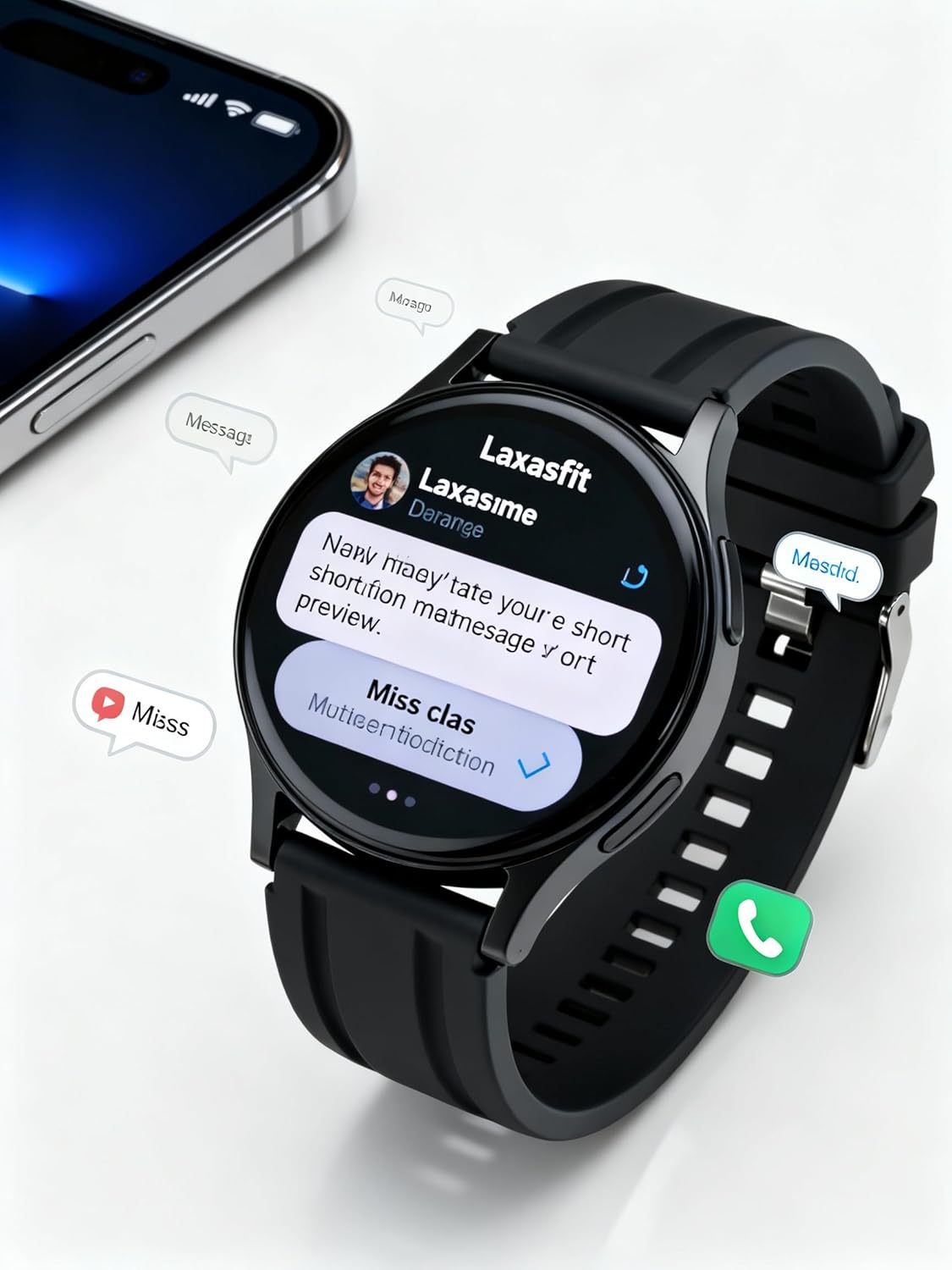
Image: The smart watch screen showing incoming message notifications and an icon for a phone call, indicating its communication features.
4.3 การตรวจติดตามสุขภาพ
The GT1 Smart Watch provides various health tracking features:
- อัตราการเต้นของหัวใจ: Access the heart rate monitor from the main menu. The watch will automatically measure and display your current heart rate. Continuous monitoring can be enabled via the app.
- SpO2 (ออกซิเจนในเลือด): Navigate to the SpO2 function. Keep your arm still during measurement for accurate results.
- การติดตามการนอนหลับ: Wear the watch to bed. It will automatically track your sleep duration and quality. View detailed sleep data in the Laxasfit app.
- เครื่องนับก้าว: The watch continuously tracks your steps, distance, and calories burned throughout the day.

Image: The smart watch on a user's wrist, displaying sleep duration and quality metrics, with a person sleeping in the background.

Image: The smart watch screen showing a heart rate reading in BPM and the total number of steps taken.
โหมดกีฬา 4.4 โหมด
The watch supports various sports modes to track your workouts:
- Navigate to the "Sports" or "Workout" menu on your watch.
- Select your desired activity (e.g., running, walking, cycling).
- The watch will begin recording data such as duration, distance, calories burned, and heart rate.
- End the workout by following the on-screen prompts. Data will sync to the Laxasfit app.
4.5 การแจ้งเตือน
Receive notifications from your smartphone directly on your watch:
- Ensure notification permissions are granted to the Laxasfit app on your smartphone.
- Enable specific app notifications within the Laxasfit app settings.
- เมื่อมีการแจ้งเตือนเข้ามา นาฬิกาจะสั่นและแสดงเนื้อหาข้อความ
5. การบำรุงรักษา
5.1 การทำความสะอาดสมาร์ทวอทช์ของคุณ
- ควรทำความสะอาดหน้าจอนาฬิกาและสายนาฬิกาเป็นประจำด้วยผ้าเนื้อนุ่มและแห้งamp ผ้า.
- หลีกเลี่ยงการใช้สารเคมีรุนแรง น้ำยาทำความสะอาดที่มีฤทธิ์กัดกร่อน หรือตัวทำละลาย เนื่องจากอาจทำให้เครื่องเสียหายได้
- ตรวจสอบให้แน่ใจว่าหน้าสัมผัสการชาร์จสะอาดและแห้งก่อนชาร์จเพื่อป้องกันการกัดกร่อน
5.2 ความต้านทานน้ำ (IP67)
The LAXASFIT GT1 Smart Watch is rated IP67, meaning it is resistant to dust and can withstand immersion in water up to 1 meter for 30 minutes. However, it is not suitable for swimming, diving, or high-pressure water activities. Avoid exposure to hot water or steam.
5.3 แนวทางปฏิบัติที่ดีที่สุดในการชาร์จ
- ใช้เฉพาะสายชาร์จที่ให้มาเท่านั้น
- หลีกเลี่ยงการชาร์จไฟเกิน และควรถอดปลั๊กเมื่อชาร์จเต็มแล้ว
- Do not charge the watch in wet conditions.
6 การแก้ไขปัญหา
If you encounter issues with your LAXASFIT GT1 Smart Watch, refer to the following common solutions:
- นาฬิกาไม่เปิด: ตรวจสอบให้แน่ใจว่านาฬิกาชาร์จเต็มแล้ว เสียบนาฬิกาเข้ากับเครื่องชาร์จอย่างน้อย 10 นาที
- ไม่สามารถจับคู่กับโทรศัพท์ได้:
- ตรวจสอบให้แน่ใจว่าได้เปิดใช้งานบลูทูธบนโทรศัพท์และนาฬิกาของคุณแล้ว
- ตรวจสอบให้แน่ใจว่านาฬิกาอยู่ในระยะของโทรศัพท์ของคุณ
- รีสตาร์ททั้งโทรศัพท์และนาฬิกาของคุณ
- ล้างแคชบลูทูธในโทรศัพท์ของคุณ (Android) หรือยกเลิกการเชื่อมต่อและเชื่อมต่อใหม่ (iOS/Android)
- ข้อมูลสุขภาพที่ไม่ถูกต้อง: ตรวจสอบให้แน่ใจว่านาฬิกากระชับพอดีกับข้อมือ ไม่แน่นหรือหลวมเกินไป และรักษาความสะอาดของเซ็นเซอร์
- ไม่ได้รับการแจ้งเตือน:
- ตรวจสอบสิทธิ์การแจ้งเตือนของแอปบนโทรศัพท์ของคุณ
- Verify that notifications are enabled within the Laxasfit app.
- ตรวจสอบให้แน่ใจว่านาฬิกาเชื่อมต่อกับโทรศัพท์ของคุณแล้ว
- หน้าจอไม่ตอบสนอง: ลองรีสตาร์ทนาฬิกาโดยกดปุ่มด้านข้างค้างไว้ หากยังไม่ตอบสนอง ให้ปล่อยให้แบตเตอรี่หมดจนหมดแล้วจึงชาร์จใหม่
หากปัญหายังคงมีอยู่ โปรดติดต่อฝ่ายสนับสนุนลูกค้าเพื่อขอความช่วยเหลือเพิ่มเติม
7. ข้อมูลจำเพาะ
| คุณสมบัติ | รายละเอียด |
|---|---|
| ยี่ห้อ | แลกซัสฟิต |
| ชื่อรุ่น | GT1 (Zt1) |
| หมายเลขรุ่นสินค้า | H9proMax |
| ประเภทจอภาพ | อโมเลด |
| ขนาดการแสดงผลหน้าจอยืน | 1.9 นิ้ว (Note: Product title states 1.32" IPS, specifications state 1.9" AMOLED. Using 1.9" from specifications for consistency in this section.) |
| ระบบปฏิบัติการ | วอทช์โอเอส (Note: This is likely a generic term or placeholder, as WatchOS is Apple's OS. The actual OS is typically proprietary for such devices.) |
| ความจุของหน่วยความจำ | 500MB |
| ขนาดหน่วยความจำ RAM ที่ติดตั้ง | 0.13MB |
| คุณสมบัติพิเศษ | จีพีเอส |
| อุปกรณ์ที่รองรับ | ไอโฟน (Note: Also compatible with Android via the Laxasfit app.) |
| อายุการใช้งานแบตเตอรี่โดยเฉลี่ย | 1 วัน |
| เวลาในการชาร์จ | 2 ชั่วโมง |
| ความจุของแบตเตอรี่ | 100 Amp ชั่วโมง (Note: This unit is unusual for smartwatches, typically mAh. Assuming it refers to 100mAh or similar capacity.) |
| ประเภทไร้สาย | บลูทูธ |
| ประเภทขั้วต่อ | บลูทูธ |
| อินเทอร์เฟซอุปกรณ์ - หลัก | หน้าจอสัมผัส |
| วัสดุ | ซิลิโคน |
| น้ำหนักสินค้า | 200 กรัม |
| ระดับการต้านทานน้ำ | IP67 |
8. การรับประกันและการสนับสนุน
For warranty information and customer support, please refer to the documentation provided with your purchase or contact LAXASFIT customer service through their official website or the Laxasfit application. Keep your proof of purchase for warranty claims.