การแนะนำ
Thank you for choosing the SKMEI 9169 Analog Digital Sport Watch. This manual provides detailed instructions for the proper setup, operation, and maintenance of your watch. Please read this manual thoroughly to ensure optimal performance and longevity of your timepiece.
The SKMEI 9169 features a triple time zone display, 50-meter water resistance, and a comfortable TPU strap, making it suitable for various activities and daily wear.
สินค้าเกินview
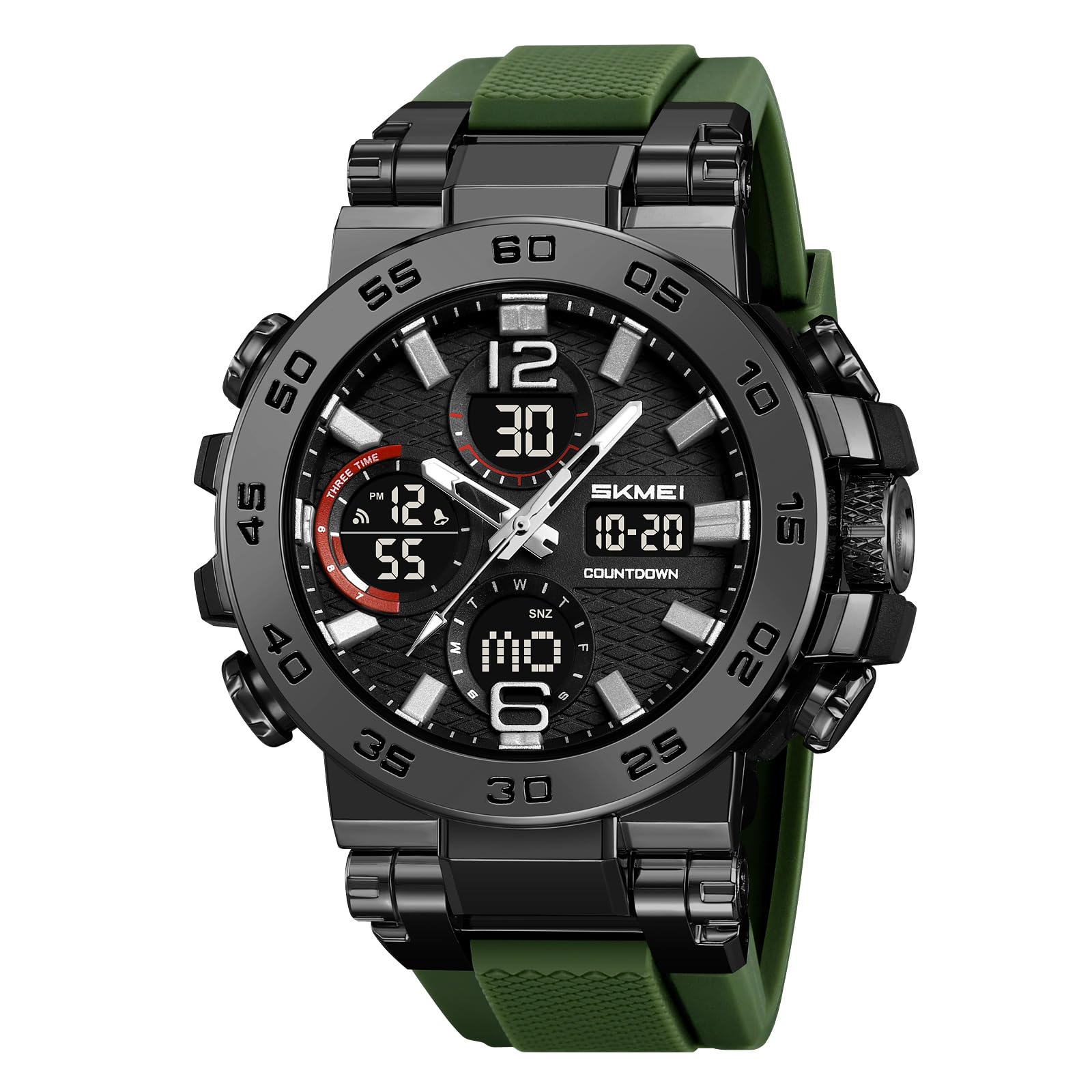
ภาพ: ด้านหน้า view of the SKMEI 9169 Analog Digital Sport Watch, showcasing its large face and dual display.

Image: Diagram illustrating the main components of the SKMEI 9169 watch, including the watch case, dial, band, mirror, clasp, and back cover.
ปุ่มฟังก์ชั่น

Image: The SKMEI 9169 watch with labels indicating the LIGHT, START/STOP, MODE, and RESET buttons, along with display areas for Seconds, Time, Date, and Week.
- ปุ่มไฟ: Activates the luminous backlight for improved visibility in low-light conditions.
- ปุ่ม START/STOP: Used to start and stop functions such as the stopwatch or countdown timer.
- ปุ่มโหมด: Cycles through different display modes (e.g., Time, Alarm, Stopwatch, Countdown).
- ปุ่มรีเซ็ต: รีเซ็ตค่าหรือยืนยันการตั้งค่าในโหมดต่างๆ
คำแนะนำการใช้งาน
การตั้งเวลาและวันที่
- ในโหมดแสดงเวลาปกติ ให้กดปุ่ม โหมด button repeatedly until the time setting interface appears (usually indicated by flashing digits).
- ใช้ รีเซ็ต กดปุ่มเพื่อเลือกตัวเลขที่คุณต้องการปรับ (ชั่วโมง นาที วินาที)
- ใช้ เริ่ม/หยุด ปุ่มสำหรับเพิ่มค่าตัวเลขที่เลือก
- ทำตามขั้นตอนนี้ต่อไปเพื่อกำหนดปี เดือน และวัน
- กดปุ่ม โหมด ปุ่มอีกครั้งเพื่อออกจากโหมดการตั้งค่า
การใช้ฟังก์ชันปลุก
- กดปุ่ม โหมด button to navigate to the alarm mode.
- กดปุ่ม รีเซ็ต ปุ่มสำหรับเลือกตัวเลขชั่วโมงหรือนาที
- ใช้ เริ่ม/หยุด ปุ่มสำหรับปรับเวลาปลุก
- กดปุ่ม โหมด ปุ่มเพื่อยืนยันและออก
- หากต้องการเปิด/ปิดสัญญาณเตือน ให้กดปุ่ม เริ่ม/หยุด กดปุ่มขณะอยู่ในโหมดตั้งปลุก ไอคอนตั้งปลุกจะปรากฏ/หายไป
การใช้นาฬิกาจับเวลา
- กดปุ่ม โหมด button to navigate to the stopwatch mode.
- กดปุ่ม เริ่ม/หยุด ปุ่มสำหรับเริ่มจับเวลา
- กดปุ่ม เริ่ม/หยุด กดปุ่มอีกครั้งเพื่อหยุดนาฬิกาจับเวลาชั่วคราว
- กดปุ่ม รีเซ็ต ปุ่มสำหรับรีเซ็ตนาฬิกาจับเวลาให้เป็นศูนย์
Triple Time Zone Display
The watch features a triple time zone display. The main analog hands show the primary time, while the digital displays can be set to two additional time zones. Refer to the detailed setting instructions for each digital display in the full manual if available.
ความต้านทานต่อน้ำ

Image: A person's wrist wearing the SKMEI 9169 watch being splashed with water, illustrating its 50M water resistance.
This watch is rated for 50 meters (5ATM) water resistance. This means it is suitable for daily use, hand washing, rain, and short periods of recreational swimming. อย่ากดปุ่มใดๆ ในขณะที่นาฬิกาจมอยู่ในน้ำ Avoid hot water, steam, or prolonged exposure to water to prevent damage.
Video: A demonstration of a similar SKMEI analog-digital watch's water resistance and luminous display features.
จอแสดงผลเรืองแสง

Image: Close-up of the SKMEI 9169 watch face with its luminous display activated, showing clear digital time and date in green light.
The watch features an LED luminous display for easy reading in the dark. Press the แสงสว่าง button to activate the backlight. The backlight will remain on for a few seconds before automatically turning off.
การบำรุงรักษาและการดูแล
- ควรทำความสะอาดนาฬิกาเป็นประจำด้วยผ้าแห้งเนื้อนุ่ม สำหรับคราบสกปรกฝังแน่น ให้ใช้ผ้าที่ชื้นเล็กน้อยเช็ดamp ผ้าและสบู่อ่อนๆ แล้วเช็ดให้แห้ง
- ควรหลีกเลี่ยงการนำนาฬิกาไปวางไว้ในที่ที่มีอุณหภูมิสูงหรือต่ำเกินไป แสงแดดโดยตรงเป็นเวลานาน หรือสนามแม่เหล็กแรงสูง
- Do not use chemical cleaners or solvents, as these can damage the watch's finish or seals.
- If the watch is exposed to saltwater, rinse it with fresh water and dry it immediately.
- For battery replacement or internal repairs, it is recommended to consult a professional watch technician to maintain water resistance and proper function.
การแก้ไขปัญหา
| ปัญหา | สาเหตุที่เป็นไปได้ | สารละลาย |
|---|---|---|
| จอแสดงผลแบบดิจิตอลว่างเปล่าหรือมืดลง | แบตเตอรี่อ่อน | Replace the battery (CR2025/SR626SW). Consult a professional. |
| เวลาไม่ถูกต้อง | Incorrect setting; exposure to strong magnetic fields. | Re-set the time according to the operating instructions. Keep away from strong magnets. |
| เกิดการควบแน่นของน้ำภายในนาฬิกา | Water resistance compromised; exposure to extreme temperature changes. | Stop using the watch and take it to a professional for inspection and repair immediately. |
| ปุ่มต่างๆ ไม่ตอบสนอง | Stuck button; internal malfunction. | Ensure buttons are not jammed. If issue persists, seek professional service. |
ข้อมูลจำเพาะ

Image: Infographic detailing the product parameters of the SKMEI 9169 watch, including dimensions and materials.
- ยี่ห้อ: เอสเคเมย์
- หมายเลขรุ่น: 9169
- น้ำหนัก: 66.2กรัม
- ความเคลื่อนไหว: ดิจิตอล
- คริสตัล: เรซิน
- วัสดุเคส: เอบีเอส
- วัสดุสาย: ทีพียู
- หัวเข็มขัด: สแตนเลส
- ความต้านทานน้ำ: 50 เมตร (5ATM)
- ฟังก์ชั่น: Triple Time, Chronograph, Date, Week, LED Light, 12/24 hour clock, Countdown
- ความกว้างเคส: 54.7มม. / 2.15นิ้ว
- ความหนาของเคส: 18มม. / 0.7นิ้ว
- ความกว้างของแถบ: 30.2มม. / 1.19นิ้ว
- ความยาวของนาฬิกา: 280มม. / 11.02นิ้ว
- รหัสแบตเตอรี่: ซีอาร์2025/เอสอาร์626เอสดับเบิ้ลยู
การรับประกันและการสนับสนุน
For warranty information or technical support, please refer to the documentation included with your purchase or contact SKMEI customer service through their official website or the retailer where the watch was purchased. Keep your proof of purchase for warranty claims.