
การแนะนำ
This manual provides instructions for the Garmin Venu 4 GPS Smartwatch. It covers device setup, operation, maintenance, and troubleshooting. The Venu 4 is designed to assist users in monitoring health and fitness metrics through its advanced features and bright display.

Image: Garmin Venu 4 Smartwatch in Slate with a black silicone band, displaying time and health metrics.
มีอะไรอยู่ในกล่อง
ตรวจสอบว่ามีรายการทั้งหมดอยู่ในแพ็คเกจ:
- Garmin Venu 4 Smartwatch (45mm)
- สายชาร์จ/สายข้อมูล
- เอกสารประกอบ (คู่มือเริ่มต้นใช้งานฉบับย่อ, ข้อมูลด้านความปลอดภัย)
การตั้งค่า
1. การชาร์จอุปกรณ์
Before initial use, fully charge your Venu 4 smartwatch. Connect the charging/data cable to the charging port on the back of the watch and plug the other end into a USB power source.
- โดยทั่วไปการชาร์จเต็มจะใช้เวลาประมาณ 2 ชั่วโมง
- หน้าจอแสดงผลของนาฬิกาจะแสดงสถานะการชาร์จ
2. การจับคู่กับสมาร์ทโฟนของคุณ
To access all features and synchronize data, pair your Venu 4 with the Garmin Connect app on your smartphone.
- ดาวน์โหลด การเชื่อมต่อ Garmin แอปจากร้านแอปของสมาร์ทโฟนของคุณ
- เปิดใช้งานบลูทูธบนสมาร์ทโฟนของคุณ
- เปิดแอป Garmin Connect แล้วทำตามคำแนะนำบนหน้าจอเพื่อสร้างบัญชีหรือเข้าสู่ระบบ
- Select "Add Device" within the app and choose your Venu 4 from the list of available devices.
- ทำตามคำแนะนำการจับคู่บนนาฬิกาและสมาร์ทโฟนของคุณเพื่อทำการเชื่อมต่อให้เสร็จสมบูรณ์
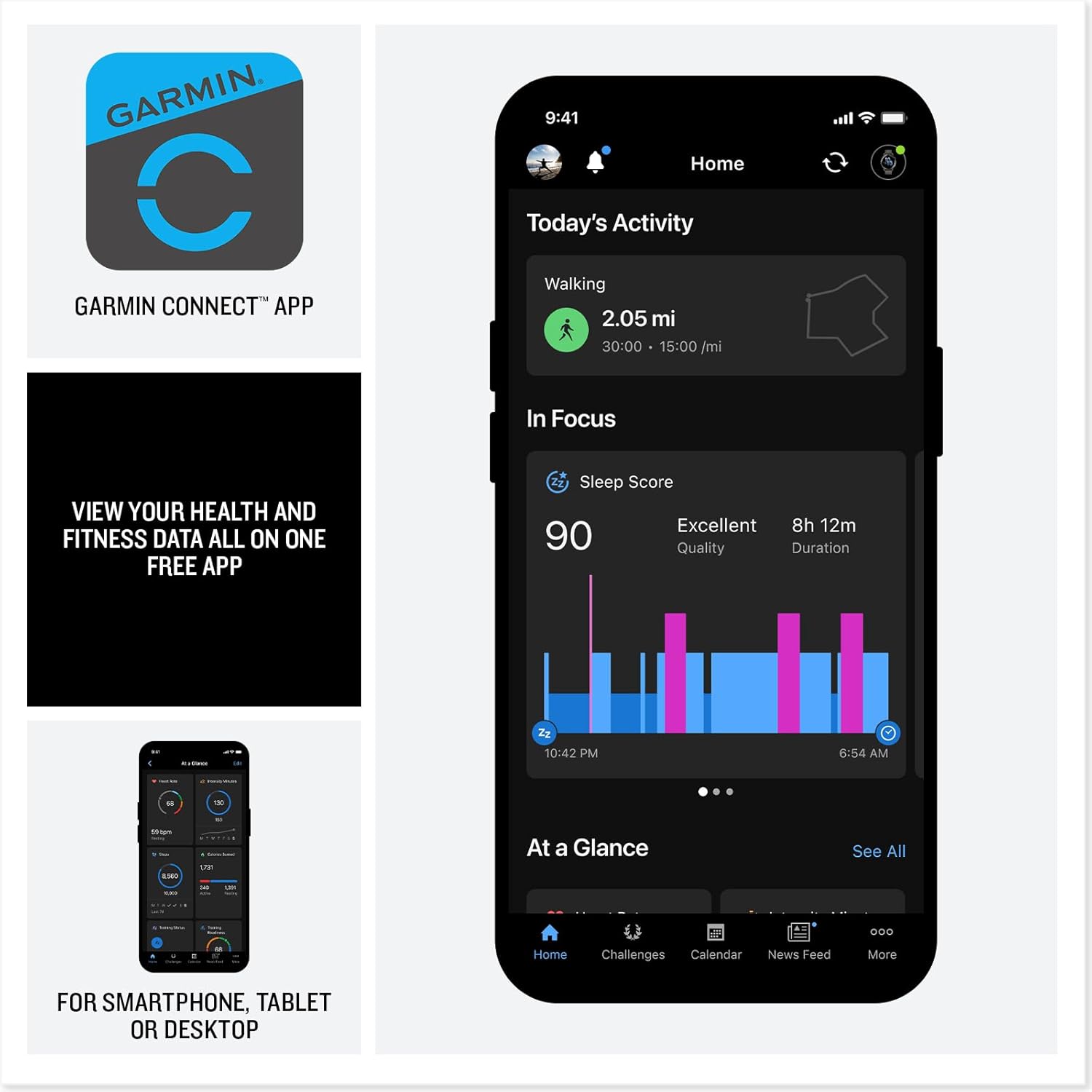
Image: A smartphone displaying the Garmin Connect app interface, showing activity and sleep data.
คำแนะนำการใช้งาน
การแสดงผลและการนำทาง
The Venu 4 features a bright, colorful AMOLED display. Navigate through menus and features using touch gestures and the physical buttons on the watch.
- หน้าจอสัมผัส: ปัดขึ้น ลง ซ้าย หรือขวาเพื่อ view widgets, notifications, and controls. Tap to select items.
- ปุ่ม: Specific button functions are detailed in the device's on-screen help and the Garmin Connect app.
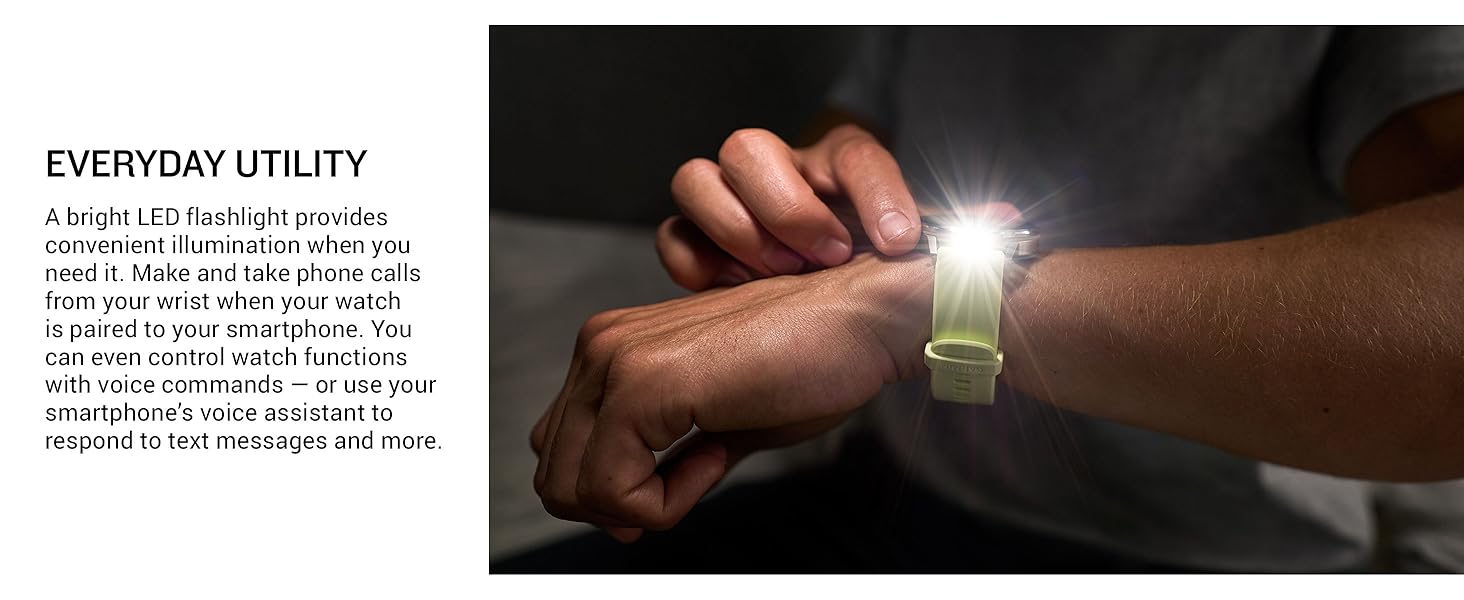
Image: Close-up of the Garmin Venu 4's vibrant display, highlighting its clarity and color.
คุณสมบัติการติดตามสุขภาพ
The Venu 4 provides comprehensive health tracking capabilities:
- อัตราการเต้นของหัวใจที่ข้อมือ: ตรวจสอบอัตราการเต้นของหัวใจของคุณอย่างต่อเนื่อง
- การตรวจสอบพลังงาน Body Battery™: ติดตามระดับพลังงานในร่างกายของคุณเพื่อช่วยระบุช่วงเวลาที่เหมาะสมที่สุดสำหรับการทำกิจกรรมและการพักผ่อน
- Sleep Tracking and Coaching: Provides a sleep score, personalized coaching, and insights into sleep stages and circadian rhythm alignment.
- การติดตามความเครียด: ตรวจสอบระดับความเครียดตลอดทั้งวัน
- พัลส์วัว: วัดระดับความอิ่มตัวของออกซิเจนในเลือด (อาจไม่มีให้บริการในทุกประเทศ)
- สถานะสุขภาพ: Identifies changes in key health metrics (heart rate, HRV, skin temperature) that may indicate increased body stress.
- Lifestyle Logging: Allows logging of behaviors like caffeine and alcohol intake to observe their impact on health.
- แอป ECG: Records heart rhythm and checks for signs of atrial fibrillation (AFib) for users 22 years or older (not available in all regions).
Note: Device data presented is intended to be a close estimation of metrics tracked and is not a medical device. Consult a healthcare professional for medical concerns.
การติดตามการออกกำลังกายและกิจกรรม
Engage in various activities with the Venu 4's extensive fitness features:
- แอพกีฬาในตัว: Over 80 preloaded apps for activities such as walking, running, cycling, HIIT, swimming, strength training, mobility, and mixed sessions. Includes specific support for active wheelchair users.
- การออกกำลังกายที่แนะนำทุกวัน: Receive personalized workout recommendations based on your fitness and recovery data.
- โค้ช Garmin: Access adaptive training plans for running, cycling, strength, and general fitness.
- Advanced Training Features: Understand workout benefit, recovery time, training readiness, and training status for optimized performance.
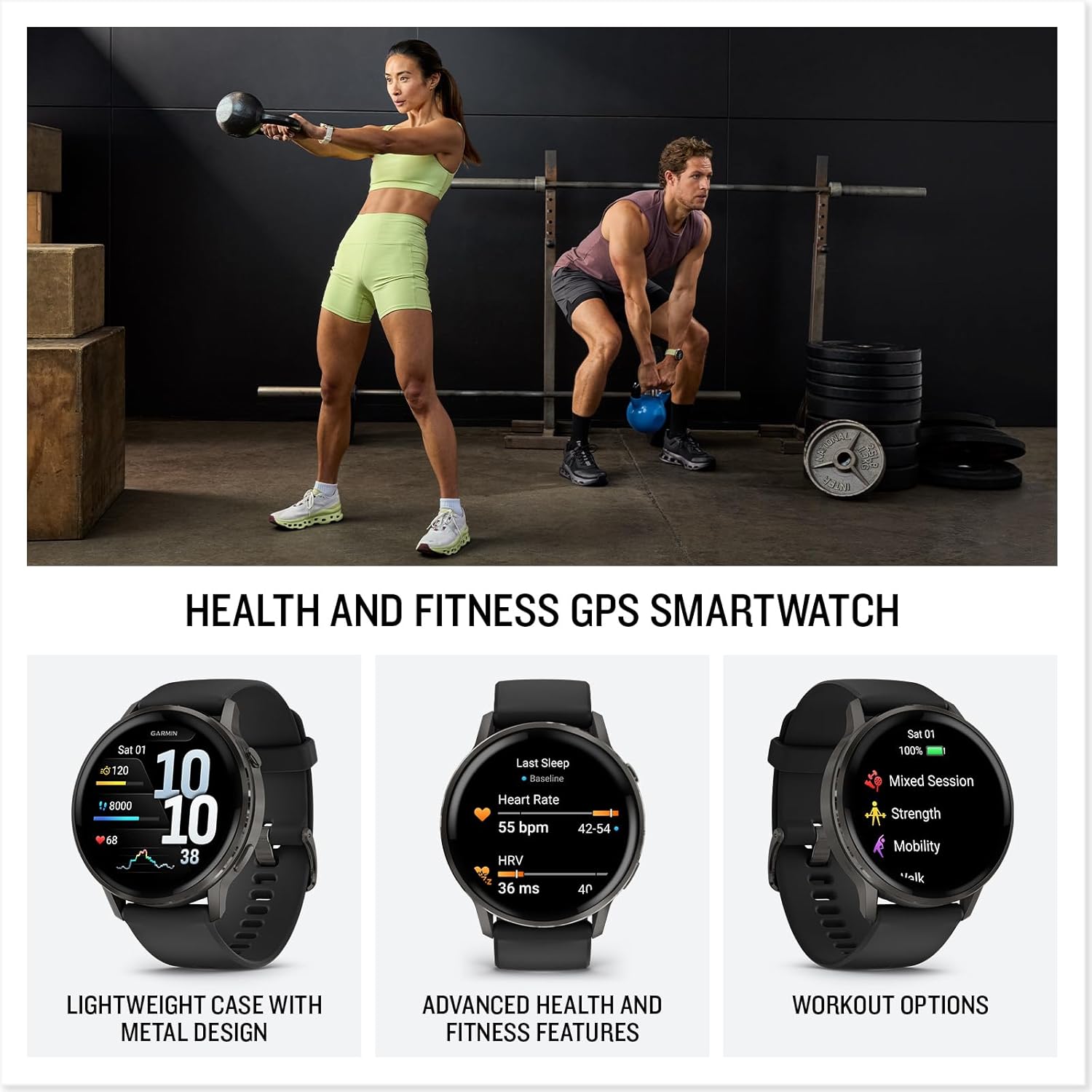
Image: Two people engaged in fitness activities, one lifting a kettlebell and the other in a plank position, both wearing smartwatches.
คุณสมบัติอัจฉริยะ
- Calls and Texting: Make and receive calls directly from your wrist when paired with a compatible smartphone. Respond to texts via voice or directly from the smartwatch (Android users).
- ไฟฉายในตัว: A bright LED flashlight provides convenient illumination.
- Garmin Pay™ การชำระเงินแบบไร้สัมผัส: Make secure payments directly from your watch with participating providers.
- ร้านค้า Connect IQ™: Customize your watch with watch faces, data fields, and apps.
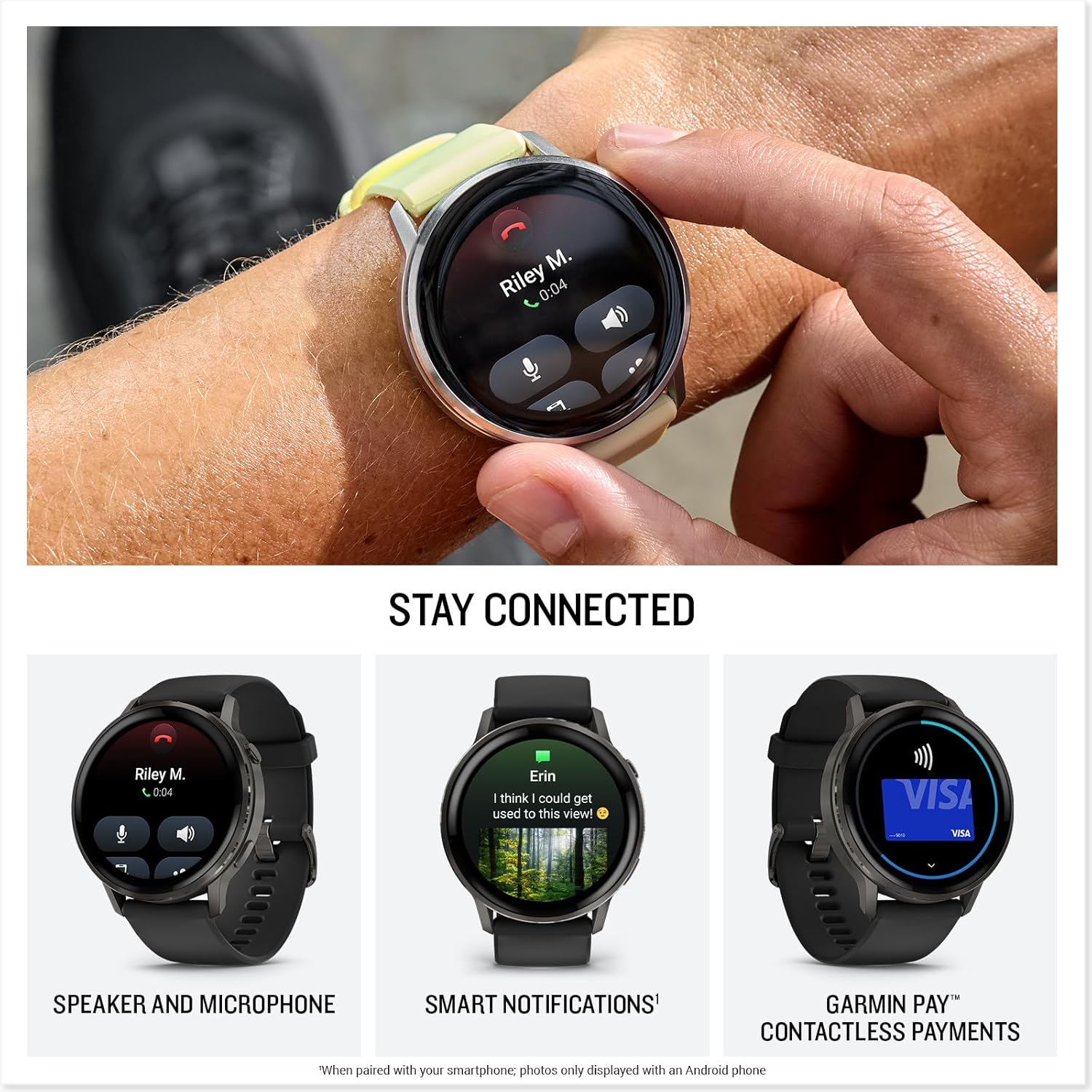
Image: A close-up of the Garmin Venu 4 on a wrist, showing an incoming call notification on its screen.

Image: A person's wrist wearing the Garmin Venu 4, with the watch's built-in LED flashlight emitting a bright beam.
การซ่อมบำรุง
การทำความสะอาดอุปกรณ์
Regular cleaning helps maintain the device's functionality and appearance.
- เช็ดนาฬิกาและสายนาฬิกาด้วยผ้าเนื้อนุ่มและแห้งampผ้าที่ไม่เป็นขุย
- สำหรับสิ่งสกปรกฝังแน่น ให้ใช้น้ำสบู่ชนิดอ่อนๆ แล้วล้างออกให้สะอาดด้วยน้ำ
- Ensure the device is completely dry before charging or prolonged use.
- Avoid harsh chemicals, abrasive cleaners, or solvents that could damage the watch components.
การอัพเดตซอฟต์แวร์
Garmin periodically releases software updates to improve performance, add features, and fix bugs. Connect your Venu 4 to the Garmin Connect app to receive and install updates automatically.
การดูแลแบตเตอรี่
เพื่อยืดอายุการใช้งานและประสิทธิภาพของแบตเตอรี่ให้สูงสุด:
- หลีกเลี่ยงการให้อุปกรณ์สัมผัสกับอุณหภูมิที่สูงเกินไป
- ชาร์จอุปกรณ์เป็นประจำ แต่หลีกเลี่ยงการปล่อยให้แบตเตอรี่หมดเป็นเวลานาน
- ใช้เฉพาะสายชาร์จที่ให้มาเท่านั้น
การแก้ไขปัญหา
อุปกรณ์ไม่เปิด
- ตรวจสอบให้แน่ใจว่าอุปกรณ์ชาร์จเต็มแล้ว เสียบสายชาร์จและแหล่งจ่ายไฟอย่างน้อย 30 นาที
- Press and hold the power button for 15 seconds to attempt a force restart.
ปัญหาการเชื่อมต่อ (บลูทูธ)
- Ensure Bluetooth is enabled on your smartphone and the Venu 4.
- Confirm the watch is within range of your smartphone (typically 10 meters or 33 feet).
- Restart both your smartphone and the Venu 4.
- If issues persist, unpair the device from your smartphone's Bluetooth settings and re-pair it through the Garmin Connect app.
การอ่านข้อมูลที่ไม่ถูกต้อง
- ตรวจสอบให้แน่ใจว่าสวมนาฬิกาให้กระชับพอดีบนข้อมือ เหนือกระดูกข้อมือ
- ทำความสะอาดเซ็นเซอร์วัดอัตราการเต้นของหัวใจแบบออปติคัลที่ด้านหลังของนาฬิกา
- For GPS activities, ensure you have a clear view ของท้องฟ้า
- Remember that all smartwatch data is intended as an estimation and not for medical diagnosis.
ข้อมูลจำเพาะ
| คุณสมบัติ | รายละเอียด |
|---|---|
| หมายเลขรุ่น | 010-03014-00 |
| ยี่ห้อ | การ์มิน |
| ขนาด (แพ็คเกจ) | 3.7 x 3.54 x 3.23 นิ้ว |
| น้ำหนักสินค้า | 1.3 ออนซ์ |
| ขนาดหน้าจอ | 1.4 นิ้ว (AMOLED) |
| ความจุของหน่วยความจำ | 8GB |
| ระบบปฏิบัติการ | ระบบปฏิบัติการ Garmin |
| คุณสมบัติพิเศษ | Activity Tracker, Alarm Clock, Contactless Payments, GPS, Multisport Tracker, Built-in Flashlight |
| ความจุของแบตเตอรี่ | 302 มิลลิวินาทีamp ชั่วโมง |
| อายุการใช้งานแบตเตอรี่ (โหมดสมาร์ทวอทช์) | นานถึง 12 วัน |
| เทคโนโลยีการเชื่อมต่อ | บลูทูธ |
| จีพีเอส | มี GPS ในตัว |
| รูปร่าง | กลม |
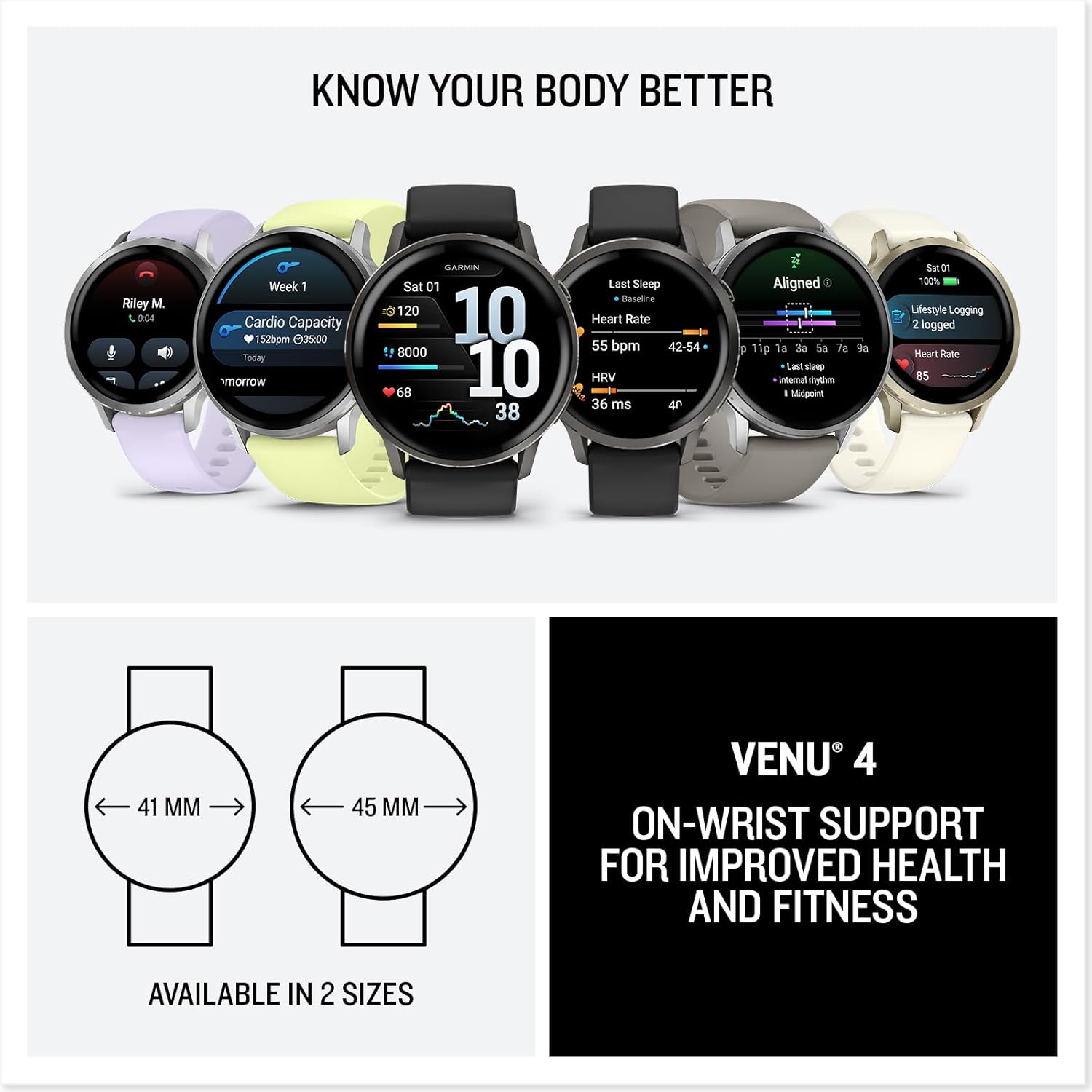
Image: Diagram illustrating the two available sizes for the Garmin Venu 4: 41mm and 45mm.
การรับประกันและการสนับสนุน
ข้อมูลการรับประกัน
Garmin products are typically covered by a limited warranty. For detailed warranty terms and conditions, please refer to the official Garmin website or the warranty documentation included with your product. Warranty periods may vary by region and product type.
การสนับสนุนลูกค้า
สำหรับความช่วยเหลือเพิ่มเติม การสนับสนุนด้านเทคนิค หรือ view frequently asked questions, please visit the official Garmin support webเว็บไซต์:
You can also find helpful resources and community forums through the Garmin Connect app.
Note: No video content was available in the provided product data for embedding in this manual. Please refer to the official Garmin website for product videos and tutorials.


