
1. บทนำ
This manual provides detailed instructions for the assembly, operation, and maintenance of your CaDA Japanese Style Street View Izakaya Building Block Set, model C66019W. Please read this manual thoroughly before beginning assembly to ensure a smooth and enjoyable building experience. Keep this manual for future reference.
2. สินค้าหมดview
The CaDA C66019W is a 1195-piece modular building block set designed to replicate a Japanese Izakaya. This set features an authentic post-and-beam structure, intricate details, and includes a USB light set to illuminate the completed model. The design incorporates a traditional Japanese aesthetic with functional elements like opening windows, doors, and a hinged side wall for interior access.
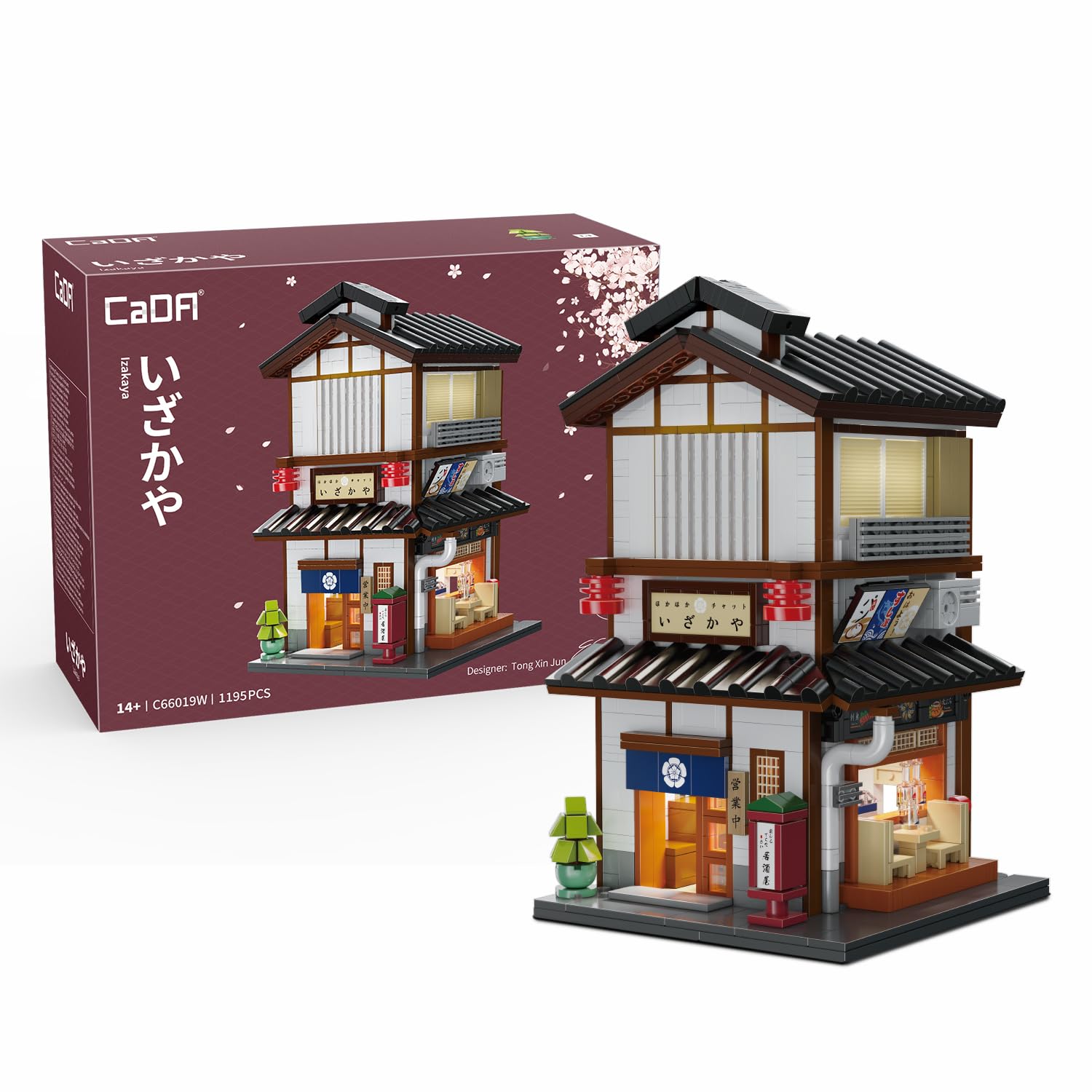
Image: The completed CaDA Japanese Izakaya Building Block Set C66019W, showcasing its detailed exterior and integrated lighting.
3. ข้อมูลด้านความปลอดภัย
- ผลิตภัณฑ์นี้มีชิ้นส่วนขนาดเล็ก และไม่เหมาะสำหรับเด็กอายุต่ำกว่า 3 ปี เนื่องจากอาจเป็นอันตรายจากการสำลัก
- Recommended age for assembly is 14 years and up.
- For external use only. Do not ingest any parts.
- Keep the USB light set away from water or excessive moisture.
4. คำแนะนำในการประกอบ
Your CaDA C66019W set includes 1195 pieces and a comprehensive printed instruction manual. Follow the step-by-step diagrams in the included manual for detailed assembly guidance. The following points highlight key features and general assembly advice:
- การตระเตรียม: Unpack all bags and organize pieces by color and type if desired. Refer to the parts list in your instruction manual to ensure all components are present.
- การประกอบโครงสร้าง: Begin by constructing the base and foundational layers as indicated in the manual. Pay close attention to the post-and-beam structure for stability.
- รายละเอียดภายใน: The set features intricate interior elements such as an open double booth, a second-floor tea room, and a kitchen grill table. Assemble these details carefully as you progress through the building layers.

ภาพ: ระยะใกล้ views of the Izakaya's interior, including seating, a tea room, and kitchen area.
- องค์ประกอบการทำงาน: The model includes opening windows, doors, and a full side wall that swings open. Ensure these components are assembled correctly to allow for proper movement and access to the interior.
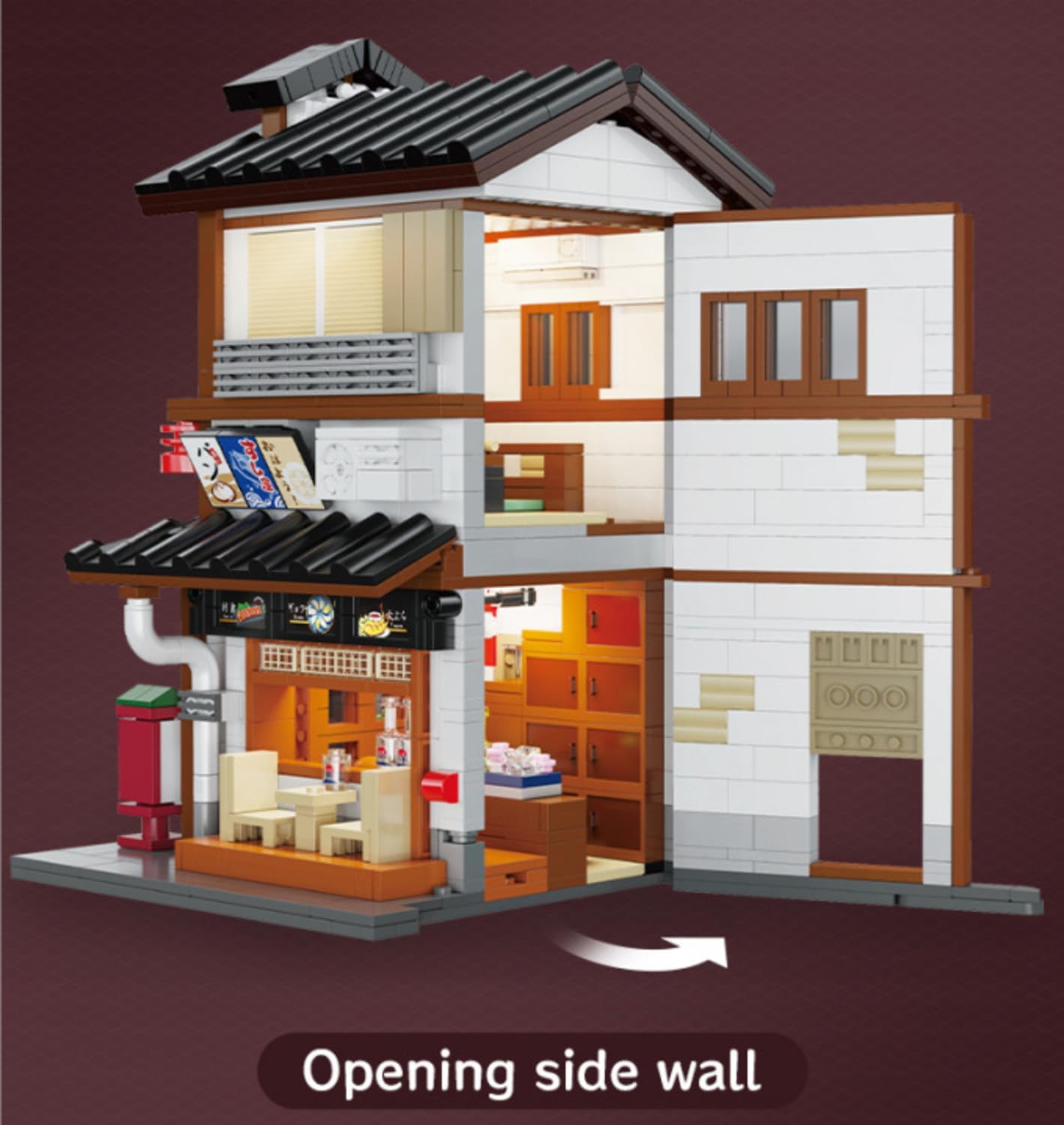
Image: The Izakaya model with its side wall open, providing a view of the detailed interior.
- การผสานรวมระบบแสงสว่าง: The USB light set should be integrated during the assembly process as indicated in the manual. Plan the routing of wires to ensure they are discreet and do not interfere with other components.
- รายละเอียดสุดท้าย: Attach traditional Japanese signs, wall lamps, and other decorative elements to complete the authentic street view.

Image: A person's hands carefully placing a building block piece during assembly.
5. Operating the Lighting System
The CaDA C66019W set includes a USB light set to enhance the display of your Izakaya model.
- การเชื่อมต่อ: Connect the USB plug of the light set to any standard USB power source (e.g., a USB wall adapter, power bank, or computer USB port).
- การเปิดใช้งาน: The light set is typically controlled by a push button switch on the USB cable. Press the button to cycle through available lighting modes or to turn the lights on/off.
- การให้แสงสว่าง: The integrated lights will illuminate the interior and exterior of the Izakaya, highlighting its details and creating a vibrant display.

Image: A visual comparison of the Izakaya model with its internal lights off and on, demonstrating the illumination effect.
6. การดูแลรักษา
- การทำความสะอาด: To clean the building set, gently wipe with a dry, soft cloth. For stubborn dust, a slightly damp สามารถใช้ผ้าเช็ดทำความสะอาดได้ แล้วเช็ดให้แห้งทันที หลีกเลี่ยงสารเคมีรุนแรงหรือน้ำยาทำความสะอาดที่มีฤทธิ์กัดกร่อน
- พื้นที่จัดเก็บ: เก็บโมเดลที่ประกอบเสร็จแล้วไว้ในที่แห้งและเย็น หลีกเลี่ยงแสงแดดโดยตรง เพื่อป้องกันการเปลี่ยนสีหรือความเสียหายของชิ้นส่วนพลาสติก
- ถอดชิ้นส่วน: If disassembling, carefully separate the blocks to avoid damage. Store pieces in sealed bags to prevent loss.
7 การแก้ไขปัญหา
- ชิ้นส่วนที่หายไป: If you encounter any missing pieces, first double-check all packaging and bags. Sometimes smaller pieces can be overlooked. If pieces are still missing, please contact CaDA customer support with details of the missing parts.
- ความยากลำบากในการเชื่อมต่อบล็อก: Ensure blocks are aligned correctly and apply firm, even pressure. Avoid forcing blocks together, which can cause damage.
- ไฟไม่ทำงาน: Check that the USB cable is securely connected to both the light set and a functioning USB power source. Ensure the power source is active.
8. ข้อมูลจำเพาะผลิตภัณฑ์
| หมายเลขรุ่น | C66019W |
| จำนวนชิ้น | 1195 |
| ขนาดสินค้า (กว้าง x ยาว x สูง) | 5.67 x 5.98 x 9.76 นิ้ว |
| น้ำหนักสินค้า | 3.93 ปอนด์ |
| อายุที่แนะนำโดยผู้ผลิต | 14 ปีขึ้นไป |
| แสงสว่าง | USB Light Set Included |
9. ข้อมูลการรับประกัน
CaDA products are manufactured to high-quality standards. For specific warranty details regarding your C66019W building set, please refer to the documentation included with your purchase or visit the official CaDA website. General warranty terms typically cover manufacturing defects.
10. การสนับสนุนลูกค้า
Should you require assistance with assembly, have questions about your product, or need to report missing parts, please contact CaDA customer support. Contact information can typically be found on the product packaging or the official CaDA website. Please have your model number (C66019W) ready when contacting support.