
สินค้าเกินview
The pTron Studio Pro are wireless over-ear headphones designed for extended listening and clear communication. They feature an ergonomic design with soft earpads and an adjustable headband for comfortable wear. Key features include long battery life, advanced audio drivers, and versatile connectivity options.
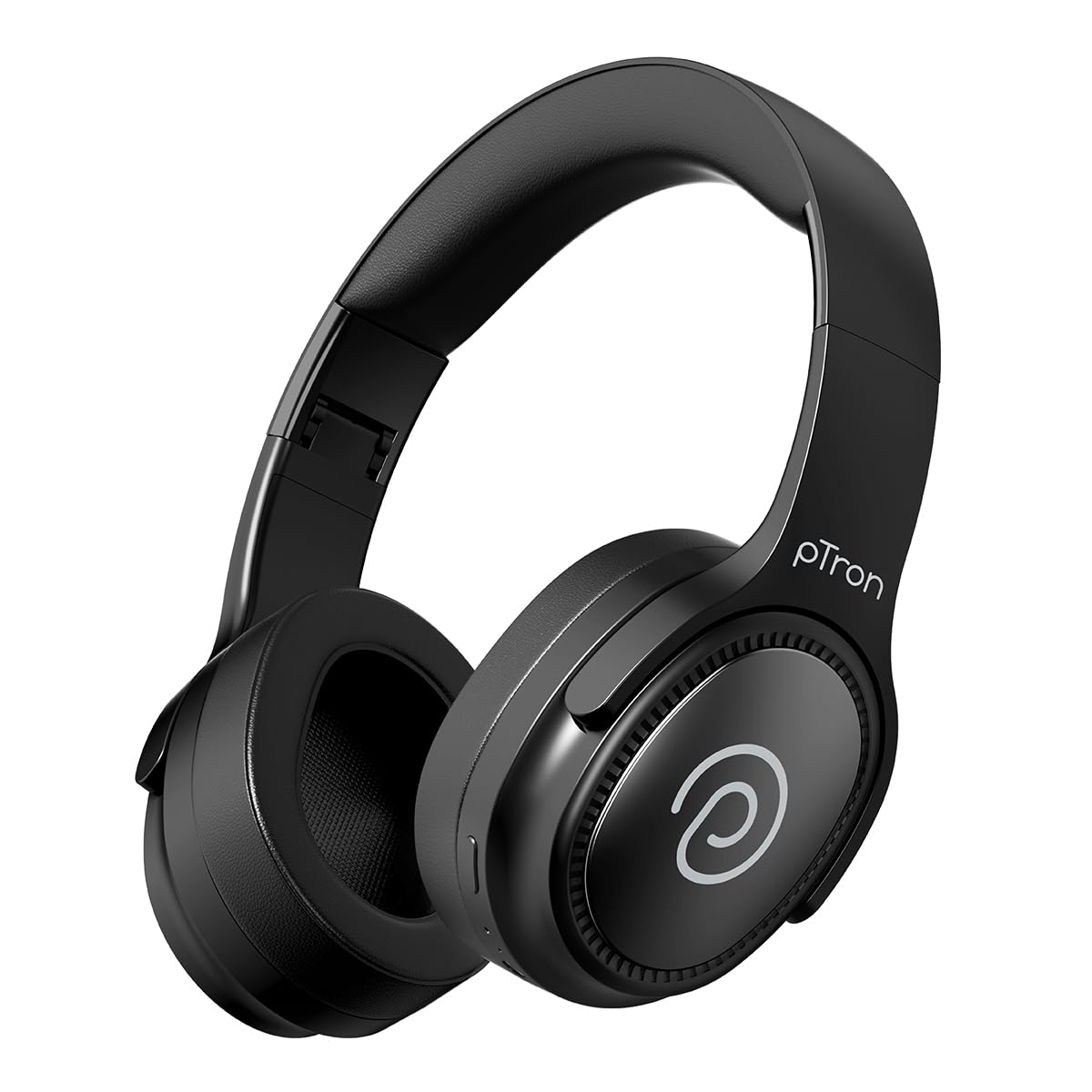
Image: pTron Studio Pro Wireless Over-Ear Headphones in Jet Black, showcasing การออกแบบที่เพรียวบาง
คุณสมบัติหลัก
- เวลาเล่นที่ขยาย: Up to 65 hours of music playback on a single full charge.
- ชาร์จเร็ว: 2.5 hours for a full charge via Type-C. A 10-minute charge provides approximately 4 hours of playtime.
- คุณภาพเสียงสูง: Equipped with 40mm Neody Drivers for pristine stereo sound.
- ล้างการโทร: Built-in HD Microphone with TruTalk AI-ENC (Environmental Noise Cancellation) for crystal-clear calls.
- การเชื่อมต่อขั้นสูง: Fast Bluetooth v5.4 for instant pairing and stable connection.
- การจับคู่กับอุปกรณ์สองเครื่องพร้อมกัน: Seamlessly connect and switch between two devices simultaneously.
- โหมดอเนกประสงค์: Dedicated Low-Latency Gaming Mode and Music Mode.
- ความต้านทานน้ำ: IPX4 rating, making them resistant to water splashes and sweat.
- Comfort & Portability: Ergonomic, lightweight, and foldable design with soft earpads and an adjustable headband for a perfect fit and easy storage.
- ควบคุมง่าย: Multi-functional buttons for managing music, calls, and activating voice assistant.

Image: Infographic detailing the main features of the pTron Studio Pro headphones, including battery life, drivers, and connectivity.
มีอะไรอยู่ในกล่อง
Upon unboxing your pTron Studio Pro headphones, you will find the following items:
- pTron Studio Pro Wireless Over-Ear Headphones
- สายชาร์จ (Type-C)
- คู่มือการใช้งาน
Video: An official product video demonstrating the unboxing and key features of the pTron Studio Pro headphones.
เค้าโครงและการควบคุมผลิตภัณฑ์
Familiarize yourself with the physical components and control buttons of your pTron Studio Pro headphones.

ภาพ: รายละเอียด view of the multi-function control buttons located on the ear cup, including power, volume, and track controls.
Control Button Functions:
| ปุ่ม/การดำเนินการ | การทำงาน |
|---|---|
| ปุ่มเปิด/ปิด (กดแบบยาว) | เปิด/ปิดเครื่อง เข้าสู่โหมดจับคู่ |
| Play/Pause Button (Single Press) | เล่น/หยุดเพลง, รับ/วางสาย |
| ปุ่มเล่น/หยุดชั่วคราว (กดค้าง) | ปฏิเสธสาย เปิดใช้งานผู้ช่วยเสียง |
| เพิ่มระดับเสียง (+) (กดครั้งเดียว) | เพิ่มปริมาณ |
| ลดเสียง (-) (กดครั้งเดียว) | ลดระดับเสียง |
| เพิ่มระดับเสียง (+) (กดค้างไว้) | เพลงถัดไป |
| ลดระดับเสียง (-) (กดค้าง) | เพลงก่อนหน้า |
| Mode Button (Single Press) | สลับระหว่างโหมดเกมและโหมดเพลง |
การตั้งค่า
1. การชาร์จหูฟัง
- เชื่อมต่อสายชาร์จ Type-C ที่ให้มาเข้ากับพอร์ตชาร์จบนหูฟัง
- Connect the other end of the cable to a USB power source (DC5V-1A max.).
- ไฟ LED แสดงสถานะการชาร์จ การชาร์จเต็มใช้เวลาประมาณ 2.5 ชั่วโมง
- การชาร์จเพียง 10 นาที สามารถใช้งานได้นานถึง 4 ชั่วโมง

Image: The pTron Studio Pro headphones highlighting the Type-C charging port and emphasizing the 65-hour playtime.
2. การจับคู่บลูทู ธ
- ตรวจสอบให้แน่ใจว่าหูฟังชาร์จเต็มแล้ว
- Press and hold the Power button until the LED indicator flashes red and blue alternately, indicating pairing mode.
- บนอุปกรณ์ของคุณ (สมาร์ทโฟน แท็บเล็ต แล็ปท็อป) เปิดใช้งาน Bluetooth และค้นหาอุปกรณ์ที่มีอยู่
- Select "pTron Studio Pro" from the list of devices.
- Once connected, the LED indicator will turn solid blue or stop flashing.
3 การจับคู่สองอุปกรณ์พร้อมกัน
- จับคู่หูฟังกับอุปกรณ์แรกตามที่อธิบายไว้ข้างต้น
- ปิดใช้งานบลูทูธในอุปกรณ์เครื่องแรก หูฟังจะเข้าสู่โหมดจับคู่อีกครั้ง
- จับคู่หูฟังกับอุปกรณ์ที่สอง
- เปิดใช้งานบลูทูธบนอุปกรณ์เครื่องแรกอีกครั้ง หูฟังควรเชื่อมต่อกับอุปกรณ์ทั้งสองเครื่องโดยอัตโนมัติ
- You can now switch audio playback between the two connected devices.

Image: The headphones connected to both a laptop and a smartphone, demonstrating the dual device pairing feature.
4. Wired Connection (3.5mm Aux-in)
- Insert one end of a 3.5mm audio cable (not included) into the Aux-in port on the headphones.
- ต่อปลายอีกด้านของสายเคเบิลเข้ากับแจ็ค 3.5 มม. ของแหล่งกำเนิดเสียงของคุณ
- หูฟังจะเปลี่ยนเป็นโหมดสายโดยอัตโนมัติ

Image: The headphones connected to a smartphone using a 3.5mm Aux-in cable, illustrating wired music playback.
คำแนะนำการใช้งาน
เปิด/ปิดเครื่อง
- เปิดเครื่อง: กดปุ่มเปิด/ปิดค้างไว้ประมาณ 3 วินาที จนกว่าไฟแสดงสถานะ LED จะสว่างขึ้น
- หมดแรง: กดปุ่มเปิด/ปิดค้างไว้ประมาณ 5 วินาที จนกระทั่งไฟแสดงสถานะ LED ดับลง
การควบคุมเพลง
- เล่น/หยุดชั่วคราว: กดปุ่มเล่น/หยุดชั่วคราวเพียงครั้งเดียว
- เพลงถัดไป: กดปุ่มเพิ่มระดับเสียง (+) ค้างไว้
- แทร็กก่อนหน้า: กดปุ่มลดระดับเสียง (-) ค้างไว้
- ปรับระดับเสียงขึ้น: กดปุ่มเพิ่มระดับเสียง (+) หนึ่งครั้ง
- ลดเสียงลง: กดปุ่มลดระดับเสียง (-) หนึ่งครั้ง
การควบคุมการโทร
- รับ/วางสาย: กดปุ่มเล่น/หยุดชั่วคราวเพียงครั้งเดียว
- ปฏิเสธสาย: กดปุ่มเล่น/หยุดชั่วคราวค้างไว้
ผู้ช่วยเสียง
- เปิดใช้งาน Voice Assistant: Long press the Play/Pause button (after rejecting a call, if applicable, or when not on a call).
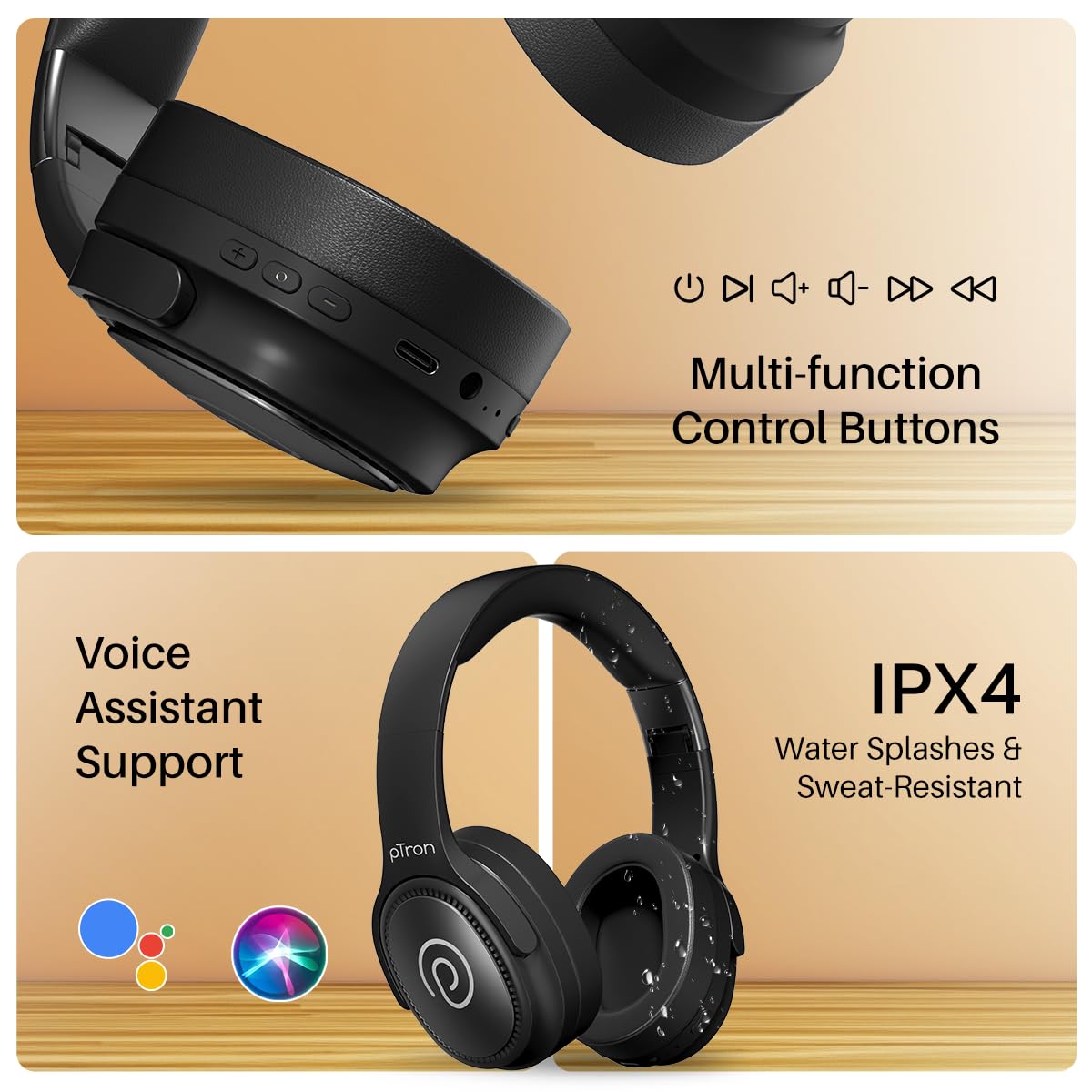
Image: The headphones illustrating support for voice assistants like Google Assistant and Siri, along with their IPX4 water-resistant rating.
Game & Music Modes
- สลับโหมด: Single press the Mode button to toggle between Low-Latency Gaming Mode and standard Music Mode.
การซ่อมบำรุง
To ensure the longevity and optimal performance of your pTron Studio Pro headphones, follow these maintenance guidelines:
- การทำความสะอาด: ใช้ผ้านุ่มและแห้งเช็ดทำความสะอาดหูฟัง ห้ามใช้น้ำยาทำความสะอาดหรือสารละลายที่มีฤทธิ์กัดกร่อน
- พื้นที่จัดเก็บ: เมื่อไม่ใช้งาน ควรเก็บหูฟังไว้ในที่แห้งและเย็น การออกแบบแบบพับได้ช่วยให้จัดเก็บได้อย่างกะทัดรัด
- การสัมผัสน้ำ: While rated IPX4 for water splashes and sweat resistance, avoid submerging the headphones in water or exposing them to heavy rain. Dry them thoroughly if they get wet.
- การชาร์จ: Use only the provided Type-C cable and a compatible power adapter (DC5V-1A max.) for charging.
- หลีกเลี่ยงอุณหภูมิที่สูงหรือต่ำเกินไป: อย่าให้หูฟังสัมผัสกับอุณหภูมิสูงหรือต่ำมาก
การแก้ไขปัญหา
If you encounter any issues with your pTron Studio Pro headphones, refer to the following common troubleshooting steps:
| ปัญหา | สารละลาย |
|---|---|
| หูฟังไม่สามารถเปิดเครื่องได้ | ตรวจสอบให้แน่ใจว่าหูฟังชาร์จเต็มแล้ว เสียบปลั๊กเข้ากับแหล่งจ่ายไฟและตรวจสอบไฟแสดงสถานะการชาร์จ |
| ไม่สามารถจับคู่กับอุปกรณ์ได้ | Make sure Bluetooth is enabled on your device and the headphones are in pairing mode (LED flashing red/blue). Move closer to the device. Forget previous pairings on your device and try again. |
| ไม่มีเสียงหรือเสียงเบา | Check the volume levels on both the headphones and your connected device. Ensure the headphones are correctly paired. If using Aux-in, ensure the cable is fully inserted. |
| คุณภาพการโทรไม่ดี | Ensure the microphone is not obstructed. Move to an area with less environmental noise. Check your device's network signal. |
| หูฟังตัดการเชื่อมต่อบ่อยครั้ง | Ensure there are no obstacles between the headphones and your device. Keep within the Bluetooth range (10 meters). Avoid strong electromagnetic interference. |
ข้อมูลจำเพาะ
| คุณสมบัติ | รายละเอียด |
|---|---|
| ยี่ห้อ | พีทรอน |
| ชื่อรุ่น | สตูดิโอ |
| การวางตำแหน่งหู | ครอบหู |
| เวอร์ชันบลูทูธ | 5.4 |
| ช่วงบลูทูธ | 10 เมตร |
| ขนาดไดร์เวอร์เสียง | 40 มิล |
| อิมพีแดนซ์ | 32 โอห์ม |
| อายุการใช้งานแบตเตอรี่โดยเฉลี่ย | 65 ชั่วโมง |
| เวลาในการชาร์จแบตเตอรี่ | 2.5 ชั่วโมง |
| พอร์ตชาร์จ | ประเภทซี |
| ระดับความต้านทานต่อน้ำ | IPX4 (ทนน้ำ) |
| ไมโครโฟน | Built-in HD Mic with AI-ENC |
| แจ็คหูฟัง | แจ็ค 3.5 มม. |
| ประเภทการควบคุม | Call Control, Push Button |
| คุณสมบัติผลิตภัณฑ์ | Fast Charging, Foldable, Microphone Included, Noise Isolation, Surround Sound |
| น้ำหนักสินค้า | 200 กรัม |
| วัสดุ | อะคริโลไนไตรล์ บิวทาไดอีน สไตรีน (ABS) |
| อุปกรณ์ที่รองรับ | โทรศัพท์มือถือ, คอมพิวเตอร์ตั้งโต๊ะ, แล็ปท็อป, แท็บเล็ต |
การรับประกันและการสนับสนุน
Your pTron Studio Pro headphones come with a manufacturer's warranty and dedicated customer support.
- การรับประกัน: 6 Months Manufacturer Warranty from the Date of Purchase on Manufacturing Defects Only.
- ติดต่อผู้ผลิต: Building A1, Red Box Creative Park, No. 3 Huancheng South Road, Bantian Street, Longgang District, Shenzhen City, China 518116.
- Customer Care Contact Details: 40-67138888 / Support@ptron.in
- ข้อมูลติดต่อผู้นำเข้า: PALRED ELECTRONICS PVT. LTD., SY.NO. 56, 1ST FLOOR, GUNDLAPOCHAMPALLY VILLAGE, TECH PARK MTP, TSIIC-IALA NACHARAM, HYDERABAD - 500076, TELANGANA, INDIA.