
1. การติดตั้งและการประกอบ
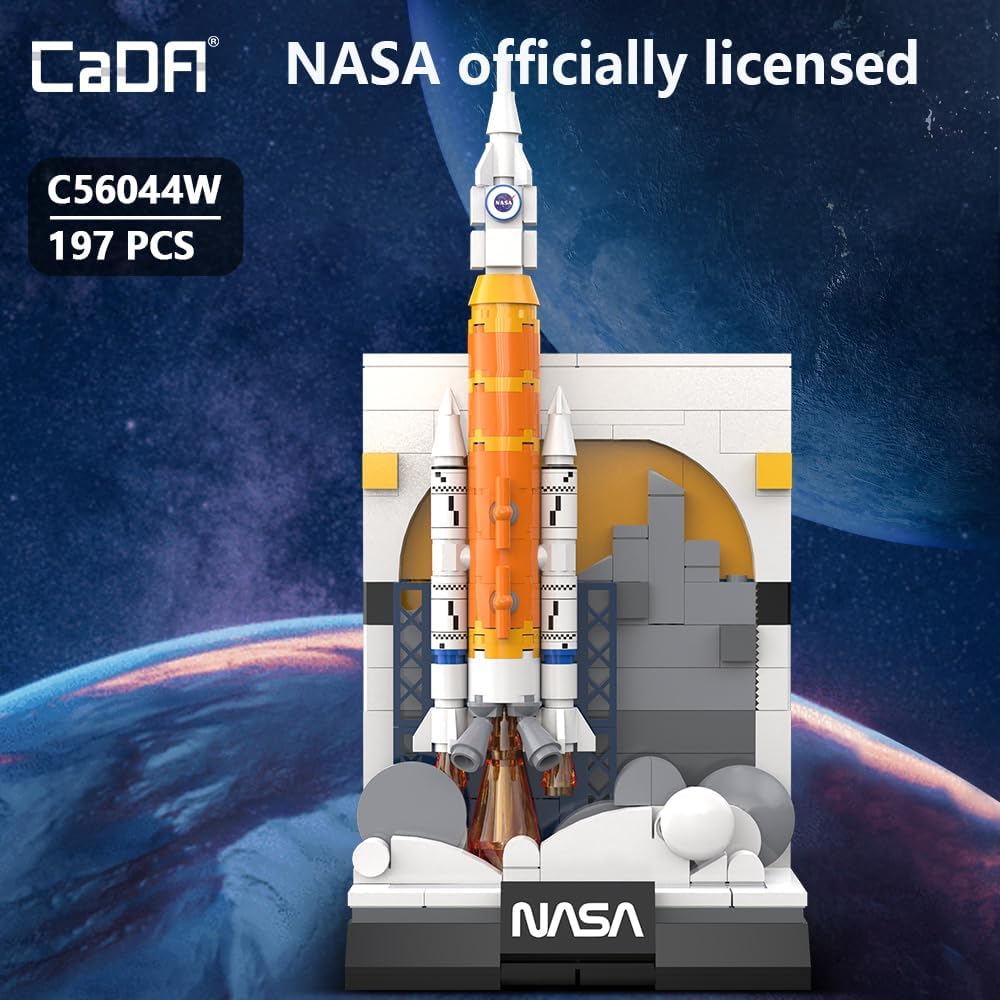
The CaDA C56044W model consists of 197 high-precision building blocks. Follow the included step-by-step pictorial instructions to ensure correct assembly. Organize all parts before beginning construction.
- การระบุชิ้นส่วน: Carefully identify all 197 pieces using the provided parts list in the separate assembly guide.
- Rocket Body Construction: Assemble the main rocket body, including the orange and white sections and the solid boosters. Pay attention to the detailed connections.
- Launch Pad Assembly: Construct the dedicated launch pad, ensuring all structural elements are securely connected.
- Final Integration: Carefully attach the assembled rocket to the launch pad. The reinforced design of the launch pad ensures the model stands firmly.
- รายละเอียด: Add the white smoke effects around the base and the black NASA signage to complete the Kennedy Space Center launch scene.

Image: The CaDA C56044W model showcasing its detachable main rocket body, allowing for interactive display or closer inspection of internal components.
2. การใช้งานโมเดล
This building block model is primarily designed for display and collection. The main rocket body can be detached from the launch pad for closer examination or for imaginative play scenarios. Ensure careful handling when detaching or reattaching components to prevent damage.
3. การบำรุงรักษา
To maintain the appearance and integrity of your CaDA C56044W model, follow these guidelines:
- การทำความสะอาด: Use a soft, dry cloth or a small, soft brush to gently remove dust. Avoid using abrasive cleaners or solvents, as these can damage the plastic.
- พื้นที่จัดเก็บ: Store the model in a cool, dry place away from direct sunlight to prevent discoloration and material degradation. Keep it away from extreme temperatures.
- การจัดการ: จัดการโมเดลด้วยความระมัดระวัง โดยเฉพาะเมื่อเคลื่อนย้าย เพื่อป้องกันไม่ให้ชิ้นส่วนหลุดออกโดยไม่ได้ตั้งใจ
4 การแก้ไขปัญหา
หากคุณพบปัญหาใดๆ ระหว่างการประกอบหรือกับโมเดลที่เสร็จสมบูรณ์ โปรดพิจารณาสิ่งต่อไปนี้:
- ส่วนที่หายไป: If you find any missing pieces, refer to the parts list in your assembly guide. Contact CaDA customer support for assistance with replacement parts.
- ความยากในการประกอบ: Double-check the assembly guide for the specific step causing difficulty. Ensure all pieces are oriented correctly and fully pressed into place. Sometimes, a small adjustment can resolve connection issues.
- ปัญหาเสถียรภาพ: Verify that the launch pad is correctly assembled and placed on a flat, stable surface. Ensure the rocket is securely attached to the launch pad.
5. ข้อมูลจำเพาะ
| คุณสมบัติ | รายละเอียด |
|---|---|
| ขนาดสินค้า | 3.78 x 2.91 x 7.91 นิ้ว (9.6 x 7.4 x 20.1 ซม.) |
| น้ำหนักสินค้า | 7.4 ออนซ์ |
| หมายเลขรุ่นสินค้า | C56044W |
| อายุที่แนะนำโดยผู้ผลิต | 14 ปีขึ้นไป |
| จำนวนชิ้น | 197 |

Image: A visual representation of the CaDA C56044W model with its key dimensions (height, width, depth) clearly indicated.
6. ข้อมูลด้านความปลอดภัย
คำเตือน: อันตรายจากการสำลัก – Small parts. Not for children under 3 years. Adult supervision is recommended during assembly and play for users under the recommended age.
7. การรับประกันและการสนับสนุน
For information regarding product warranty, replacement parts, or additional support, please visit the official CaDA brand store or contact their customer service. Keep your purchase receipt as proof of purchase.
เยี่ยมชม ร้าน CaDA สำหรับผลิตภัณฑ์และการสนับสนุนเพิ่มเติม