
1. สินค้าหมดview
The AJAZZ AJ139 V2 MC is a versatile tri-mode gaming mouse designed for precision and responsiveness. It features a PAW3311 sensor for accurate tracking, a 1000Hz return rate for smooth performance, and a long-lasting 500mAh battery. Its compact and lightweight design makes it suitable for extended use and portability.
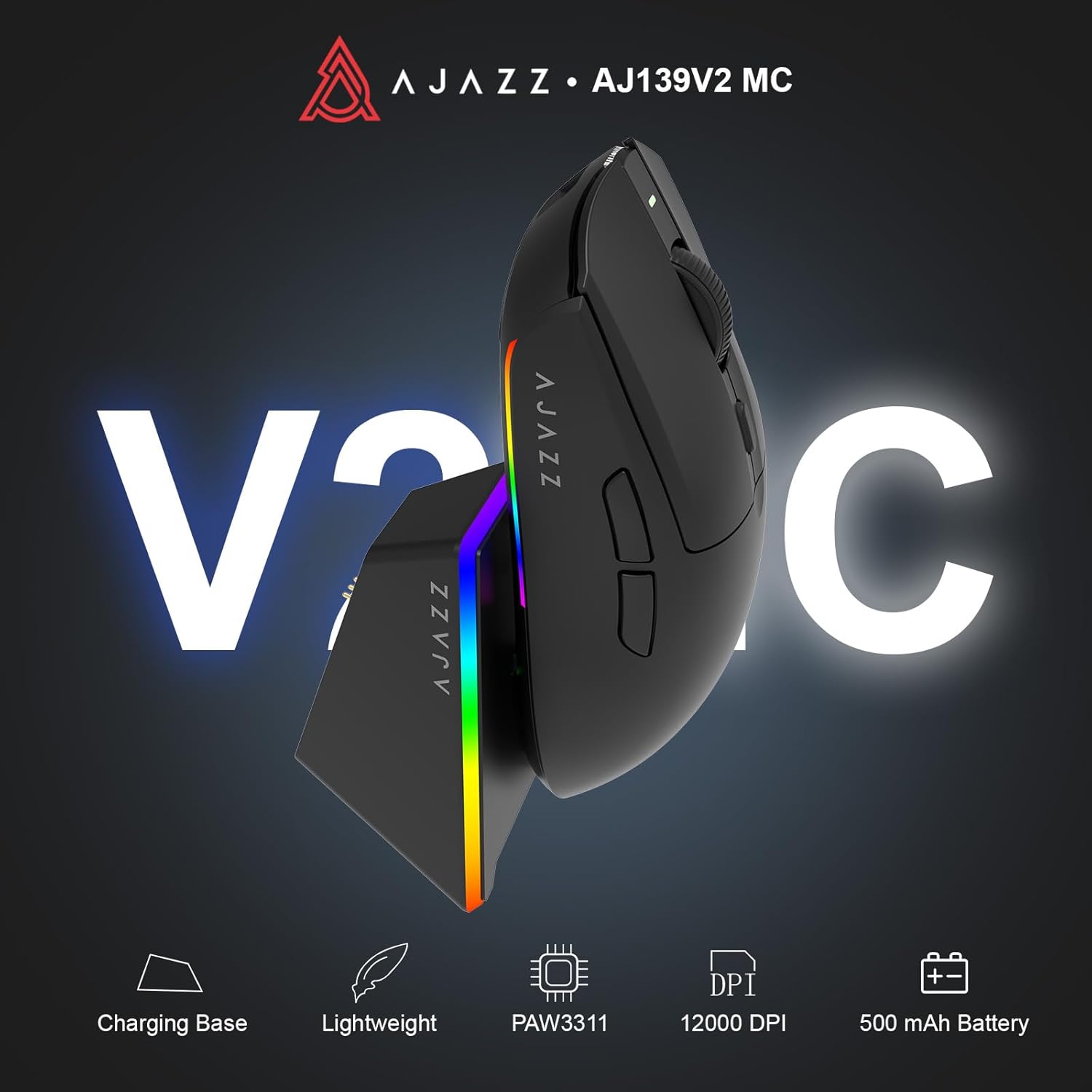
Figure 1.1: AJAZZ AJ139 V2 MC Gaming Mouse and Charging Dock.
วิดีโอ 1.1: จบแล้วview of the AJAZZ AJ139 V2 MC Gaming Mouse, highlighting its features and design.
2. เนื้อหาบรรจุภัณฑ์
ตรวจสอบให้แน่ใจว่ามีรายการทั้งหมดอยู่ในบรรจุภัณฑ์:
- เมาส์เกมมิ่ง AJAZZ AJ139 V2 MC
- แท่นชาร์จ
- สายชาร์จ USB-C
- 2.4G USB Receiver (Dongle)
- คู่มือการใช้งาน
3. คุณสมบัติหลัก
- PAW3311 Sensor Technology: Equipped with the PAW3311 sensor, this mouse ensures precise tracking and accurate cursor control for optimal performance.
- High 1000Hz Return Rate: Experience smooth and responsive performance with a 1000Hz return rate, enhancing your gaming or work experience.
- แบตเตอรี่ 500mAh ที่ใช้งานได้ยาวนาน: The integrated 500mAh battery provides extended power, ensuring uninterrupted use for prolonged periods.
- การเชื่อมต่อสามโหมด: Supports versatile connectivity options including Wired, 2.4G Wireless, and Bluetooth, adapting to various devices and setups.
- การออกแบบที่กะทัดรัดและน้ำหนักเบา: Weighing approximately 66 grams, the mouse features a compact design for easy portability and comfortable use during long sessions.
- ไฟ RGB ที่ปรับแต่งได้: Features integrated RGB lighting for personalized aesthetics.
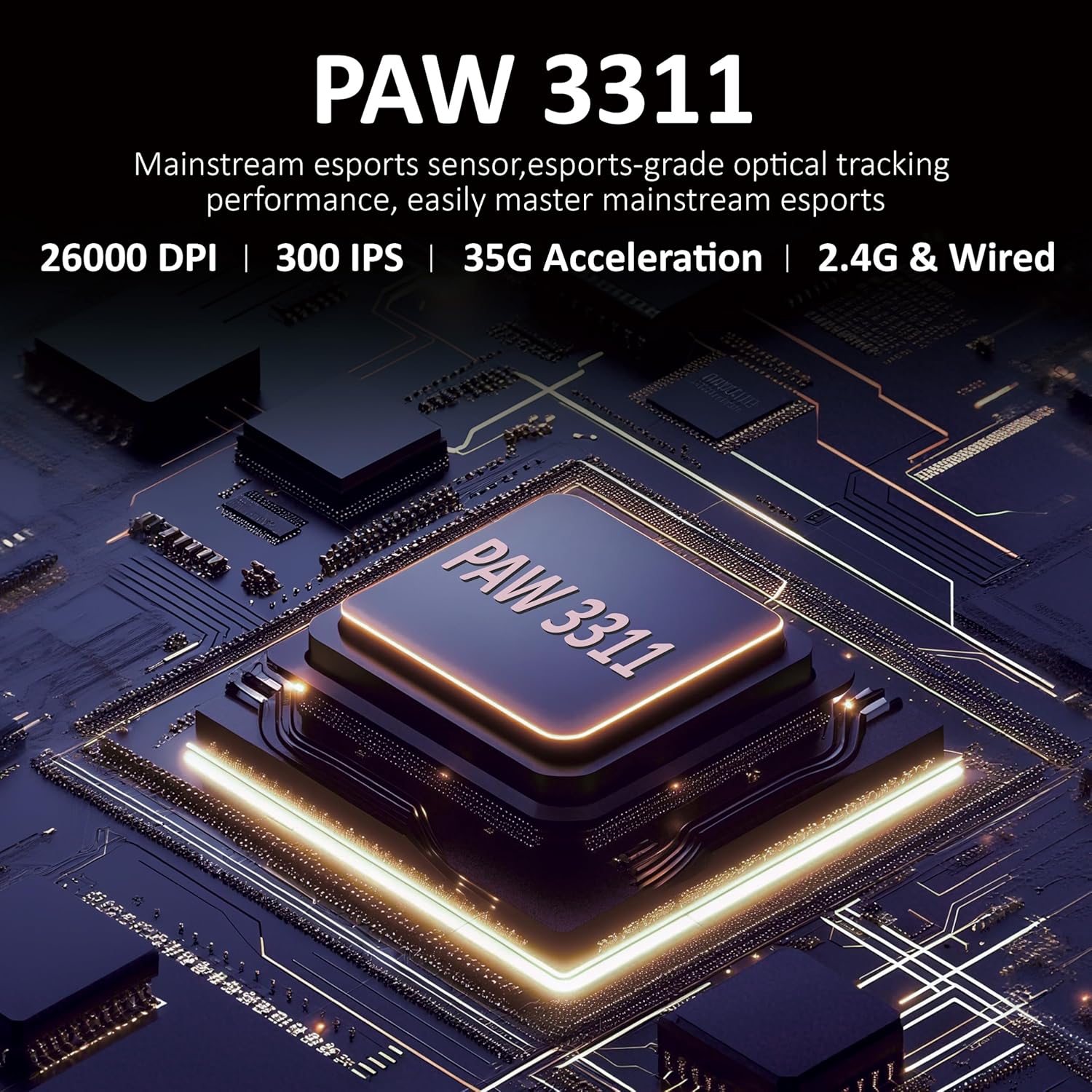
รูปที่ 3.1: รายละเอียด view of the PAW3311 sensor technology.
Video 3.1: Demonstration of the mouse's 500mAh battery life.

Figure 3.2: The lightweight design of the AJAZZ AJ139 V2 MC mouse.
4. คู่มือการติดตั้ง
4.1. การเชื่อมต่อเมาส์
The AJAZZ AJ139 V2 MC offers three connection modes:
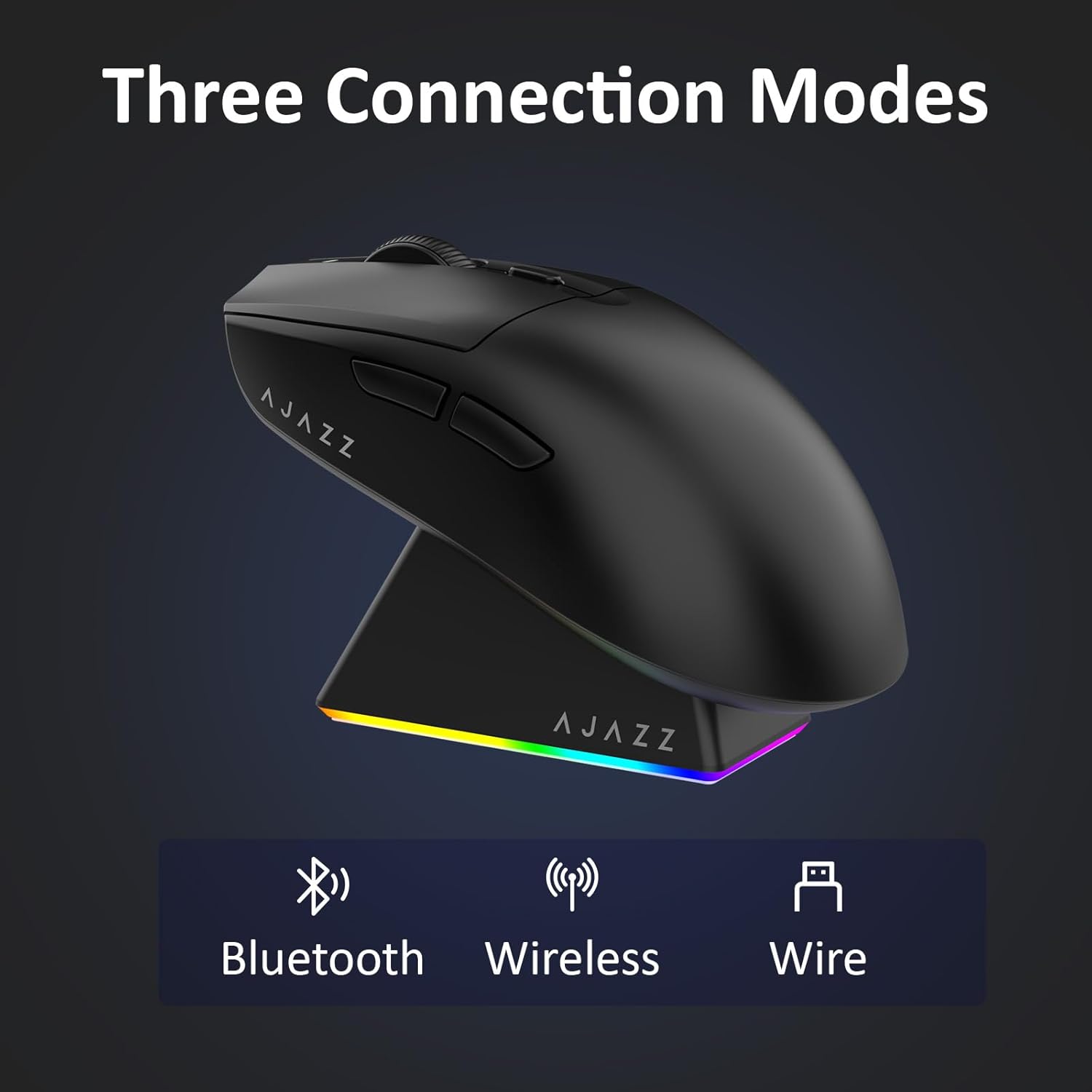
Figure 4.1: Visual representation of the three connection modes.
- โหมดไร้สาย 2.4G:
- ค้นหาตัวรับสัญญาณ USB 2.4G ที่เก็บไว้ในช่องด้านล่างของเมาส์
- เสียบตัวรับสัญญาณ USB เข้ากับพอร์ต USB ที่พร้อมใช้งานบนคอมพิวเตอร์ของคุณ
- Slide the switch on the bottom of the mouse to the '2.4G' position. The mouse will automatically connect.
- โหมดบลูทู ธ :
- เลื่อนสวิตช์ที่ด้านล่างของเมาส์ไปที่ตำแหน่ง 'BT'
- บนอุปกรณ์ของคุณ ให้เปิดการตั้งค่าบลูทูธ แล้วค้นหาอุปกรณ์ใหม่
- Select 'AJAZZ AJ139 V2 MC' from the list to pair.
- โหมดสาย:
- Connect the USB-C charging cable to the mouse and the other end to your computer's USB port.
- เมาส์จะทำหน้าที่เป็นอุปกรณ์แบบมีสายและชาร์จพร้อมกันได้
4.2. การชาร์จเมาส์
The mouse can be charged using the included charging dock or directly via the USB-C cable.
- การใช้แท่นชาร์จ:
- Connect the USB-C charging cable to the charging dock and then to a power source (e.g., computer USB port, USB wall adapter).
- Place the mouse onto the charging dock, aligning the magnetic contacts. The RGB lighting on the dock and mouse will indicate charging status.
- การชาร์จ USB-C โดยตรง:
- Connect the USB-C charging cable directly to the mouse and a power source.
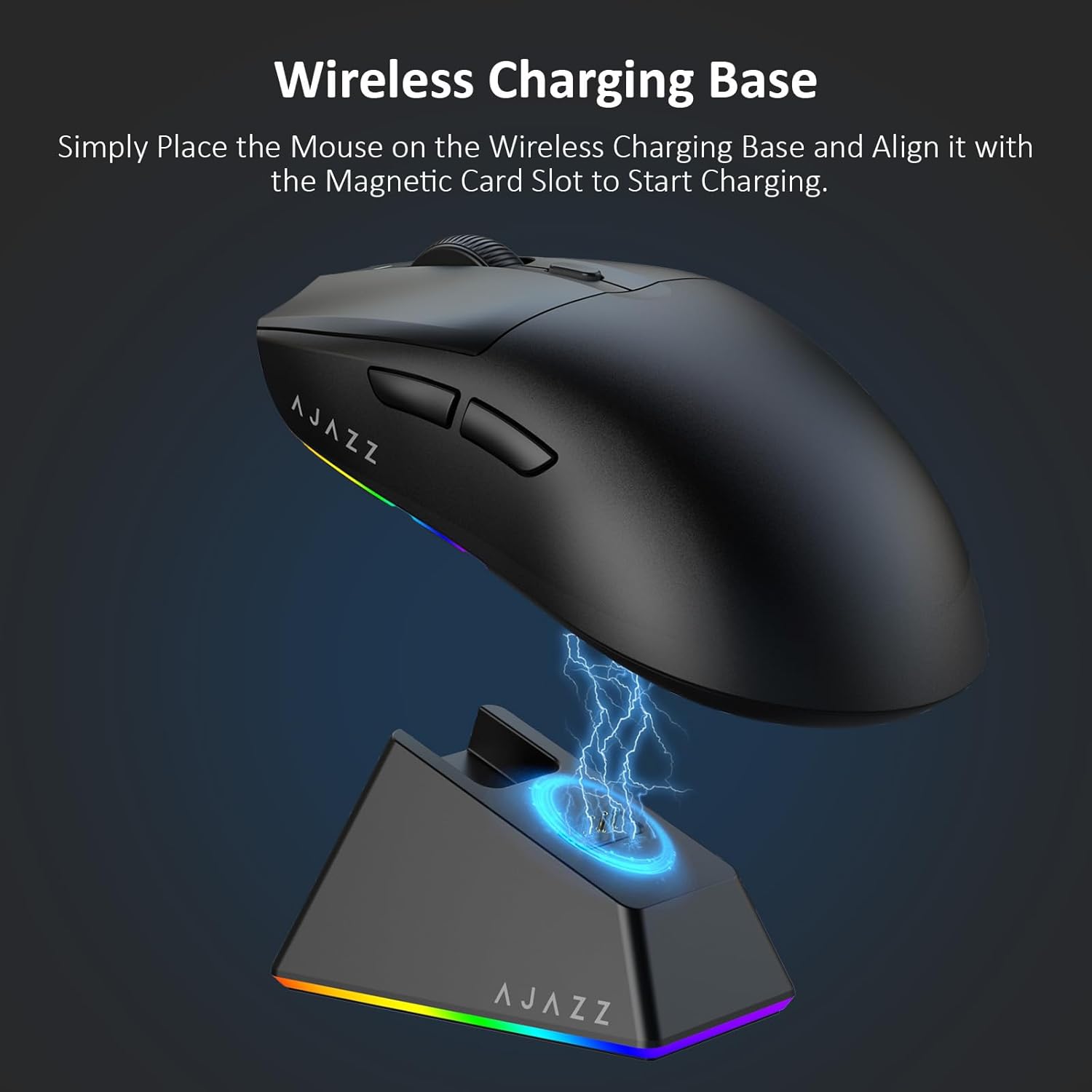
Figure 4.2: The mouse being charged on its wireless charging base.
5. คู่มือการใช้งาน
5.1. การปรับ DPI
The mouse features a dedicated DPI adjustment button on its underside, allowing you to cycle through different sensitivity levels. Press the button to change the DPI setting to suit your preference.
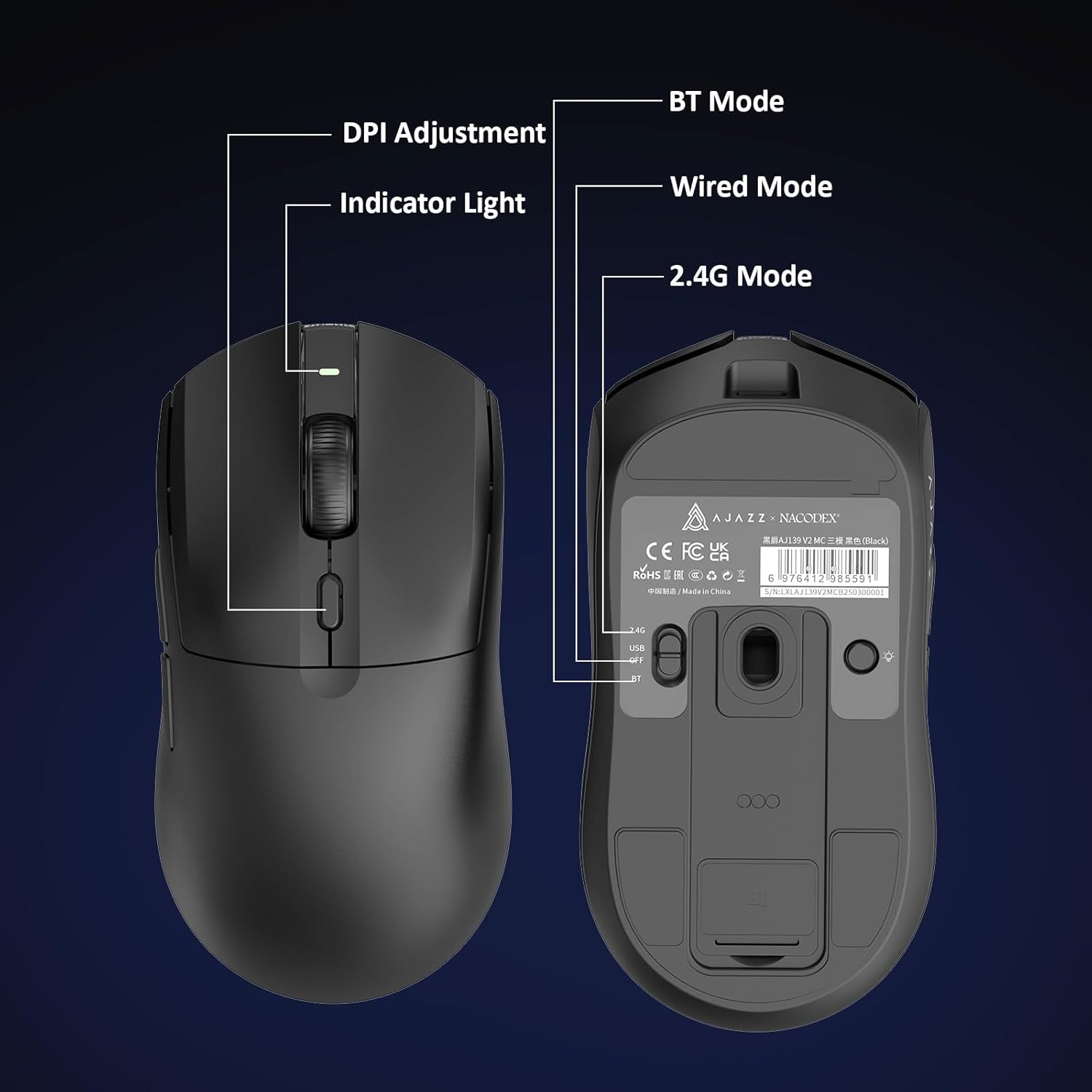
Figure 5.1: Location of the DPI adjustment button and connection mode switch on the mouse underside.
5.2. ปุ่มฟังก์ชัน
The mouse is equipped with 6 programmable buttons:
- ปุ่มคลิกซ้าย
- ปุ่มคลิกขวา
- ล้อเลื่อน (คลิกได้)
- DPI Adjustment Button (on underside)
- Two Side Buttons (typically for forward/backward navigation)
For advanced customization of button functions and macros, please refer to the official AJAZZ software (downloadable from the manufacturer's webเว็บไซต์).
5.3. การควบคุมแสง RGB
The mouse and charging dock feature customizable RGB lighting. Specific controls for lighting modes and colors are typically managed through the official AJAZZ software. A dedicated light button on the underside of the mouse allows for basic cycling or turning off the lighting.
6. การบำรุงรักษา
- การทำความสะอาด: ใช้ผ้านุ่มและแห้งเช็ดทำความสะอาดพื้นผิวของเมาส์ สำหรับคราบสกปรกฝังแน่น ให้เช็ดเบาๆamp สามารถใช้ผ้าได้เพื่อให้แน่ใจว่าไม่มีความชื้นเข้าไปในส่วนประกอบภายใน
- การดูแลเซ็นเซอร์: รักษาเซ็นเซอร์ออปติคัลที่อยู่ใต้เมาส์ให้สะอาดและปราศจากฝุ่นหรือเศษต่างๆ เพื่อรักษาความแม่นยำในการติดตาม
- อายุการใช้งานแบตเตอรี่: เพื่อยืดอายุการใช้งานแบตเตอรี่ ควรหลีกเลี่ยงการใช้งานเมาส์จนแบตหมดบ่อยๆ ชาร์จเมื่อไฟแสดงสถานะแบตเตอรี่เหลือน้อย
7 การแก้ไขปัญหา
| ปัญหา | วิธีแก้ปัญหาที่เป็นไปได้ |
|---|---|
| Mouse not responding in 2.4G Wireless mode. | Ensure the 2.4G USB receiver is securely plugged into a USB port and the mouse switch is set to '2.4G'. Try a different USB port. |
| Mouse not pairing via Bluetooth. | Ensure the mouse switch is set to 'BT' and your device's Bluetooth is enabled and discoverable. Try unpairing and re-pairing the device. |
| เมาส์ไม่ชาร์จ | Verify the USB-C cable is properly connected to both the dock/mouse and the power source. Ensure the mouse is correctly seated on the charging dock's magnetic contacts. |
| Inconsistent tracking or cursor movement. | ทำความสะอาดเซ็นเซอร์รับภาพที่อยู่ด้านล่างของเมาส์ ตรวจสอบให้แน่ใจว่าคุณใช้เมาส์บนพื้นผิวที่เหมาะสม (เช่น แผ่นรองเมาส์) |
| ไฟ RGB ไม่ทำงาน | Check the mouse's software settings for lighting control. Ensure the mouse has sufficient battery charge. |
8. ข้อมูลจำเพาะทางเทคนิค
| คุณสมบัติ | ข้อมูลจำเพาะ |
|---|---|
| ยี่ห้อ | AJAZZ |
| ชื่อรุ่น | เอเจ139 วี2 เอ็มซี |
| สี | V2 MC Black |
| เทคโนโลยีการเชื่อมต่อ | บลูทูธ, USB, ไร้สาย 2.4G |
| เทคโนโลยีตรวจจับการเคลื่อนไหว | ออปติคัล (เซ็นเซอร์ PAW3311) |
| Mouse Maximum Sensitivity | 12000 Dots per Inch (DPI) |
| อัตราผลตอบแทน | 1000เฮิรตซ์ |
| ความจุของแบตเตอรี่ | 500mAh |
| จำนวนปุ่ม | 6 |
| การวางแนวมือ | ขวา |
| อุปกรณ์ที่รองรับ | คอมพิวเตอร์ตั้งโต๊ะ |
| ระบบปฏิบัติการ | หน้าต่าง |
| พิสัย | 10 เมตร |
| น้ำหนักสินค้า | 4 ออนซ์ (ประมาณ 113 กรัม) |
| ขนาดสินค้า กว้าง x ยาว | ขนาด 5 นิ้ว (ยาว) x 2.5 นิ้ว (กว้าง) (ประมาณ 12.7 ซม. x 6.35 ซม.) |
| คุณสมบัติการตกแต่ง | ไฟ RGB |
| วัสดุของตู้หุ้ม | พลาสติก |
| เสร็จ | แมทต์ |
9. การรับประกันและการสนับสนุน
This product comes with a standard manufacturer's warranty. For detailed warranty information, please refer to the official AJAZZ webเว็บไซต์หรือติดต่อร้านค้าปลีกของคุณ
For technical support, troubleshooting assistance, or any product-related inquiries, please visit the AJAZZ official support page or contact their customer service team.
แหล่งข้อมูลออนไลน์:
AJAZZ Official Store