
สินค้าเกินview
The EKSA H8 USB Headset is engineered for clear and efficient communication in professional environments. It features 40mm audio drivers for balanced sound and incorporates EKSA telecom VoicePure Technology with Environmental Noise Cancelling (ENC) for the microphone, effectively reducing up to 99.8% of background noise. This ensures your voice is transmitted with clarity. The headset offers versatile connectivity via 3.5mm jack, USB-C, or USB-A, making it compatible with a wide range of devices and communication platforms. Designed for comfort during extended use, it includes ultra-soft memory foam ear cushions and an adjustable headband.
มีอะไรอยู่ในกล่อง
- 1x EKSA H8 Wired Office Headset
- 1x USB-A/USB-C In-line Control Cable
- 1x คู่มือผู้ใช้

Image: The EKSA H8 headset package contents, showing the headset, USB-A/USB-C inline control cable, and user manual.
คำแนะนำการตั้งค่า
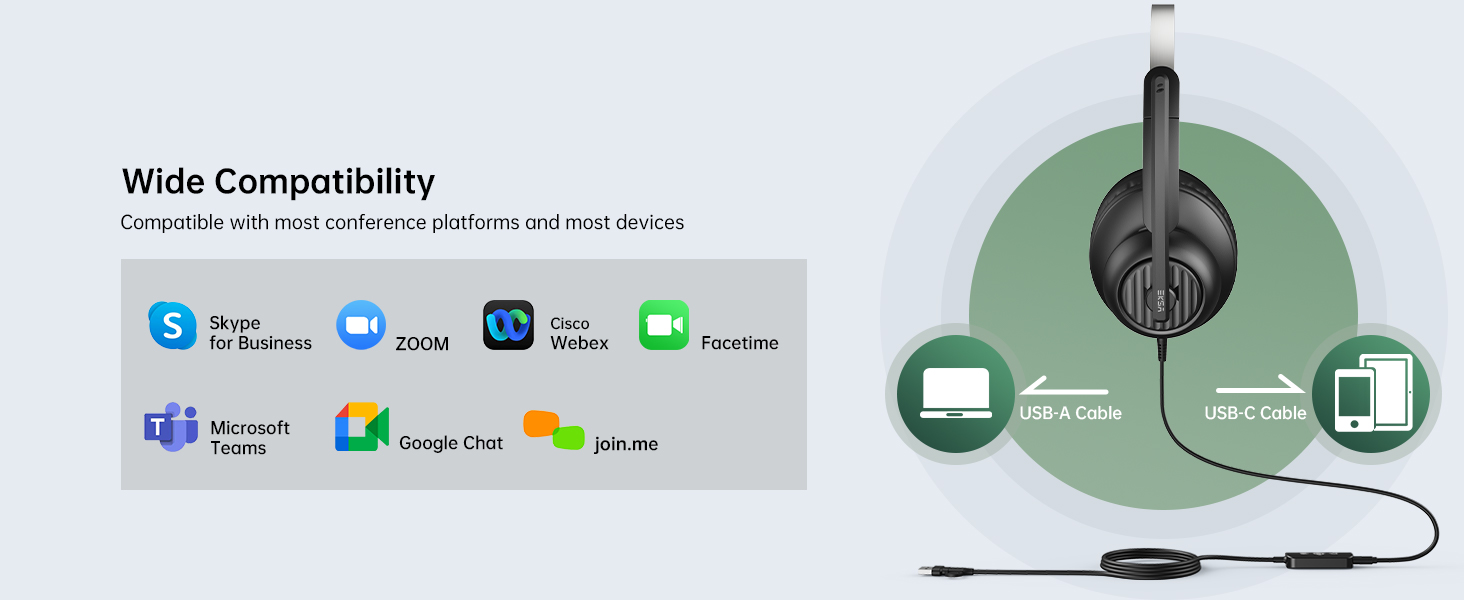
The EKSA H8 headset offers flexible connectivity options for various devices.
Connecting via 3.5mm Jack:
- Locate the 3.5mm audio jack on your device (e.g., laptop, mobile phone).
- Plug the 3.5mm connector from the headset directly into your device's audio jack.
- บันทึก: When using the 3.5mm jack, inline button adjustments (volume, mute) are not supported, and microphone noise cancellation is not active.
Connecting via USB-A or USB-C:
- Connect the 3.5mm connector from the headset into the inline control unit.
- For USB-A connection: Plug the USB-A end of the inline control cable into an available USB-A port on your computer or laptop.
- For USB-C connection: If your device has a USB-C port, use the integrated USB-C adapter on the inline control cable.
- The headset is plug-and-play; no additional drivers are typically required.
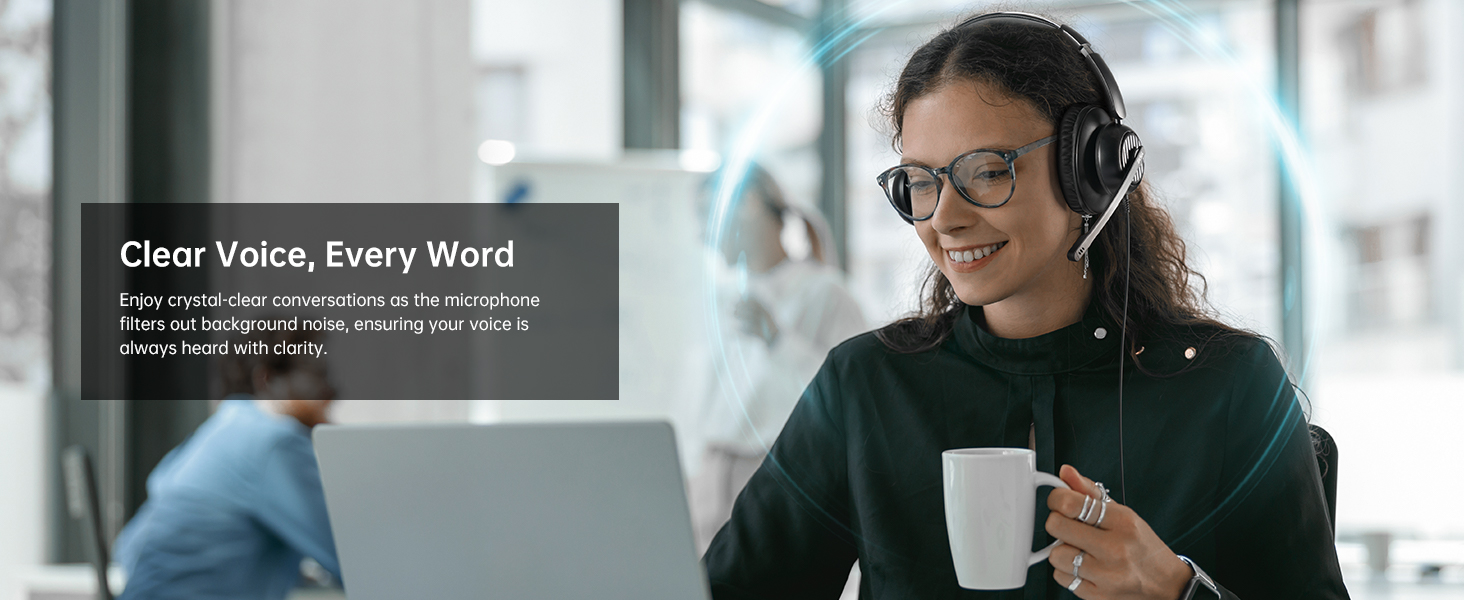
Image: The EKSA H8 headset demonstrating its versatile connectivity options, including USB-C, USB-A, and a 3.5mm audio jack, compatible with various devices and communication platforms.
คำแนะนำการใช้งาน
The inline control unit provides easy access to essential functions when connected via USB.
- การควบคุมระดับเสียง: Use the '+' and '-' buttons on the side of the inline control to adjust the listening volume.
- ปิดเสียงไมโครโฟน: Press the microphone icon button to mute or unmute your microphone. A voice prompt will indicate "Mic On" or "Mic Off".
- ปุ่มมัลติฟังก์ชั่น (เล่น/หยุดชั่วคราว): This button can be used to play or pause audio playback.
- ปุ่มทีม: A dedicated 'T' button allows for quick answering or ending of Microsoft Teams calls.
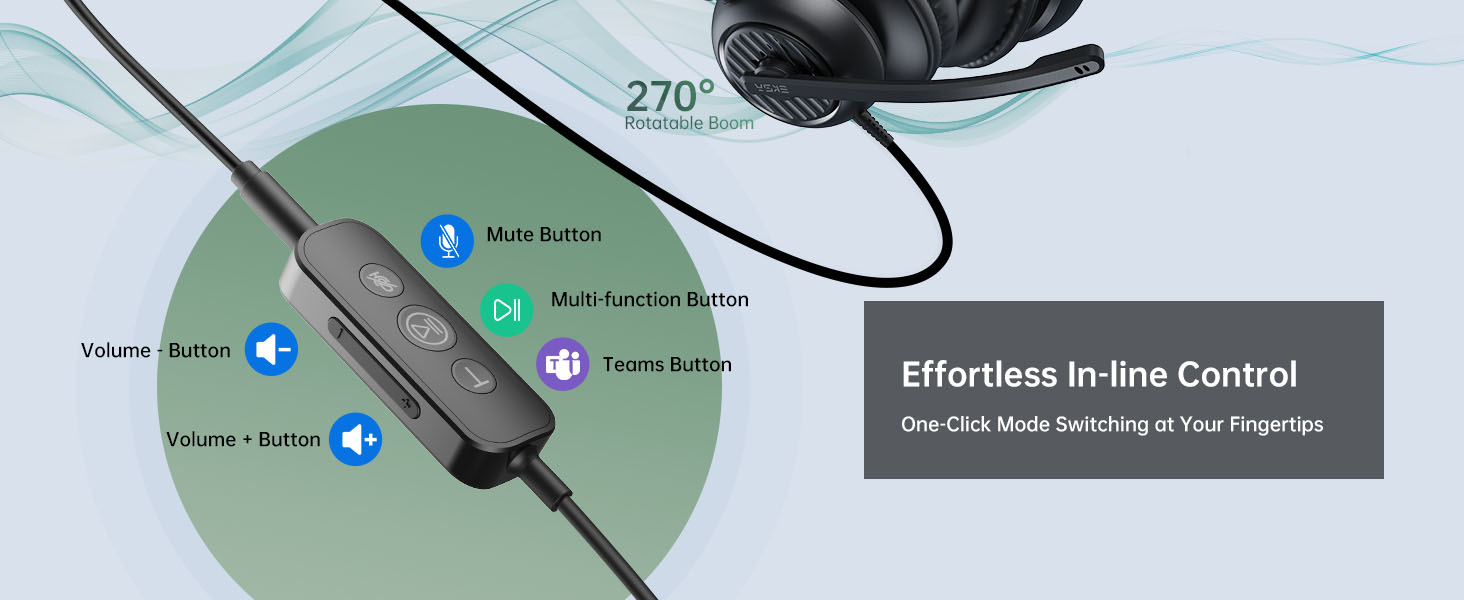
ภาพ: รายละเอียด view of the EKSA H8 headset's inline control unit, highlighting buttons for Microsoft Teams calls, play/pause, microphone mute, and volume adjustment.
การปรับแต่งไมโครโฟน:
The 270° adjustable boom mic can be positioned for optimal voice capture. Rotate it up and out of the way when not in use.
ความสบายและความพอดี
The EKSA H8 headset is designed for comfortable all-day wearing.
- แถบคาดศีรษะปรับได้: The reinforced headband can be extended or retracted to fit various head sizes.
- Ultra-Soft Ear Cushions: The over-ear memory foam cushions fully enclose your ears, providing comfort without pressure.
- Swivel Ear Cups: The ear cups can swivel for a personalized fit and easy storage.
- Flexible Microphone Arm: The 270° bendable boom arm allows precise positioning of the microphone.
ภาพ: ระเบิด view diagram of the EKSA H8 headset, pointing out key comfort features such as soft ear cushions, an adjustable headband, swivel ear cups, and a 270° bendable boom arm for personalized fit.
ข้อมูลจำเพาะ
| คุณสมบัติ | รายละเอียด |
|---|---|
| ชื่อรุ่น | H8 |
| เส้นผ่านศูนย์กลางของลำโพง | 40 มม. |
| ความต้านทานของลำโพง | 32 Ω± 15% |
| การตอบสนองความถี่ | 20 เฮิรตซ์ - 20,000 เฮิรตซ์ |
| ความไวของไมโครโฟน | -40 ± 2 เดซิเบล |
| การควบคุมเสียงรบกวน | Active Noise Cancellation (via USB connection) |
| เทคโนโลยีการเชื่อมต่อ | Wired (3.5mm Jack, USB-C, USB-A) |
| ความยาวสายเคเบิล | 7.71 ฟุต (2.35 ม.) |
| การวางตำแหน่งหู | ครอบหู |
| วัสดุ | Plastic with Foam Ear Cups |
การบำรุงรักษาและการดูแล
- การทำความสะอาด: ใช้ผ้าแห้งนุ่มๆ เช็ดทำความสะอาดหูฟัง หลีกเลี่ยงสารเคมีรุนแรงหรือวัสดุที่มีฤทธิ์กัดกร่อน
- พื้นที่จัดเก็บ: เก็บหูฟังไว้ในที่แห้งและเย็น หลีกเลี่ยงแสงแดดโดยตรงและอุณหภูมิที่สูงหรือต่ำเกินไป
- การดูแลสายเคเบิล: หลีกเลี่ยงการโค้งงอหรือดึงสายเคเบิลมากเกินไปเพื่อป้องกันความเสียหาย
- ฟองน้ำรองหูฟัง: Replaceable ear cushions are available to maintain hygiene and comfort over time.
การแก้ไขปัญหา
ไม่มีเสียงหรือคุณภาพเสียงไม่ดี:
- Ensure the headset is securely plugged into the correct port (3.5mm, USB-A, or USB-C).
- Check your device's volume settings and the inline volume control on the headset.
- ตรวจสอบให้แน่ใจว่าได้เลือกชุดหูฟังเป็นอุปกรณ์ส่งสัญญาณเสียงเริ่มต้นในการตั้งค่าเสียงของคอมพิวเตอร์แล้ว
- If using the 3.5mm jack, note that microphone noise cancellation is not active.
ไมโครโฟนไม่ทำงาน:
- Ensure the microphone is not muted via the inline control or your device's software.
- Check that the microphone is selected as the default input device in your computer's sound settings.
- Adjust the boom mic closer to your mouth for optimal voice pickup.
- Ensure the 3.5mm connection is fully inserted into the inline control unit if using USB.
ปัญหาด้านความสะดวกสบาย:
- ปรับแถบคาดศีรษะให้กระชับแต่สวมใส่สบาย
- Ensure ear cushions are properly positioned over your ears.
การรับประกันและการสนับสนุน
The EKSA H8 headset is backed by EKSA’s trusted warranty and customer service.
- คำอธิบายการรับประกัน: 2 Years Warranty.
- บริการลูกค้า: หากต้องการความช่วยเหลือ โปรดเยี่ยมชม www.eksatelecom.com/pages/warranty or contact GLOBAL: +852 6940 4955 (Mon to Fri 9:00 am-6:30 pm, UTC +8 HKT).
วิดีโอที่เป็นประโยชน์
No official product videos from the seller were found in the provided data. The videos available are user-generated reviews and are not embedded as per the 'creator_type: Seller' requirement.