การแนะนำ
This manual provides essential information for the safe and efficient use of your Infinix HOT 60i 5G smartphone. Please read this guide thoroughly before operating your device to ensure proper functionality and to understand its various features. The Infinix HOT 60i 5G is designed with a premium aesthetic, powered by the MediaTek Dimensity 6400 processor for 5G connectivity, and features a large 6000mAh battery. It incorporates advanced Infinix AI capabilities and is IP64 water and dust resistant.
การตั้งค่า
1. การแกะกล่องและการตรวจสอบเบื้องต้น
Carefully remove all components from the packaging. Inspect the device and accessories for any signs of damage. Ensure all items listed in the "What's in the Box" section are present.
2. การใส่ซิมการ์ดและการ์ด MicroSD
- ค้นหาถาดซิมที่ด้านข้างอุปกรณ์ของคุณ
- ใช้เครื่องมือถอดซิมที่ให้มาเสียบเข้าไปในรูเล็กๆ บนถาดใส่ซิมเพื่อเปิดถาด
- Place your Nano-SIM card(s) and/or MicroSD card into the tray with the gold contacts facing down, ensuring they are correctly oriented as indicated on the tray.
- ค่อยๆ ดันถาดกลับเข้าไปในช่องจนกระทั่งล็อคเข้าที่

ภาพ: ด้านข้าง view of the Infinix HOT 60i 5G, illustrating the location of the SIM card tray.
3. การชาร์จอุปกรณ์
Before first use, it is recommended to fully charge your Infinix HOT 60i 5G. Connect the USB cable to the power adapter and then to the phone's charging port. Plug the power adapter into a wall outlet. The charging indicator will appear on the screen. Use only the original charger and cable provided with your device.
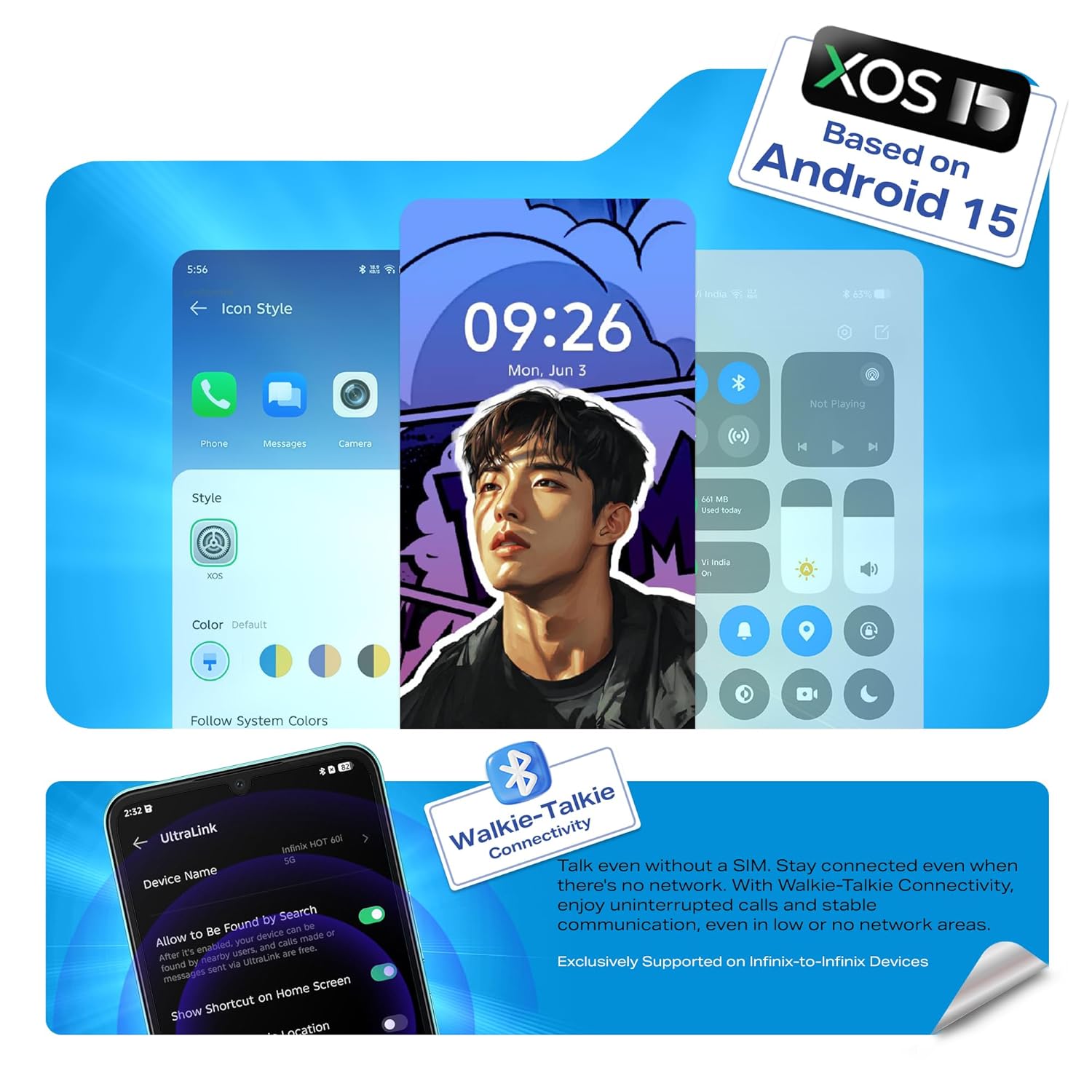
Image: Illustration of the Infinix HOT 60i 5G being charged, highlighting the 6000mAh battery.
4. การเปิดเครื่องและการกำหนดค่าเริ่มต้น
Press and hold the Power button until the Infinix logo appears. Follow the on-screen instructions to complete the initial setup, which includes selecting your language, connecting to a Wi-Fi network, and signing in to your Google account.

ภาพ: ด้านหน้า view of the Infinix HOT 60i 5G, displaying the screen.
การใช้งานอุปกรณ์ของคุณ
1. การนำทางพื้นฐาน
- ท่าทางสัมผัส: แตะเพื่อเลือก ปัดเพื่อเลื่อน บีบเพื่อซูม
- ปุ่มเปิด/ปิด: กดเพื่อเปิด/ปิดหน้าจอ กดค้างไว้เพื่อปิดเครื่องหรือรีสตาร์ท
- ปุ่มปรับระดับเสียง: ปรับระดับเสียงสื่อ ระดับเสียงการโทร หรือระดับเสียงริงโทน
2. Connectivity (5G, Wi-Fi, Bluetooth)
Your Infinix HOT 60i 5G supports 5G cellular networks, Wi-Fi, and Bluetooth. Access these settings via the Quick Settings panel (swipe down from the top of the screen) or through the main Settings app. Ensure your SIM card supports 5G for optimal network speeds.

Image: The Infinix HOT 60i 5G displaying compatibility with various 5G networks.
3. คุณสมบัติของกล้อง
The device features a 50MP Clear Camera with dual LED flash. Open the Camera app to access various modes including standard photo, portrait, night mode, and more. Tap the shutter button to capture images. Explore the settings for advanced options.
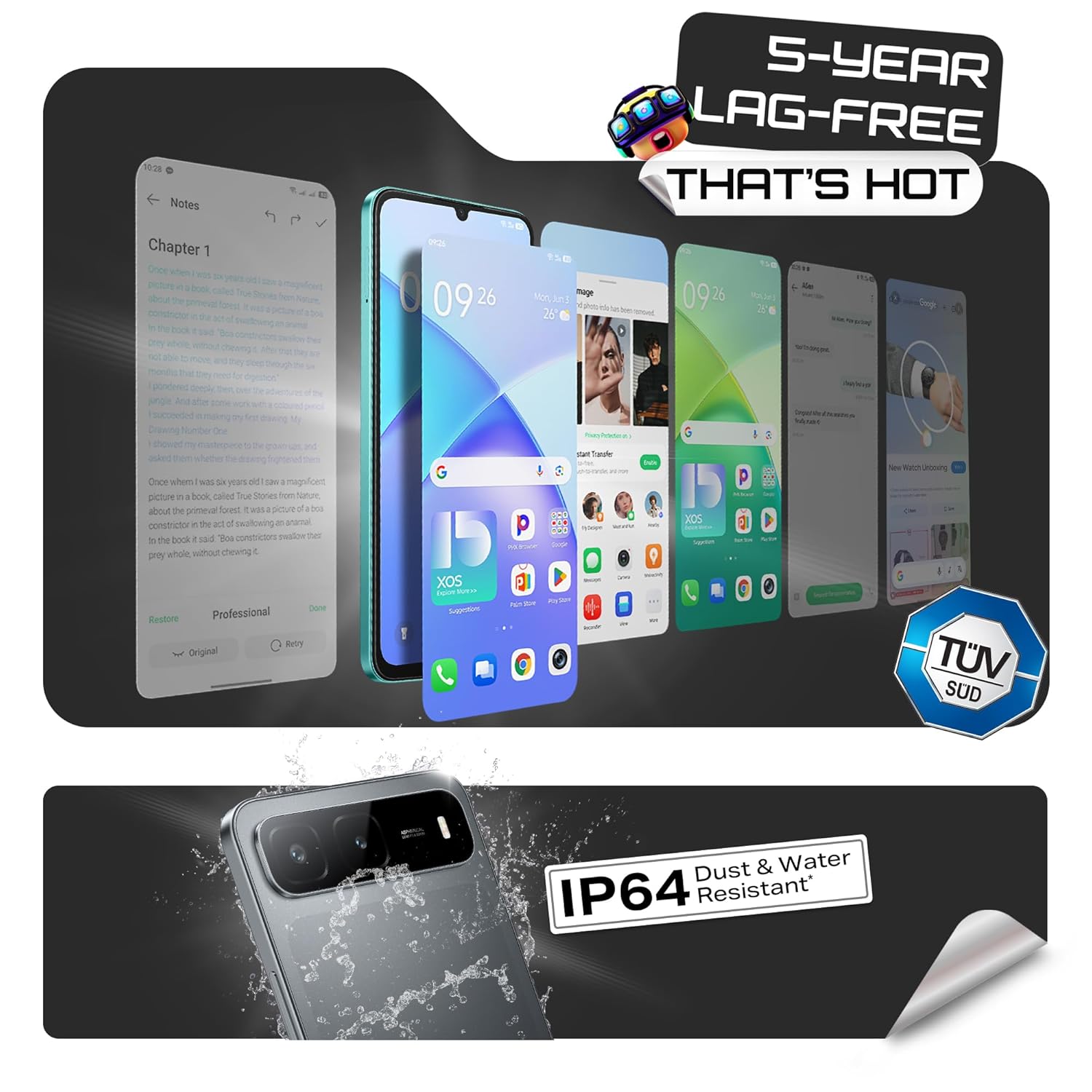
Image: Visual representation of the Infinix HOT 60i 5G's 50MP camera and various shooting modes.
4. Infinix AI Features
Your device includes several AI-powered features to enhance your experience:
- วงกลมเพื่อค้นหา: Use a circular gesture on the screen to quickly search for information about on-screen content.
- ยางลบ AI: Remove unwanted objects or people from your photos with a simple tap.
- AI Extender: Expand the background of your images to achieve a desired perspective.
- Call Translation: Provides real-time translation during calls (availability may vary by region and language).

ภาพ: เหนือview of Infinix AI features including Circle to Search, AI Eraser, and AI Extender.

Image: Demonstration of the AI Eraser feature, showing before and after removal of an object from a photo.

Image: Demonstration of the AI Extender feature, showing how an image's background can be expanded.
5. XOS 15 Operating System
The Infinix HOT 60i 5G runs on XOS 15, based on Android 15. This operating system offers an intuitive interface, enhanced security features, and various customization options. Explore the Settings app to personalize your device, manage notifications, and configure privacy settings.

Image: Screenshots of the XOS 15 user interface on the Infinix HOT 60i 5G.
การซ่อมบำรุง
1. การทำความสะอาดอุปกรณ์ของคุณ
To clean your phone, use a soft, lint-free cloth. Avoid using harsh chemicals, abrasive cleaners, or aerosol sprays directly on the device. For stubborn smudges, slightly dampเทน้ำหรือน้ำยาทำความสะอาดหน้าจอที่ออกแบบมาสำหรับอุปกรณ์อิเล็กทรอนิกส์ลงบนผ้า
2. การอัปเดตซอฟต์แวร์
Regularly check for and install software updates to ensure your device has the latest security patches, features, and performance improvements. You can usually find this option in การตั้งค่า > ระบบ > อัปเดตซอฟต์แวร์.
3. การดูแลแบตเตอรี่
The Infinix HOT 60i 5G is equipped with a 6000mAh battery. To prolong battery life, avoid exposing the device to extreme temperatures. It is recommended to keep the battery charge between 20% and 80% for optimal long-term health. Avoid leaving the phone charging for extended periods after it has reached 100%.
4. ความทนทานต่อน้ำและฝุ่น (IP64)
Your device is rated IP64 for water and dust resistance. This means it is protected against dust ingress and splashing water from any direction. However, it is not designed for submersion in water or exposure to pressurized water jets. Avoid using the device in showers, swimming pools, or during heavy rain. Damage caused by liquid exposure is not covered under warranty.
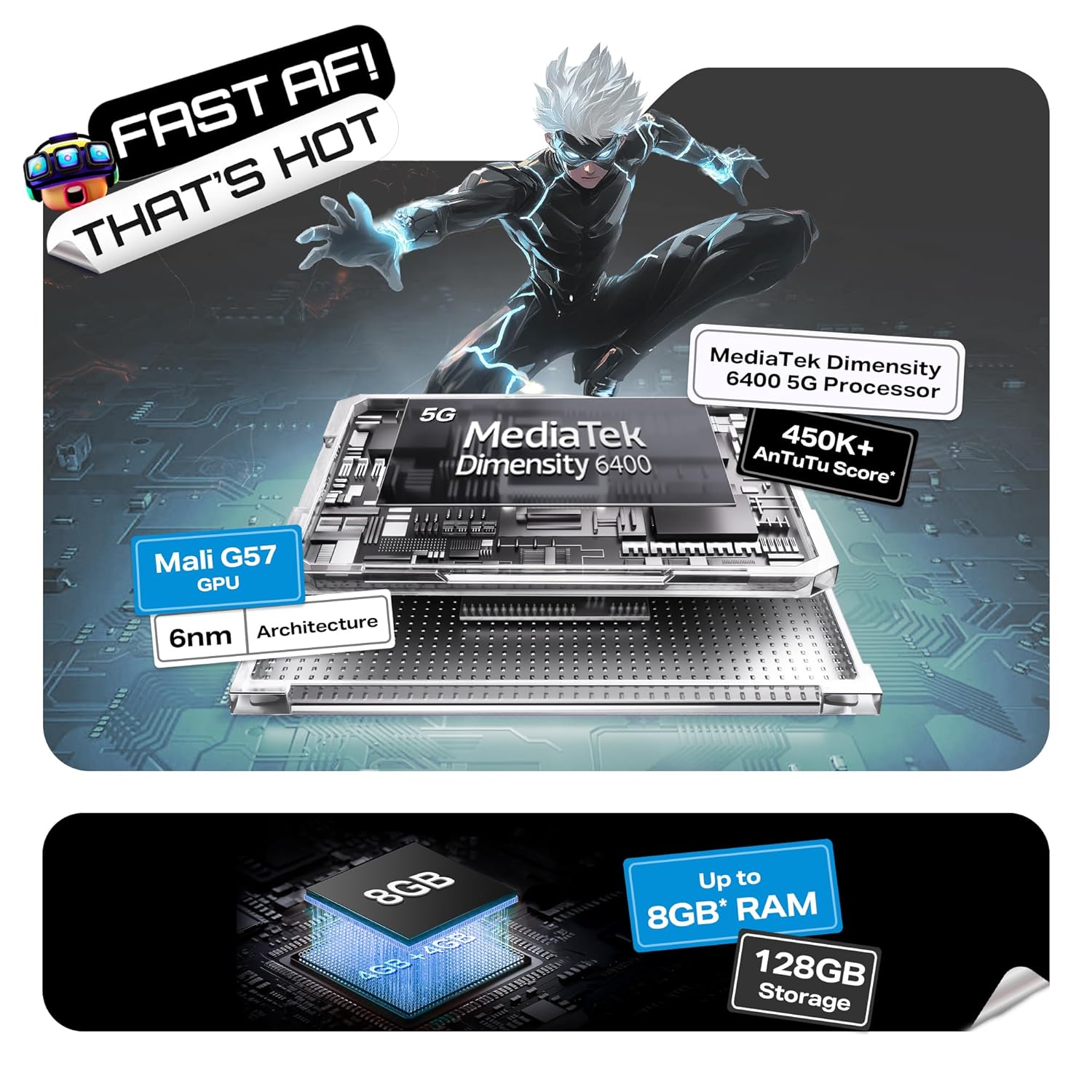
Image: Visual indicating the Infinix HOT 60i 5G's IP64 dust and water resistance rating.
การแก้ไขปัญหา
If you encounter issues with your device, try the following steps before seeking professional assistance:
- อุปกรณ์ไม่เปิด: ตรวจสอบให้แน่ใจว่าแบตเตอรี่ชาร์จเต็มแล้ว เสียบที่ชาร์จและรอสักครู่ก่อนลองเปิดเครื่องอีกครั้ง
- หน้าจอไม่ตอบสนอง: Force restart the device by pressing and holding the Power button for approximately 10-15 seconds until the device restarts.
- Network Issues (No Signal/Slow Data): ตรวจสอบว่าใส่ซิมการ์ดของคุณถูกต้องหรือไม่ ไปที่ การตั้งค่า > เครือข่ายและอินเทอร์เน็ต > ซิม and ensure your SIM is enabled. Try restarting the device. Verify with your service provider if there are network outagอยู่ในพื้นที่ของคุณ
- แอปขัดข้อง/หยุดทำงาน: ล้างแคชของแอปที่มีปัญหา (การตั้งค่า > แอป > [ชื่อแอป] > ที่เก็บข้อมูลและแคช > ล้างแคชหากปัญหายังคงอยู่ ให้ลองติดตั้งแอปใหม่อีกครั้ง
- แบตเตอรี่หมดเร็ว: Review การใช้งานแอปใน ตั้งค่า > แบตเตอรี่ เพื่อระบุแอปที่ใช้พลังงานมาก ลดความสว่างหน้าจอ ปิดใช้งานคุณสมบัติที่ไม่จำเป็น เช่น GPS หรือ Bluetooth เมื่อไม่ได้ใช้งาน
- ความร้อนสูงเกินไป: Close background applications and avoid using the device while charging or during intensive tasks like gaming for extended periods. If overheating persists, contact support.
หากขั้นตอนเหล่านี้ไม่สามารถแก้ไขปัญหาของคุณได้ โปรดดูส่วนการรับประกันและการสนับสนุนเพื่อขอความช่วยเหลือเพิ่มเติม
ข้อมูลจำเพาะ
| คุณสมบัติ | รายละเอียด |
|---|---|
| หมายเลขรุ่น | เอ็กซ์6730 |
| ระบบปฏิบัติการ | Android 15 || XOS 15 (อิงตาม Android 15) |
| โปรเซสเซอร์ | มีเดียเทค ไดเมนซิตี้ 6400 |
| แรม | 4GB (Up to 8GB with extended RAM) |
| การจัดเก็บข้อมูลภายใน | 128GB |
| ความจุของแบตเตอรี่ | 6000mAh |
| แสดง | หน้าจอ HD+ ขนาด 6.75 นิ้ว พร้อมอัตราการรีเฟรช 120Hz |
| กล้องหลัง | 50MP Clear Camera with Dual LED Flash |
| การเชื่อมต่อ | 5G, Wi-Fi, บลูทูธ, GPS |
| ขนาด (กxยxส) | 16.8 x 7.7 x 0.8 ซม. |
| น้ำหนัก | 199 กรัม |
| กันน้ำและกันฝุ่น | ได้รับการรับรอง IP64 |
มีอะไรอยู่ในกล่อง
The standard retail package for the Infinix HOT 60i 5G includes the following items:
- สมาร์ทโฟน Infinix HOT 60i 5G
- เคสโทรศัพท์
- อะแดปเตอร์แปลงไฟ
- ตัวดันถาดซิม
- สาย USB
การรับประกันและการสนับสนุน
1. การรับประกันสินค้า
Your Infinix HOT 60i 5G smartphone comes with a standard manufacturer's warranty, typically covering defects in materials and workmanship for a period of one year from the date of purchase. Please retain your proof of purchase for warranty claims. The warranty does not cover damage caused by misuse, accidents, unauthorized repairs, or liquid exposure (beyond IP64 rating).
2. การสนับสนุนลูกค้า
For technical assistance, warranty claims, or service inquiries, please contact Infinix customer support. Infinix maintains a significant service network, including over 1300 service centers across more than 1000 towns in India. You can find detailed contact information and service center locations on the official Infinix webเว็บไซต์.
Image: Information regarding Infinix's extensive service network and customer support.
สำหรับข้อมูลเพิ่มเติม โปรดเยี่ยมชมเว็บไซต์อย่างเป็นทางการของ Infinix webเว็บไซต์: www.infinixmobility.com