
1. บทนำ
The Infinix GT 30 5G+ is a high-performance gaming smartphone designed with a futuristic Cyber Mecha aesthetic and customizable LED lights. It features GT Shoulder Gaming Triggers, a 1.5K AMOLED display with a 144Hz refresh rate, and is certified for 90FPS BGMI gameplay. Powered by the MediaTek Dimensity 7400 processor and up to 16GB LPDDR5X RAM, it offers seamless multitasking and high-speed performance. The device includes a 5500mAh battery with Bypass Charging, enhanced vapor chamber cooling, and a 64MP Sony camera system with Infinix AI enhancements. It operates on XOS 15, based on Android 15.
2. อะไรอยู่ในกล่อง
ตรวจสอบว่ามีสินค้าทั้งหมดอยู่ในบรรจุภัณฑ์ผลิตภัณฑ์:
- Infinix GT 30 5G+ Smartphone
- เคสโทรศัพท์
- อะแดปเตอร์แปลงไฟ
- ตัวดันถาดซิม
- สาย USB
3. เค้าโครงอุปกรณ์
Familiarize yourself with the physical components of your Infinix GT 30 5G+ smartphone.

รูปที่ 3.1 : ด้านหน้า view of the Infinix GT 30 5G+ smartphone, showing the display and front camera.

รูปที่ 3.2: ด้านข้าง view of the Infinix GT 30 5G+ smartphone, highlighting the power and volume buttons.
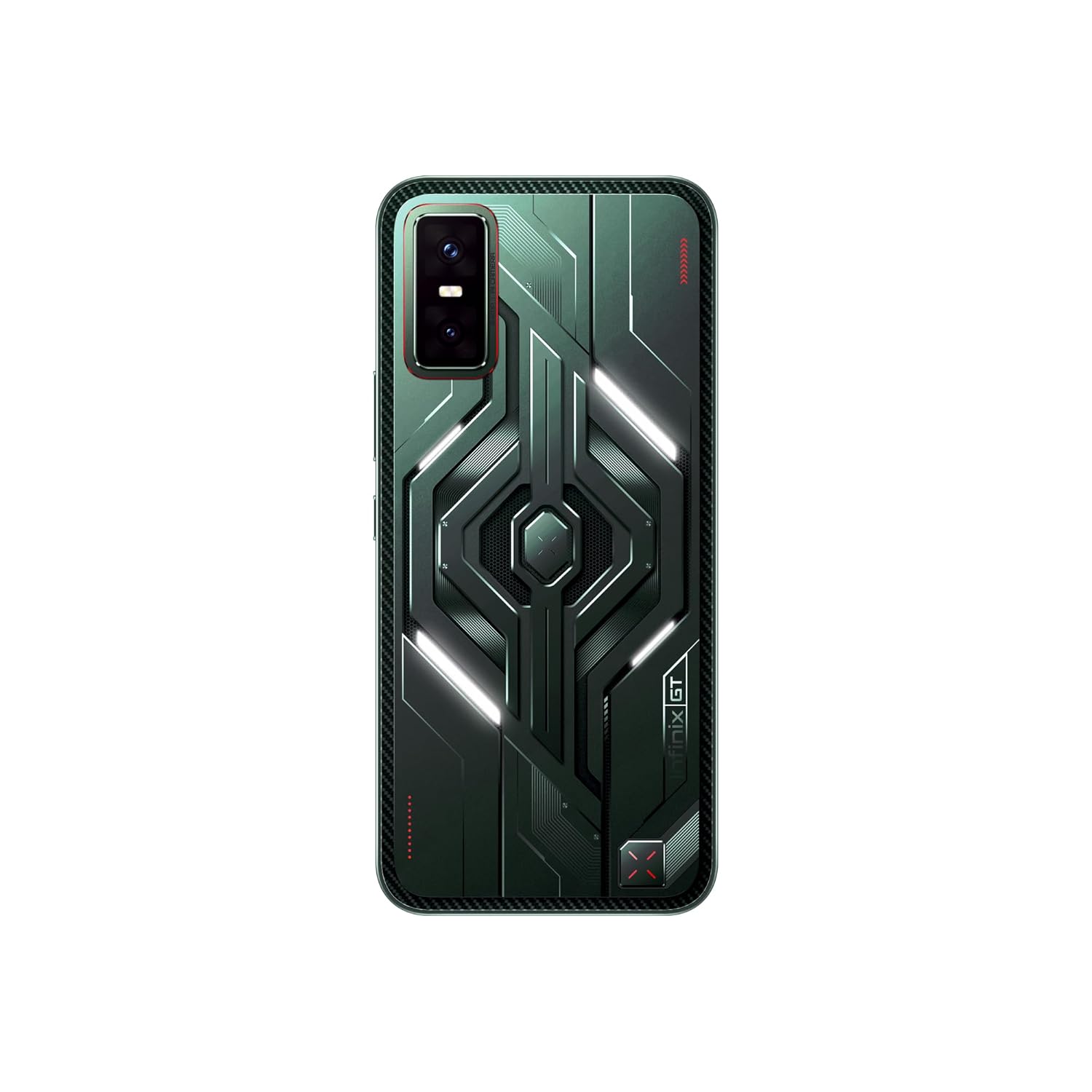
รูปที่ 3.3: ย้อนกลับ view of the Infinix GT 30 5G+ smartphone, showcasing the Cyber Mecha design, LED lights, and camera module.
The device features a Cyber Mecha 2.0 design on the back with customizable white LED lights that activate for various scenarios like charging and music playback. It includes GT Shoulder Triggers for enhanced gaming control.
4. การตั้งค่า
4.1. การติดตั้งซิมการ์ด
- ค้นหาถาดซิมที่ด้านข้างอุปกรณ์ของคุณ
- ใส่เครื่องมือถอดถาดซิมเข้าไปในรูเล็ก ๆ ข้างถาดแล้วกดให้แน่นจนกว่าถาดจะดีดออกมา
- Place your Nano-SIM cards (up to two) into the designated slots on the tray. Ensure the gold contacts face downwards.
- ใส่ถาดซิมกลับเข้าไปในโทรศัพท์อย่างระมัดระวังจนกระทั่งล็อคเข้าที่
4.2. การเปิดเครื่องครั้งแรกและการกำหนดค่า
- กดปุ่มเปิด/ปิดค้างไว้จนกว่าโลโก้ Infinix จะปรากฏขึ้น
- ปฏิบัติตามคำแนะนำบนหน้าจอเพื่อเลือกภาษา เชื่อมต่อกับเครือข่าย Wi-Fi และตั้งค่าบัญชี Google ของคุณ
- คุณจะได้รับคำแนะนำในการตั้งค่าคุณสมบัติการรักษาความปลอดภัย เช่น รหัส PIN รูปแบบ หรือลายนิ้วมือ
5. คู่มือการใช้งาน
5.1. คุณสมบัติการแสดงผล
The Infinix GT 30 5G+ features a 1.5K AMOLED display with a 144Hz refresh rate for smooth visuals and a 2160Hz touch sampling rate for responsive interaction. It offers 4500 nits peak brightness and 2304Hz PWM dimming for eye comfort. The display is protected by Gorilla Glass 7i and is TÜV Rheinland certified.

Figure 5.1: Visual representation of the 1.5K AMOLED display with 10-bit color depth, Corning Gorilla Glass 7i protection, and 4500 nits peak brightness.
5.2. คุณสมบัติการเล่นเกม
The device is optimized for gaming with several dedicated features:
- GT Shoulder Triggers: These physical triggers provide console-like input for mobile gaming, reducing screen clutter and enhancing control. They are customizable for quick access to in-game functions or other applications.
- 90FPS BGMI Gaming: Officially certified by Krafton, the GT 30 5G+ supports 90 FPS gaming on BGMI for a smoother, more responsive, and accurate gameplay experience.
- โปรเซสเซอร์ MediaTek Dimensity 7400: Provides powerful performance for demanding games and applications.
- 6-Layer 3D Vapor Chamber Cooling: Ensures efficient heat dissipation during extended gaming sessions.
- X-Axis Linear Motor & 6-Axis Gyroscope: Deliver immersive haptics and improved tilt control.

Figure 5.2: User holding the Infinix GT 30 5G+ and utilizing the GT Shoulder Gaming Triggers for enhanced control.

Figure 5.3: Diagram illustrating additional functions of the GT Triggers, including Double-Tap to Launch, Easy In-Camera Controls, and Video Playback Options.

Figure 5.4: Screenshot of BGMI gameplay on the Infinix GT 30 5G+, demonstrating 90FPS performance.
5.3. การใช้กล้อง
The device is equipped with a 64MP Sony rear camera and an 8MP ultra-wide camera. It supports 4K video recording from both front and rear cameras. The camera system includes One-Tap Infinix AI enhancements for improved photography.

รูปที่ 5.5: เกินview of the camera system, detailing the 8MP Ultra-Wide, 64MP Sony Dual Camera (IMX682 sensor), 4K Video Recording, and 13MP Selfie camera.
5.4. Infinix AI Features
The Infinix GT 30 5G+ integrates advanced AI features to enhance user experience:
- ยางลบ AI: Remove unwanted objects from your photos with a single tap.
- AI Extender: Expand your image to a desired perspective.
- AI Cutout: Instantly extract subjects from images.
- Folax (AI Voice Assistant): Provides voice-activated assistance.
- วงกลมเพื่อค้นหา: ค้นหาข้อมูลอย่างรวดเร็วโดยการวงกลมวัตถุบนหน้าจอของคุณ
- ผู้ช่วยการโทรด้วย AI: Manages calls with automatic answering and message relay.
- ผู้ช่วยเขียนบทความด้วย AI: Helps generate summaries, translate, and refine text for various tones (friendly, professional, concise).
- Gaming AI: Includes Esports Mode, Network Acceleration, ZoneTouch Master, and AI Magic Voice Changer for optimized gaming.

Figure 5.6: Before and after comparison demonstrating the AI Eraser feature removing an object from an image.

Figure 5.7: Demonstration of the AI Extender feature expanding an image's perspective.

รูปที่ 5.8: อดีตample of the AI Cutout feature extracting a subject from an image.

รูปที่ 5.9: เกินview of Infinix AI features for gaming, including Esports Mode, Network Acceleration, ZoneTouch Master, and AI Magic Voice Changer.

Figure 5.10: Demonstration of Folax AI Voice Assistant and Circle to Search functionality.

รูปที่ 5.11: อดีตamples of AI Call Assistant managing calls and AI Writing Assistant refining text.
5.5. การเชื่อมต่อ
The device supports 5G cellular technology for high-speed network connectivity. It also features UltraLink, a walkie-talkie function that allows calls without network coverage, exclusively supported on Infinix-to-Infinix smartphones.

Figure 5.12: Illustration of the UltraLink feature, enabling communication without network or Wi-Fi, exclusively between Infinix smartphones.
5.6. แบตเตอรี่และการชาร์จ
The Infinix GT 30 5G+ is powered by a 5500mAh battery. It supports Bypass Charging, which allows the device to draw power directly from the charger during gaming, reducing battery degradation and heat. It also supports Reverse Wired Charging.

Figure 5.13: Information on battery endurance and charging features like Bypass Charging and Reverse Wired Charging.
5.7. ระบบปฏิบัติการ
The smartphone runs on XOS 15, which is based on Android 15. XOS 15 offers a customizable, clean, and secure user experience, with features like Dynamic Bar, Floating Windows, Split-screen Apps, Smart Panel, and Outdoor Booster. It is designed to receive 2 major OS upgrades and 3 years of security patches.

Figure 5.14: Screenshots showcasing XOS 15 interface, special functions, personalized aesthetic, and AI-powered assistants.
6. การบำรุงรักษา
6.1. การดูแลทั่วไป
- ทำความสะอาดอุปกรณ์โดยใช้ผ้าแห้งนุ่มๆ หลีกเลี่ยงวัสดุที่มีฤทธิ์กัดกร่อนหรือสารเคมีรุนแรง
- ควรติดฟิล์มกันรอยหน้าจอและใช้เคสโทรศัพท์ที่ให้มาเพื่อป้องกันรอยขีดข่วนและความเสียหาย
- หลีกเลี่ยงการวางอุปกรณ์ไว้ในอุณหภูมิที่สูงเกินไป แสงแดดโดยตรง หรือมีความชื้นสูง
6.2. ความทนทานต่อน้ำและฝุ่นละออง
The Infinix GT 30 5G+ features IP64 water and dust resistance. This rating indicates protection against dust ingress and splashing water from any direction. It is not designed for submersion in water. Avoid intentional exposure to water or dust to prevent damage.

Figure 6.1: Visual highlighting IP64 Water & Dust Resistance and Dual Speakers with Hi-Res Audio.
7 การแก้ไขปัญหา
This section addresses common issues you might encounter with your Infinix GT 30 5G+.
| ปัญหา | สาเหตุที่เป็นไปได้ | สารละลาย |
|---|---|---|
| อุปกรณ์ไม่เปิดเครื่อง | แบตเตอรี่เหลือน้อยหรือมีปัญหาด้านซอฟต์แวร์ | Charge the device for at least 30 minutes. If it still doesn't turn on, perform a force restart by holding the Power button for 10-15 seconds. |
| หน้าจอไม่ตอบสนอง | Temporary software glitch or display issue. | Restart the device. If the issue persists, consider a factory reset (backup data first) or contact support. |
| LED lights on the back are not changing color | The LED lights on the Cyber Mecha design are primarily white and are customizable for specific scenarios (e.g., charging, music, notifications) but not for color changes. | This is expected behavior. The lights are designed to be white and respond to specific system events, not to offer a full RGB color palette. |
| Poor network connectivity (5G) | Weak signal, incorrect SIM settings, or network provider issue. | Check your location for 5G coverage. Ensure SIM card is correctly inserted. Go to Settings > Network & internet > SIMs and verify preferred network type is 5G. Contact your network provider if issues persist. |
| แบตเตอรี่หมดเร็ว | Background apps, high screen brightness, or intensive usage. | Close unused apps, reduce screen brightness, enable battery saver mode, or check battery usage in settings to identify power-hungry apps. |
8. ข้อมูลจำเพาะ
Detailed technical specifications for the Infinix GT 30 5G+ smartphone.
| คุณสมบัติ | รายละเอียด |
|---|---|
| ยี่ห้อ | อินฟินิกซ์ |
| ระบบปฏิบัติการ | Android 15 || XOS 15 (อิงตาม Android 15) |
| แรม | 8GB |
| ความจุของหน่วยความจำ | 128GB |
| สี | พัลส์กรีน |
| จำนวนช่องใส่ซิมการ์ด | ซิมคู่ |
| ประเภทขั้วต่อ | USB ประเภท C |
| ฟอร์มแฟกเตอร์ | บาร์ |
| ระดับความต้านทานต่อน้ำ | IP64 (Not Water Resistant for submersion) |
| คุณสมบัติผลิตภัณฑ์ | Always On Display, Built-In GPS, Dual SIM, Fast Charging Support, Mobile Hotspot Capability |
| Rear Facing Camera Photo Sensor Resolution | 64 MP (Dual Camera with 8MP Ultra-wide) |
| โหมดการถ่ายภาพ | Film, Video, AI Cam, Portrait, Super Night, AR Shot, Short Video, Pro, Slow Motion, Dual Video, Panorama, Super Macro, Documents, Timelapse, Sky Shop |
| Number of Rear Facing Cameras | 2 |
| Number of Front Cameras | 1 (13MP Selfie) |
| พลังงานแบตเตอรี่ | 5500 มิลลิแอมป์ |
| น้ำหนัก | 187 กรัม |
| ขนาดรายการ | 16.4 x 7.6 x 0.8 เซนติเมตร |
| ความละเอียดในการจับภาพวิดีโอ | 3840 x 2160 (4K) |
| Gaming Frame Rate (BGMI) | 90 เฟรมต่อวินาที |
| GPS ภูมิศาสตร์tagging Functionality | จริง |
| ประเภทจอภาพ | อโมเลด |
| อัตราการรีเฟรชการแสดงผล | 144 เฮิรตซ์ |
| ความละเอียดการแสดงผลสูงสุด | 2700 x 1560 (1.5K) |
| ผู้ให้บริการระบบไร้สาย | ปลดล็อคสำหรับผู้ให้บริการทั้งหมด |
| เทคโนโลยีเซลลูล่าร์ | 5G |
| เทคโนโลยีการเชื่อมต่อเครือข่าย | 5G |
| การใช้งานเฉพาะของผลิตภัณฑ์ | Business, Entertainment, Photography |
9. การรับประกันและการสนับสนุน
9.1. ข้อมูลการรับประกัน
The Infinix GT 30 5G+ comes with a 1 Year Warranty on the Handset และ รับประกันอุปกรณ์เสริม 6 เดือน ตั้งแต่วันที่ซื้อสินค้า
9.2. ข้อมูลติดต่อผู้ผลิต
For support, service, or warranty claims, please contact the manufacturer:
ผู้ผลิต: บริษัท แพดเจ็ต อิเล็กทรอนิกส์ ไพรเวท จำกัด
ที่อยู่: ที่ดินเลขที่ D-199, เซคเตอร์ 63, นอยดา, กัวตัมพุทธนคร, อุตตรประเทศ- 201301
Please refer to the official Infinix website or your purchase documentation for the most up-to-date contact information and support resources.
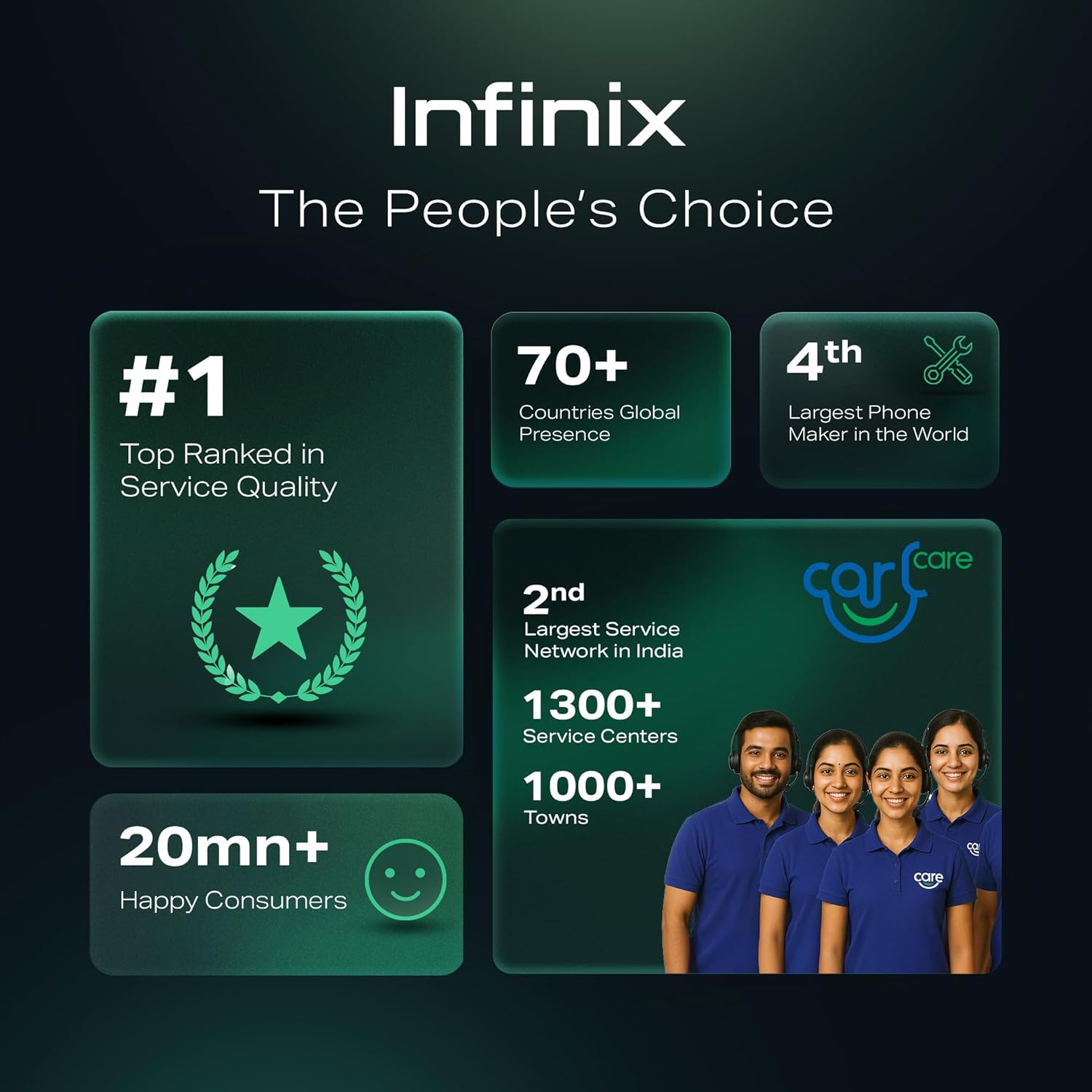
รูปที่ 9.1: เกินview of Infinix's global presence, service quality, and service network in India.