
1. บทนำ
Thank you for choosing the XDOBO SINOBAND Challenger 2020 Bluetooth Speaker. This manual provides essential information for setting up, operating, and maintaining your speaker to ensure optimal performance and longevity. Please read this manual thoroughly before using the product.
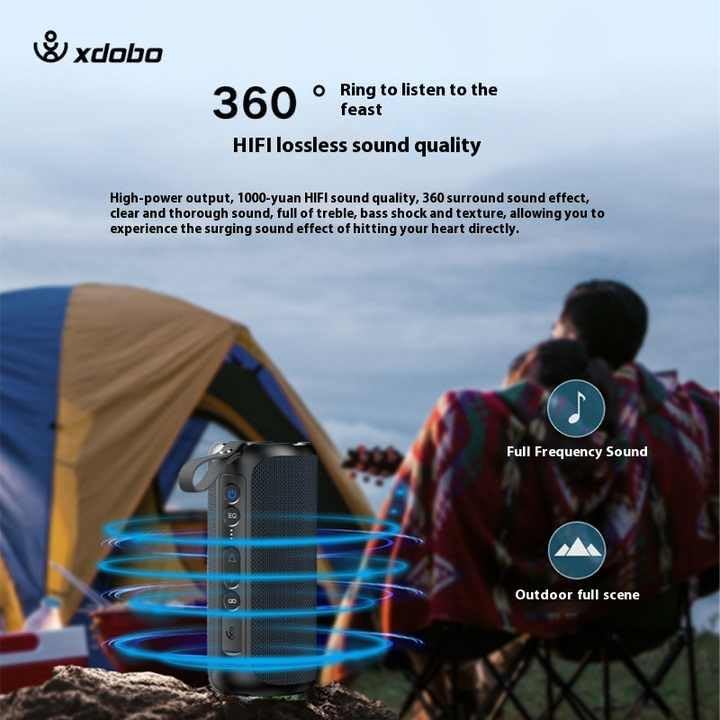
Image 1.1: The XDOBO SINOBAND Challenger 2020 Bluetooth Speaker, showcasinด้วยดีไซน์ที่กะทัดรัดและพกพาสะดวก
The SINOBAND Challenger 2020 is a powerful and portable Bluetooth speaker designed for rich, dynamic audio experiences. It features 50W output, Bluetooth 5.3 connectivity, and an IPX7 waterproof rating, making it suitable for various environments, including outdoor use.
2. การตั้งค่า
2.1. ชาร์จลำโพง
ก่อนใช้งานครั้งแรก โปรดชาร์จลำโพงให้เต็ม โดยใช้สายชาร์จ Type-C ที่ให้มาด้วย
- Connect the Type-C cable to the speaker's charging port.
- เชื่อมต่อปลายสายอีกด้านหนึ่งเข้ากับอะแดปเตอร์ไฟ USB ที่ใช้งานร่วมกันได้ (ไม่รวมอยู่ด้วย)
- ไฟแสดงสถานะการชาร์จจะสว่างขึ้น
- การชาร์จจนเต็มใช้เวลาประมาณ 4 ชั่วโมง ไฟแสดงสถานะจะเปลี่ยนหรือดับลงเมื่อการชาร์จเสร็จสมบูรณ์
2.2. การเปิด/ปิดเครื่อง
- To power on: Press and hold the power button for a few seconds until you hear an audible prompt and the indicator light turns on.
- To power off: Press and hold the power button for a few seconds until you hear an audible prompt and the indicator light turns off.
3. คู่มือการใช้งาน
3.1. การจับคู่บลูทู ธ
The speaker uses Bluetooth 5.3 for stable and seamless connectivity.
- ตรวจสอบให้แน่ใจว่าลำโพงเปิดอยู่และอยู่ในโหมดจับคู่ (ไฟแสดงสถานะจะกะพริบ)
- บนอุปกรณ์ของคุณ (สมาร์ทโฟน แท็บเล็ต ฯลฯ) เปิดใช้งานบลูทูธและค้นหาอุปกรณ์ที่มีอยู่
- Select "SINOBAND Challenger 2020" from the list of devices.
- เมื่อจับคู่สำเร็จแล้ว ลำโพงจะส่งเสียงยืนยัน และไฟแสดงสถานะจะติดสว่างค้าง
- ลำโพงจะเชื่อมต่อกับอุปกรณ์ที่จับคู่ล่าสุดโดยอัตโนมัติเมื่อเปิดเครื่อง หากบลูทูธของอุปกรณ์นั้นเปิดใช้งานอยู่และอยู่ในระยะทำการ
3.2. การควบคุมพื้นฐาน
ลำโพงนี้มีระบบควบคุมแบบสัมผัสสำหรับฟังก์ชั่นต่างๆ:
- ปุ่มเปิด/ปิด: กดค้างไว้เพื่อเปิด/ปิด
- ปุ่มเล่น/หยุดชั่วคราว: กดหนึ่งครั้งเพื่อเล่นหรือหยุดเพลงชั่วคราว
- เพิ่มระดับเสียง (+): กดเพื่อเพิ่มระดับเสียง
- ลดเสียงลง (-): กดเพื่อลดระดับเสียง
- เพลงถัดไป: กดปุ่มเพิ่มระดับเสียง (+) ค้างไว้
- แทร็กก่อนหน้า: กดปุ่มลดเสียง (-) ค้างไว้
- ปุ่ม EQ: กดเพื่อสลับไปมาระหว่างโหมดปรับแต่งเสียงต่างๆ
3.3. การจับคู่ True Wireless Stereo (TWS)
You can connect two SINOBAND Challenger 2020 speakers to create a stereo sound system for an enhanced audio experience.

Image 3.1: Two Challenger 2020 speakers connected via TWS for stereo sound.
- ตรวจสอบให้แน่ใจว่าลำโพงทั้งสองเปิดอยู่และไม่ได้เชื่อมต่อกับอุปกรณ์ Bluetooth ใดๆ
- On one speaker (this will be the primary speaker), press and hold the TWS pairing button (refer to the speaker's button layout if available, otherwise assume a dedicated button or combination).
- ผู้พูดหลักจะค้นหาผู้พูดรอง
- Once connected, both speakers will emit an audible confirmation, and their indicator lights will synchronize.
- ตอนนี้ ให้เชื่อมต่ออุปกรณ์ของคุณกับลำโพงหลักผ่านบลูทูธตามที่อธิบายไว้ในหัวข้อ 3.1 เสียงจะเล่นผ่านลำโพงทั้งสองตัวในระบบสเตอริโอ

Image 3.2: Illustration of the 360-degree sound output and Hi-Fi lossless audio quality of the speaker.
4. การบำรุงรักษา
4.1. การทำความสะอาด
- เช็ดลำโพงด้วย d . นุ่มๆamp ผ้า.
- ห้ามใช้สารทำความสะอาดที่มีฤทธิ์กัดกร่อน แอลกอฮอล์ หรือตัวทำละลายเคมี เพราะอาจทำให้พื้นผิวเสียหายได้
- ตรวจสอบให้แน่ใจว่าฝาปิดพอร์ตชาร์จปิดสนิทก่อนทำความสะอาดหรือสัมผัสน้ำ
4.2. ความทนทานต่อน้ำ (IPX7)
The SINOBAND Challenger 2020 is IPX7 waterproof, meaning it can be submerged in water up to 1 meter for 30 minutes. This makes it suitable for use near water, but it is not designed for prolonged underwater use.
ภาพที่ 4.1: ลำโพงสาธิตคุณสมบัติกันน้ำระดับ IPX7
- ควรตรวจสอบให้แน่ใจว่าฝาปิดช่องชาร์จปิดสนิทก่อนนำลำโพงไปโดนน้ำทุกครั้ง
- อย่าให้ลำโพงสัมผัสกับน้ำเกลือหรือสารเคมีอื่นๆ
- หลังจากโดนน้ำ ให้เช็ดลำโพงให้แห้งสนิทก่อนชาร์จ
4.3. การจัดเก็บและการดูแลรักษาแบตเตอรี่
- เก็บลำโพงไว้ในที่แห้งและเย็น หลีกเลี่ยงแสงแดดโดยตรงและอุณหภูมิที่สูงหรือต่ำเกินไป
- เพื่อรักษาอายุการใช้งานของแบตเตอรี่ ควรชาร์จลำโพงอย่างน้อยทุกๆ สามเดือนหากไม่ได้ใช้งานเป็นประจำ
- หลีกเลี่ยงการปล่อยแบตเตอรี่จนหมดบ่อยครั้ง

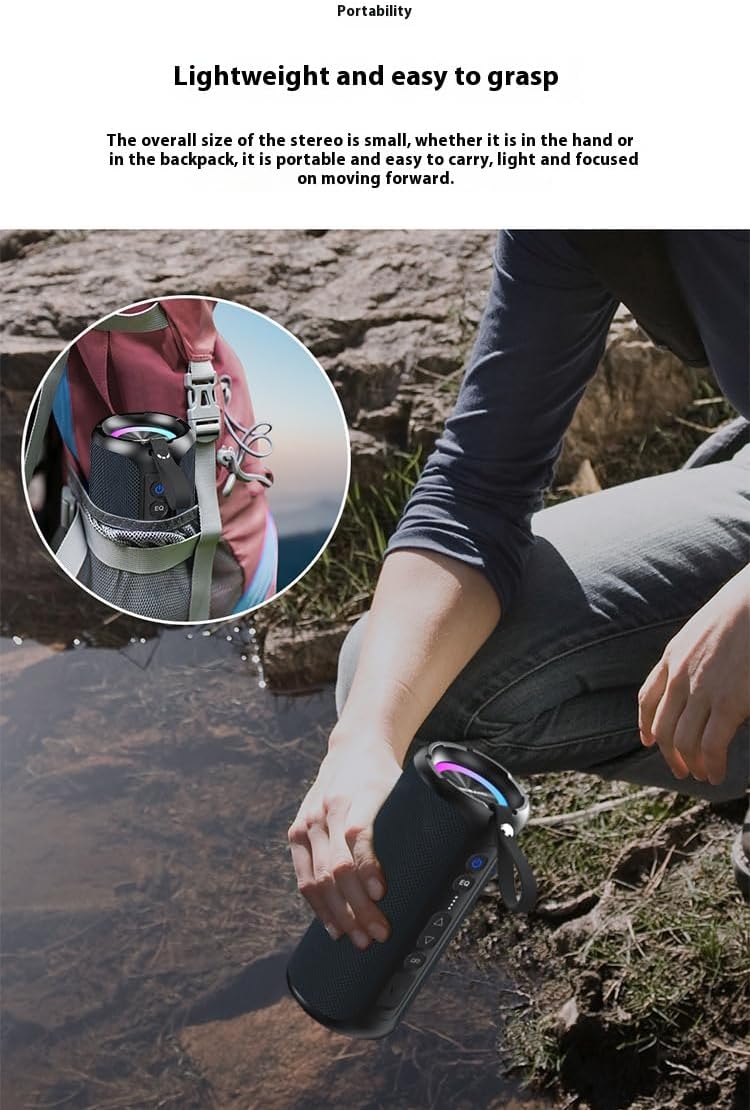
Image 4.2: The speaker's portable design, suitable for outdoor activities.
5 การแก้ไขปัญหา
| ปัญหา | สาเหตุที่เป็นไปได้ | สารละลาย |
|---|---|---|
| ลำโพงไม่เปิดเครื่อง | แบตเตอรี่อ่อน | ชาร์จลำโพงอย่างน้อย 30 นาที |
| ไม่สามารถจับคู่ผ่านบลูทูธได้ | ลำโพงไม่ได้อยู่ในโหมดจับคู่ อุปกรณ์ Bluetooth ปิดอยู่ ห่างจากอุปกรณ์มากเกินไป | Ensure speaker is in pairing mode. Turn device Bluetooth off and on. Move speaker closer to device (within 10 meters). |
| ไม่มีเสียง. | ระดับเสียงเบาเกินไป; ไม่ได้เชื่อมต่อลำโพง; แหล่งเสียงหยุดชั่วคราว | Increase speaker and device volume. Re-pair Bluetooth. Check audio source playback. |
| ความผิดเพี้ยนของเสียง | ระดับเสียงสูงเกินไป, แบตเตอรี่อ่อน, มีสัญญาณรบกวน | ลดระดับเสียง ชาร์จลำโพง วางให้ห่างจากอุปกรณ์อิเล็กทรอนิกส์อื่นๆ |
| การจับคู่ TWS ล้มเหลว | ลำโพงเชื่อมต่อกับอุปกรณ์อื่นอยู่แล้ว หรืออยู่ห่างกันเกินไป | Disconnect both speakers from any Bluetooth devices. Ensure speakers are close to each other. Try pairing again. |
6. ข้อมูลจำเพาะ
| คุณสมบัติ | รายละเอียด |
|---|---|
| ชื่อรุ่น | SINOBAND Challenger 2020 |
| กำลังขับ | 50 วัตต์ |
| การตอบสนองความถี่ | 20 เฮิรตซ์ - 20 กิโลเฮิรตซ์ |
| เวอร์ชันบลูทูธ | 5.3 |
| อายุการใช้งานแบตเตอรี่ | นานถึง 15 ชั่วโมง |
| เวลาในการชาร์จ | ประมาณ 4 ชั่วโมง (ผ่าน Type-C) |
| ขนาด (กว้าง x ยาว x สูง) | 10.1 ซม. x 10.1 ซม. x 22.9 ซม. |
| น้ำหนัก | 573 กรัม |
| อัตราส่วนสัญญาณต่อเสียงรบกวน (SNR) | ≥80เดซิเบล |
| อิมพีแดนซ์ | 4 โอห์ม |
| ระดับการกันน้ำ | IPX7 |
| วัสดุ | ผ้า |
| วิธีการควบคุม | สัมผัส |
| อินพุต Voltage | 5 โวลต์ |
| ประเภทลำโพง | พกพาได้ |
| คุณสมบัติพิเศษ | Bass Boost, LED Light, Portable |

Image 6.1: Key features of the speaker, including 50W output and IPX7 waterproof rating.
7. ข้อมูลการรับประกัน
Warranty information for the XDOBO SINOBAND Challenger 2020 Bluetooth Speaker is not provided within this manual. Please refer to the product packaging, the retailer's website, or contact XDOBO customer support for details regarding warranty coverage and terms.
8. การสนับสนุนลูกค้า
For technical assistance, troubleshooting beyond this manual, or general inquiries, please contact XDOBO customer support. Contact details are typically available on the official XDOBO webไซต์หรือผ่านร้านค้าปลีกที่ซื้อผลิตภัณฑ์