
1. บทนำ
Thank you for choosing the VELATEMOR Unlocked Portable WiFi Hotspot 4G LTE. This device provides high-speed internet access on the go, allowing multiple devices to connect simultaneously. Designed for portability and ease of use, it ensures you stay connected whether at home or traveling.
2. เนื้อหาบรรจุภัณฑ์
กรุณาทำเครื่องหมายในช่องสำหรับรายการต่อไปนี้:
- 1 x VELATEMOR Portable Hotspot
- 1 x USB-C Supply Cable
- 1 x คู่มือผู้ใช้
- 1 x Built-in 2100mAh Lithium-ion Battery
3. คู่มือการติดตั้ง
Follow these steps to set up your portable WiFi hotspot:
- ชาร์จอุปกรณ์: Before initial use, fully charge the hotspot using the provided USB-C cable and a compatible power adapter. The LED display will indicate charging status.
- ใส่ซิมการ์ด:
- ถอดฝาครอบด้านหลังของฮอตสปอตออกอย่างระมัดระวัง
- Locate the SIM card slot. This device supports a Micro SIM card.
- Insert your activated Micro SIM card into the slot, ensuring the gold contacts face downwards and the notched corner aligns correctly.
- Secure the SIM card by gently pushing the locking mechanism (if present) or ensuring it is fully seated.
- Replace the battery and the back cover securely.
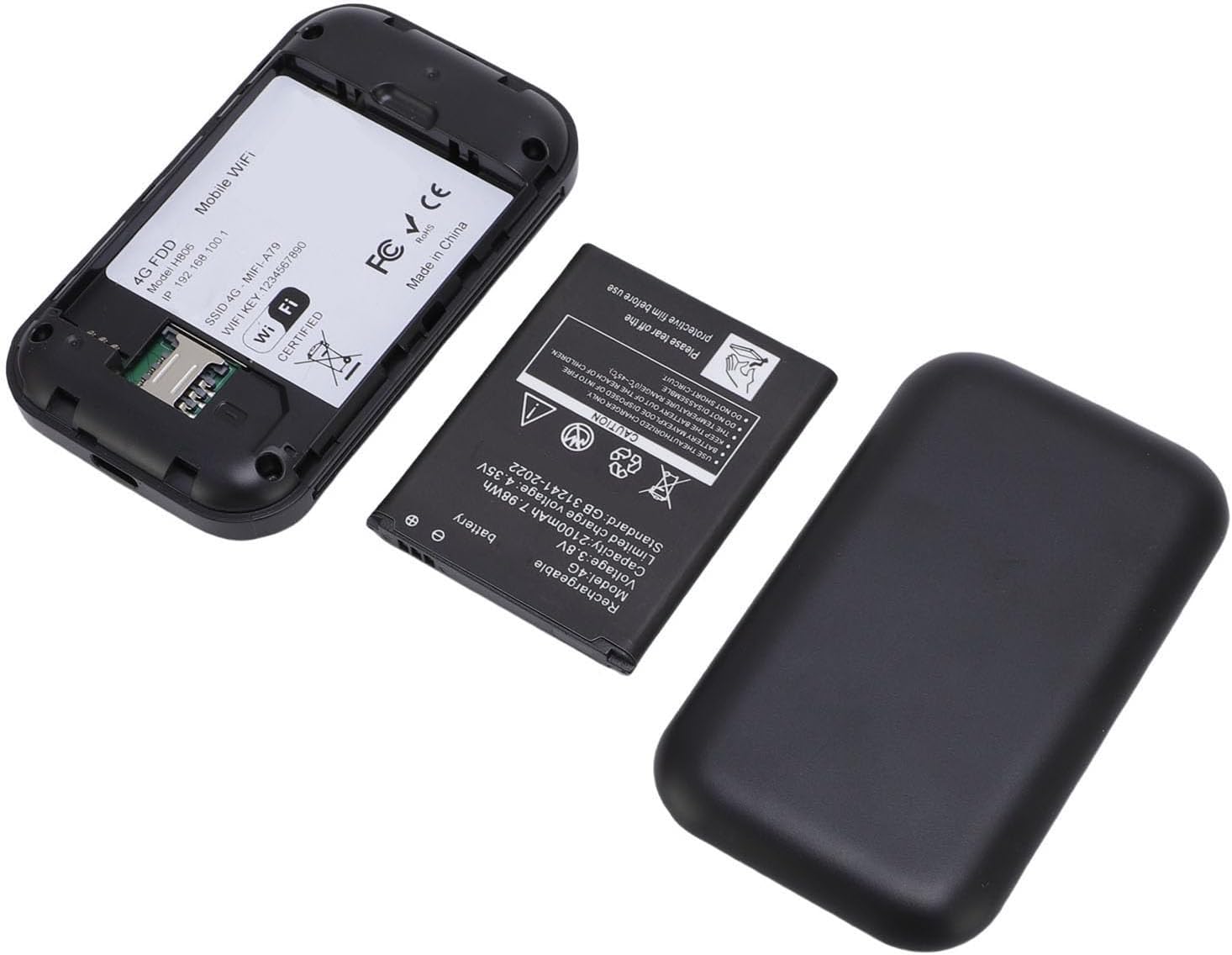
Image: Back of the VELATEMOR Portable WiFi Hotspot with the cover removed, revealing the battery compartment and the Micro SIM card slot. The SIM card slot is clearly visible for insertion.
- เปิดเครื่อง: Press and hold the power button (usually located on the side or front) until the device powers on and the display illuminates.
- เชื่อมต่อกับ Wi-Fi:
- Once powered on, the device's screen will display the Wi-Fi Network Name (SSID) and Password.
- On your smartphone, tablet, or laptop, search for available Wi-Fi networks.
- Select the SSID displayed on your hotspot's screen and enter the corresponding password to connect.
- Access Admin Panel (Optional): For advanced settings such as changing the SSID, password, or APN settings, connect a device to the hotspot's Wi-Fi and open a web browser. Enter the default IP address (e.g., 192.168.0.1) into the address bar. Refer to the included user manual for default login credentials.
4. คู่มือการใช้งาน
Using your VELATEMOR Portable WiFi Hotspot is straightforward:
- การเชื่อมต่ออุปกรณ์หลายเครื่อง: The hotspot supports connecting up to 10 devices simultaneously. Simply repeat the Wi-Fi connection steps for each device.
- สถานะอุปกรณ์ตรวจสอบ: The colorful LED display provides real-time information on battery level, 4G/5G signal strength, Wi-Fi status, and the number of connected devices.
- ปลั๊กแอนด์เพลย์: The device is designed for immediate use. Once the SIM card is inserted and the device is powered on, it will automatically establish a 4G internet connection.
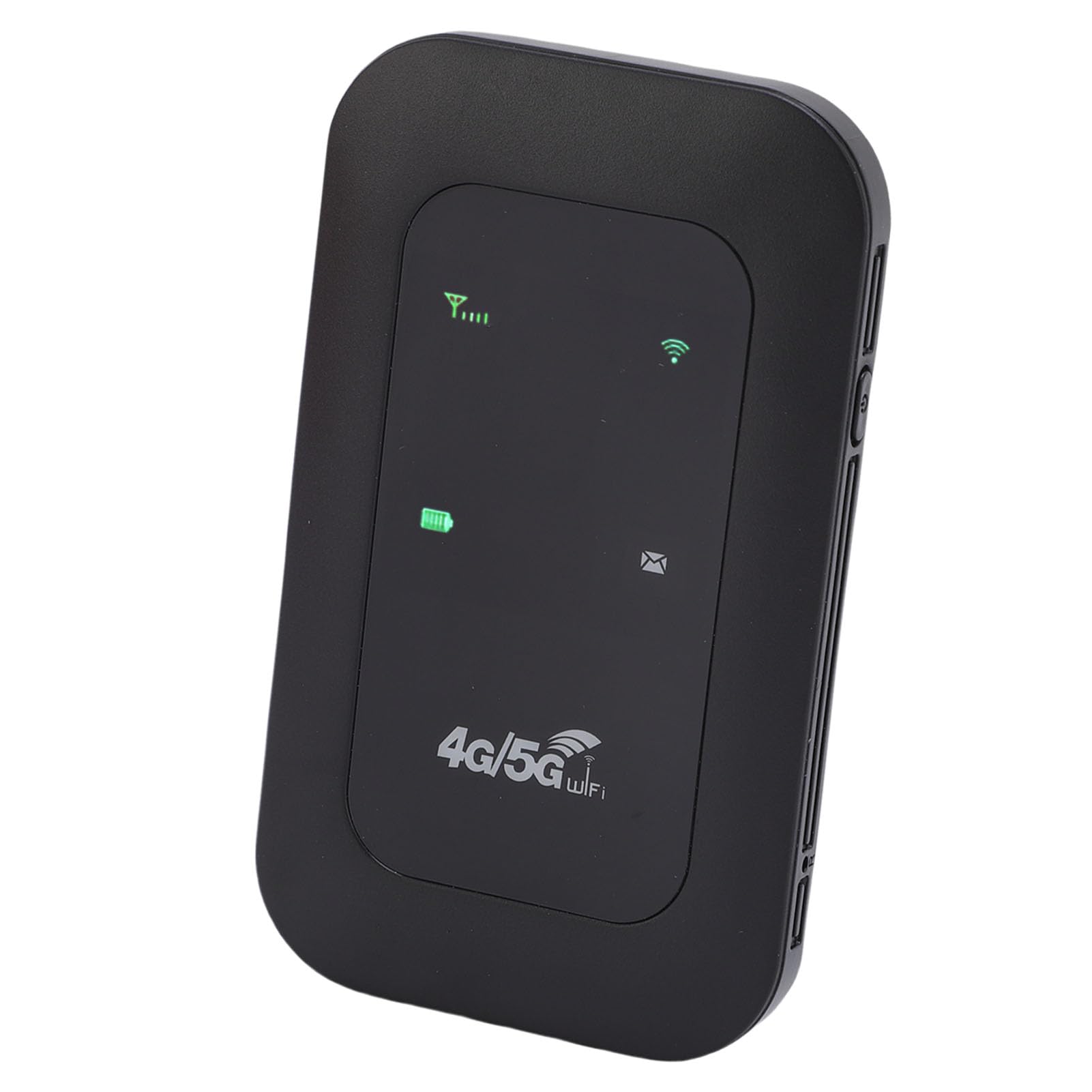
Image: The VELATEMOR Portable WiFi Hotspot, a sleek black device, is displayed with icons highlighting its key features: a Type-C interface, support for 4G/5G high-speed internet, and a 2100mAh battery.
5. คุณสมบัติหลัก
- 4G/5G WiFi Fast Connection: Connect to the internet without broadband; just insert a 4G/5G SIM card for high-speed access. It's backward compatible, providing fast speeds even without a 5G network.
- 300Mbps High Speed Network: Supports LTE CAT4 standard, delivering speeds up to 300Mbps (network strength dependent). Equipped with a SIM card slot and built-in battery, it can work with external power sources for unlimited usage time.
- Portable with Long Battery Life: A built-in 2100mAh battery provides over 10 hours of continuous use, ensuring stable and fast internet access for home or travel.
- รองรับอุปกรณ์หลายชนิด: Supports network bands B1/B3/B5/B40 and connects up to 10 devices simultaneously, including smartphones, tablets, and laptops.
- ปลั๊กแอนด์เพลย์: Convenient USB-C power supply for easy use. Connect to a power device, insert the SIM card, and enjoy 4G internet anywhere. The colorful LED display shows the device's battery level.
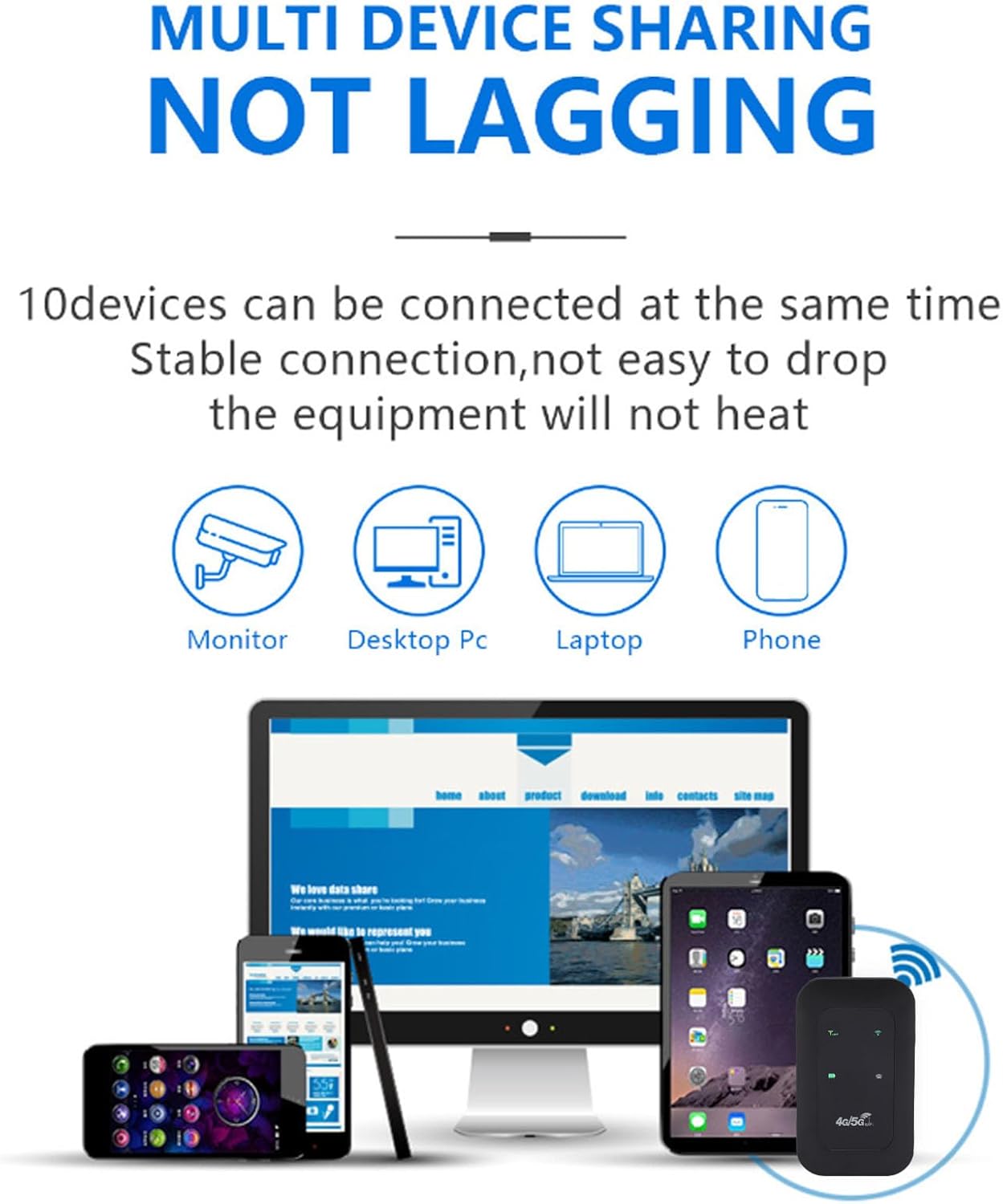
Image: An infographic showing the VELATEMOR Portable WiFi Hotspot enabling multi-device sharing. It highlights that up to 10 devices, including monitors, desktop PCs, laptops, and phones, can be connected simultaneously without experiencing lag.
6. ข้อมูลจำเพาะทางเทคนิค
| ยี่ห้อ | VELATEMOR |
| หมายเลขรุ่น | VELATEMORhysg9o5g1u |
| แบนด์เครือข่าย | LTE: B1/B3/B5/B40, WCDMA: B1 |
| มาตรฐานการสื่อสารไร้สาย | 802.11 b/g/n (Wi-Fi 4) |
| Wireless Network Transmission Frequency | สูงสุดถึง 300Mbps |
| ประเภทแบตเตอรี่ | Built-in 2100mAh Lithium-ion Battery |
| เทคโนโลยีการเชื่อมต่อ | แอลทีอี, ไวไฟ |
| จำนวนพอร์ต | 1 (USB-C for power) |
| โปรโตคอลความปลอดภัย | WPA2, WPA3 |
| ความครอบคลุม | สูงสุด 100 เมตร (กลางแจ้ง) |
| การใช้ที่แนะนำ | ในร่ม/กลางแจ้ง |
7. การบำรุงรักษา
To ensure the longevity and optimal performance of your hotspot, please follow these maintenance guidelines:
- เก็บอุปกรณ์ให้แห้งและห่างจากความชื้น
- หลีกเลี่ยงการสัมผัสอุปกรณ์ในอุณหภูมิที่สูงหรือต่ำเกินไป (ร้อนหรือเย็น)
- ทำความสะอาดอุปกรณ์ด้วยผ้านุ่มและแห้ง ห้ามใช้น้ำยาทำความสะอาดหรือสเปรย์
- ใช้งานอุปกรณ์ด้วยความระมัดระวังเพื่อป้องกันความเสียหายทางกายภาพ
- เก็บอุปกรณ์ไว้ในที่แห้งและเย็นเมื่อไม่ได้ใช้งานเป็นเวลานาน
8 การแก้ไขปัญหา
If you encounter issues with your hotspot, try the following solutions:
- No Signal/No Internet:
- โปรดตรวจสอบให้แน่ใจว่าได้ใส่ซิมการ์ดอย่างถูกต้องและเปิดใช้งานแพ็กเกจอินเทอร์เน็ตแล้ว
- Check the signal strength indicator on the device's display. Move to an area with better network coverage if the signal is weak.
- รีสตาร์ทอุปกรณ์ฮอตสปอต
- Verify APN settings through the admin panel (refer to your SIM card provider for correct APN details).
- ไม่สามารถเชื่อมต่อกับ Wi-Fi ได้:
- Ensure the hotspot is powered on and Wi-Fi is enabled.
- Double-check the Wi-Fi Network Name (SSID) and Password.
- Move your connecting device closer to the hotspot.
- รีสตาร์ททั้งฮอตสปอตและอุปกรณ์ที่เชื่อมต่อ
- ความเร็วอินเตอร์เน็ตช้า:
- Check the signal strength. Weak signal can lead to slow speeds.
- ลดจำนวนอุปกรณ์ที่เชื่อมต่อ
- Ensure your data plan has sufficient high-speed data remaining.
- รีสตาร์ทฮอตสปอต
- อุปกรณ์ไม่ได้เปิดเครื่อง:
- ตรวจสอบให้แน่ใจว่าแบตเตอรี่ชาร์จเต็มแล้ว เชื่อมต่ออุปกรณ์เข้ากับแหล่งจ่ายไฟ
- ตรวจสอบว่าใส่แบตเตอรี่อย่างถูกต้องหรือไม่
9. การรับประกันและการสนับสนุน
The VELATEMOR Portable WiFi Hotspot comes with a manufacturer warranty for 90 days from the date of purchase.
For technical support, warranty claims, or further assistance, please refer to the contact information provided in your product packaging or visit the official VELATEMOR webเว็บไซต์.