
1. สินค้าหมดview
The AMACOOL F320S is a versatile 10000mAh magnetic portable fan designed for various environments, including cruises, golf carts, camping, and home use. It features a powerful magnetic base, a foldable hook, 360-degree rotation, three fan speeds, and a multi-level LED light, ensuring comfort and convenience wherever you go.
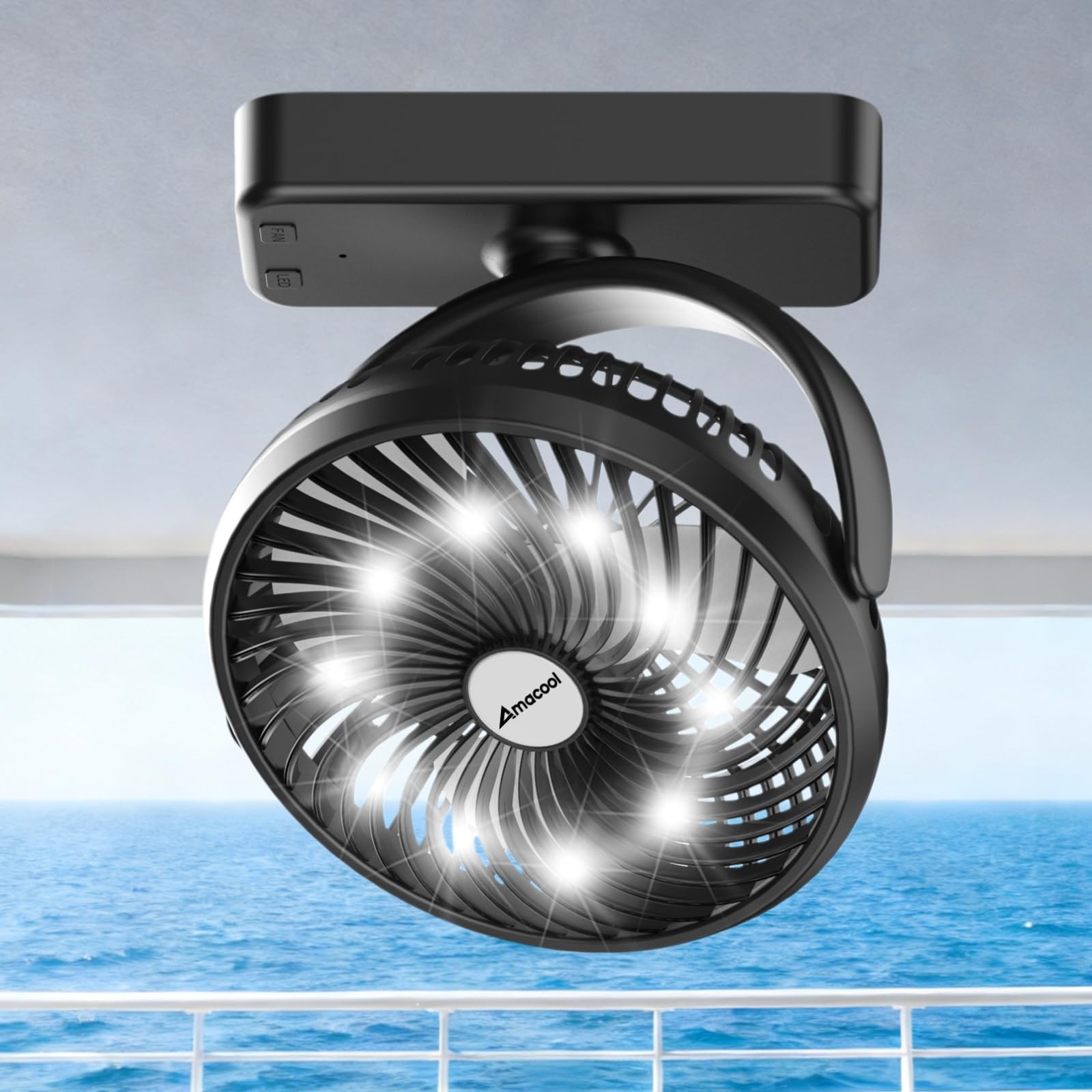
Image 1: The AMACOOL F320S Magnetic Portable Fan in its compact form.
2. คุณสมบัติหลัก
- แบตเตอรี่แบบชาร์จไฟได้ 10000mAh: Provides 8-35 hours of operation depending on fan speed, making it ideal for extended use without frequent recharging. The battery is flight-approved for travel.
- ฐานแม่เหล็กที่แข็งแกร่ง: Equipped with 8 heavy-duty N52 magnets for secure attachment to metal surfaces like cruise cabin walls, golf cart frames, or kitchen appliances.
- การหมุน 360°: The fan head can be rotated 360 degrees horizontally and vertically, allowing for precise airflow direction.
- 3 ความเร็วพัดลม: Choose from low, medium, or high fan speeds to suit your cooling needs.
- 3-Level LED Light: Integrated white work light with three brightness settings, useful for various tasks or as a night light.
- Versatile Hanging Hook: A foldable hook on the base allows for convenient hanging in tents, on branches, or other suitable locations.
- ขนาดกะทัดรัดและพกพาสะดวก: Measuring 7.17 × 2.56 × 8.66 inches and weighing 1.04 lbs, it's easy to pack and carry.
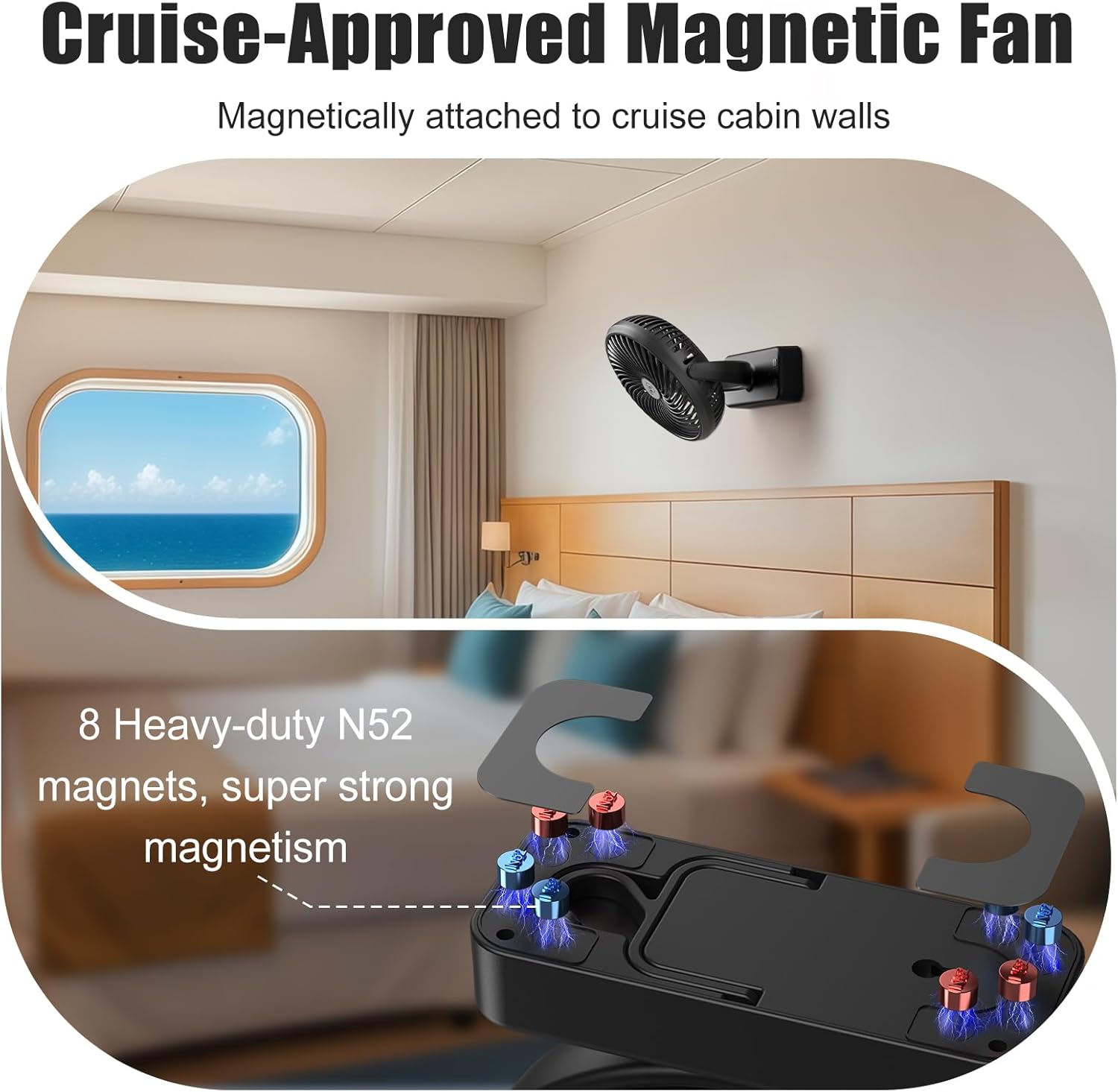
Image 2: Illustration of the magnetic base with N52 magnets and 360-degree rotation capability.
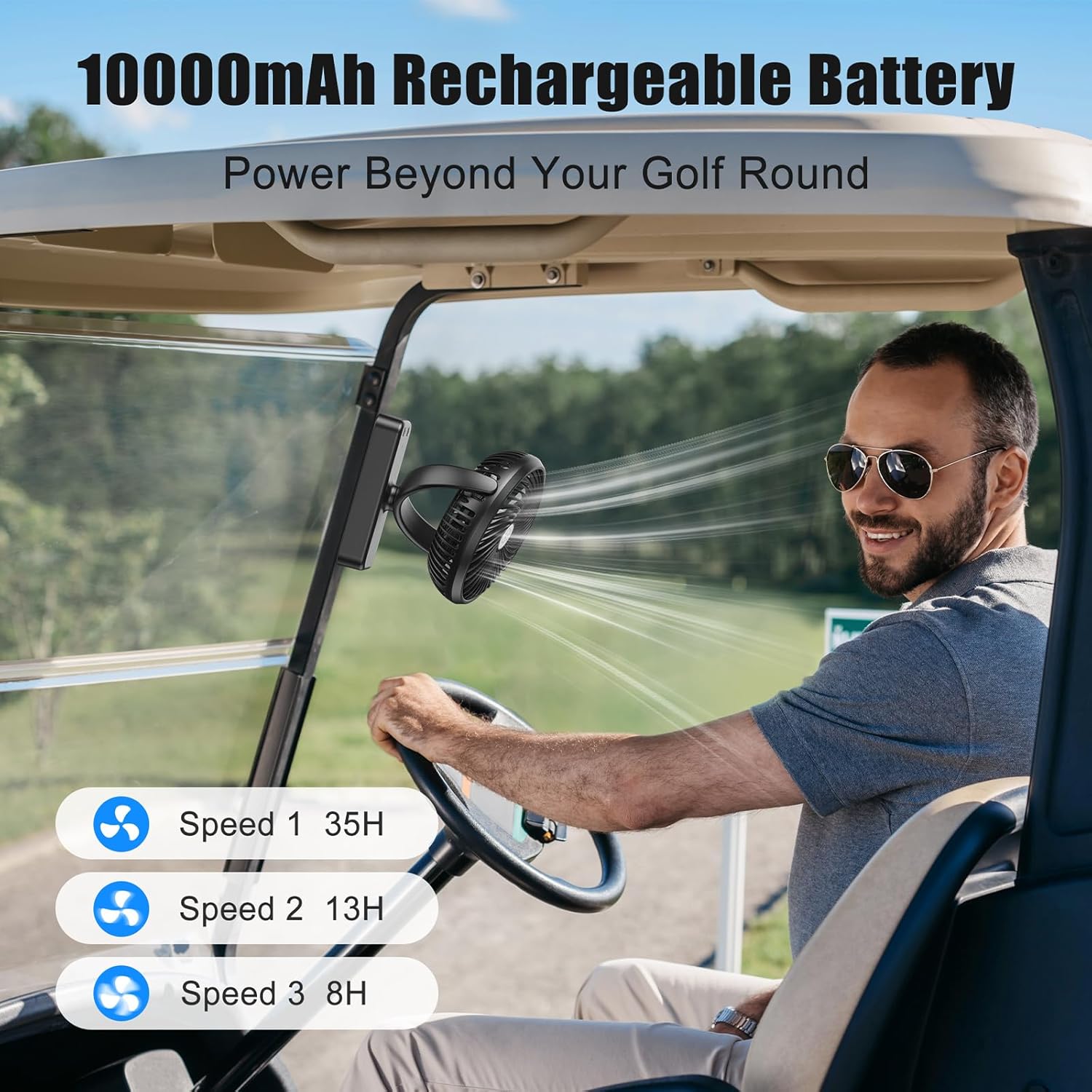
Image 3: The fan attached to a golf cart, highlighting its 10000mAh battery life across different speeds (35H on Speed 1, 13H on Speed 2, 8H on Speed 3).

Image 4: The fan demonstrating its powerful 3 speeds and 360-degree rotation, shown standing and hanging inside a campกำลังกางเต็นท์

Image 5: The fan providing smooth white noise and 3-level white light for sleeping or relaxation.

Image 6: The fan's versatile usage options: magnetically attached in a cruise cabin, on a golf cart, hanging in a camping tent, and standing on a desk.
3. การตั้งค่า
- แกะกล่อง: Carefully remove the fan and all accessories from the packaging. Verify that all components are present: the fan unit, USB-C charging cable, and user manual.
- ค่าใช้จ่ายเริ่มต้น: Before first use, fully charge the fan using the provided USB-C cable. Connect the USB-C end to the fan's charging port (located on the side of the base) and the USB-A end to a compatible 5V power supply (e.g., power bank, laptop, wall adapter). The indicator light will flash red during charging and turn solid red when fully charged.
- การวางตำแหน่ง: Choose your desired mounting method:
- Desktop/Tabletop: Place the fan on a flat, stable surface. Adjust the fan head to your preferred angle.
- ตัวยึดแม่เหล็ก: Attach the magnetic base firmly to any suitable metal surface. Ensure the surface is clean and dry for optimal adhesion.
- แขวน: Extend the foldable hook from the base and hang the fan from a secure point.
- ติดผนัง: Use the keyhole slot on the back of the base to hang the fan on a screw or nail (not included) on a wall.
Video 1: This video demonstrates the unboxing and various setup options for the magnetic rechargeable travel fan, including its magnetic base and hanging hook.
4. คู่มือการใช้งาน
การควบคุมพัดลม 4.1
- เปิดเครื่อง/ความเร็ว 1: Press the 'FAN' button once to turn on the fan at low speed (Speed 1).
- ความเร็ว 2: Press the 'FAN' button a second time for medium speed (Speed 2).
- ความเร็ว 3: Press the 'FAN' button a third time for high speed (Speed 3).
- หมดแรง: Press the 'FAN' button a fourth time to turn off the fan.
4.2 การควบคุมแสง
- Light On/Brightness 1: Press the 'LED' button once to turn on the light at the lowest brightness setting.
- Brightness 2: Press the 'LED' button a second time for medium brightness.
- Brightness 3: Press the 'LED' button a third time for the brightest setting.
- ปิดไฟ: Press the 'LED' button a fourth time to turn off the light.
5. การบำรุงรักษา
- การทำความสะอาด: Turn off the fan and unplug it before cleaning. Use a soft, dry cloth to wipe the fan body and blades. Do not use harsh chemicals, abrasive cleaners, or corrosive liquids.
- พื้นที่จัดเก็บ: If not in use for an extended period, fully charge the battery and store the fan in a cool, dry place.
- การดูแลแบตเตอรี่ To prolong battery life, avoid completely draining the battery frequently. Recharge when the power is low.
- ถอดชิ้นส่วน: Do not attempt to disassemble or repair the fan yourself. Contact professional staff for any repairs.
6 การแก้ไขปัญหา
| ปรากฏการณ์ความผิดปกติ | Cause of the Problem | วิธีการกำจัด |
|---|---|---|
| ไม่มีไฟฟ้า/แสงสว่าง | The battery is too low or the charging wire is not inserted. | Charge the fan or check the connector/charging cable. |
| The charging time is too long or not charged. | The charger current is less than 2A or the charging cable is damaged. | Change the charger or switch to a charging line. |
7. ข้อมูลจำเพาะ
| พารามิเตอร์ | ค่า |
|---|---|
| หมายเลขรุ่น | เอฟ320เอส |
| ยี่ห้อ | อะมาคูล |
| กำลังขับ | 6 วัตต์ |
| อินพุต Voltage | กระแสตรง 5 โวลต์ |
| กระแสไฟเข้า | 1.5 ก |
| ปริมาณการส่งออกtage | 5V-14V |
| ความจุของแบตเตอรี่ | 10000mAh |
| ขนาดสินค้า | ลึก 2.56 นิ้ว x กว้าง 7.17 นิ้ว x สูง 8.66 นิ้ว |
| น้ำหนักสินค้า | 600 กรัม (1.32 ปอนด์) |
| จำนวนความเร็ว | 3 |
| คุณสมบัติพิเศษ | Magnetic, LED Light, Foldable Hook |
| ประเภทการติดตั้ง | Wall Mount/Desktop/Hook Mount |
| วัสดุ | พลาสติก |
| การใช้งานภายใน/ภายนอกอาคาร | ในร่ม, กลางแจ้ง |
8. การรับประกันและการสนับสนุน
Respect of customer, thank you for choosing our company's products. In order to better service for you, after buying the product, please read carefully, complete and properly keep the warranty card.
For support or warranty claims, please contact AMACOOL directly:
- Online/Email: https://amacool.vip/Contactus or support@amacool.vip

Image 7: QR code for contacting AMACOOL support.