
1. บทนำ
This manual provides essential information for the safe and efficient installation, operation, and maintenance of your OSRAM ENDURA PRO Outdoor Wall Projector with Sensor. This high-efficiency outdoor wall luminaire features an extensive angle and innovative optical design, providing reliable and secure lighting for various outdoor applications.

Image 1.1: Highly Efficient Lighting. The OSRAM ENDURA PRO LED projector provides uniform and efficient lighting, enhancing security around your property with optimal brightness.
2. คำแนะนำด้านความปลอดภัย
Please read and understand all safety instructions before installing or operating the product. Failure to follow these instructions may result in electric shock, fire, or other hazards.
- บุคลากรที่ผ่านการรับรอง: การเชื่อมต่อไฟฟ้าทั้งหมดต้องดำเนินการโดยช่างไฟฟ้าที่ผ่านการรับรอง
- ความเสี่ยงจากไฟฟ้าช็อต: Always disconnect power before installation, maintenance, or repair. Caution, risk of electric shock.
- อันตรายจากการรัดคอ: To reduce the risk of strangulation, ensure that any flexible wiring connected to this luminaire is effectively secured to the wall if the wiring is within reach.
- ความสมบูรณ์ของผลิตภัณฑ์: Do not modify or alter the product in any way. Use only original OSRAM accessories and spare parts.
- สภาพแวดล้อมการทำงาน: This product is designed for outdoor use with an IP55 rating. Do not submerge in water.
3. คุณสมบัติของผลิตภัณฑ์
The OSRAM ENDURA PRO projector is engineered for optimal outdoor lighting performance and durability.
- ประสิทธิภาพสูง: Provides bright and uniform illumination, enhancing safety in all outdoor areas.
- หัวปรับได้: The luminaire head is adjustable, allowing for precise light orientation to illuminate specific areas and dark corners.
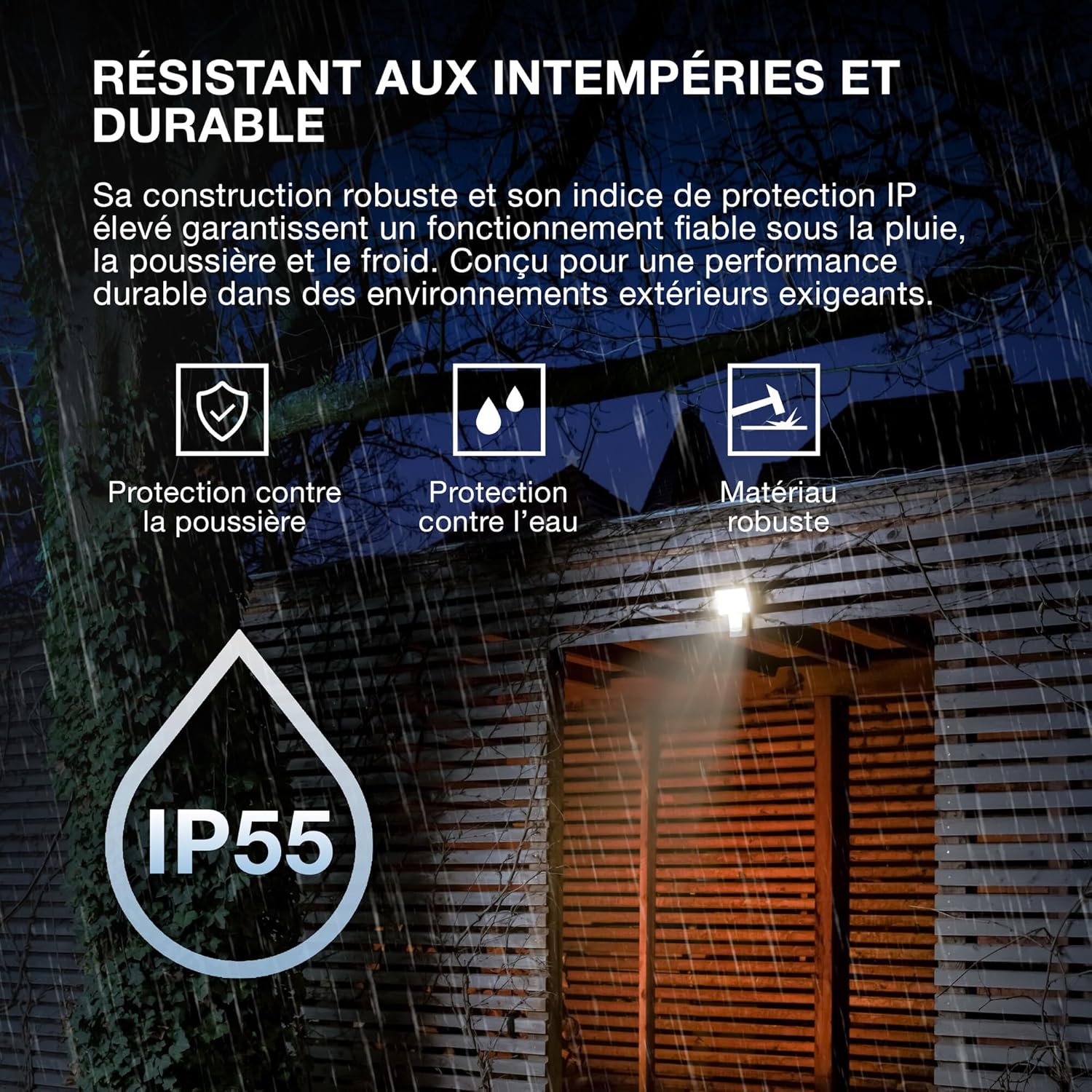
- โครงสร้างแข็งแรงทนทาน: Features IP55 protection against dust and water jets, and IK05 impact resistance, ensuring reliable operation in various weather conditions.
- เซนเซอร์แบบรวม: Equipped with a motion and brightness detection sensor for automated operation.
- โหมดการทำงาน: Offers 4 selectable operating modes, including 6-hour continuous illumination or activation by motion and ambient light.
- ประหยัดพลังงาน: ออกแบบมาเพื่อการทำงานประหยัดพลังงาน

Image 3.1: Weather Resistant and Durable. The robust construction with IP55 and IK05 ratings ensures reliable performance in demanding outdoor environments, protecting against dust, water, and impacts.

Image 3.2: Precisely Adjustable. The pivoting lamp head allows for precise light orientation, directing illumination exactly where needed for efficient and glare-free lighting.
4. การตั้งค่าและการติดตั้ง
The OSRAM ENDURA PRO projector is designed for easy and quick installation on walls or ceilings.
4.1. ก่อนการติดตั้ง
- Ensure the power supply is disconnected at the main circuit breaker before starting any electrical work.
- Verify that the mounting surface is suitable and can support the weight of the luminaire.
- Consult a qualified electrician for all electrical connections.
4.2. ขั้นตอนการติดตั้ง
- เตรียมสถานที่ติดตั้ง: Choose a suitable location for wall or ceiling mounting.
- ทำเครื่องหมายจุดเจาะ: Use the mounting bracket as a template to mark the drilling points on the surface.
- เจาะรู: เจาะรูตามจุดที่ทำเครื่องหมายไว้ และใส่พุกยึดผนังที่เหมาะสม (ถ้าจำเป็น)
- ตัวยึดแบบยึดแน่น: Attach the mounting bracket securely to the wall or ceiling using screws.
- การเชื่อมต่อไฟฟ้า: Connect the electrical wiring to the luminaire terminals according to local electrical codes. Ensure proper grounding.
- ติดตั้งโคมไฟ: Mount the luminaire onto the secured bracket.
- การเดินสายไฟที่ปลอดภัย: If the flexible wiring is within reach, secure it effectively to the wall to prevent strangulation hazards.
- คืนค่าพลัง: เมื่อการติดตั้งเสร็จสิ้นและการเชื่อมต่อทั้งหมดปลอดภัยแล้ว ให้จ่ายไฟให้กับวงจรอีกครั้ง

Image 4.1: Quick Assembly and Easy Installation. The diagram illustrates both wall and ceiling installation methods, highlighting the 180° detection angle and coverage area for enhanced security.
ภาพที่ 4.2: ขนาดผลิตภัณฑ์ Detailed dimensions of the luminaire for accurate installation planning.
5. คู่มือการใช้งาน
The OSRAM ENDURA PRO projector offers flexible operating modes and an adjustable head for customized lighting.
5.1. Selecting Operating Modes
The luminaire features 4 selectable operating modes, typically controlled via a push button or internal switch (refer to the detailed wiring diagram in the packaging for exact control method):
- Motion and Brightness Detection: The light turns on automatically when motion is detected in low ambient light conditions.
- Continuous Illumination (e.g., 6 hours): The light remains on for a set duration, regardless of motion or ambient light.
- Other modes may include variations of detection sensitivity, time-on duration, or ambient light threshold.
5.2. Adjusting the Luminaire Head
The luminaire head can be manually adjusted to direct the light beam as required. Gently pivot the head to the desired angle (up to 60 degrees as indicated in product images) to optimize illumination for your specific area.
6. การบำรุงรักษา
Regular maintenance ensures the longevity and optimal performance of your OSRAM ENDURA PRO projector.
- การทำความสะอาด: ทำความสะอาดโคมไฟเป็นประจำด้วยผ้าเนื้อนุ่มและแห้งamp ใช้ผ้าเช็ดทำความสะอาด ห้ามใช้สารทำความสะอาดที่มีฤทธิ์กัดกร่อนหรือตัวทำละลาย เพราะอาจทำให้พื้นผิวเสียหายได้
- การตรวจสอบ: Periodically inspect the luminaire for any signs of damage, such as cracks in the housing or frayed wiring. If damage is found, disconnect power immediately and contact a qualified electrician for repair or replacement.
- การเชื่อมต่อไฟฟ้า: Ensure all electrical connections remain secure. If any looseness is detected, have it checked by a qualified electrician.
7 การแก้ไขปัญหา
If you encounter issues with your OSRAM ENDURA PRO projector, refer to the following common troubleshooting steps:
| ปัญหา | สาเหตุที่เป็นไปได้ | สารละลาย |
|---|---|---|
| ไฟไม่ติด | ไม่มีแหล่งจ่ายไฟ Sensor not triggered โหมดการทำงานไม่ถูกต้อง | ตรวจสอบเบรกเกอร์วงจรและจุดเชื่อมต่อทางไฟฟ้า Ensure motion is within sensor range and ambient light is low enough. Verify selected operating mode. |
| ไฟติดต่อเนื่อง | Continuous illumination mode selected Constant motion in sensor range เซ็นเซอร์ทำงานผิดปกติ | Switch to motion detection mode. Adjust sensor position or sensitivity. ติดต่อฝ่ายสนับสนุนลูกค้า |
| ไฟกระพริบ | แหล่งจ่ายไฟไม่เสถียร การเชื่อมต่อหลวม | Consult a qualified electrician to check power supply. ตรวจสอบให้แน่ใจว่าการเชื่อมต่อทางไฟฟ้าทั้งหมดแน่นหนาดีแล้ว |
If the problem persists after attempting these solutions, please contact OSRAM customer support or a qualified electrician.
8. ข้อมูลจำเพาะ
Key technical specifications for the OSRAM ENDURA PRO Flood Sensor 27W 4000K IP55.
| คุณสมบัติ | ข้อมูลจำเพาะ |
|---|---|
| หมายเลขรุ่น | 4099854451744 |
| ยี่ห้อ | OSRAM |
| การใช้พลังงาน | 27 วัตต์ |
| ฟลักซ์ส่องสว่าง | 3000 lm (Lumen) |
| อุณหภูมิสี | 4000K (คูลไวท์) |
| เล่มที่tage | 220 โวลต์ (AC) |
| ระดับการป้องกัน | IP55 (Dust protected, protected against water jets) |
| ความต้านทานต่อแรงกระแทก | ไอเค05 |
| วัสดุ | โพลีคาร์บอเนต (พีซี) |
| ขนาด (กว้าง x ยาว x สูง) | 20.1 x 5.6 x 22.5 ซม. |
| น้ำหนัก | 480 กรัม |
| ประเภทสวิตซ์ | เครื่องตรวจจับความเคลื่อนไหว |
| ประเภทการติดตั้ง | ติดผนัง |
| พื้นที่การใช้งาน | Outdoor, Parking lots, Squares, Parks, Arcades |
Image 8.1: Performance Options. The OSRAM ENDURA PRO is available in various wattages and luminous fluxes. This model is the 27W version, providing 3000 lumens.

Image 8.2: Product Packaging. The packaging provides an overview of the product, including key specifications and features.
9. การรับประกันและการสนับสนุน
For warranty information and customer support, please refer to the documentation included with your product or visit the official OSRAM webไซต์ โปรดเก็บใบเสร็จรับเงินไว้เป็นหลักฐานการซื้อ
OSRAM Webเว็บไซต์: www.osram.com