การแนะนำ
Thank you for choosing the SDRD SD-216 Karaoke Machine. This portable system is designed to provide high-quality audio and an engaging karaoke experience for various occasions. It features dual wireless microphones, powerful sound output, dynamic LED lighting, and multiple connectivity options. Please read this manual carefully to ensure proper use and maintenance of your device.
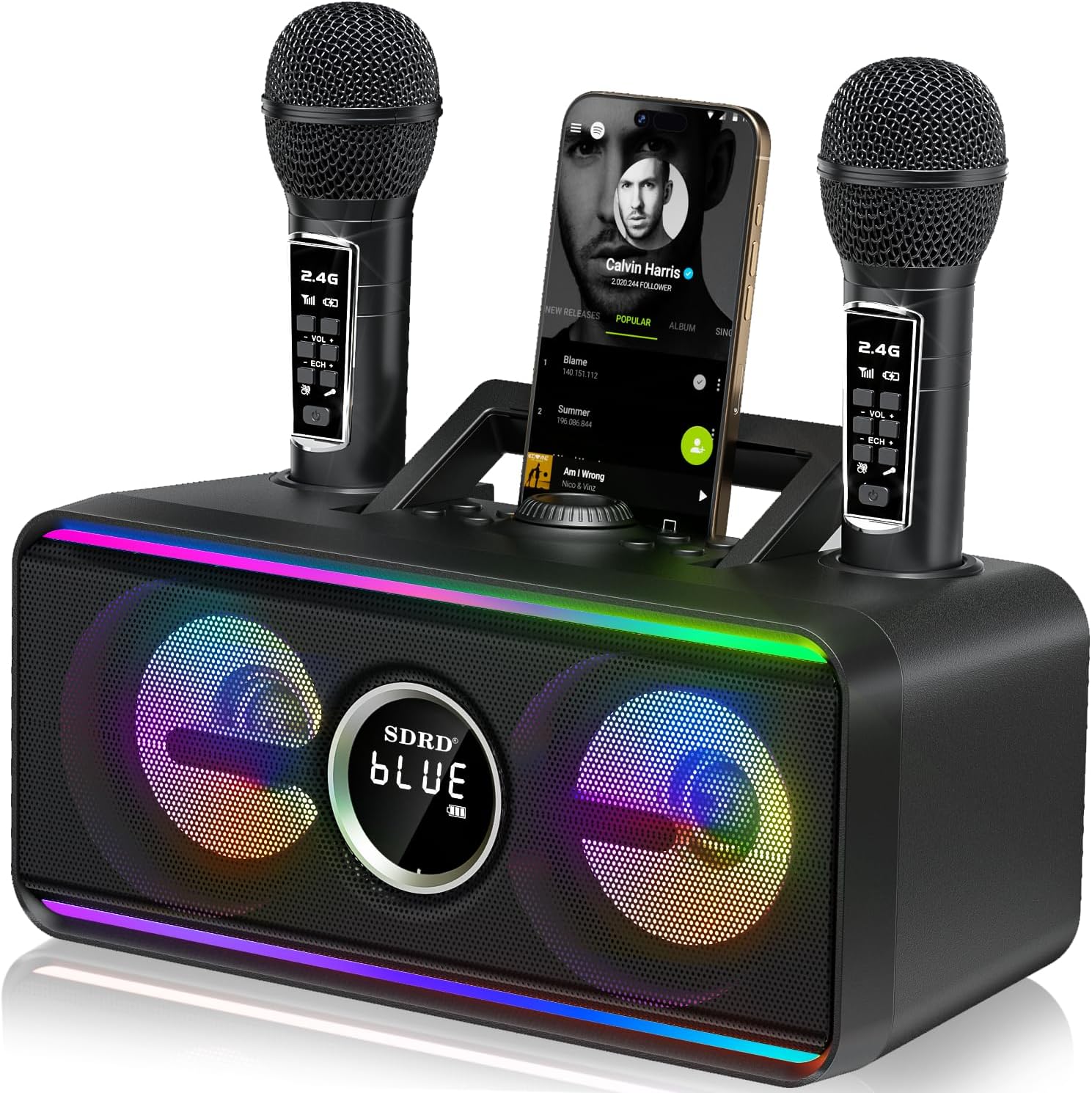
Image: The SDRD SD-216 Karaoke Machine, showcasing its compact design, dual microphone docks, and vibrant LED lights.
มีอะไรอยู่ในกล่อง
โปรดตรวจสอบว่าสินค้าทั้งหมดมีอยู่ในแพ็คเกจ:
- 1 x เครื่องคาราโอเกะ
- 2 x ไมโครโฟนไร้สาย
- 1 x สายชาร์จ (USB-C)
- 1 x Mics Cable (AUX)
- 1 x คู่มือผู้ใช้

Image: A visual representation of the package contents, including the main unit, two wireless microphones, and accompanying cables.
คู่มือการติดตั้ง
การชาร์จเบื้องต้น
Before first use, fully charge the karaoke machine and both wireless microphones. The main unit has a 4000mAh battery, providing 6-8 hours of continuous use after a 3-hour charge. Microphones can be charged by docking them in the main unit or via their individual USB-C ports.

Image: The integrated design allows for convenient storage and charging of the microphones directly within the main unit.
การจับคู่ไมโครโฟน
The wireless microphones are pre-paired with the main unit. Simply power on both the machine and the microphones, and they should connect automatically. Ensure microphones are within 5-10 meters (16-32 feet) of the main unit for optimal performance.
คำแนะนำการใช้งาน
การเชื่อมต่อกับแหล่งสัญญาณเสียง
- Bluetooth 5.3: Turn on the karaoke machine and enable Bluetooth on your smartphone, tablet, or TV. Select "SD-216" from the list of available devices. A stable connection can be maintained up to 100 feet (30 meters).
- การเล่น USB: เสียบแฟลชไดรฟ์ USB ที่มีไฟล์เสียง MP3 files into the USB port. The machine will automatically detect and play the music.
- อินพุต AUX: Use the provided AUX cable to connect external audio devices (e.g., MP3 players, computers) to the AUX port.

Image: The Bluetooth 5.3 connectivity allows for stable wireless connection to various devices over a significant range.
ฟังก์ชั่นแผงควบคุม
The main unit features an integrated command interface for easy control:
- เปิด/ปิดเครื่อง: ตั้งอยู่บริเวณด้านหลังของยูนิต
- การควบคุมระดับเสียง: Rotate the central knob to adjust the master volume.
- ก่อนหน้าถัดไป: ปุ่มสำหรับข้ามแทร็ก
- หยุดชั่วคราว/เล่น: Button to control music playback.
- การเลือกโหมด: Cycle through USB, Bluetooth, and AUX input modes.
- ไฟ LED: Button to change LED lighting modes.
- Scene/Voice: Buttons for special sound effects or vocal adjustments.

ภาพ: รายละเอียด view of the control panel, highlighting the various buttons and ports for intuitive operation.
การใช้งานไมโครโฟน
Each wireless microphone has its own controls:
- ปุ่มเปิด/ปิด: เปิด/ปิดไมโครโฟน
- การควบคุมระดับเสียง: Adjust individual microphone volume.
- เสียงสะท้อน/รีเวิร์บ: Adjust the echo effect for vocals.
- เอฟเฟกต์เสียง: Buttons for applause, laughter, and cheers.
เอฟเฟกต์แสง LED
The SD-216 features dynamic LED lights with multiple modes to enhance your party atmosphere. Press the "LED Light" button on the main unit to cycle through different effects, including music rhythm, static colors, or turning the lights off.

Image: The karaoke machine's dual LED zones provide customizable lighting effects to match any mood or occasion.
การซ่อมบำรุง
- การทำความสะอาด: Use a soft, dry cloth to clean the exterior of the machine and microphones. Do not use abrasive cleaners or solvents.
- การดูแลแบตเตอรี่ เพื่อยืดอายุการใช้งานแบตเตอรี่ ควรหลีกเลี่ยงการปล่อยให้แบตเตอรี่หมดจนเกลี้ยงบ่อยๆ ชาร์จอุปกรณ์เป็นประจำ แม้ว่าจะไม่ได้ใช้งานเป็นเวลานานก็ตาม เก็บในที่แห้งและเย็น
- พื้นที่จัดเก็บ: When not in use, store the microphones in their designated docks on the main unit to prevent loss and ensure they are charged for next use.
การแก้ไขปัญหา
| ปัญหา | สาเหตุที่เป็นไปได้ | สารละลาย |
|---|---|---|
| ไม่มีเสียงจากลำโพง | ระดับเสียงต่ำเกินไป; โหมดอินพุตไม่ถูกต้อง; อุปกรณ์ไม่ได้เชื่อมต่อ | Increase volume; select correct input mode (BT/USB/AUX); ensure device is properly paired/connected. |
| Microphone not connecting or cutting out. | Microphone battery low; out of range; interference. | Charge microphone; ensure microphone is within 5-10 meters of the unit; reduce obstacles between mic and unit. |
| Audio skipping or pausing during duets. | Temporary signal interference or processing delay. | Ensure microphones are fully charged. Maintain optimal distance from the unit. |
| LED lights not working or stuck. | Incorrect mode selected; malfunction. | Press the LED Light button to cycle through modes. If issue persists, contact support. |
| Echo effect not noticeable. | Echo level set too low. | Adjust the echo control on the microphone. |
ข้อมูลจำเพาะ
| คุณสมบัติ | รายละเอียด |
|---|---|
| หมายเลขรุ่น | สดี-216 |
| เทคโนโลยีการเชื่อมต่อ | AUX, Bluetooth 5.3, USB |
| กำลังขับของลำโพง | 20W (High-fidelity) |
| Battery Capacity (Main Unit) | 4000mAh |
| เวลาเล่น | 6-8 ชั่วโมง |
| เวลาในการชาร์จ | ประมาณ 3 ชั่วโมง |
| ประเภทไมโครโฟน | 2.4GHz ไร้สาย |
| ขนาดสินค้า | 11.42 x 4.72 x 5.51 นิ้ว |
| น้ำหนักสินค้า | 4.31 ปอนด์ (1.96 กิโลกรัม) |
| แหล่งพลังงาน | ใช้พลังงานจากแบตเตอรี่ |
ข้อมูลการรับประกัน
The SDRD SD-216 Karaoke Machine comes with a standard manufacturer's warranty. Please refer to the warranty card included in your package or contact SDRD customer support for detailed information regarding warranty coverage and terms.
สนับสนุน
For further assistance, technical support, or inquiries about your SDRD SD-216 Karaoke Machine, please contact SDRD customer service through the contact information provided on the product packaging or the official SDRD website. You may also visit the SDRD Store on Amazon สำหรับทรัพยากรเพิ่มเติม