1. บทนำ
ขอบคุณสำหรับการซื้อasing the SDRD SD-215 Bluetooth Karaoke Machine. This portable system is designed to provide high-quality audio and an immersive karaoke experience for various occasions, from home parties to outdoor gatherings. Featuring powerful sound, dual wireless microphones, and dynamic LED lighting, the SD-215 offers versatile connectivity and long-lasting battery life. Please read this manual carefully to ensure proper use and maintenance of your device.
2. ข้อมูลด้านความปลอดภัย
- อย่าให้เครื่องโดนน้ำหรือความชื้นมากเกินไป
- หลีกเลี่ยงอุณหภูมิที่สูงเกินไปและแสงแดดโดยตรง
- ห้ามถอดประกอบหรือพยายามซ่อมแซมอุปกรณ์ด้วยตนเอง โปรดติดต่อช่างผู้ชำนาญการ
- เก็บให้พ้นจากมือเด็กและสัตว์เลี้ยง
- ใช้เฉพาะสายชาร์จและอะแดปเตอร์ที่ให้มาเท่านั้น
- ตรวจสอบให้แน่ใจว่ามีการระบายอากาศที่เหมาะสมเมื่อใช้งานอุปกรณ์
3. อะไรอยู่ในกล่อง
- 1 x SDRD SD-215 Karaoke Machine
- 2 x ไมโครโฟนไร้สาย
- สายชาร์จ USB 1 เส้น
- สาย 1 x AUX
- 1 x คู่มือผู้ใช้

Image: The SDRD SD-215 Karaoke Machine, showcasing the main unit with its integrated phone holder and two wireless microphones docked in their charging slots.
4. สินค้าหมดview และคุณสมบัติ
The SDRD SD-215 is an all-in-one portable karaoke system designed for ease of use and powerful performance.
- เสียงทรงพลัง: Built-in 20W high-fidelity speaker with strong bass and clear vocals.
- ไมโครโฟนไร้สายคู่: Two 2.4GHz wireless microphones for duets, with adjustable echo and reverb.
- อายุการใช้งานแบตเตอรี่ยาวนาน: 4000mAh battery provides 6-8 hours of continuous use, with 3-hour fast charging. Microphones can be charged via the main unit or separately via USB-C.
- ตัวเลือกการเชื่อมต่อที่หลากหลาย: Supports Bluetooth 5.3 (up to 100 feet/30 meters), USB, and AUX playback.
- ไฟ LED แบบไดนามิก: Features dynamic LED lights with music rhythm, static, or off modes to enhance the party atmosphere.
- การออกแบบแบบ All-in-One ที่กะทัดรัด: Integrated storage for microphones and a phone holder for convenience and portability.
- ง่ายต่อการใช้: Simple setup with no complicated apps required, suitable for all ages.
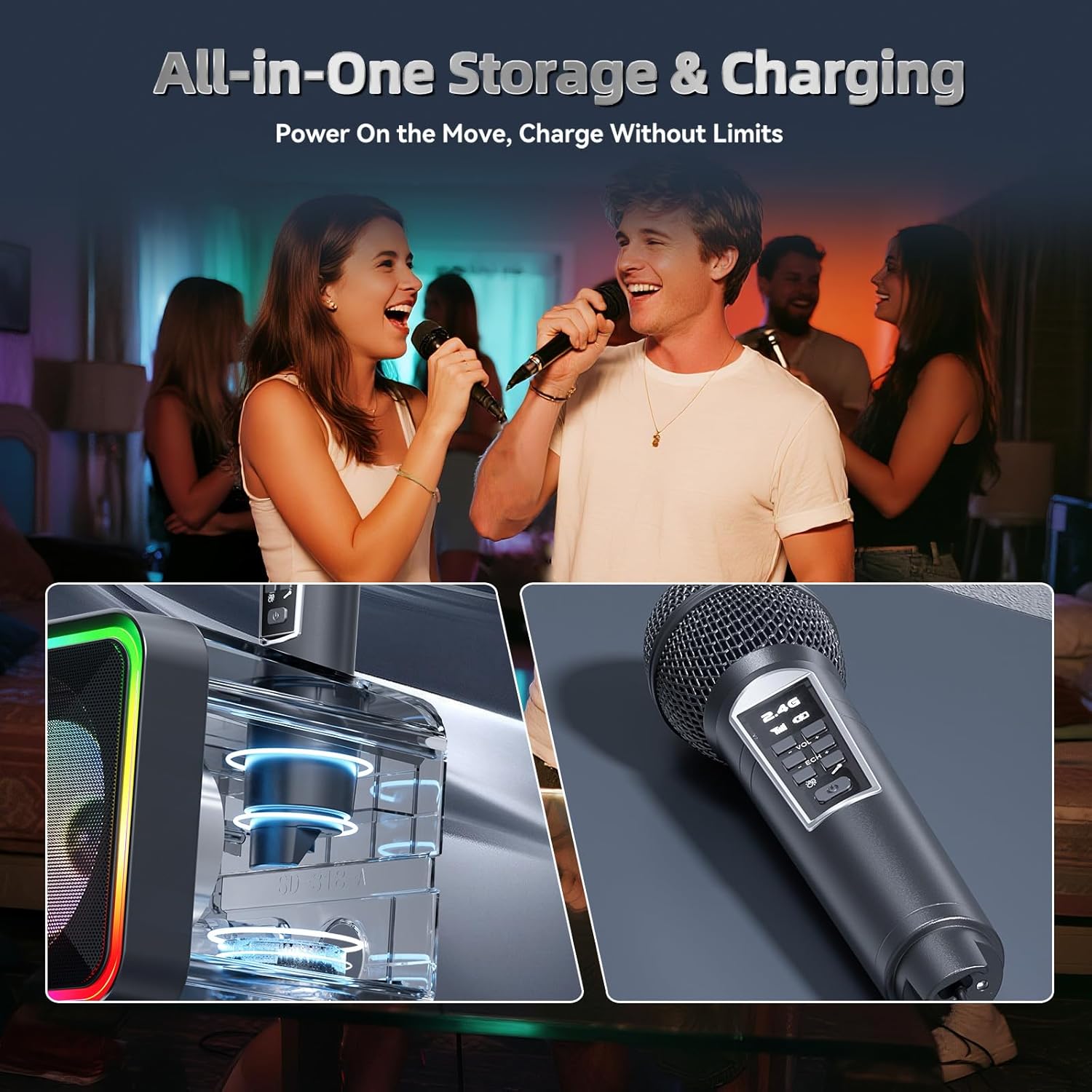
Image: The karaoke machine in use, highlighting its all-in-one storage and charging capabilities for the microphones.

ภาพ: รายละเอียด view of the karaoke machine's front, illustrating the dual dynamic LED zones that provide customizable lighting effects.
5. คู่มือการติดตั้ง
5.1 การชาร์จเริ่มต้น
- ก่อนใช้งานครั้งแรก โปรดชาร์จเครื่องคาราโอเกะและไมโครโฟนไร้สายทั้งสองตัวให้เต็ม
- Connect the provided USB charging cable to the DC-5V port on the back of the karaoke machine and to a USB power adapter (not included). The charging indicator will light up.
- To charge the microphones, either place them into the designated slots on top of the main unit or connect them individually using the USB-C ports on the microphones to a USB power source.
- A full charge takes approximately 3 hours for the main unit.
5.2 การเปิด/ปิดเครื่อง
Locate the ON/OFF switch on the back of the karaoke machine. Slide it to the "ON" position to power on the device. You will hear a voice prompt indicating the current mode (e.g., "Bluetooth Mode"). To power off, slide the switch to the "OFF" position.
5.3 การจับคู่ไมโครโฟน
The wireless microphones are pre-paired with the main unit. Simply power on the microphones by pressing and holding their power buttons. They should automatically connect to the karaoke machine. The microphone display will show "2.4G" and a signal strength indicator when connected.
5.4 การเชื่อมต่อกับแหล่งกำเนิดเสียง
5.4.1 การเชื่อมต่อบลูทูธ
- ตรวจสอบให้แน่ใจว่าเครื่องคาราโอเกะเปิดอยู่และอยู่ในโหมดบลูทูธ (แสดงด้วยคำว่า "BLUE" บนหน้าจอ)
- บนสมาร์ทโฟน แท็บเล็ต หรือทีวีของคุณ ให้เปิดใช้งานบลูทูธ แล้วค้นหาอุปกรณ์ที่ใช้งานได้
- Select "SD-215" from the list of devices to pair. You will hear a confirmation sound once connected.
- Once paired, you can play music from your device through the karaoke machine.
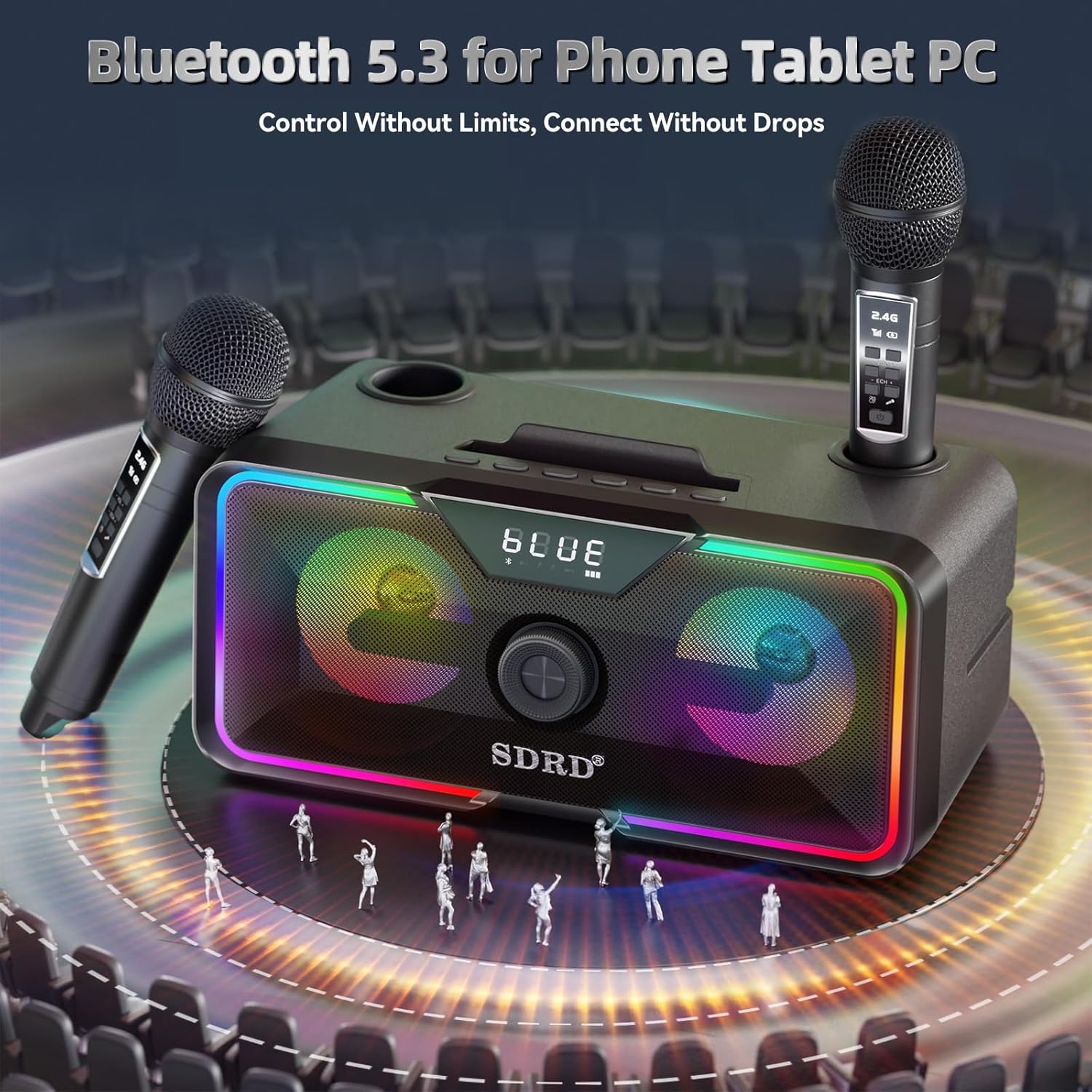
Image: The karaoke machine with a smartphone, illustrating its Bluetooth 5.3 connectivity for phones, tablets, and PCs.
5.4.2 การเล่น USB
ใส่แฟลชไดรฟ์ USB ที่มีไฟล์เสียง MP3 files into the USB port on the back of the karaoke machine. The device will automatically switch to USB mode and begin playing music.
5.4.3 AUX Playback
Connect an external audio device (e.g., MP3 player, CD player) to the AUX (Line-in) port on the back of the karaoke machine using the provided 3.5mm AUX cable. The device will automatically switch to AUX mode.
6. คู่มือการใช้งาน
6.1 การควบคุมหน่วยหลัก
The main unit features an integrated command interface for easy control:
- ปุ่มปรับระดับเสียง: Rotate to adjust the main speaker volume.
- ปุ่มถัดไป: กดเพื่อข้ามไปยังเพลงถัดไป
- ปุ่มก่อนหน้า: กดเพื่อย้อนกลับไปยังเพลงก่อนหน้า
- ปุ่มหยุดชั่วคราว/เล่น: กดเพื่อหยุดชั่วคราวหรือเล่นต่อ
- ปุ่มไฟ LED: Press to cycle through different LED light modes (dynamic, static, off).
- ปุ่มโหมด: Press to switch between Bluetooth, USB, and AUX input modes.

Image: A detailed diagram of the karaoke machine's top panel, illustrating the integrated command interface with clearly labeled buttons for music, volume, sound modes, and input ports.
6.2 การควบคุมไมโครโฟน
Each wireless microphone has its own controls:
- ปุ่มเปิด/ปิด: กดค้างไว้เพื่อเปิด/ปิดไมโครโฟน
- ปุ่ม VOL+ / VOL-: ปรับระดับเสียงไมโครโฟน
- ECH+ / ECH- Buttons: Adjust the echo effect intensity.
- Sound Effects Button: Press to activate one-touch sound effects (e.g., applause, laughter, cheers).
6.3 การใช้งานฟังก์ชันคาราโอเกะ
- Connect your audio source (e.g., phone with karaoke app or YouTube) to the karaoke machine via Bluetooth, USB, or AUX.
- Ensure both the karaoke machine and microphones are powered on and connected.
- Play your desired karaoke track.
- Adjust the main unit's volume using the knob.
- Adjust your microphone's volume and echo effect using the controls on the microphone itself.
- Utilize the one-touch sound effects on the microphone for added fun.
7. การบำรุงรักษา
- การทำความสะอาด: ใช้ผ้าแห้งนุ่มๆ เช็ดทำความสะอาดพื้นผิวของเครื่องคาราโอเกะและไมโครโฟน ห้ามใช้สารทำความสะอาดที่มีฤทธิ์กัดกร่อนหรือตัวทำละลาย
- การดูแลแบตเตอรี่ To prolong battery life, avoid fully discharging the battery frequently. If storing for a long period, charge the battery to about 50% every 3 months.
- พื้นที่จัดเก็บ: เก็บอุปกรณ์ไว้ในที่แห้งและเย็น หลีกเลี่ยงแสงแดดโดยตรงและอุณหภูมิที่สูงหรือต่ำเกินไป
- การดูแลไมโครโฟน: ถือไมโครโฟนด้วยความระมัดระวัง หลีกเลี่ยงการทำตกหรือโดนแรงกดมากเกินไป
8 การแก้ไขปัญหา
| ปัญหา | สาเหตุที่เป็นไปได้ | สารละลาย |
|---|---|---|
| ไม่มีไฟฟ้า | แบตเตอรี่เหลือน้อยหรือหมด | Charge the karaoke machine fully. Ensure the power switch is ON. |
| ไม่มีเสียงออกจากลำโพง | ระดับเสียงเบาเกินไป; โหมดอินพุตไม่ถูกต้อง; อุปกรณ์ไม่ได้เชื่อมต่อ | Increase main unit volume. Press MODE button to select correct input (Bluetooth/USB/AUX). Reconnect Bluetooth device or check cables. |
| ไมโครโฟนไม่ทำงาน | Microphone is off; battery low; not paired. | Power on microphone. Charge microphone. Microphones are pre-paired, but if issues persist, try powering off/on both the machine and mics. |
| การเชื่อมต่อบลูทูธไม่เสถียร | อุปกรณ์อยู่ไกลเกินไป เกิดสัญญาณรบกวน | Move the connected device closer to the karaoke machine (within 30 meters/100 feet). Avoid obstacles or other strong wireless signals. |
| ไฟ LED ไม่ทำงาน | ไฟถูกปิดแล้ว | Press the LED Light button to cycle through modes and turn them on. |
9. ข้อมูลจำเพาะ
- แบบอย่าง: สดี-215
- ยี่ห้อ: SDRD
- เอาท์พุตลำโพง: 20วัตต์
- การเชื่อมต่อ: Bluetooth 5.3, USB, AUX (3.5mm)
- ไมโครโฟนไร้สาย: 2.4GHz (2 included)
- ความจุแบตเตอรี่: 4000mAh (Karaoke Machine)
- เวลาเล่น: 6-8 ชั่วโมง (โดยประมาณ)
- เวลาในการชาร์จ: 3 ชั่วโมง (โดยประมาณ)
- ขนาด : 11.4 x 5.5 x 5.5 นิ้ว
- น้ำหนัก: 4.34 ปอนด์
- สี: สีดำ
- แหล่งพลังงาน: ใช้พลังงานจากแบตเตอรี่ (ลิเธียมไอออน)
- คุณสมบัติพิเศษ: Built-In Microphone, Indicator Light, PA System, Portable, Rechargeable, LED Lights

Image: The karaoke machine with its dimensions (11.4 x 5.5 x 5.5 inches) and weight (4.34 lbs) indicated, emphasizing its compact and portable design.
10. การรับประกันและการสนับสนุน
10.1 ข้อมูลการรับประกัน
The SDRD SD-215 Bluetooth Karaoke Machine comes with a standard limited warranty against defects in materials and workmanship. Please refer to the warranty card included in your packaging for specific terms and conditions, or visit the official SDRD webเว็บไซต์เพื่อดูรายละเอียดเพิ่มเติม
10.2 การสนับสนุนลูกค้า
If you encounter any issues or have questions regarding your SDRD SD-215 Karaoke Machine, please contact our customer support team. You can find contact information on the official SDRD webเว็บไซต์หรือผ่านแพลตฟอร์มการซื้อของคุณ
For online resources and FAQs, please visit: SDRD Official Store on Amazon