
1. บทนำ
The Samsung Galaxy Watch 8 is a 44mm Bluetooth smartwatch designed for daily wear and advanced health monitoring. It features a lightweight design, an improved user interface, and integrates with Samsung's health ecosystem to provide comprehensive insights into your well-being.

This manual provides essential information for setting up, operating, maintaining, and troubleshooting your new smartwatch.
2. อะไรอยู่ในกล่อง
Upon unboxing your Samsung Galaxy Watch 8, you should find the following items:
- ตัวเรือนนาฬิกา (Samsung Galaxy Watch 8)
- วงนาฬิกา
- สายชาร์จ
- คู่มือการใช้งาน (เอกสารนี้)

3. การตั้งค่าเริ่มต้น
- ชาร์จนาฬิกา: Before initial use, fully charge your Galaxy Watch 8 using the provided charging cable. Connect the magnetic charger to the back of the watch and plug the USB-C end into a compatible power adapter.
- เปิดเครื่อง: Press and hold the Home button (bottom right button) until the Samsung logo appears.
- จับคู่กับสมาร์ทโฟน:
- Ensure your compatible Samsung Galaxy smartphone has the Samsung Health app installed and updated.
- Open the Samsung Health app on your smartphone and follow the on-screen instructions to pair your Galaxy Watch 8 via Bluetooth.
- Accept all necessary permissions for health monitoring and device connectivity.
- ตั้งค่าให้เสร็จสมบูรณ์: Follow the remaining prompts on both your watch and smartphone to complete the setup process, including Wi-Fi/LTE (if applicable) and Samsung/Google account sign-in.
4. การใช้งานนาฬิกาของคุณ
4.1. การนำทางพื้นฐาน
- หน้าจอสัมผัส: Swipe left/right to navigate between tiles, swipe up/down for notifications or quick settings.
- ปุ่มโฮม: Press to return to the watch face. Double-press for recent apps. Press and hold for power options or Bixby/Google Assistant.
- ปุ่มย้อนกลับ: กดเพื่อกลับไปที่หน้าจอก่อนหน้า
4.2. การติดตามสุขภาพและการออกกำลังกาย
The Galaxy Watch 8 offers advanced health and fitness features to help you monitor your well-being.
- Sleep Coaching & Bedtime Guidance: Track your sleep patterns and receive personalized coaching. To enable Bedtime Guidance, wear your watch for 3 consecutive nights and set an optimal wake-up time in the Samsung Health app.
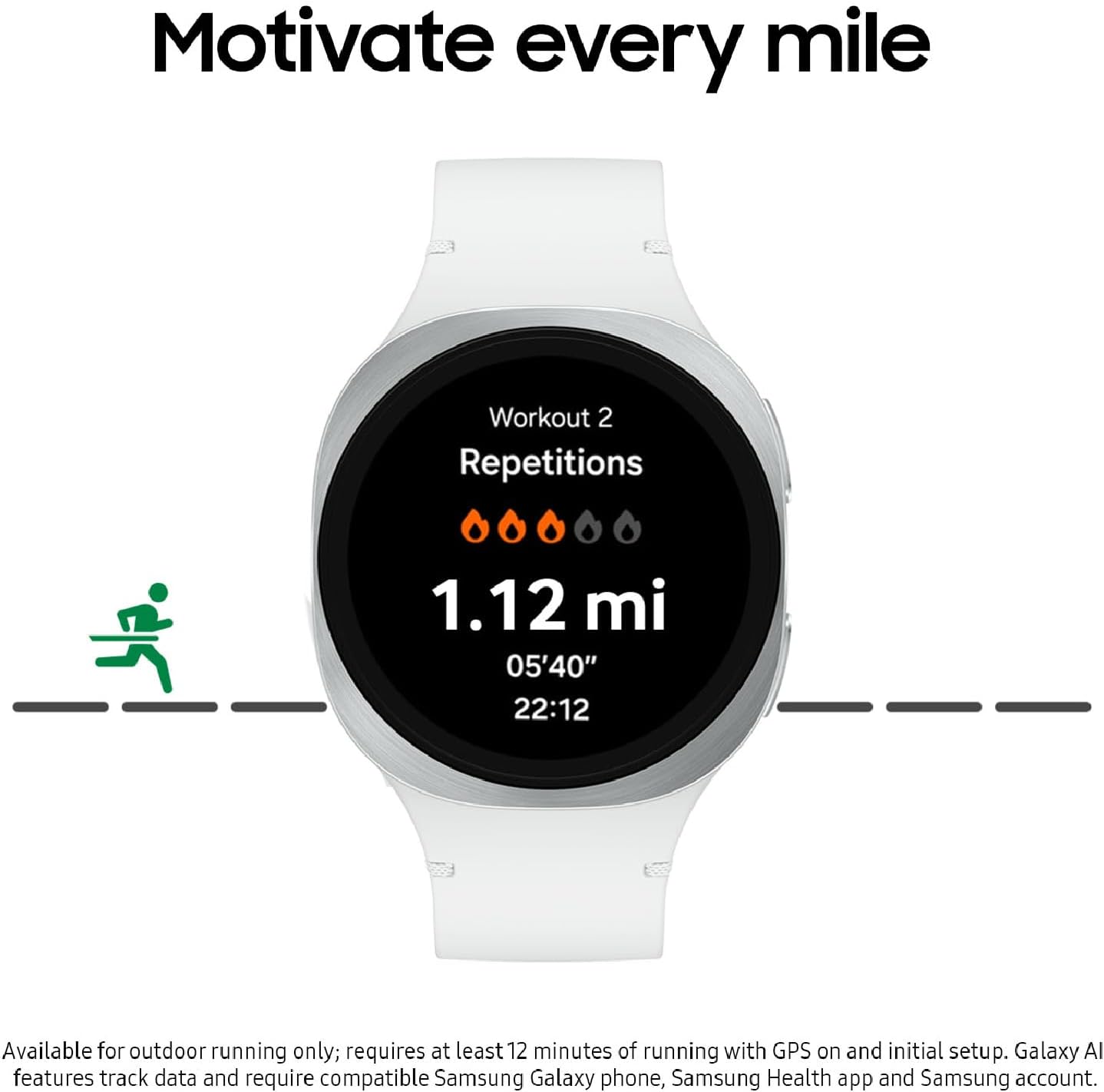
- โค้ชวิ่ง: Receive real-time feedback and training programs for various running goals (e.g., 5Ks, marathons). This feature is available for outdoor running only and requires at least 12 minutes of running with GPS on and initial setup.
- การติดตามอัตราการเต้นของหัวใจ: ควรตรวจสอบอัตราการเต้นของหัวใจอย่างต่อเนื่องตลอดทั้งวัน
- การตรวจวัดปริมาณเลือดในหลอดเลือด: Track your stress levels and identify factors affecting them, such as diet and sleep. This function is not intended for medical diagnosis.
- คะแนนพลังงานด้วย Galaxy AI: Get daily insights into your overall health based on sleep, activity, and heart rate data from the previous day.


4.3. คุณสมบัติอันชาญฉลาด
- Personal AI Assistant (Gemini): Utilize the integrated AI assistant for hands-free task management, reminders, and scheduling directly from your wrist.
- Notifications & Updates: The improved interface provides clear and concise updates for sports scores, news, weather, and notifications at a glance.
- การเชื่อมต่อ: Connects via Bluetooth to your smartphone. Supports Wi-Fi and LTE models for direct internet connection.


5. การบำรุงรักษา
- การทำความสะอาด: ทำความสะอาดนาฬิกาและสายนาฬิกาของคุณเป็นประจำด้วยผ้านุ่มๆamp ผ้า หลีกเลี่ยงสารเคมีรุนแรงหรือวัสดุที่มีฤทธิ์กัดกร่อน
- ความต้านทานน้ำ: The Galaxy Watch 8 is water resistant. However, avoid prolonged exposure to salt water or chemicals. Rinse with fresh water and dry thoroughly after exposure.
- การอัปเดตซอฟต์แวร์: Keep your watch's software updated through the Samsung Health app on your smartphone to ensure optimal performance and access to new features.
6. อายุการใช้งานแบตเตอรี่และการชาร์จ
The Galaxy Watch 8 features an improved battery for extended use.
- ความจุแบตเตอรี่: 435 มิลลิวินาทีamp Hours (typical).
- อายุการใช้งานแบตเตอรี่โดยประมาณ:
- Approximately 30 hours with Always-On Display (AOD) enabled.
- Up to 40 hours with AOD disabled.
- การชาร์จ: Use the provided magnetic charging cable. The watch charges quickly.

7 การแก้ไขปัญหา
- นาฬิกาไม่เปิด: ตรวจสอบให้แน่ใจว่านาฬิกาชาร์จเต็มแล้ว เสียบนาฬิกาเข้ากับเครื่องชาร์จอย่างน้อย 30 นาที
- ปัญหาการจับคู่: Ensure Bluetooth is enabled on your smartphone and the Samsung Health app is updated. Restart both devices and try pairing again.
- ข้อมูลสุขภาพที่ไม่ถูกต้อง: Ensure the watch is worn snugly on your wrist. Clean the sensors regularly. Consult the Samsung Health app for calibration instructions if applicable.
- อายุการใช้งานแบตเตอรี่สั้น: Disable Always-On Display, reduce screen brightness, limit background app refresh, and turn off unnecessary notifications.
8. ข้อมูลจำเพาะ
| คุณสมบัติ | รายละเอียด |
|---|---|
| หมายเลขรุ่น | SM-L330NZSQXAA |
| ขนาดสินค้า | 7.4 x 2.72 x 1.73 นิ้ว |
| น้ำหนักสินค้า | 1.19 ออนซ์ (33.8 กรัม) |
| ขนาดจอแสดงผล | 1.47 นิ้ว |
| ความละเอียดของสแกนเนอร์ | 390 x 390 |
| ระบบปฏิบัติการ | Wear OS ขับเคลื่อนโดย Samsung |
| การเชื่อมต่อ | Bluetooth, 802.11a/b/g/n/ac Wireless |
| จีพีเอส | มี GPS ในตัว |
| ความจุของหน่วยความจำ | 32GB |
| ความจุของแบตเตอรี่ | 435 มิลลิวินาทีamp ชั่วโมง |
| คุณสมบัติพิเศษ | Activity Tracker, Lightweight |
| ผู้ผลิต | ซัมซุง |
9. การรับประกันและการสนับสนุน
The Samsung Galaxy Watch 8 (2025) comes with a 2-year manufacturer's warranty for US versions. For detailed warranty information, service, and support, please refer to the official Samsung webไซต์หรือติดต่อฝ่ายบริการลูกค้าของ Samsung
Online resources and FAQs can be found on the ร้านค้าซัมซุง.