
1. บทนำ
Thank you for choosing the HiQiS V10 Electric Scooter. This manual provides essential information for the safe operation, assembly, maintenance, and troubleshooting of your scooter. Please read it thoroughly before your first ride and keep it for future reference.
2. ข้อมูลด้านความปลอดภัย
Operating an electric scooter carries inherent risks. To ensure your safety and the safety of others, please observe the following guidelines:
- ควรสวมหมวกกันน็อคและอุปกรณ์ป้องกันที่เหมาะสม (แผ่นรองเข่า แผ่นรองศอก) เสมอเมื่อขับขี่
- ศึกษาทำความเข้าใจกฎหมายและข้อบังคับท้องถิ่นเกี่ยวกับการใช้สกูตเตอร์ไฟฟ้าให้ดี
- ห้ามขี่ในบริเวณที่มีการจราจรหนาแน่น บนพื้นผิวที่ลื่น หรือในสภาพอากาศที่ไม่เอื้ออำนวย
- รักษาระยะห่างที่ปลอดภัยจากยานพาหนะและคนเดินถนนอื่น
- Avoid sudden turns, rapid acceleration, or abrupt braking.
- ตรวจสอบให้แน่ใจว่าสกู๊ตเตอร์ชาร์จเต็มแล้วและยึดส่วนประกอบทั้งหมดอย่างแน่นหนา ก่อนการขับขี่แต่ละครั้ง
- The recommended age range for riders is 14-60 years.
- ห้ามบรรทุกน้ำหนักเกินขีดจำกัดสูงสุดที่ 264 ปอนด์ (120 กิโลกรัม)
3. อะไรอยู่ในกล่อง
Upon unpacking your HiQiS V10 Electric Scooter, please verify that all the following items are included:
- HiQiS V10 Electric Scooter
- คู่มือการใช้งาน
- เครื่องชาร์จ
- เครื่องมือสำหรับการประกอบ
4. การตั้งค่า
4.1 การกางสกู๊ตเตอร์
- วางสกู๊ตเตอร์บนพื้นผิวเรียบ
- ปลดกลไกตัวล็อกแบบพับ ซึ่งโดยทั่วไปจะอยู่ใกล้กับฐานของก้านแฮนด์จักรยาน
- ค่อยๆ ยกก้านแฮนด์ขึ้นจนกระทั่งล็อคอยู่ในตำแหน่งตั้งตรง ตรวจสอบให้แน่ใจว่ากลไกการล็อคทำงานอย่างสมบูรณ์แล้ว
4.2 ชุดแฮนด์บาร์
Attach the handlebars to the stem if they are not pre-assembled. Ensure all screws are tightened securely using the provided tools.
4.3 การชาร์จเริ่มต้น
Before first use, fully charge the scooter's battery. Connect the charger to the charging port on the scooter and then to a power outlet. The charging indicator on the charger will typically change color when charging is complete (e.g., red to green). Charging time is approximately 4-5 hours.

Image: The HiQiS V10 Electric Scooter connected to its charger, indicating the charging process.
4.4 Tire Pressure Check
Ensure the 10-inch pneumatic tires are properly inflated before each ride for optimal performance and safety. Refer to the tire sidewall for recommended pressure.
ภาพ: ภาพระยะใกล้ view of the 10-inch pneumatic tire and powerful motor, highlighting its suitability for various road conditions.
5. คู่มือการใช้งาน
5.1 เปิด/ปิดเครื่อง
กดปุ่มเปิด/ปิดบนหน้าจอแสดงผลบนแฮนด์ค้างไว้เพื่อเปิดหรือปิดสกูตเตอร์
5.2 จอแสดงผลดิจิตอล
The integrated digital display shows current speed, selected driving mode (ECO, D, S), and remaining battery level.
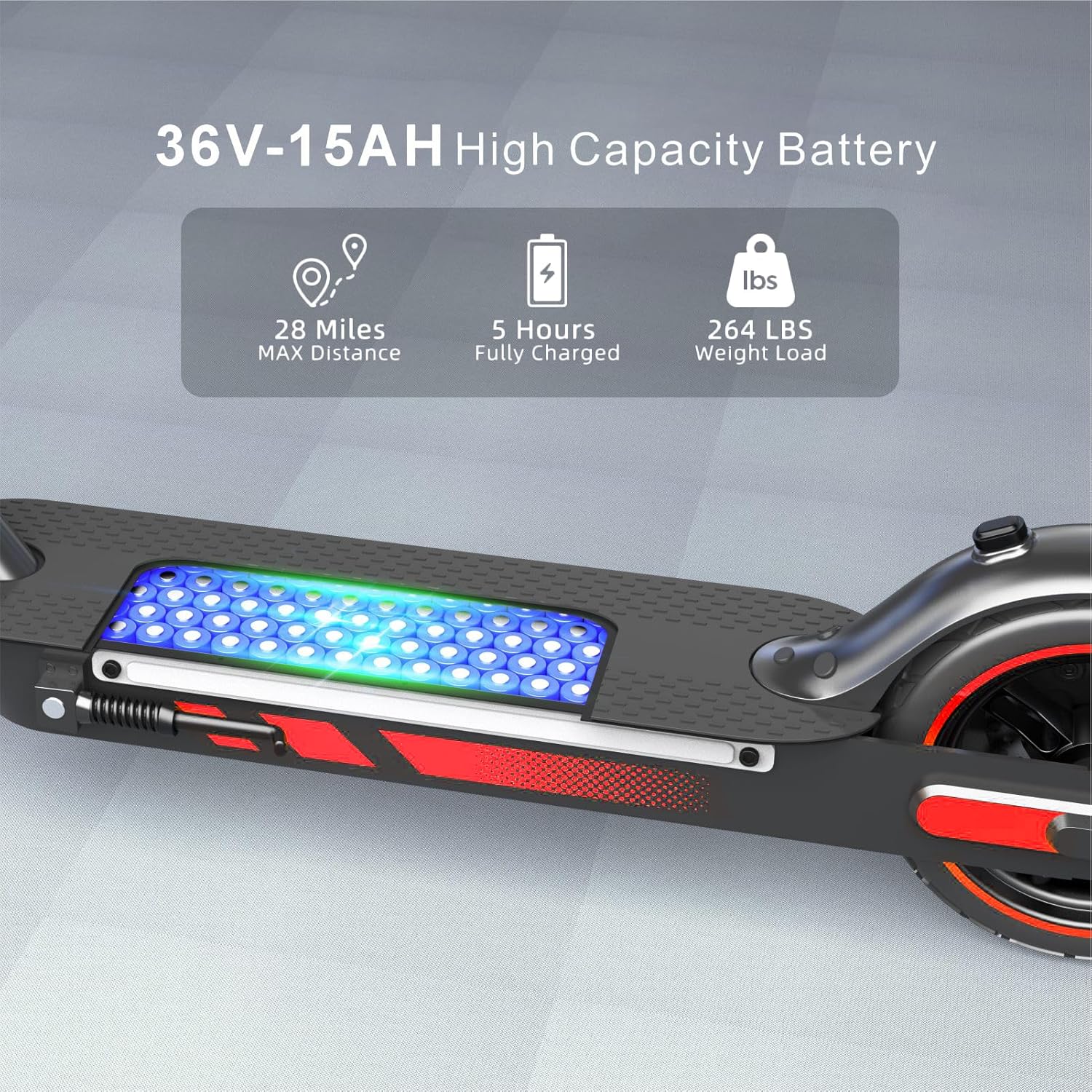
Image: A rider's perspective of the handlebar with the digital display, indicating speed, driving mode, and battery status.
5.3 โหมดการขับขี่
The HiQiS V10 offers three riding modes:
- โหมด ECO: Safe Slow Mode (10 MPH Max Speed) - Ideal for beginners and crowded areas.
- โหมดดี: Standard Mode (15 MPH Max Speed) - Suitable for daily commuting.
- โหมด S: High Speed Mode (25 MPH Max Speed) - For experienced riders seeking maximum performance.
Switch between modes by pressing the power button briefly after the scooter is on.

Image: The scooter's handlebar display illustrating the three distinct riding modes and their corresponding maximum speeds.
5.4 การเร่งความเร็วและการเบรก
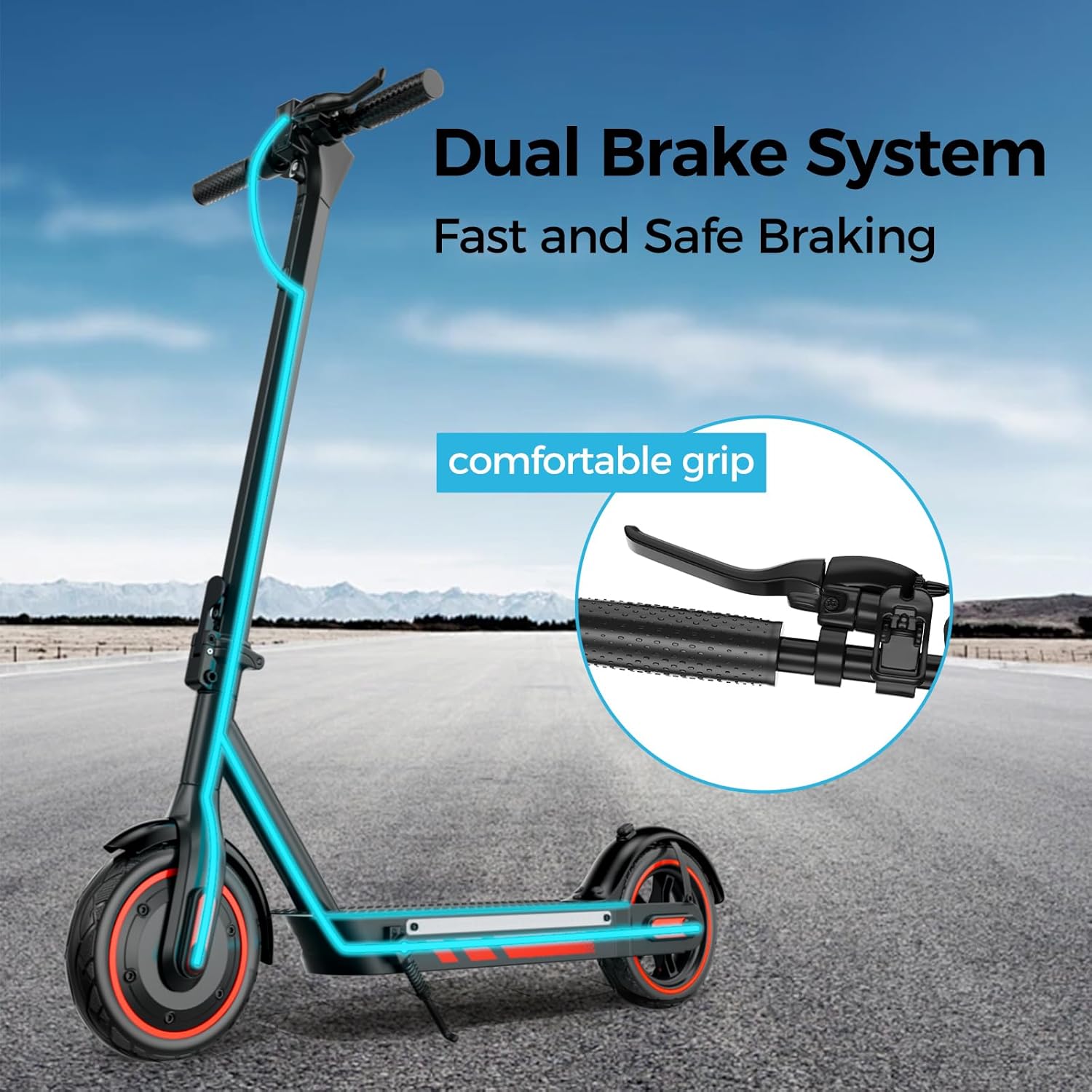
Use the throttle lever to accelerate. Apply the dual braking system (electronic brake and drum brake) for timely and stable stopping. Always brake smoothly to avoid loss of control.
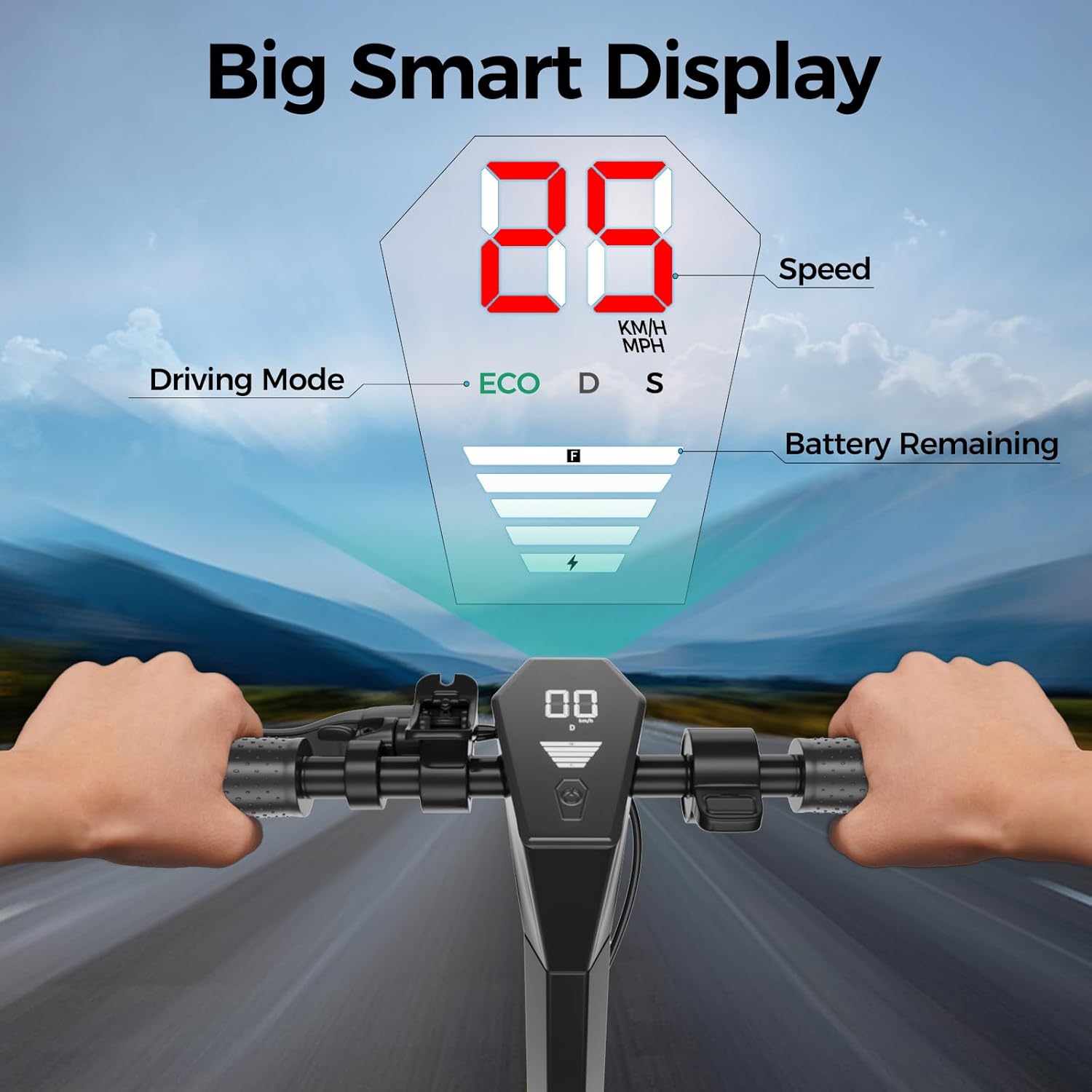
Image: The HiQiS V10 Electric Scooter highlighting its dual brake system and ergonomically designed comfortable grip.
5.5 กลไกการพับ
The quick-folding design allows the scooter to be folded in approximately 3 seconds for easy transport and storage. Engage the folding latch and collapse the stem until it clicks into the folded position.
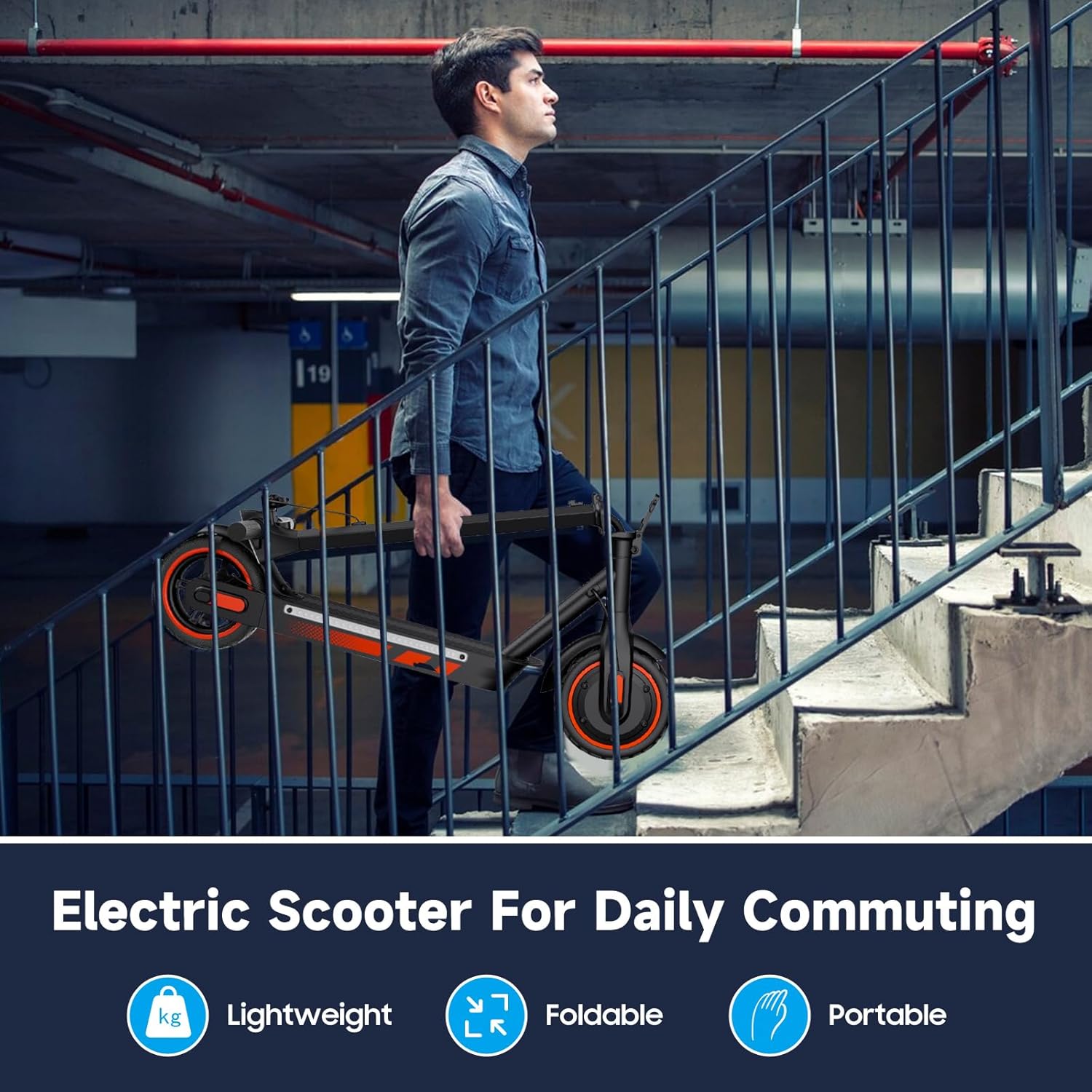
Image: A person carrying the folded electric scooter up a flight of stairs, illustrating its lightweight and portable design for daily commuting.

Image: The folded electric scooter neatly stored in the trunk of a car, demonstrating its ease of transport.
5.6 RGB Side Lights
The scooter features RGB strip lights on both sides of the pedal. These can be turned on/off via the companion APP or by pressing the power button 3 times consecutively.

Image: The HiQiS V10 Electric Scooter with its vibrant RGB side lights activated, enhancing visibility and style.
6. การควบคุมผ่านแอปพลิเคชันอัจฉริยะ
Enhance your riding experience by connecting your HiQiS V10 Electric Scooter to the dedicated smartphone application. The app allows you to:
- เปิดใช้งานระบบควบคุมความเร็วอัตโนมัติ
- Select between 2 riding modes and 3 speed models.
- Monitor battery status, mileage, and temperature.
- Turn RGB side lights on/off.
- Lock and unlock the scooter.

Image: A user interacting with the smart control application on a smartphone, showing various functions like cruise control, speed mode, and battery status.
7. การบำรุงรักษา
การบำรุงรักษาอย่างสม่ำเสมอจะช่วยให้สกูตเตอร์ของคุณใช้งานได้ยาวนานและปลอดภัย
7.1 การดูแลแบตเตอรี่
- ควรชาร์จแบตเตอรี่เป็นประจำแม้จะไม่ได้ใช้งานเพื่อรักษาสภาพแบตเตอรี่
- หลีกเลี่ยงการชาร์จแบตเตอรี่จนหมดก่อนชาร์จ
- เมื่อไม่ใช้งาน ควรเก็บสกูตเตอร์ไว้ในที่แห้งและเย็น หลีกเลี่ยงแสงแดดโดยตรงและอุณหภูมิที่สูงหรือต่ำเกินไป
7.2 การบำรุงรักษายาง
- ตรวจสอบแรงดันลมยางก่อนการขับขี่ทุกครั้ง
- ตรวจสอบยางรถยนต์ว่ามีการสึกหรอ รั่ว หรือเสียหายหรือไม่ เปลี่ยนยางที่สึกหรอทันที
7.3 การทำความสะอาดทั่วไป
เช็ดทำความสะอาดสกูตเตอร์ด้วยน้ำยาทำความสะอาดamp cloth. Do not use high-pressure water jets or immerse the scooter in water, despite its IPX5 water resistance rating. Ensure the charging port cover is securely closed.

Image: The electric scooter shown with water splashes, indicating its IPX5 waterproof rating for normal use on wet roads. Note: Do not submerge the scooter.
7.4 การตรวจสอบเบรก
Regularly inspect the brake levers and cables for proper function and adjustment. Ensure the dual braking system provides effective stopping power.
8 การแก้ไขปัญหา
| ปัญหา | สาเหตุที่เป็นไปได้ | สารละลาย |
|---|---|---|
| สกู๊ตเตอร์เปิดไม่ติด | แบตเตอรี่อ่อน; การเชื่อมต่อหลวม; ปุ่มเปิดปิดทำงานผิดปกติ | ชาร์จแบตเตอรี่ ตรวจสอบการเชื่อมต่อสายเคเบิลทั้งหมด ติดต่อฝ่ายสนับสนุนหากปัญหายังคงอยู่ |
| ระยะทางหรือความเร็วลดลง | Low tire pressure; Overloaded; Battery degradation | Inflate tires to recommended pressure; Ensure rider weight is within limits; Fully charge battery. |
| เบรกรู้สึกอ่อนแรง | ต้องปรับสายเบรก; ผ้าเบรกสึกหรอ | ปรับความตึงของสายเบรก ตรวจสอบและเปลี่ยนผ้าเบรกหากจำเป็น |
| มีเสียงดังผิดปกติขณะใช้งาน | ชิ้นส่วนหลวม; เศษสิ่งสกปรกในล้อ/มอเตอร์ | Inspect scooter for loose parts and tighten; Clean wheels and motor area; Contact support if noise continues. |
9. ข้อมูลจำเพาะ
| คุณสมบัติ | ข้อมูลจำเพาะ |
|---|---|
| ยี่ห้อ | HiQiS |
| ชื่อรุ่น | วี10 |
| กำลังมอเตอร์ | มอเตอร์ไร้แปรงถ่าน 600 วัตต์ |
| ความเร็วสูงสุด | 25 ไมล์ต่อชั่วโมง |
| แบตเตอรี่ | 36V 15Ah (540 วัตต์ชั่วโมง) |
| ช่วงสูงสุด | 28 Miles (under specific conditions) |
| เวลาในการชาร์จ | 4-5 ชั่วโมง |
| ยางรถยนต์ | ลมขนาด 10 นิ้ว |
| ระบบเบรค | Dual (E-brake and Drum Brake) |
| ความจุในการรับน้ำหนักสูงสุด | 264 ปอนด์ (120 กก.) |
| น้ำหนักสกู๊ตเตอร์ | 35 ปอนด์ (15.8 กก.) |
| ขนาดสินค้า (กางออก) | ยาว 44.5 นิ้ว x กว้าง 18.2 นิ้ว x สูง 46.3 นิ้ว |
| วัสดุกรอบ | เหล็กอัลลอยอะลูมิเนียม |
| คุณสมบัติพิเศษ | Cruise Control, Digital Display, Foldable, Replaceable Battery, RGB Side Lights, Smart APP Control |
| ความต้านทานต่อน้ำ | IPX5 |
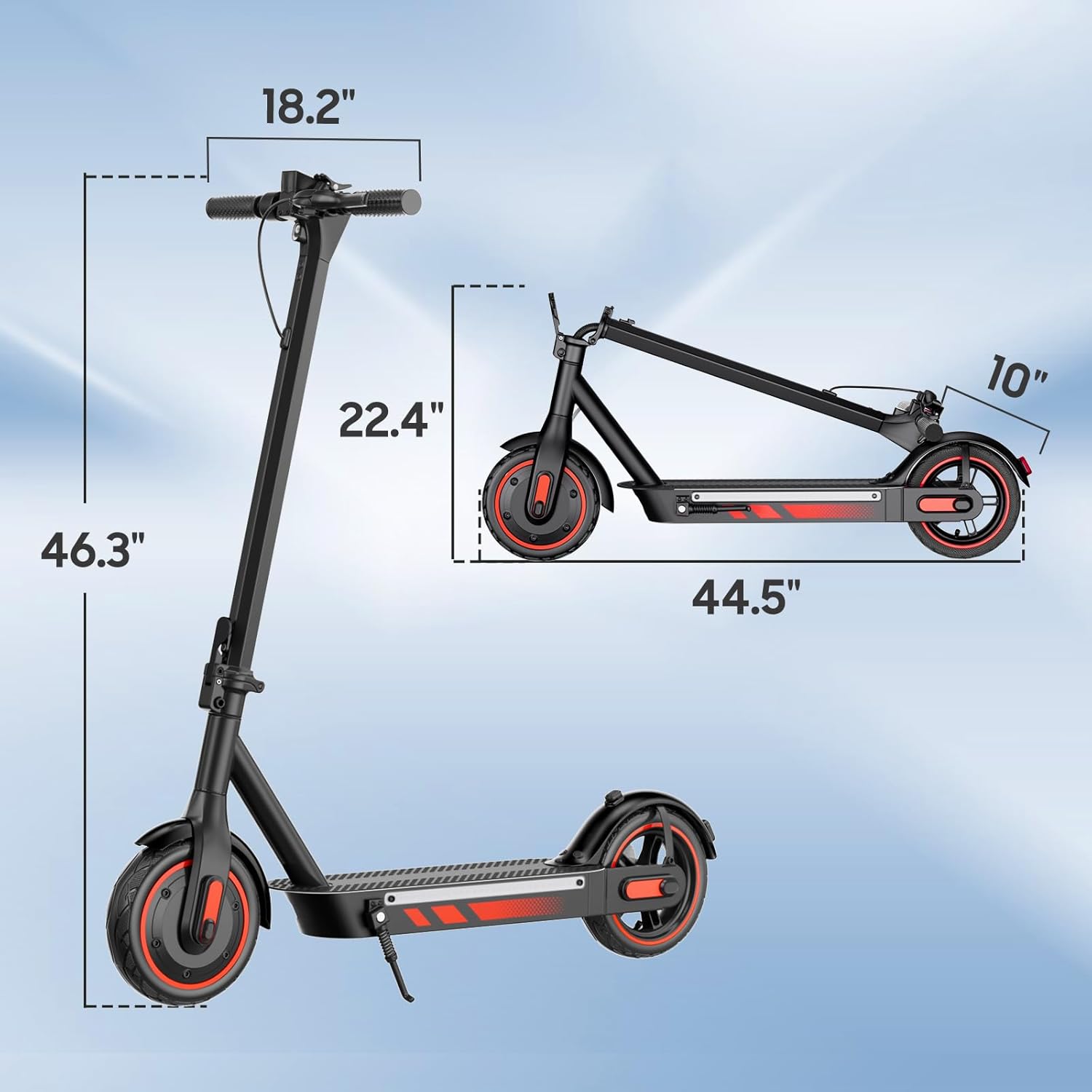
Image: Technical drawing showing the unfolded and folded dimensions of the HiQiS V10 Electric Scooter.
10. การรับประกันและการสนับสนุน
10.1 ข้อมูลการรับประกัน
The HiQiS V10 Electric Scooter comes with a 1-Year Manufacturer Warranty. This warranty covers defects in materials and workmanship under normal use. Please retain your proof of purchase for warranty claims. The warranty does not cover damage caused by misuse, accidents, unauthorized modifications, or normal wear and tear.
10.2 การสนับสนุนลูกค้า
For technical assistance, warranty claims, or any questions regarding your HiQiS V10 Electric Scooter, please contact the manufacturer, Shenzhen Lwheels Technology Co., Ltd, or your retailer. Refer to your purchase documentation for specific contact details.